1
Welcome
Contents
Welcome
Thank you for purchasing this Mio. Please read this manual carefully before
using your Mio for the first time. Keep this manual in a safe place and use as
your first point of reference.
Important information for using the manual
It is important to understand the terms and typographical conventions used in
this manual.
Bold — Components or items displayed on screen, including buttons, headings,
field names and options.
Italics — Indicates the name of a screen.
Contents
2
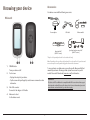
Knowing your device
4
Main unit................................................................................................................4
Accessories.............................................................................................................4
Getting started
5
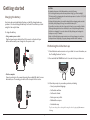
Charging the battery............................................................................................5
Performing the initial start-up............................................................................5
Connecting your device to the computer.........................................................6
Disclaimer
Not all models are available in all regions.
Depending on the specific model purchased, the colour and look of your device
and accessories may not exactly match the graphics shown in this document.
Mio operates a policy of ongoing development. Mio reserves the right to make
changes and improvements to any of the products described in this document
without prior notice. Mio does not warrant that this document is error-free.
The screenshots and other presentations shown in this manual may differ
from the actual screens and presentations generated by the actual product.
All such differences are minor and the actual product will deliver the described
functionality as presented in this User Manual in all material respects.
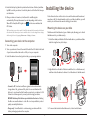
Installing the device
6
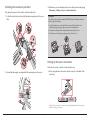
Mounting the device on your bike.....................................................................6
Installing the sensors on your bike.................................................................... 7
Putting on the heart rate monitor..................................................................... 7
Operating basics
8
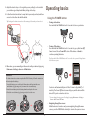
Using the POWER button....................................................................................8
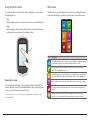
Using the touch screen........................................................................................9
Main menu.............................................................................................................9
Keyboard screen..................................................................................................10
Copyright
© 2012 MiTAC International Corporation. Mio is either a registered trademark
or trademark of MiTAC International Corporation and is used under licence by
Mio Technology Limited. All rights reserved.
All other trademarks and registrations are the property of their respective
owners.
ANT+™
2
Important information for using the manual..................................................2
Disclaimer...............................................................................................................2
Copyright................................................................................................................2
Viewing Dashboard screens
11
Starting navigation
12
Navigating to Home...........................................................................................12
Finding the location by Address.......................................................................12
Searching for a POI.............................................................................................13
Searching for a location from the map screen...............................................13
Searching for a location using GPS coordinates............................................13
Navigating to your Favorite..............................................................................13
Tracks....................................................................................................................14
Other navigating options..................................................................................14
is a trademark of Garmin Ltd. or its subsidiaries.
Revision: R02
(11/2012)
2