1
4
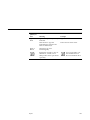
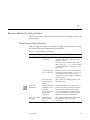
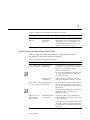
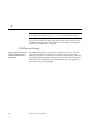
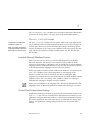
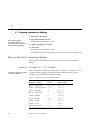
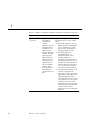
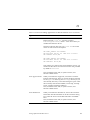
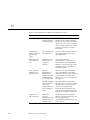
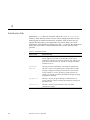
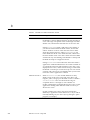
Table 4-1
Diskette Drive Problems and Solutions (Continued)
Symptom
Possible Cause
Solution
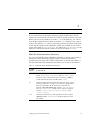
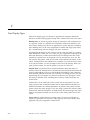
Can’t format DOS
diskette
Not supported
under Wabi
program.
You can use preformatted diskettes or
format them on a PC running DOS. Your
operating system may also provide a way
to format DOS diskettes, so refer to your
operating system user’s manual.
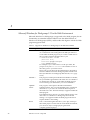
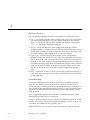
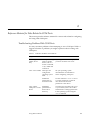
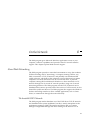
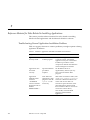
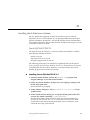
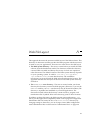
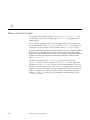
Troubleshooting Problems With Wabi Drives
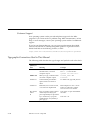
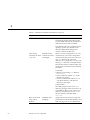
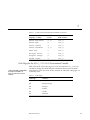
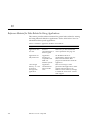
Table 4-2 suggests solutions to problems you might experience when
attempting to connect Wabi drives to directories.
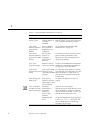
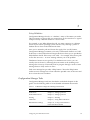
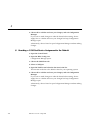
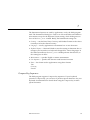
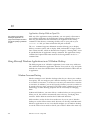
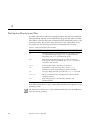
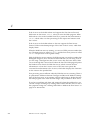
Table 4-2
Wabi Drive Problems and Solutions
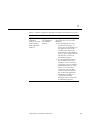
Symptom
Possible Cause
Wabi
Server
Can’t connect a drive Inadequate file
to a local directory permissions.
Incorrect path
assignment.
You must have read permission or more to
any directory you want to access. Use the
UNIX chmod command to change
permissions if necessary.
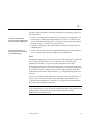
If you are using WabiServer, make sure you
use a network-aware path for directories
on your local system.
If you entered the path name manually,
make sure the path is a directory, not a file.
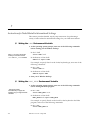
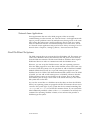
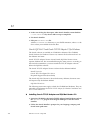
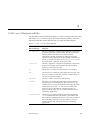
Can’t connect a drive Inadequate file
to a remote directory permissions.
You must have read permission or more to
any directory you want to access. Contact
your system administrator or the owner of
the directory.
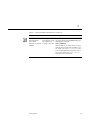
If you are using WabiServer, make sure the
remote directory is accessible to the
WabiServer system.
Remote directory
not in Path file
browser area.
You must be able to access the directory
from the operating system before you can
access it in Wabi.
Server
Wabi
Solution
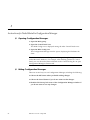
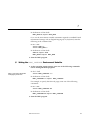
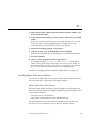
Remote file system
not mounted.
If your UNIX system automatically mounts
remote file systems, enter the path directly
in the Path box to automatically mount the
file system.
Setting Up Drives
75