1
© Siemens AG 2011
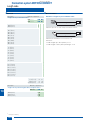
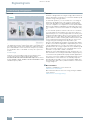
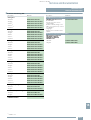
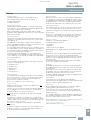
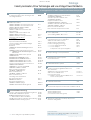
Related catalogs
PM 21
Motion Control
SIMOTION, SINAMICS S120
and Motors for
Production Machines
SINAMICS Drives
SINAMICS G130
Drive Converter Chassis Units
SINAMICS G150
Drive Converter Cabinet Units
E86060-K5511-A101-A5-7600
D 11
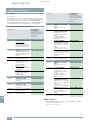
Motors
IEC Squirrel-Cage Motors 1)
Frame sizes 56 to 450
Power range 0.06 to 1250 kW
D 81.1
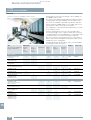
Industry Mall
Information and Ordering Platform
in the Internet:
D 87.1
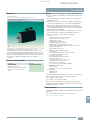
CD-ROM for Catalog D 31 · 2012
MD 10.1
E86060-K5710-A111-A4-7600
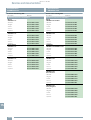
SIMATIC
Products for
Totally Integrated Automation
and Micro Automation
ST 70
E86060-K4670-A101-B3-7600
SIMATIC HMI /
ST 80 / ST PC
PC-based Automation
Human Machine Interface Systems/
PC-based Automation
E86060-K4680-A101-B8-7600
SIMATIC NET
Industrial Communication
E86060-K6710-A101-B7-7600
2)
CA 01
www.siemens.com/industrymall
E86060-K5287-A111-A4-7600
1)
Catalog CA 01
Products for Automation and
Drives
DVD: E86060-D4001-A510-D1-7600
E86060-K5581-A111-A3-7600
FLENDER Couplings
FLENDER Standard Couplings
ITC
E86060-K6850-A101-C2
E86060-K4921-A101-A2-7600
MOTOX
MOTOX Geared Motors
SITRAIN
Training for Automation and
Industrial Solutions 2)
Supplement: E86060-K5581-E111-A1-7600
News:
E86060-K5581-A121-A3-7600
Language: German.
IK PI
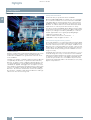
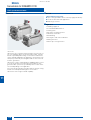
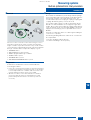
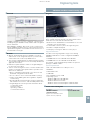
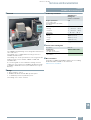
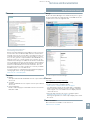
In the CD-ROM that accompanies Catalog
D 31 · 2012, you will find:
• Information about planning/configuring based
on the technical documentation; additional
technical documentation can be found at:
www.siemens.com/automation/doconweb
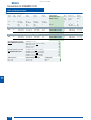
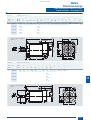
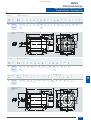
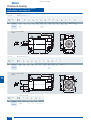
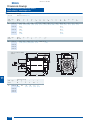
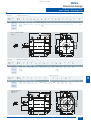
• Dimensional drawings of our motors in PDF/
DXF format or via CAD CREATOR
www.siemens.com/cadcreator
• Catalog D 31 · 2012 in electronic form
(PDF format)
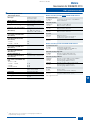
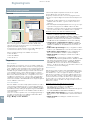
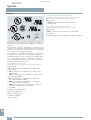
Hardware and software requirements:
• Intel Pentium 1 GHz or higher
• Minimum 512 MB of RAM
• Screen resolution 1024 x 768 pixels
• CD-ROM drive, at least 16x
• Windows XP/Vista
• Acrobat Reader 7.0 or higher
• MS Internet Explorer V6.0 (SP2) or higher
Start
Insert the CD-ROM into the CD-ROM drive.
The program starts automatically.
If the AutoRun function is not activated in your system, start file
start.hta from the CD-ROM using the Windows Explorer.
Note
Installation is not necessary to view the information on this
CD-ROM. This does not apply, however, when using dimensional drawings in DXF format.