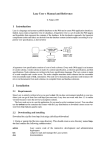
1
MySQL++ User Manual
2.
Form and execute the query
3.
Iterate through the result set
4.
Go to 2 :)
There is, however, a lot of extra functionality along each step of the way.
2.1. The Connection Object
A Connection object manages the connection to the MySQL server. You need at least one of these objects to do anything. A Connection object can either create Query objects for you, or you can execute queries directly through the
Connection object. The separate Query object is the recommended way as it gives you far more power.
2.2. The Query Object
A Query object is the recommended way of building and executing queries. It is subclassed from
std::stringstream which means you can write to it like any other C++ stream to form a query. The library includes stream manipulators that make it easy to generate syntactically-correct SQL.
You can also set up Template Queries with this class. Template queries work something like the C printf() function: you set up a fixed query string with tags inside that indicate where to insert the variable parts. If you have multiple queries that are structurally similar, you simply set up one template query, and use that in the various locations
of your program.
A third method for building queries is to use Specialized SQL Structures (SSQLS). This feature presents your results
as a C++ data structure, instead of making you access the data through MySQL++ intermediary classes. It also reduces the amount of embedded SQL code your program needs.
2.3. Result Sets
The field data in a result set are stored in a special std::string-like class called ColData. This class has conversion operators that let you automatically convert these objects to any of the basic C data types. Additionally,
MySQL++ defines classes like DateTime, which you can initialize from a MySQL DATETIME string. These automatic conversions are protected against bad conversions, and can either set a warning flag or throw an exception, depending on how you set the library up.
As for the result sets as a whole, MySQL++ has a number of different ways of representing them:
Queries That Do Not Return Data
Not all SQL queries return data. An example is CREATE TABLE. For these types of queries, there is a special result
type (ResNSel) that simply reports the state resulting from the query: whether the query was successful, how many
rows it impacted (if any), etc.
Queries That Return Data: Dynamic Method
The easiest way to retrieve data from MySQL uses a Result object, which includes one or more Row objects. Because these classes are std::vector-like containers, you can treat the result set as a two-dimensional array. For
example, you can get the 5th item on the 2nd row by simply saying result.at(1).at(4). You can also access
row elements by field name, like this: result.at(2)["price"].
An alternate way of accessing your query results is through a ResUse object. This class acts more like an STL input
iterator than a container: you walk through your result set one item at a time, always going forward. You can't seek
around in the result set, and you can't know how many results are in the set until you find the end. This method is
more efficient when there can be arbitrarily many results, which could pose a memory allocation problem with the
3