1
Table of Contents
SECTION 1: INTRODUCTION
1
What is Impatica for PowerPoint? 1
Text
SECTION 2: INSTALLING AND
UNINSTALLING IMPATICA FOR
POWERPOINT
Launching the Installer
Graphics
From a CD-ROM
From a Download
3
3
3
3
Using the Installer
3
Uninstalling Impatica for PowerPoint
7
SECTION 3: USING IMPATICA FOR
8
POWERPOINT
Running Impatica for PowerPoint 8
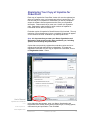
Registering Your Copy of Impatica
9
for PowerPoint
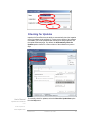
Checking for Updates
10
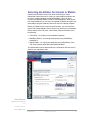
Selecting the Edition for Internet or
11
Mobile
Selecting the Source Content Files
12
for Conversion
Conversion Settings
12
Full Edition
BlackBerry and Mobile Editions
13
28
Impaticizing Your Presentations 37
Conversion Summary
Log File
38
39
Post-Conversion Interface
40
Preview (1)
Deleting Impatica Files (2)
Web Server Upload Tab (3)
File Info Tab (4)
Conversion Settings Tab (5)
E-mail Tab (6)
BlackBerry Transfer Tab (7)
SECTION 4: SUPPORTED AND
UNSUPPORTED FEATURES OF
POWERPOINT
Overview
File Formats
Supported
Not Supported
Slides
Page Setup
Slide Masters
Backgrounds
Slide Design Templates
Slide Layouts
Version 4.0
41
43
43
48
50
50
53
55
55
56
56
56
56
56
56
57
57
58
Text Types
Text Formatting
Formats
Image Manipulation
Shapes
Shape Types
Shape Formatting
Animation
Objects that can be Animated
Animation Effects
Animation Effect Options
Timing
Media
Action Settings and Hyperlinks
Transitions
Transition Effects
Slide Advance
Sounds
Miscellaneous Features
SECTION 5: BUILDING A
PRESENTATION FOR INTERNET
DELIVERY
Overview
Animation
Navigation
58
58
58
60
60
60
61
61
62
63
63
63
65
66
67
68
69
69
70
70
70
72
72
72
72
Navigating Between Slides
73
Navigating Between Presentations 73
Navigating Between Presentations and
74
URLs
Navigating Between Presentations and
75
Other Files
Narration
Sound Quality
Controlling Sound
75
75
76
Keyboard and Mouse Input
76
Keyboard Input in an Applet
Mouse Input in an Applet
76
76
Path and File Names
76
SECTION 6: PUBLISHING YOUR
PRESENTATION FOR WEB
78
DELIVERY
Overview
78
Setting up the HTML to Play Your
79
Presentation Content
Testing
80
Testing From Your Local Hard Drive80
Testing From Your Web Server
80
ii