1
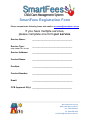
SmartFees Setup Information Form Please complete the following: Service name __________________________________________________ Most internet access (ADSL, ADSL2, CABLE, NBN) is sufficient for running SmartFees sessions and connecting to CCMS however some clients, particularly those on shared access, have encountered issues. Please run the following check. 1. Check your internet speed on each computer you will use to connect to SmartFees VM or run SmartFees Desktop by following these steps: Log on to www.speedtest.net Click on the Begin Test button When the test is complete the “Ping”, “Download” and “Upload” speeds will display. Enter these below. PING TIME: DOWNLOAD: UPLOAD: 2. Define your primary user account. For SmartFees Desktop customers this will be your initial SmartFees login. 3. We recommend you use account names that identify a specific individual , generic names. For example: asmith or aprils not teddysdir or teddysadmin). USER 1 (required) User name Email address for the user account Email display name (i.e. the name that appears in recipient’s inbox) for the email address above Printer (brand and model) attached to local computer Operating System on local computer (Eg. Windows7/Windows 8/Mac) *If Windows, please state 32 bit or 64 bit MYOB Version (if applicable) Information about printers and SmartFees Some clients have found that if they have an older printer, they have some difficulties printing specific reports from SmartFees. We ask you to list your printer details on this form so that we can check your printer’s compatibility. You may be advised to use a newer printer if it is found that yours is likely to not be compatible with SmartFees. © 2015 WG Solutions Pty Ltd ACN 603 254 495 www.smartfees.com.au : [email protected] : P 1300 859 470 : F 1300 859 478 Current At : 20th May 2015