1
P a g e | 51
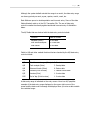
process. If you choose to print statements for multiple clients the HTML option
will not be available.
11.1
Setup, Configuration and User Features:
There is a document for every PBS module provided in the PDF format. This can
be found on the Passport Business Solutions Installation Disc.
10.5.1
Data Lookups:
PowerTools Data Lookups introduced. Without source code, lookups can be
customized globally, per user and per location within RW32. You can change the
data that you view by entering a different field number in the Lookups
Maintenance Screen.
10.5.1
Forms Printing:
A new and much easier method of setting up printers in company information
was introduced for version 10.5. The PSI Printer Locator allows the PBS
administrator to easily set up a printer by accessing the local workstation
printers.
10.5.1
Ability to Print Screen:
The capability to print the current displayed PBS screen to any Windows, UNIX or
Linux printer has been added. Ctl+P for Windows, Sht+F10 for UNIX/Linux. In
UNIX printer 1 from company information is used.
10.5.1
Protection for Print to Disk Reports Now Provided:
A facility to provide protection for Print to Disk Reports is now provided. If the
user has the privilege to run the report from the menu, then they can print the
report from disk. A company file flag turns this feature on or off. It can only be
used if using menu maintenance.
10.4
BreakOut™:
The BreakOut utility allows a user to input field default information. This includes
skipping fields, default values, default function keys and more. These defaults
are user specific. This saves data entry time and reduces data entry errors.
10.4
Open Database Connectivity (ODBC) Interface:
The ODBC interface, available separately, provides a link between PBS data and
other ODBC compliant applications such as Excel, Access and Crystal Reports.
With the ODBC interface you can select data fields from PBS files and view the
data in a report, spreadsheet or more.