1
GPS Option Installation and Use
Your MCA will capture and append the most recent GPS data string to each
image as it is taken. The following requirements apply; Your GPS receiver
must be configured to output the standard NMEA RMC and/or GGA
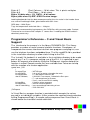
sentences. The default output protocol for NMEA sentences is 4800 baud, 8
data bits, 1 stop bit, no parity. Your receiver should allow you to configure it
for RMC and/or GGA at 4800:8:1:N. If your GPS receiver can be configured
for a higher Baud, you should take advantage of the feature, since it will
make the GPS data more accurate since less time would be lost transferring
the messages. The menu in the camera has an entry for the GPS Baud.
There is also an advanced setup screen, accessible via Pixelwrench2 that
save a higher baud rate.
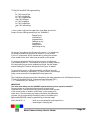
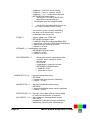
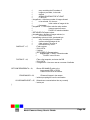
The GGA sentence is emitted once per second and contains the following
fields:
1.
Time UTC
2.
Latitude and Longitude
3.
Fix quality
4.
Number of satellites tracked
5.
Horizontal dilution of position
6.
Altitude in meters MS
7.
Height above MSL
Attach the optional serial cable to the small serial connector (see the
illustration in the Hardware Installation section of this manual). Attach the
other end to the serial port of the receiver.
The most recent GPS sentence sent to the camera will be appended to the
image data file. You can view the GPS data in the image using Pixelwrench2.
The camera firmware also supports an event, or position, logging system that
will exactly place the GPS locations at the time pictures are taken, with a
resolution of 10 milliseconds.
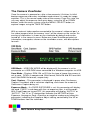
The camera also has two features you can turn on in the setup called GPS
HEARTBEAT and GPS DISPLAY, which will toggle an indicator on the
viewfinder screen each time it receives a new GPS sentence and will show
the last GPS position received. This is useful to see that the camera is
properly receiving GPS data.
Multi-Camera Array User's Guide
Page 17