1
CE 474
8/31/06
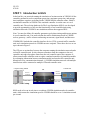
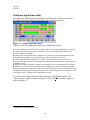
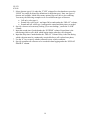
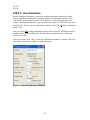
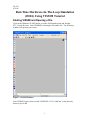
Figure 10, Signal control window for VAP.
Add signal groups
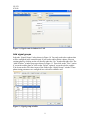
Select the “Signal Groups” tab as shown in Figure 10. You only need to have phases that
will be configured in the controller unit. If you need to add or delete a phase, select an
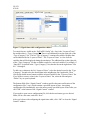
existing phase by clicking on the cell directly under the “No.” header and right click. The
“Add or Delete” window pops up as shown in Figure 11. Then click on the “New” option
if you need to add a phase or click on the “Delete” option if you need to delete a phase.
You do not need to fill values in any of the fields in the “Signal Groups” window. These
phase timing parameters are configured in a real traffic controller unit.
Figure 11, Signal groups window.
9