1
Appendix
A. Settings for Internet Explore 8
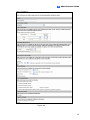
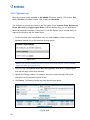
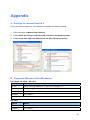
If you use Internet Explorer 8, it is required to complete the following setting.
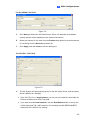
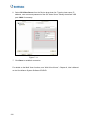
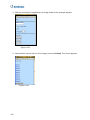
1. Set the Security to Medium-high (default).
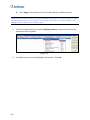
2. Enable Allow previously unused ActiveX controls to run without prompt.
3. Disable Only allow approved domains to use ActiveX without prompt.
B. Supported Wireless LAN USB Adaptor
GV-VS04H / GV-VS12 / GV-VS14
Vendor
Model
D-Link
DWA-140 (H/W version B1), DWL-G122 (version C1)
Edimax
EW-7318Ug, EW-7318Un, EW-7718Un, EW-7711UAn
Linksys
WUSB54GC, WUSB600 (version 1)
Pegatron
WL-166N11
Note: Linksys WUSB54GC ver. 3 is not supported.
GV-VS11
Vendor
Model
Edimax
EW-7711UAn
Pegatron
WL-166N11
171