1
XDMA550BT OPERATION
USB Operation
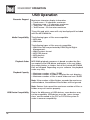
Displaying Information
When a file is accessed, the clock and elapsed time will be
displayed. Press DISP momentarily to select beween song
title, artist, file name, folder name, track number and clock/
elapsed time.
"NO TITLE" will be displayed if no song title information is
available.
"NO ARTIST" will be displayed if no artist information is
available.
Song Title Icon
This icon will illuminate when the song title is displayed.
Artist Icon
This icon will illuminate when the artist name is displayed.
Folder Icon
This icon will illuminate when the folder name is displayed.
File Icon
This icon will illuminate when the file name is displayed.
Folder Access
Press
Press
to select the previous folder.
to select the next folder.
Note: Folder access is only available on devices with more
than one folder.
Repeat
Press RPT to enter the Repeat menu, then turn the volume
knob to select one of the following options:
• ALL - Plays all tracks on the device.
• TRACK - Continuously repeats selected track.
• FOLDER - Continuously repeats all files in selected folder.
Random
Press RDM to enter the Random menu, then turn the volume
knob to select one of the following options:
• OFF - Cancels the RDM function.
• ALL - Plays all tracks in random order.
• FOLDER - Plays all tracks in folder in random order.
Note: Random mode is retained in memory when selecting
between other modes and when the unit is turned on/off. Intro
Press INT to enter the Intro menu, then turn the volume knob
to select one of the following options:
• OFF - Cancels the INT function.
• ALL - Plays first 10 seconds of each track.
• FOLDER - Plays first 10 seconds of each track in folder.
17