1
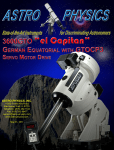
1200 GERMAN EQUATORIAL WITH
GTO SERVO MOTOR DRIVE
ABOUT THIS MANUAL
3
MODEL 1200GTO PARTS LIST – MODEL GTOCP3
4
MECHANICAL SPECIFICATIONS 5
GTO SERVO DRIVE SYSTEM SPECIFICATIONS
5
INTRODUCTION
6
Why Polar Alignment is Important
6
ASSEMBLY DIAGRAM
7
BEFORE YOU LEAVE HOME
8
Gross Latitude Adjustment for 1200GTO German Equatorial Mounts Attach Pier Adapter to Pier Post (purchased separately)
Standard Pier Adapter (1200SPA)
Precision-Adjust Rotating Pier Adapter with Azimuth Bearing (1200RPA)
Hi-Lo Latitude Wedge Pier Adapter Assembly (1200WDGA) or Wedge Alone (1200WDG) for 0°- 22° or 69°- 90° Latitude – North or South
AT YOUR OBSERVING SITE
8
10
10
11
12
12
13
Assemble Pier (purchased separately)
13
Assemble Polar Axis Assembly to Pier or Tripod
13
Polar Alignment – Part 1 – Rough Alignment
Altitude and Azimuth Adjustments - Rough polar alignment
14
14
Assemble Declination Axis
15
Removing Declination Axis at the End of Your Observing Session
15
Attach Mounting Plate
Fixed Mounting Plate Options
Losmandy D-Series Compatible Saddle Plates Additional Astro-Physics, PlaneWave and Side-by-side Mounting Options
16
16
17
17
Attach Counterweight Shaft and Counterweights
18
Attach Mounting Rings and Scope
18
Polar Alignment – Part 2 - Fine Polar Alignment
Methods for fine polar alignment
Making Precise Altitude and Azimuth Adjustments Fine Altitude Adjustment
Tips for Adjusting the Altitude Fine Azimuth Adjustment
Precision-Adjust Rotating Pier Adapter with Azimuth Bearing (1200RPA)
Standard Pier Adapter (1200SPA) and Hi-Lo Latitude Wedge (1200WDGA)
Azimuth Adjuster Knob Locking Screws: 19
19
20
20
21
21
21
22
22
CLUTCH KNOBS AND BALANCING
23
Understanding the R.A. and Dec. Clutch Knobs
23
Balancing Your Telescope
First, Balance the Declination Axis
Second, Balance the Polar Axis
24
24
24
SERVO MOTOR DRIVE - THE “BRAINS” OF YOUR MOUNT
GTO Control Box – Model GTOCP3
25
25
1
Pre-loaded PEMPro™ Curve
Lead-Free (RoHS compliant) Electronics
10-pin Receptacle for R.A. and Dec. Y-Cable
12V Locking Receptacle
POWER Indicator Light
KEYPAD Receptacle
RS-232 Ports (2)
FOCUSER Jack
RETICLE Jack (1.6 to 4.6 volt variable output)
AUTOGUIDER Port Receptacle
+6V Auxiliary Jack
N and S Switch
Drainage Holes
25
26
26
26
26
26
26
27
28
28
28
28
28
Removing the GTO Control Box From the 1200GTO Mount
28
Power Considerations
Introduction
Some Power Basics for Non-Electrical Engineers
Power Specifications - 1200GTO
Batteries
29
29
29
30
30
CONTROLLING YOUR GTO MOUNT
31
GTO Keypad Operation
31
PulseGuide™ by Sirius-Imaging
31
The Astro-Physics ASCOM V2 Driver
31
Planetarium, Imaging and Observatory Software from Other Vendors
32
PEMPro™ V. 2.x (latest release) by Sirius-Imaging
32
The Astro-Physics Command Center (APCC)
33
CABLE MANAGEMENT
34
1200 Motor Cables
34
Accessory Cables
34
Optional Accessories to Prevent Cable Snags
34
Example from International Space Station – Amateur Telescope (ISS-AT) Project
35
SLEWING YOUR MOUNT IN BELOW FREEZING TEMPERATURES
36
MOUNT CARE, CLEANING AND MAINTENANCE
37
Care
37
Cleaning and Touch-up
37
Routine Mount Maintenance
37
TROUBLESHOOTING, TIPS AND SUPPORT 38
Troubleshooting and Tips
Technical Note on RS-232 Serial Ports on the GTO Control Box
38
40
Additional Support
41
STANDARD PIER ADAPTER OF THE 1200 MOUNT 42
CLUTCH PLUG REPLACEMENT FOR 900 OR 1200 MOUNT
43
Construct Your Own Clutch Plug Extraction Tool 44
CHARACTERIZING THE DEC. AXIS MOTIONS
45
ASTRO-PHYSICS MOUNTING PLATE FASTENER CHART 46
2
ASTRO-PHYSICS
1200GTO GERMAN EQUATORIAL WITH
GTOCP3 SERVO MOTOR DRIVE
ABOUT THIS MANUAL
This version of the 1200GTO Manual was prepared for the production run of mounts that began shipping in April of 2011.
Most of the information in this manual is applicable to all 1200GTO’s that have been produced. Some of this information
was simply not available when the first 1200GTO’s left our factory back in 1998. This includes information on newer
accessories for the mount that weren’t available for the first production runs. We have also learned a few things through
experience and suggestions from our customers that have improved the content that is available in this manual.
We suggest that all 1200GTO owners adopt this manual for regular guidance with their mounts. The benefits of the
improved information should easily outweigh the minor differences between mounts from earlier production runs and the
current one. There will be a few things like the included serial cable, the GTOCP3 Servo Control Box and the Heavy Duty
Azimuth Adjuster that owners of older mounts will not have. In a similar fashion, owners of brand new mounts should
be aware that some of the photos that were used in this manual are of mounts from earlier production runs. You may
therefore see some slight differences whether you have a brand new mount or an earlier mount, but none of these were
deemed to be of significance.
As always, we highly recommend the Technical Support Section of our Web site for the latest information and for future,
updated versions of this manual. Older versions are also available there.
Please Record the Following Information for Future Reference
Mount Serial Number:
______________________________
Keypad Serial Number:
______________________________
GTOCP3 Serial Number: ______________________________
Purchase Date:
______________________________
3
MODEL 1200GTO PARTS LIST – MODEL GTOCP3
1
1
1
1
1
1
1
1
2
1
1
Polar axis assembly (right ascension - R.A.) with Servo Control Box GTOCP3
Declination (Dec.) axis assembly
19.5” (18.5” usable) Stainless counterweight shaft (1.875” dia.) with machined, black-anodized, safety stop
Y cable – R.A. portion is 15.25” long and Dec. portion is 40.25” long
D.C. power cord (cigarette lighter adapter on one end) – 8 feet long
Straight-through Serial Cable – 15 feet long
GTO Keypad controller with 15’ coiled cable, Instruction Manual and installed Keypad Protector (KEYPRO)
Hex key set
8-32 thumbscrews (substitute these for 8-32 set screws that hold GTO Servo Control Box in place, if you wish)
PEMPro™ v.2.x (latest FULL version) Periodic Error Management software (CD-ROM)
PulseGuide™ by Sirius Imaging – remote control utility for improved guiding (CD-ROM)
In order to fully assemble your mount, you will need some of the following items sold separately:
●●
Telescope mounting plate: Many choices to fit your telescope and observing needs. See page 16.
●●
22° to 69° latitude: Choose either the Standard Pier Adapter (1200SPA) or the Precision-Adjust Rotating Pier
Adapter with Azimuth Bearing (1200RPA). Either adapter will come with six 5/16 – 18 X 5/8” button head screws for
attachment to the pier, four pier knobs for attaching the mount to the adapter, and the azimuth block for use with the
Heavy Duty Azimuth Adjuster found on all 1200GTO mounts produced after August, 2005 and available as an upgrade
for earlier mounts.
●●
Tropical or extreme polar latitudes (0° to 22° or 69° to the pole North or South): Choose the Hi-Lo Latitude
Wedge Pier Adapter Assembly (1200WDGA) or the Wedge alone (1200WDG) with Flat Surface Adapter (1200FSA)
and Rotating Pier Adapter (1200RPA)
●●
10” O.D. pier: Astro-Physics has several heights and styles to choose from.
●●
Counterweights: 5 lb. (5SCWT), 10 lb. (10SCWT) and 18 lb. (18SCWT) are available.
●●
Portable rechargeable 12-volt battery pack: Several sizes and types are available from a variety of vendors.
Be sure that your battery pack can supply adequate power for an entire observing session! Please refer to power
requirements under Features and Specifications on next page. We recommend having separate batteries – one for
the mount – one or more for all other accessories: camera, computer, dew removers etc.
●●
Regulated Power Supply (110V AC to 12V DC converter): We offer two choices: 13.8-volt, 5-amp supply
(PS138V5A) or 15-volt, 10-amp supply (PS15V10A). Both supplies are filtered and regulated.
Many of these items will be discussed throughout these instructions. Several additional options are available:
●●
9” Counterweight Shaft Extension (M12675): For heavier loads.
●●
Autoguiding accessories: Various guiding configurations can take advantage of the 1200GTO’s autoguider port.
The autoguider port receptacle (RJ-11-6) uses the industry standard SBIG ST-4 wiring setup.
●●
Pier accessory trays and support bars: Accessory Tray (TRAY10) and/or Eyepiece Accessory Trays (TRAY10H)
with Bi-Level (TRAYSB) or Single Level (TRAYSB1) Support Bars. Keep things close at hand
●●
1200 Flat Surface Adapter (1200FSA): For attaching one of our pier adapters to your own custom pier or tripod.
●●
Polar Alignment Scope: (PASILL4L – Prior versions sold by Astro-Physics will also work.) Threads into the base
of the polar axis assembly. Many users find a polar alignment scope useful for zeroing in on the pole quickly,
particularly with telescopes that are not orthogonal to the mount.
●●
Extension cable for keypad: Please call Astro-Physics to obtain a quote on the length of extension cable you need.
Note on Encoders: Mounted shaft encoders can no longer be used with the 1200GTO (for mounts shipped starting in
May, 2006 – beginning serial number 1200572) because of the counterweight shaft re-design. They are not needed since
the go-to functions of the mount are so much more accurate. The encoder that is built into the servo motor itself has a
resolution of 0.05 arcseconds vs. 324 arcseconds for mounted encoders.
4
MECHANICAL SPECIFICATIONS
Construction
All CNC machined aluminum bar stock, stainless steel, brass; stainless steel fasteners
Finishing & Assembly
Every part is hand finished and inspected. All assembly is done by hand, by highly skilled
individuals who not only build the mounts - THEY USE THEM!
Worm wheel - R.A.
10.3” (262 mm), 225 tooth aluminum
Worm wheel - Dec.
7.2” (183 mm), 225 tooth aluminum
Worm gear - R.A.
Brass, 1.210” (30.7 mm) diameter
Worm gear - Dec.
Brass, 0.710” (18 mm) diameter
Thrust Bearing - R.A.
9.5” (241 mm) diameter
Thrust Bearing - Dec.
6.5” (165 mm) diameter
Axis shaft - R.A.
3.35” (85 mm) diameter
Axis shaft - Dec.
2.36” (60 mm) diameter
Shaft axis bearings - R.A./
Dec.
Each shaft is supported by 5 bearing elements; two preloaded ball bearings and 3 sets of
massive thrust bearings
Latitude range
22 - 69 degrees with or without polar scope attached; (0-22 and 69-90 degrees when using
Hi-Lo Latitude Wedge (1200WDG or 1200WDGA)
Azimuth adjustment
Approximately 14 degrees (+/- 7 degrees from center)
Setting circle - R.A.
4-minute increments, pointer, engraved both Northern/Southern, Porter Slip Ring
Setting circle - Dec.
1 degree increments, pointer, Porter Slip Ring
Counterweight shaft
1.875” (48 mm) diameter x 19.5” (495 mm) long [18.5” (470 mm) usable length], stainless
steel, removable with Safety Stop
Weight of mount
Total: 95 lb. (43.2 kg)
R.A. axis / polar fork: 50 lb. (22.7 kg)
Dec. axis: 31 lb. (14.1 kg)
Counterweight shaft: 14 lb. (6.4 kg)
Capacity of mount
Approximately 140 lb. (63.6 kg) scope and accessories (not including counterweights),
depending on length. Recommended for: Astro-Physics and similar fast refractors up to
206 mm f8 Starfire EDF, 16” Cassegrains and Ritchey-Chretiens, 17” CDKs. These are
only guidelines. Some telescopes are very long for their weight or heavy for their size and
will require a larger mount. Remember also that imaging requirements are more rigid than
visual observation.
Scope mounting interface
Mounting Surface Diagram on page 16
Pier adapter base
9.775” (248.29 mm) diameter. The base is part of the Rotating Pier Adapter (1200RPA) and
the Standard Pier Adapter (1200SPA)
GTO SERVO DRIVE SYSTEM SPECIFICATIONS
Electronic components
Rated for industrial and automotive applications
Motors
High-torque, zero-cogging Swiss DC servo motors, enclosed in machined aluminum
housing
Motor encoder
2000 tic quadrature yielding an effective resolution of 0.050 arcseconds per tic
Motor reduction gear train
57.6:1 gear reduction through a custom built set of large diameter, fine-toothed, precision,
spur gears for vastly superior performance
Servo Motor Control Box
GTOCP3 Control Box, removable
Hand-held computer
GTO Keypad to control all mount functions. Includes extensive databases and tour
features in a simple, intuitive interface. Firmware updates via internet
Power consumption
0.3 to 0.6 A at 13.8 V tracking; 1.3 to 2.5 A at 13.8 V - both motors slewing. See page 30
Power requirements
12.3 to 16 V DC at a minimum of 5 A continuous recommended.
Periodic Error (native
error, prior to any error
correction)
5 arcseconds peak-to-peak (+/- 2.5 arcseconds) or less in one worm cycle (6.4 minutes)
This maximum allowable error is fully tested and verified. The PEMPro curve from our
extensive testing is then pre-programmed into the servo.
Maximum slew speed
5 degrees / second
5
See page 29
INTRODUCTION
The 1200 German equatorial was designed to meet the needs of the advanced observer who requires a mount with
maximum strength and rigidity and minimum weight. The excess material in both axes has been carved out while retaining
a heavily ribbed structure for internal strength and rigidity. A unique dovetail was machined into the mating surfaces of the
R.A. and Dec. axes. This feature allows quick and easy assembly in the field without any tools.
The DC servo motor drive with GTO computer system, the keypad with its digital display screen, and the included AP V2
ASCOM Driver, PulseGuide™ and PEMPro™ v.2.x software all combine to offer extraordinary sophistication for today’s
observer. Whether you enjoy visual astronomy exclusively or plan an aggressive astrophotography or CCD imaging
program, this mount will allow you to maximize your night out under the stars.
The advanced keypad features allow you to slew automatically to objects in a wide range of databases as well as any R.A./
Dec. or Alt./Az. coordinate. A large selection of common names for stars and other objects makes your selection a snap.
The rapid slew rate of 5 degrees per second (1200x) allows you to locate objects very quickly and accurately. You will be
very pleased with the intuitive operation of this keypad. There are no complicated sequences of keystrokes to remember.
It is so easy to use that even if you don’t use it for a few months, you will feel at home with the keypad very quickly.
The keypad is only one way of controlling the versatile Astro-Physics GTO Servo System. From its very conception, the
servo controller was designed to work with any software that was written to use our published command set. We do not
lock you into any proprietary software or mandatory “additional” equipment. To increase the versatility of all our mounts,
we have developed and now fully support a V2 ASCOM Driver for use with all ASCOM client software.
As mentioned above, we also include PulseGuide™ mount control / utility software and a full version of PEMPro™
(Periodic Error Management Professional) v.2.x (latest version) for you to enhance your control and performance options.
As an added bonus, all 1200GTO mounts will come pre-loaded with the custom-fitted PEMPro™ corrections from our
extensive individual testing that is performed on each and every mount. While the native periodic error of your 1200GTO
will be 5 arcseconds or less, you can reduce it even further to maximize performance without auto-guiding. These software
control products are detailed later in the manual.
In addition to everything outlined above, the 1200GTO’s control and performance options will be greatly enhanced by
the upcoming Astro-Physics Command Center (APCC). This exciting software is in the second phase of beta testing
at the time of this writing, and the final release will be available soon. APCC will fully address all the capabilities of the
1200GTO, and will add enhancements not currently available in the keypad or in any other software.
Northern
Hemisphere
t it u
La
Why Polar Alignment is Important
de
Polar alignment compensates for the Earth’s rotation.
N
or
th
Horizon
If you were to take a long exposure photograph with Polaris
(often called the north star) in the center of the field, you
would discover that all stars seem to revolve around
Polaris. This effect is due to the rotation of the earth on
its axis. Motor-driven equatorial mounts were designed to
compensate for the earth’s rotation by moving the telescope
at the same rate and opposite to the earth’s rotation. When
the polar axis of the telescope is pointed at the celestial pole
(polar aligned) as shown in the diagram at right, the mount
will follow (track) the motions of the sun, moon, planets
and stars. As a result, the object that you are observing will
appear motionless as you observe through the eyepiece or
take astrophotos.
D
th ire
N e C ctio
or e n
th le o
Po sti f
le al
ou
n
’s io
nt tat
ou ro
M tern
C
In order to maximize your pleasure on your first night out, we
recommend that you familiarize yourself with the assembly
and basic operation of the mount indoors. The temperature
will be comfortable, the mosquitoes at bay, and you’ll have
enough light to see the illustrations and read the manual.
Please take particular note of counterbalancing, use of the
clutches and operation of the keypad controller.
D
th irec
e
Po tion
la of
rA
D
th irec xis
N e C tio
or e n
th le o
Po sti f
le al
The 1200 is equally at home in a permanent observatory or as a portable mounting for remote star parties thanks to the
ease with which the two axes come apart. This is the perfect
mount for a large refractor, Newtonian, Cassegrain or
Zenith
astrograph.
rth
Ea
de
’s
R
rth
Ea
So
ut
h
or
t
ua
Eq
’s
Ax
is
n
tio
a
ot
t it u
La
6
Earth
ASSEMBLY DIAGRAM
Please read all instructions before attempting to set up your 1200 mount. The Model 1200 is very rugged, however like any
precision instrument, it can be damaged by improper use and handling. Please refer to the diagram below for an illustration
of the mount. The parts are labeled so that we can establish common terminology.
The following terms and abbreviations are used interchangeably in these instructions:
●● polar axis = right ascension axis = R.A. axis = R.A. housing
●●
declination axis = Dec. axis = Dec. housing
Your 1200GTO must be used with a pier adapter which includes the azimuth adjuster block, center pivot screw and pier
adapter knobs. Please choose one as shown below.
7
BEFORE YOU LEAVE HOME
Since most of us must set up our instruments in the dark, in the cold or while battling mosquitoes, a bit of pre-planning
and organization is important. There are few simple things that can be accomplished in the comfort of your home before
heading outside.
Gross Latitude Adjustment for 1200GTO German Equatorial Mounts
Mounts shipped starting in May, 2006. Beginning with Serial Number 1200572. Older mounts will have
slightly different latitude ranges unless they were upgraded with the taller polar fork.
The latitude range of the 1200 mount is approximately 22 - 69 degrees with considerable overlap at each position. Since
most astronomers typically observe within one latitude range, this adjustment is made just once, if at all. Prior to shipment,
we preset the mount to your latitude range for your convenience. We suggest that before you travel to an observing
location, determine the approximate latitude of your observing site and make the appropriate rough adjustment. If you
live in or plan to travel to locations that are 0-22 degrees latitude, we recommend our Hi-Lo Latitude Wedge Assembly
(1200WDGA).
The four positions for the altitude adjustments have the following approximate ranges:
57.5° to 69° latitude - top position (1)
41° to 63° latitude - second position (2)
30° to 48.5° latitude - third position (3)
22° to 38° latitude - bottom position (4)
How to change the position of the altitude adjuster
1. Use only the R.A. axis. DO NOT
attempt to make these adjustments
with the declination axis in place and
certainly not with an instrument fully
mounted.
2. Loosen both altitude-locking knobs
about 1 turn.
Polar (R.A.) Axis
Altitude Adjustment
Slot
Altitude Locking
Knob
Altitude Adjustment
Position Holes
(4 on each side)
3. Locate the side of the polar axis that
Polar Axis
Tommy Bar
does not have the motor / gearbox
Pivot Screw
Altitude
Adjustment
housing. Loosen (about 1 turn) the
57° - 69°
Knob
polar axis pivot screw and altitude
41° - 63° Latitude
Altitude Adjuster Bar
Range
30° - 48°
adjuster bar fixing screws on this
Fixing Screws
Settings
22° - 38°
side only. With your hand, push the
(2 on each side)
polar axis upwards so that the
Polar Fork
Azimuth Adjuster Knob
altitude-locking knobs are positioned
Base Assembly
at the top of the altitude slot (this is
the maximum altitude position).
Some resistance will be felt with this
operation as you are pushing against
Shown with optional Precision Adjust Rotating Pier Adapter and Portable Pier
the weight of the polar housing and
the resistance of the remaining polar
axis pivot screw (which has not been loosened).
4. Before attempting to remove or move the altitude adjuster bar, you must
tighten the altitude-locking knob on the motor / gearbox housing side. This
will prevent any downward movement of the polar axis during positioning of
the altitude adjuster bar.
5. While supporting the altitude adjuster bar, remove the two screws that
support it on each side (4 screws in all). Keep the two ends of the bar in
contact with the side of the mount, don’t remove the bar completely (this
tip is for your convenience).
6. Determine the latitude range that you need and position the altitude
adjuster bar so that the hole that is marked “A”, as shown in the diagram,
is located at the appropriate hole position numbered 1-4 in the diagrams
(above and next page). Note that hole “A” is located at the rounded part in
the center of the altitude bar. Hole “A” is the “latitude hole.”
8
7. Attach two of the screws (one on either side
of the adjuster bar) through the appropriate
altitude adjustment position hole and into
hole A of the adjuster bar, but do not tighten.
Rotate the altitude adjuster bar around this
pivot point until the corresponding hole lines
up. Consult the diagram to determine which
hole of the altitude adjuster bar should be
used. Be very careful since the holes
marked C and D are very close to one
another. The incorrect hole may appear to
line up, however it will be slightly off. If you
try to attach at the incorrect hole, you may
strip the threads of the altitude bar. The
correct hole will orient the adjuster to be
roughly perpendicular to the axis once the
axis is lowered into place.
8. Once you have located the correct hole, insert the remaining
two screws, and lightly tighten so that you still have some ability to wiggle the bar.
9. Note that the altitude adjustment knob is attached to a
threaded rod that travels through the altitude adjuster bar.
Turn the knob so that the altitude adjuster bar is positioned approximately in the middle of the threaded rod. You should see
about half of the threaded rod protruding from both sides of
the altitude adjuster bar. This will allow you to move the mount
fully within the altitude range.
10.At the end of the threaded rod mentioned in the last step, you
will see a small brass altitude adjuster thrust pad. This is the
part that will come in contact with the polar axis as you ease
it back into position. Loosen the altitude-locking knob (motor/
gear side) and lower the polar axis so that it rests comfortably
on this pad. The threaded rod should be positioned at roughly
a right angle to the polar axis housing. Firmly tighten the altitude adjuster bar fixing screws.
11.Turn the altitude adjustment knob to raise or lower the polar
axis to your approximate observing latitude. Tighten the altitude locking knobs with finger pressure only. You do not need
to tighten with the hex key.
12.Firmly tighten both polar axis pivot screws with the hex key.
9
Attach Pier Adapter to Pier Post (purchased separately)
If you purchased the pier from Astro-Physics, the pier adapter of the 1200 will attach right to the top of the pier. If you
are constructing your own pier or tripod, you will need to incorporate this part. Three models of the pier adapter are now
available for use with the 1200 from Astro-Physics. The Standard Pier Adapter (1200SPA) and the Precision Adjust
Rotating Pier Adapter (1200RPA) are the choices for people living within the mount’s 22 to 69 degree latitude range. For
customers in tropical or extreme polar latitudes, the third adapter: the Hi-Lo Latitude Wedge is also available as either a
complete assembly (1200WDGA) or as the Wedge alone (1200WDG). If you have more than one pier, you may wish to
purchase two adapters so that you can leave them attached permanently. You will probably want to attach the pier adapter
to the pier post before going to your observing site. We recommend that you leave whichever pier adapter you choose
attached to your pier post for transport and storage. These pier adapters can be used with all prior versions of the 1200
mount.
If you did not purchase one of our pier adapters described below - for instance, if you purchased the Monolith Pier from
Particle Wave Technologies, you will need to purchase the Pier Adapter Knob Kit (part# 12KBKIT) in order to attach your
mount to the Monolith.
Important notes for all three pier adapters or when using the
Monolith Pier :
●●
The washers for the pier adapter knobs must be positioned with the
smooth surface and rounded edge down so that the assembly can
be adjusted back and forth. (Not important for the Precision-Adjust
Rotating Pier Adapter.)
●●
Do NOT remove the center pivot screw. Just as the name implies,
this is the point around which the mount rotates (pivots) when making
azimuth adjustments. The screw head has been machined to assure
a close fit. Please do not replace it with another screw.
Standard Pier Adapter (1200SPA)
This 1200 Pier Adapter is similar to those that we have included with mounts in the past, however the azimuth adjuster
block is slightly taller to accommodate the improved azimuth adjuster assembly on all 1200GTO mounts produced after
January, 2004 (and all upgraded older mounts). If you have a permanent installation, this base is a good choice since you
will not have to set up every session.
The adapter includes the machined flat plate, four machined aluminum lock knobs with 5/16 “ ID x 1.5” OD stainless
washers, the azimuth adjuster block, center pivot screw and six 5/16-18 x 5/8 button head screws and washers. All
machined parts are black anodized. The Standard Pier Adapter was designed to fit into a 10” x 0.094” wall tube.
Attach to an Astro-Physics pier: To attach the pier adapter to your Astro-Physics
pier, simply set the adapter into the top of the pier post, make sure the azimuth
adjuster block is on the north side, and fasten from the side with the six screws
and washers provided.
Attach to a flat surface on your own pier: If you are mounting to a flat surface
of your own design, simply use four 1/4–20 stainless steel cap screws of
appropriate length, fastened through the top of your adapter. Refer to the
diagram in the back of the manual for bolt pattern information.
If you prefer a more finished look, you may wish to consider using our 1200 Flat Surface Adapter (1200FSA). The Flat
Surface Adapter bolts onto the flat plate on top of your pier or tripod, then the Standard Pier Adapter slips in (just as it fits
into our pier) and you fasten from the side with the six screws and washers provided with the Standard Pier Adapter. The
bolt circle for attaching the 1200 Flat Surface Adapter to your pier is 9.230” diameter.
Using an ATS pier: The O.D. of the plate will need to be modified by ATS for an additional charge.
10
Precision-Adjust Rotating Pier Adapter with Azimuth Bearing (1200RPA)
This pier adapter was designed for very accurate and smooth adjustment of the azimuth angle without loosening the lockdown knobs on the base of the mount. The top plate of the adapter rotates through the 1200GTO mount’s full 14 degrees
of azimuth motion. (It does not rotate through a full 360 degrees!) This Precision-Adjust Rotating Pier Adapter is the ideal
choice for portable setups as it makes azimuth adjustment so easy. Upgrade your previous model 1200 mount (any
version) and enjoy the ease of use. Do a setup, followed by a fine polar alignment at a remote site just once, and you will
wonder how you ever got along without this pier adapter!
The adapter includes the Rotating Pier Adapter assembly, four machined
aluminum lock knobs with 5/16 “ ID x 1.5” OD stainless washers, a tall
version of the azimuth adjuster block, center pivot screw and six 5/16-18 x
5/8 button head screws and washers.
Attach to an Astro-Physics pier: Simply fit the Precision-Adjust Rotating
Pier Adapter into your Astro-Physics Portable Pier just like the Standard
Pier Adapter and fasten it from the side with the six screws and washers
provided. Again, make sure that the Azimuth Adjuster Block is on the north
side.
Attach to a flat surface on your own pier: The Precision-Adjust Rotating Pier
Adapter must fit inside another part and be bolted from the side. It cannot
be bolted through the top as you can with the Standard Pier Adapter. We
recommend our 1200 Flat Surface Adapter (1200FSA). The Flat Surface
Adapter bolts onto the flat plate on top of your pier or tripod, then the
Precision-Adjust Rotating Pier Adapter slips in (just as it fits into our pier)
and you fasten from the side with the six screws and washers provided with
the Precision-Adjust Rotating Pier Adapter. The bolt circle for attaching the
1200 Flat Surface Adapter to your pier is 9.230” diameter.
Using an ATS pier: If you plan to use an ATS pier, the O.D. of the plate will
need to be modified by ATS for an additional charge.
The two recessed screws (3/16 hex), shown by the arrows, adjust the
tension between the two plates of the Precision-Adjust Rotating Pier
Adapter. These are preset to an optimal tension and should rarely, if ever,
need to be re-adjusted. You do not need to tighten or loosen these two
screws as part of your normal polar alignment routine. For more detailed
information regarding this adapter plate, please review the Adobe Acrobat document entitled “Precision-Adjust Rotating
Pier Adapter(1200RPA) – Information and Instructions” on the Technical Support page of our Web site.
11
Hi-Lo Latitude Wedge Pier Adapter Assembly (1200WDGA) or Wedge Alone (1200WDG)
for 0°- 22° or 69°- 90° Latitude – North or South
If your latitude is between 22° north and 22° south or above 69°, either north or south, this wedge assembly includes
everything you need to place your 1200 mount in the proper position.
The 1200 Wedge Assembly includes the machined wedge and flat plate, the 1.2” Azimuth Adjuster Block, four Pier Adapter
Knobs with 5/16” ID x 1 ½” OD flat washers, the center pivot screw, six 5/1618 x 5/8 socket button head screws and six 5/16 x 9/16”OD x 0.060” flat
washers, which enable you to attach the pier adapter to your Astro-Physics
pier.
NOTE: The photo shows the Hi-Lo Latitude Wedge ready to be used at
tropical latitudes with the Azimuth Adjuster Block on the low side. For
extreme polar latitudes, the Azimuth Adjuster Block can simply be moved
to the high side of the wedge to extend the useful range of your 1200GTO
above 69° latitude. All required tapped mounting holes are provided.
Attach to an Astro-Physics pier: To attach the Hi-Lo Latitude Wedge to your
Astro-Physics pier, simply set the adapter into the top of the pier post, make
sure the azimuth adjuster block is on the pole side, and fasten from the side
with the six screws and washers provided.
Attach to a flat surface on your own pier: The Hi-Lo Latitude Wedge must fit inside another part and be bolted from
the side. It cannot be bolted through the top as you can with the Standard Pier Adapter. For custom installations, we
recommend our 1200 Flat Surface Adapter (1200FSA). The Flat Surface Adapter bolts onto the flat plate on top of your
pier or tripod, then the Hi-Lo Latitude Wedge Pier Adapter slips in (just as it fits into our pier) and you fasten from the side
with the six screws and washers provided. The bolt circle for attaching the 1200 Flat Surface Adapter to your pier is 9.230”
diameter.
Using an ATS pier: The O.D. of the plate will need to be modified by ATS for an
additional charge.
More Options: If you already own a 1200
Standard Pier Adapter, or if you would like
to construct a “Precision Adjust Rotating
Wedge,” you can simply order the 1200
Wedge by itself (1200WDG). It will come
with the six 5/16-18 x 5/8 socket button
head screws and six 5/16 x 9/16”OD x
0.060” flat washers, but no knobs, pivot
screw or azimuth block. To use the wedge
in place of a Standard Pier Adapter, simply
transfer the knobs, Azimuth Adjuster Block
and Center Pivot Screw to the Wedge.
To create the “Rotating Wedge,” mount a 1200 Flat Surface Adapter (1200FSA) onto the top of the wedge using the holes
provided, and then insert a Precision Adjust Rotating Pier Adapter (1200RPA).
12
AT YOUR OBSERVING SITE
Assemble Pier (purchased separately)
Begin by assembling the portable pier at the desired observing
location. Take note which direction is north. (These instructions
are for the Astro-Physics Portable Piers. For other piers, please
follow the manufacturer’s instructions.)
1. Slide the three legs onto the nubs of the base and rotate
the assembly so that one of the legs points toward north (or
south, if that is your preference).
2. Place the pier post on the base orienting the center azimuth
block directly north. If you choose to have one leg north,
then the pier adapter plate will have to be installed with the
azimuth block directly over a turnbuckle. If you have one leg
south, the pier adapter plate will have to be installed with the
azimuth block over and between two of the pier post turnbuckles.
3. Attach the tension rods. The turnbuckles should be drawn
tight until the whole assembly is stiff enough to support your weight without movement.
Assemble Polar Axis Assembly to Pier or Tripod
In order to track the motion of astronomical objects, the polar axis must be positioned so that an imaginary line drawn
through the center of the axis points toward the celestial pole. Refer to the diagram at the front of this manual for a
graphical representation. At this stage of the assembly process, you want to position the mount so that it points roughly
north.
1. Remove the four (4) pier adapter knobs from the Pier Adapter and keep them close at hand.
2. Prior to lifting the polar axis assembly into place, turn the fine azimuth adjustment knobs so that the space between
them is wide enough to allow the pier adapter’s azimuth block to fit easily between them. Ensure both pier top and polar
axis assembly mating surfaces are clean and free of dirt. If you are using the Precision-Adjust Rotating Pier Adapter,
make sure that the Altitude Adjuster Block is centered in the slot of the top plate.
3. Place the polar axis assembly onto the pier top
adapter so that the center azimuth block fits
between the fine azimuth adjustment knobs. The
Center Pivot Screw on the Pier Adapter (all models) will help you center the mount on the adapter.
4. Move the base of the polar axis assembly so that
the threaded holes of the pier top can be seen
through each of the four slots.
5. Thread the four hand-knobs loosely in place (you
will tighten these later after polar alignment) with
the washers underneath. If you are using the
Standard Pier Adapter, be sure that the side with
the rounded edge is facing down. This will ensure
smooth movements as you adjust your polar alignment. The position of the washers does not matter
for the Precision-Adjust Rotating Pier Adapter.
Allow Space for Azimuth Adjuster Block
13
Polar Alignment – Part 1 – Rough Alignment
We recommend that you accomplish your polar alignment in two phases – rough alignment and fine alignment. Fine
alignment will be discussed in a later section of this manual.
Altitude and Azimuth Adjustments - Rough polar alignment
For rough polar alignment, your goal is to sight the celestial pole when looking through the polar alignment sight hole in the
center of the polar axis. You will need to make altitude (up/down) and azimuth (side-to-side) adjustments to the position of
the mount.
If possible, we recommend that you do your rough polar alignment
with the R.A. axis only since you will be making major adjustments
to the position of the mount at this time. The remainder of the
mount, telescope and counterweights will add considerable weight
and require more hand effort. Later, you will do your final polar
alignment with the telescope and counterweights attached, but
the adjustments will be comparatively small. An inclinometer and
a compass adjusted for magnetic declination at your location can
be very helpful for daytime setup. In addition, be sure to learn
the Daytime Polar Alignment Routine as described in the keypad
manual. It is a great method for rough alignment!
1. If the Polar Scope (PASILL4L) is installed, you may remove it
to complete these steps.
2. If you examine the polar axis assembly, you will see that the
center of the R.A. shaft is hollow. If you have the Standard Pier
Adapter or the Hi-Lo Latitude Wedge Pier Adapter and have
not done so already, slightly loosen (1/2 turn) the four pier
knobs. If you have the Precision-Adjust Rotating Pier Adapter
you do NOT loosen the Pier Knobs.
NOTE: If you have already attached the Dec. axis, remove the sight hole cover and rotate the internal Dec. shaft by
moving the top of the Dec. axis (or the cradle plate if it is attached) to reveal the sight-hole that has been drilled into it.
Now, you can look through the shaft to the other side.
3. Azimuth adjustments: To begin with, move or turn the entire pier or tripod east or west until the mount is oriented approximately towards the pole (an imaginary line drawn through the hollow shaft). Use the two fine azimuth adjustment
knobs, one on each side of the mount, to make adjustments. You must back off the opposing azimuth knob in order to
move the other knob in that direction. Please refer to the photos below. These photos also illustrate the 14 degrees of
azimuth adjustment possible with this mount.
One full turn of the azimuth knob is approximately 0.53 degrees (31.8 arcminutes). Small graduations are 1.06 arcminutes; long graduations are 5.3 arcminutes.
N
O
R
T
H
N
O
R
T
H
Pier East of True North - Adjusted West
Pier West of True North - Adjusted East
The best adjustment technique to use with the Astro-Physics Heavy Duty Azimuth Adjuster, with its clear registration
marks for fine adjustment, is to back off one of the knobs by a set amount (a certain number of registration marks) and
then to turn the other knob until you re-establish contact on both sides of the Azimuth Adjuster Block. You can very precisely zero in on the desired position with no backlash or ambiguity on the position. You can also always go back to the
precise starting point if for some reason you overshot your mark (or if you adjusted the wrong way), because you know
exactly how far you’ve gone. This is explained further in the section on Fine Polar Alignment.
14
Please note that the two Azimuth Adjustment Knob Locking Set Screws should NOT be tightened while making azimuth
adjustments. Their function is described later in the section on Fine Polar Alignment.
4. Altitude (latitude) adjustments: Loosen the altitude locking knobs. Move the polar axis up or down with the large
altitude adjustment knob located in the front of the polar axis assembly. The tommy bar can be positioned in any of the
threaded holes located in the altitude adjustment knob. Use this bar to help you turn the knob. We have found that
using the turnbuckle on the north leg of our pier also can make fine altitude adjustments, if used.
One turn of the altitude knob is approximately 0.5 degrees (30 arcminutes) There are 30 dimples on
the altitude knob giving approximately ~ 1’ per dimple.
5. Continue your azimuth and altitude adjustments until you can sight Polaris in the polar alignment sight hole. At this
point, you have achieved a rough polar alignment, which may be sufficient for casual visual observations, if you are
not planning to slew to target objects with the keypad. When the R.A. motor is engaged (the power is plugged in), it will
compensate for the rotation of the earth and keep the target object within the eyepiece field of view. Your target object
will slowly drift since polar alignment at this stage is only approximate. However, you can make corrections with the NS-E-W buttons of your keypad controller.
6. Tighten the altitude locking knobs by hand.
7. If you are using the Standard Pier Adapter or the Hi-Lo
Latitude Wedge, tighten the pier knobs firmly by hand. On
the Precision-Adjust Rotating Pier Adapter, the knobs will
already be tight.
Assemble Declination Axis
1. Do not have your telescope or counterweights connected
to the Dec. axis assembly for either assembly or disassembly of the Dec. and R.A. axes.
2. Position the R.A. axis as shown in the illustration at right
with the single pocket “A” at the top, opposite the altitude
adjuster knob. Firmly tighten R.A. clutch knobs.
3. During shipment, the Dec. axis assembly lock knobs will be
fully screwed into the Dec. axis. For correct assembly,
these lock knobs should be unscrewed at least 7 full turns
and no more then 8.5 full turns. This is between 5/16” and
3/8” out from the “shipped” tightened position.
NOTE: These lock knobs can be completely removed from
the Dec. axis assembly with about 9.5 full turns out.
4. Position the Dec. axis above the R.A. axis as shown in the
lower illustration at right, a light movement (wiggle) in the
downward direction (arrow “A”) will help to correctly seat
the principle dovetail(s) and parallel guides.
5. When both Dec. and R.A. assemblies are fully seated,
hand tighten both Dec. lock knobs.
6. Thread the counterweight shaft into the Dec. axis.
Removing Declination Axis at the End
of Your Observing Session
1. Remove your telescope, counterweights and counterweight shaft.
2. Unscrew the lock knobs 5.5 to 7 full turns (this is still 5/16”
to 3/8” out from the fully tightened position) and slide/tilt the
Dec. axis assembly in an upwards direction (arrow “B” at
right).
3. For transport/storage we recommend fully tightening the lock knobs.
15
Attach Mounting Plate
(purchased separately)
Take note of the hole-patterns available on the
declination hub of the 1200GTO. Most of you will use
either the outer six-hole bolt pattern or else the inner
four-hole bolt pattern to attach your mounting plate.
Some of the plates can use bolt holes from both the four
and six hole-patterns. Please note that the mounting
plates below are drawn at a smaller scale than the hub
at right. The plates are relatively at scale with each other
for comparison.
Several mounting plates (also called cradle or saddle
plates) are available for the 1200 mount. If you own
more than one instrument, you may need more than one
plate. Follow the appropriate directions for the plate(s)
that you have. The darkened holes represent those used
for the 1200 mount.
Fixed Mounting Plate Options
18” Flat Mounting Plate (FP1800)
This plate is 18” long and 7.5” at its widest point in the center. The
width of the plate tapers to 5.5” at each end. Four pairs of keyhole
slots that measure 3.2” between centers are provided. The two inner
pairs are 13.75” apart and the outer two pairs are 17” apart. You can
drill additional holes to suit your needs. This plate also fits the 900
German Equatorial.
Attach this plate with six 1/4-20 x 1” flat head socket cap screws.
15” Ribbed Mounting Plate (1200RP15)
This plate is 14.75” long, 7.75” at its widest point, 5” at each end and 1” thick.
The underside of the plate is carved into a ribbed pattern to maximize the
strength and minimize the weight - 3 lb. A pair of keyhole slots that measure
3.2” between centers are provided at each end. The distance between the
pairs is 13.75”.
Attach this plate with six 1/4-20 x 3/4“ socket head cap screws Note that the
plate is asymmetrical. In most cases, orient the plate so that the long end
points toward the sky. You can also turn the plate in the other direction to
balance your scope.
24” Ribbed Mounting Plate (1200RP)
For larger instruments, the ribbed structure of this
plate provides the maximum support. Our machinist
begins with thick aluminum plate and carves a
strong rib structure. The final result is 1.5” thick,
24” long and 7.6” at its widest point. The width
of the plate tapers to 5.5” at each end. A pair of
keyhole slots that measure 3.2” between centers are
provided at each end. The distance between these
pairs of holes is 23”. Due to the ribbed structure,
you may not be able to drill additional holes for nonAstro-Physics mounting rings. The plate weighs an
amazing 9.5 lb. for its size. This is a view of the rib structure on the underside of the 24” plate.
Attach this plate with six 1/4-20 x1” socket head cap screws.
16
Losmandy D-Series Compatible Saddle Plates
8.5” Dovetail Saddle Plate for Losmandy D Series Plates (DOVELM2)
This Astro-Physics plate attaches to the 400, 600E, 900 and 1200 mounts. If you
already own one of the Losmandy DAP series (fits Astro-Physics refractors), DC series
(for Celestron 8” 9.25” or 11” SCTs) or DM series (for Meade 8” and 10” SCTs) plates,
you should consider this plate or the longer ones below. For larger size SCT’s we
recommend the longer DOVELM162 – see below.
Note that the two bolt-hole patterns are offset from the center. This allows you to
position the plate either forward or backward depending on the balance point of your
telescope. Attach this plate with four 1/4-20 x 3/4” socket head cap screws and/or two
1/4-20x5/8” flat head socket cap screws.
Additional features include a center position knob-hole for use with short D series plates, a ribbed structure underneath to
reduce weight and tapped 10-32 holes in the side for cable attachment.
16” Dovetail Saddle Plate for 1200 Mounts and Losmandy D Series Plates (DOVELM16)
This Astro-Physics plate is no longer produced and has been replaced
by the DOVELM162 below. If you already own one of the these plates,
and use a 17.25” or longer Losmandy DAP series (fits 6” and larger AstroPhysics refractors) plate, this mounting plate will work fine. SCTs, RCs
and other instruments that are challenging to balance should use the
DOVELM162 as shown below.
Note that the bolt-hole pattern is offset from the center. This allows you to position the plate either slightly forward or
backward depending on the balance point of your telescope. Attach this plate with 1/4-20 x 1” socket head cap screws.
16” Easy-Balance Dovetail Saddle Plate for Mach1GTO, 900 and 1200 mounts and Losmandy D Series
Plates (DOVELM162)
This Astro-Physics plate was introduced in February, 2009, and in mid-2010
we added the center clamp for even greater versatility. The DOVELM162
provides a multitude of mount attachment options, and was specifically
designed to meet the balancing demands of “back-end-heavy” instruments
like SCT’s and Richey-Chrétien’s, especially those with heavy imaging gear
hanging off the back!
This plate has small knobs to avoid interference with the declination hub,
but the knobs have cap screws in the ends that accept a 3/16 hex wrench
for extremely secure clamping of your instrument. Additional features
include ribbed structure underneath to reduce weight and tapped 10-32
holes in the side for cable attachment. This is the perfect saddle for our SBD16 16” Versatile Dovetail Plate!
Note that the bolt-hole patterns are marked with scribe cuts. The four-hole patterns can all be supplemented with bolts
along the optical axis in the six-hole pattern giving six attachment points at each position. Attach this plate with 1/4-20 x 1”
socket head cap screws and possibly one 1/4-20 x 3/4” flat head socket cap screw (if at an end position).
Additional Astro-Physics, PlaneWave and Side-by-side Mounting Options
15” Astro-Physics Dovetail Saddle Plate (DOVE15) for 15” Sliding Bar (SB1500)
The 15” version of our dovetail plate is suited for the 130 f8 StarFire EDT, 155
f7 StarFire EDFS, ARO Maksutovs, Takahashi scopes and other instruments
of similar size. The knob assembly features a brass pin with a tapered end to
hold your sliding bar firmly without marring the aluminum. Use with the 15”
Sliding Bar (SB1500), which is sold separately (NOT for use with Losmandy
“D” or “V” plates or Vixen plates). Also makes a great accessory plate when
used with any configuration employing the standard AP 13.75” ring spacing, including the SBD16, 1200RP15 or FP1800
(with rings mounted to inside holes).
Attach with four 1/4-20 x 5/8 flat head socket cap screws.
17
16.5” Dovetail Saddle Plate for PlaneWave Dovetail Plates (DOVEPW)
This robust plate allows attachment of instruments like the PlaneWave
CDK17 that use their 7.652” wide dovetail plate. The plate was originally
designed for the 3600GTO mount, but it works extremely well on the
1200GTO with the PlaneWave CDK17. We do not recommend their
larger scopes for the 1200GTO. Four clamps secure the instrument
like a vise! Note that this plate attaches rotated 90 degrees from the
conventional orientation to accomodate the two center clamps. This is of
no consequence unless you use the manual setting circles.
Attach with six 1/4-20 x 1” socket head cap screws.
DOVEPW
Side-by-Side Configurations and Additional Information
Additional options including side-by-side configurations and an adapter for
the narrower Vixen-style dovetails can be found on our Web site.
Attach Counterweight Shaft and
Counterweights
IMPORTANT:
●● Always attach the counterweights before mounting the
telescope to the cradle plate to prevent sudden movement of an
unbalanced tube assembly, which may cause damage or injury.
●●
Remember counterweights are heavy and will hurt if they fall on your foot.
1. Thread counterweight shaft onto the Dec. axis.
need to remove it later.
Be careful not to cross-thread! Do not tighten too much, since you will
2. Remove the safety stop (a hand-knob and washer were provided on older mounts) from the end of the counterweight
shaft. Add sufficient counterweights (5, 10 or 18 lb. counterweights are available) to the shaft to balance the telescope
you intend to use. Loosen the counterweight knob and hold the counterweight with the knob pointing downward so that
the brass pin will move from the center opening allowing the counterweight to slide into position. Always use two hands
to attach or move them on the shaft. It is advisable to have the counterweight knob pointing down toward the pier.
This will minimize the chance of accidentally loosening the counterweight during the observing session.
3. Re-attach the safety stop to the end of the counterweight shaft. This will help to prevent injury if someone accidentally
loosens the counterweight knob.
NOTE: A firm tightening of the counterweight knob will not damage the surface of the counterweight shaft. The pin that
tightens against the stainless counterweight shaft is constructed of brass. Likewise, the bronze sleeve that has been press
fit into the center of the counterweight will prevent marring of the shaft as you move the counterweights up and down.
Attach Mounting Rings and Scope
(purchased separately)
Flat and ribbed plates: Our flat and ribbed plates are constructed with keyhole slots at the location where your mounting
rings attach. This feature enables you to partially loosen the screws on your rings just enough to insert them into the larger
part of the keyhole, then slide the rings to the narrow part and tighten them with a hex key. We prefer this keyhole method
to the standard way of completely removing the screws and dropping them in the grass.
We suggest that you install the rings on the mounting plate, then open the rings, lift the scope in place, close the rings and
tightened the knobs. To balance the scope, you can loosen the knobs enough to slide the scope forward or backward as
needed.
Another approach is to attach the rings to the scope beforehand, then lift onto the mounting plate. However, the rings must
be spaced exactly the correct distance apart to match the holes in the plate. This maneuver may be particularly difficult to
accomplish with a large, heavy instrument.
Dovetail plates or sliding bars: Attach mounting rings to the male dovetail plate (sliding bar) matching the appropriate
threaded holes on the bottom of the mounting ring. Again, you have the option of attaching this dovetail/ring assembly to
the mount and then lifting your scope in or placing the scope in the rings, then lifting the entire assembly to the female
18
mounting plate already attached to the mount. Dovetail plate / sliding bar combinations are quick, versatile and
convenient – hence their popularity. Simply loosen the knobs and “tilt” the sliding bar into place in the dovetail receiver.
Once in place, tighten the knobs to lock everything securely. Loosen the knobs and slide the scope / rings / sliding bar
assembly in the dovetail channel as needed to balance the system, and then re-tighten when balanced.
Polar Alignment – Part 2 - Fine Polar Alignment
For casual visual observation, you may skip this section and simply start observing. A finder-scope or single power finder
may be required to locate objects since GoTo slews with the keypad require good polar alignment for spot-on accuracy.
Don’t forget to tighten your altitude locking knobs (2) and pier knobs (4 – Standard Pier Adapter and Hi-Lo Latitude Wedge
only) before you begin! For casual visual observation, you can move the telescope manually via the clutches or by using
the GoTo and centering functions of the keypad.
The keypad and GTO Servo Control Box will function as soon as they are plugged in. That means that the R.A. axis will be
moving westward at the sidereal rate. Note, however, that this motion will not be accurate enough to qualify as “tracking”
without accurate polar alignment. In short, if you will depend on the go-to functions of the 1200GTO, or if you intend to do
astrophotography, you must perform a more accurate polar alignment. Some methods, procedures and tips are presented
below. You will complete this alignment when your scope and other equipment are mounted.
Methods for fine polar alignment
●●
Polar Alignment Scope – Our optional polar scope (PASILL4L or earlier models) will allow you to quickly align your
mount on the pole stars. The reticle was designed for use in both the Northern and Southern hemispheres. Even users
of the GTO computerized mounts will find these polar scopes useful, particularly if your telescope is not orthogonal to
the mount (please refer to the keypad manual for a discussion of orthogonality). If you have a polar alignment scope,
please read the instructions sheets that come with it. If you are planning long-exposure astrophotos or imaging,
we suggest that you use the polar alignment scope, then tweak the final polar alignment by using traditional drift
alignment, the Revised GTO Quick Star-Drift Method (our favorite!), or perhaps, PEMPro or CCDOPS™ from SBIG
(as discussed below) or other similar alignment program.
●●
GTO Keypad – Please refer to the instruction manual for the GTO Keypad and read the sections from “Getting
Started” through “Alternate Polar Calibration Routines & Tips.” Also, be sure to read the Keypad Addendum if there
is one, as it may contain refinements to the keypad methods. As time goes on, the keypad manuals will be updated.
Please refer to the Technical Support section of the Web site for the most recent documentation. Here are summary
descriptions of several techniques for polar alignment from the current Keypad Manual and Addendum.
○○
The Keypad startup routine provides two methods: The North-Polar Calibrate and the Two-Star Calibration.
These two polar alignment methods were really designed for quick coarse alignment in the field with portable
setups. They are most appropriate for visual observers. The Two-Star Method is generally the better of the
two as it is less affected by orthogonality issues.
○○
The Daytime Routine (See “Polar Aligning in the Daytime” in the Keypad Manual), is a great trick for daytime
setup. In addition, it is the recommended first step in alignment for anyone in the southern hemisphere, and
for owners of the 3600GTO. Even those in the south who own our polar scope will find it helpful, since it will
generally put the rather difficult-to-spot southern stars into the polar scope’s field of view.
○○
The original GTO Quick Star-Drift Method of Polar Alignment that takes advantage of the Meridian Delay
feature of the Astro-Physics Servo System is also included in considerable detail in the Keypad Manual. A
table of suggested stars is found in Appendix I of the manual.
○○
Saving the best for last, we have also included a second Revised GTO Quick Star-Drift Method that was
conceived for use with a finder scope. This method was introduced in the Keypad Version 4.17 Addendum
and includes a one-page Quick Reference Sheet to use once you are familiar with the method. By using a
finder scope, you are able to remove orthogonality issues from the process, making subsequent alignments
much easier.
For our testing purposes here at Astro-Physics, using one of the first production 3600GTO’s, we obtained
accurate enough polar alignment for extensive imaging (with a focal length of 3810 mm!) using the Daytime
Routine, followed by the Revised GTO Quick Star-Drift Method, and did so in less than one half hour! The
combination of Daytime Routine followed by the Revised GTO Quick Star-Drift Method is an excellent choice
for anyone, anywhere. In addition, this combination is now our number-one recommended procedure for
anyone in the southern hemisphere, or anyone who finds their view of the pole obstructed.
●●
Computer Software Solutions – There are many software packages that include aids to polar alignment. Some work
better than others. Most of them have shortcomings, especially if there is any orthogonality error or flexure in your
system. We have seen customers practically tear their hair out trying to get good alignment using software. Do not
19
be fooled into thinking that your alignment is perfect simply because a piece of software told you so. Polar Alignment
is, after all, entirely a mechanical issue. With the creation of the Revised GTO Quick Star-Drift Method, Roland and
other staff members here at Astro-Physics no longer depend on software for polar alignment, although we do still
take advantage of software’s capacity to speed up final critical drift alignment. Having said that, here are some of the
software options that are available:
●●
○○
There is a Polar Alignment Wizard in the Full Version of PEMPro™ 2.x that is included with your 1200GTO.
This wizard is quick and easy and gives excellent results! Details are in the PEMPro™ documentation.
○○
We suggest that you refer to detailed instructions in the GTO Keypad manual for a method that utilizes
CCDOPS™ from Santa Barbara Instrument Group (SBIG) for precise polar alignment. This method is
basically traditional drift alignment with CCDOPS™ and your camera precisely measuring the drift for you.
○○
There are also other similar alignment procedures, including one in MaxImDL™ from Diffraction Limited.
Numerous other software solutions are also available.
Star-Drift method – Traditionally, this very time-consuming procedure has been regarded as the most accurate
method of polar alignment. However, if you are using the old method of drift alignment that employs stars near the
eastern or western horizon, you may encounter problems from atmospheric refraction, which will skew your alignment.
To obtain more accurate results, choose stars somewhere near the celestial equator due south or slightly east and
west, but not below 45 degrees elevation.
For portable setups, we believe that our two GTO Quick Star-Drift Methods (found in the keypad documentation as
noted above) are much more practical approaches in terms of providing highly accurate alignment and still leaving
enough time to actually get some imaging done. A permanent observatory setup where long unguided exposures
are taken may still benefit from a final tweaking using the traditional star-drift method (as modified by the 45 degree
elevation recommendation above) or from a software enhanced variant that allows a CCD to measure and calculate
the drift much faster than can be done at the eyepiece. The PEMPro™ Polar Alignment Wizard is such a software
solution.
●●
Helpful Advice – Members of the ap-gto Yahoo group occasionally discuss alternative methods of polar alignment
that they have found helpful. We suggest that you participate in this Internet discussion group. Follow the links from
the sidebar of our Web site to find the group.
Making Precise Altitude and Azimuth Adjustments
The mechanics of altitude and azimuth adjustment are relatively straightforward. In the discussion below, we will provide
some information and tips that will give you the greatest success with your 1200GTO regardless of the method you choose
for determining the amount and direction of each adjustment. We’ll leave the choice of method up to you. (Did we mention
the Revised GTO Quick Star-Drift Method?) We list the fine altitude adjustment first because our Revised GTO Quick
Star-Drift Method begins with altitude. Many texts for the classic star-drift method begin with the azimuth adjustments.
When you made your rough alignment earlier, you loosened everything up, got the mount close, and then tightened
everything back down. Any minor shifting that occurred from locking things down tight was of no consequence since it
was a rough procedure. Now you are fine-tuning the alignment. Regardless of whether you start with altitude or azimuth,
begin the fine adjustment process with everything locked down as if you were already finished. Then, loosen only what is
required to make the adjustment, and loosen as little as possible. Your final adjustment should always be with everything
virtually, but not quite fully locked.
Fine Altitude Adjustment
Slightly loosen the two altitude locking knobs, but do NOT loosen the polar axis pivot screws. Move the polar axis up or
down with the large altitude adjustment knob located in the front of the polar axis assembly. If lowering the axis, you may
need to “help” the axis down if your lock knobs are somewhat tight. If you lower the axis, always be sure that the axis
remains in firm contact with the brass thrust pad. The tommy bar can be positioned in any of the threaded holes located
in the altitude adjustment knob. Use this bar for your final, very small adjustments to help you turn the knob. Please
refer to the illustrations earlier in this manual if you are unsure about these parts. It is also possible to make fine altitude
adjustments by using the turnbuckle on the north leg of our pier, if used.
One full turn of the altitude knob is approximately 0.5 degrees (30 arcminutes There are 30 dimples on
the altitude knob giving approximately ~ 1’ per dimple.
You must be locked down in azimuth before making your final altitude adjustments, even if you will be loosening up a
bit to tweak the azimuth after the altitude is finished. It is especially important that the rear azimuth lock-down knob be
tightened fully so that the mount base is incapable of any slight forward tilt during the final altitude adjustments.
20
Tips for Adjusting the Altitude
1. The mount’s polar axis is held in place between the two side plates. It is possible for the mount to shift slightly when the
locking knobs are fully tightened down after adjustment of the altitude angle. To prevent this shift, it is suggested that
the initial fine altitude adjustment be done with these knobs hand snugged, and as you approach the final adjustment
point, tighten the knobs, first to hand tight, and finally with a hex key after each small movement. As you converge on
the pole in altitude, each successively smaller adjustment is made against greater resistance from the ever tighter lock
knobs.
2. Approach the pole from below and try not to overshoot. If you accidentally move the axis too high and overshoot the
altitude angle, it is better to loosen the two lock knobs a bit, and bring the axis back down a very small amount before
proceeding back up with the knobs tightened up again. This way you are using the weight of the mount to insure a
solid connection to the altitude adjuster. During the final “tweaking” adjustment phase, with the locking knobs quite
tight, screw the Tommy bar into one of the holes in the altitude adjuster knob. This bar can then be used as fine adjustment tool and is a good indication of the position of the axis.
Fine Azimuth Adjustment
When designing the Heavy Duty Azimuth Adjusters for both the 900 and 1200 mounts, we debated using an azimuth
adjuster with a single captured threaded rod passing through a stationary azimuth block to avoid the two step process of
backing off one side, and then adjusting the other. However, we found that the inevitable backlash in this type of system
made adjustment more problematic and less precise.
The one-piece Azimuth Adjustment assembly makes for easy and accurate polar alignment in your observatory or in the
field, and it eliminates issues of adjustment backlash. The heavy-duty construction and integrated one-piece design result
in smooth control of the azimuth axis. Large left and right adjuster knobs are graduated for precise control of azimuth
position angle.
The small graduations are 1.06 arcminutes per graduation; long graduations are 5.3 arcminutes per
graduation; one full turn is 31.8 arcminutes or .53 deg.
The size of the knobs makes them easy to turn with very little torque required, even with the mount fully loaded. Take
full advantage of the graduation marks on the Azimuth Adjuster when performing fine alignment to mark your starting
and ending points for each adjustment. This will allow you to exactly undo any adjustments that are made in the wrong
direction. Do not leave the knob you have backed off loose. When finished, both knobs must be tight against the azimuth
adjuster block to hold the azimuth angle you have set. If you follow our hint below, the act of adjustment will leave the
adjusters tight against the azimuth adjuster block!
Important Hint: The natural tendency when making azimuth adjustments is to first back one adjuster knob off a
significant amount, then make the required azimuth adjustments with the other knob, and then when finished, to
tighten the first knob back up against the azimuth block. This can result in a slight shift as the first knob is tightened
against the block.
We recommend that you completely abandon this approach for fine azimuth adjustment. Instead, start with both
knobs tightened against the azimuth adjuster block. Then, back off the first knob only by the small amount of
the adjustment you plan to make. Use the graduated markings on the knob to mark your starting and ending
points. For example, if you are already pretty close, you might try backing off just two small graduations, or roughly
2 arcminutes. Finally, make the actual adjustment by tightening the other knob thereby making the tiny adjustment
you required and eliminating any shift because everything is already tight when you are finished. By using the
graduations, you can easily undo any errors or estimate the magnitude of your next adjustment.
The procedure for making azimuth adjustments is somewhat different with the Precision-Adjust Rotating Pier Adapter
(1200RPA), Standard Pier Adapter (1200SPA) and Hi-Lo Latitude Wedge Assembly (1200WDGA) as discussed below.
If you are using your own pier adapter or one provided with the Particle Wave Technologies Monolith Pier, there may be
additional considerations to achieve smooth, accurate adjustments.
Precision-Adjust Rotating Pier Adapter with Azimuth Bearing (1200RPA)
The Precision-Adjust Rotating Pier Adapter consists of two plates that allow ultra-smooth adjustments for critical polar
alignment. When using the Precision-Adjust Rotating Pier Adapter, tighten the pier knobs fully by hand. It is not necessary
to use a wrench, but you want the pier knobs at their final level of tightness before you start adjusting. These will remain
tight during and after the adjustment procedure. Also please note that the altitude axis should be fully locked down with a
hex key before adjusting the azimuth.
Azimuth adjustment is accomplished with the two fine azimuth adjustment knobs, one on each side of the mount. Make
your azimuth adjustments as described above and be sure to take note of the Important Hint! When your azimuth angle
21
is perfect, you are finished. There is nothing further to tighten or to lock down, and you don’t need to worry about the
dreaded shifting that inevitably follows such lock-downs. Follow one of the alignment methods discussed above in the
Polar Alignment section.
Notice the two setscrews on the side of the Precision-Adjust Rotating Pier Adapter. These setscrews are used to apply
tension to the rotating plate. You may, on rare occasions, need to adjust these setscrews to gain the proper feel during the
adjustment process. If you notice a slight amount of shift, particularly with a larger scope, carefully tighten the screws a
small amount. DO NOT overtighten! If you find too much resistance, the screws may need to be loosened slightly. (See
pier adapter section earlier in manual.)
Standard Pier Adapter (1200SPA) and Hi-Lo Latitude Wedge (1200WDGA)
Each of the azimuth lockdown knobs has a hardened washer. With these washers, the lockdown knobs can hold the mount
down tight while still allowing the axis to be easily adjusted with your fingers turning the large knobs of the Heavy Duty
Azimuth Adjuster. These washers will eliminate minor shifts in the axis when you are tweaking your azimuth adjustment.
Note: The washers have a sharp-edged side and a rounded-edge side (the difference is subtle). Place them with the sharp
edge of the washers facing up toward the knob, rounded edge down onto the painted surface of the base plate. If you
install the washers with the sharp edge down, they will bind into the paint and prevent smooth movement. If you do not
have a permanent installation, you may wish to mark the down side of the washer with a permanent marker so that you can
quickly identify the desired orientation.
1. The altitude axis should be fully locked down with a hex key before adjusting the azimuth.
2. Follow one of the methods of polar alignment mentioned above.
3. During the initial adjustment phase, the front and two side lock-down knobs should be hand snugged only. The rear
knob should be relatively tight. This will allow easy movement of the azimuth axis.
4. Make your azimuth adjustments as described above and be sure to take note of the Important Hint on page 21! When
you are close to the final position of the azimuth axis, use a hex key to lock down the rear knob only. The azimuth can
still be moved with the adjusters, but it will now be solidly connected to the pier top. The other knobs should remain
hand-tight. The weight of the mount and scope puts pressure on the front of the plate for a solid connection, so it is not
necessary to lock them down fully with a hex key until all adjustments are finished.
Azimuth Adjuster Knob Locking Screws:
A pair of locking set screws with Nylon tips have been added to the design of the azimuth adjuster block to facilitate those
customers who may have a permanent pier in an unprotected location. This way, you can easily take the mount indoors
between uses without ever losing your accurate polar alignment. To do this, you should tighten one or the other (not both)
of the locking screws so that the adjuster knob on that side is locked into place. (It does not need to be extremely tight –
just tight enough that the knob will not be turned by ordinary handling.) Then loosen the other knob so that the mount may
be removed from the pier adapter. When returning the mount to its pier simply rotate the mount by hand until it rests the
locked side against the azimuth adjuster block and tighten the loose knob until it is also snug against the block. You now
have your azimuth adjusted once again.
If you will not be needing this feature, it is best to leave the set screws at or slightly below flush with the top of the Azimuth
Adjuster body. The Nylon tips of the screws should not be in contact with the fine-thread rod of the Azimuth Adjuster
knob. Do not use these screws to “tighten” the feel of the azimuth adjuster knobs. You will not gain anything, and you will
damage the screws’ Nylon tips.
22
CLUTCH KNOBS AND BALANCING
Understanding the R.A. and Dec. Clutch Knobs
We suggest that you read this before assembling the remainder of your system.
1. What do they do?
The four R.A. and four Dec. clutch knobs depicted in the Assembly Diagram on page 6 have the function of connecting
the R.A. and Dec. axes to their respective drive worm wheel gears. Their function is progressive, from no tension (axes
free to move - as required during correct balancing of the telescope) to a completely “locked up” state.
2. How can you find out what they really do?
As shipped, all 1200 mounts have both sets of R.A. and Dec. clutch knobs firmly hand tightened. This will give you a
good idea of the maximum tightness (clutch action) that can be achieved by hand effort alone. At this point, you must
bear in mind that for optimum performance all four clutch knobs on each axis (R.A. or Dec.) should be tightened evenly
to the same tension i.e. all four half tight, all four fully tight, etc.
In order to feel the effect of the clutch knobs, you may wish to partially assemble your mount. Fit together the R.A. and
Dec. assemblies plus mounting plate and counterweight shaft. Do not put scope and counterweights on at this stage.
With the above assembly (with the clutch knobs firmly hand tightened - “as shipped”), you can feel the amount of force
needed to move each axis by hand. Grab each end of the telescope mounting plate and move it with a backward and
forward movement of the Dec. axis. You will feel considerable resistance to this motion. Perform the same operation
on the R.A. axis by moving the counterweight shaft backward and forward. With a well-balanced telescope, the above
tightness of the clutch knobs will be sufficient for all normal conditions of use.
Now, if you proceed to mount up and balance your telescope, you can “feel” what this resistance in R.A. and Dec.
(movement backwards and forwards) is like when you make these motions from the eyepiece end of your telescope as
you would during normal use when slewing (pushing) by hand to acquire an astronomical object within the field of view
of your finder or scope.
3. How tight can the clutch be and can you do any damage by pushing against them?
The maximum tightness of this clutch system is 1/3 turn (with a 5/32 hex key) further in than the tension you can
achieve with the knobs by hand. You will see that each clutch knob has a 5/32 hex socket for tightening with a hex key.
With this extra 1/3 turn on each clutch knob, the axis (axes) will be considered completely “locked up” and you should
not attempt to push your scope by hand against this “locked up” resistance, or undue stress will be placed on the worm
wheel/worm and bearings.
However, if you are undertaking a very long astrophoto exposure, it is advisable to increase the pressure on each
clutch knob (with the 5/32 key) by about 1/8 turn past hand tight on Dec. and 1/8th turn past hand tight on R.A. You
may safely slew the scope by hand with this tension, however you will notice considerably more effort is required to
achieve movement. This is the absolute maximum tension that can be used for hand slewing. As a general rule, if you
have a big scope (7” or 8” refractor) with all the accessories, you will need more clutch tension than a 5” or 6” scope.
WARNING! Resist the urge to over tighten the clutch knobs with the hex wrench. This will only cause them to deform
and lock into position. If you find that you are no longer able to adjust the tension and the knobs are locked firmly in
place so that the axis will not move, please refer to the Clutch Plug Replacement Section at the end of this manual.
As a final note, There is not a single “right way” to use the clutches, just as there is no perfect all-purpose telescope. Here
are some hints and guidelines:
●●
The longer and / or heavier the scope, the tighter you will want the clutches
●●
The more accurate the balancing, the less clutch tension that will be required
●●
Permanent setups will generally have tighter clutches than portable setups.
●●
Imaging setups will generally have tighter clutches than visual setups.
●●
Loosen clutches for transport to avoid putting any undue stress on the worm gear.
23
Balancing Your Telescope
For proper operation, the telescope must be adequately balanced along both axes. Start by balancing the tube assembly.
First, Balance the Declination Axis
1. Position the mount for balancing. Move the R.A. axis so that the counterweight shaft is pointing down. The declination axis assembly will be in the meridian (this is the classic photographic pose for a German Equatorial). Position the
Dec. axis so the telescope tube is horizontal and pointing east.
2. Tighten the 4 R.A. axis clutch knobs.
3. Loosen the 4 Dec. axis clutch knobs (about 3/4 to 1 turn) so that the telescope moves freely about the declination axis.
Be careful because if your telescope is significantly out of balance, it may swing rapidly in the out-of-balance direction!
4. Loosen the tube mounting rings and slide the tube back and forth for balancing. This is best done with the tube in the
horizontal position. If you are using an Astro-Physics or Losmandy dovetail mounting plate, loosen the hand knobs on
the female dovetail plate and slide the male plate and telescope to the desired position.
5. The scope is balanced when it stays put (does not move) with the clutches loose and movement back and forth about
the declination axis has the same feel in both directions. Be mindful of eyepieces, cameras and other accessories that
are yet to be added and compensate accordingly.
Second, Balance the Polar Axis
1. Now, tighten the declination axis clutch knobs and position the mount with the telescope horizontal and the declination
axis horizontal. The counterweight shaft is now horizontal with the center of the counterweights the same height as the
middle of the tube.
2. Loosen the R.A. clutch knobs. Again, be careful because if your scope is significantly un-balanced, it may swing rapidly
in the out-of-balance direction.
3. Move the counterweight(s) up or down to achieve the correct balance in R.A. Again, movement back and forth about
the R.A. axis should have the same feel in both directions.
4. Re-set the tightness of all 8 clutch knobs to the resistance you want making sure that each axis’ 4 clutch knobs are
evenly tightened. (See section on clutch knobs above.)
Try to anticipate any balance problems due to the extra weight of diagonals, heavy eyepieces, finders, solar filters, etc.
If the scope moves by itself, when the clutches are loose, then the scope is not balanced adequately. You may want
to “tweak” by carefully repeating steps 1 – 5 after everything has been attached to the telescope. Be especially careful
loosening the Dec. clutch knobs.
NOTE: A small amount of imbalance on the East side of the mount is permissible and is considered by some to be
desirable for astrophotography and imaging. It is not really necessary with the 1200GTO because of the mount’s high
level of worm precision, but the practice is often touted in astrophotography guides, so we mention it here. Remember
that if imaging several objects on different sides of the sky, you will need to re-adjust the balance to keep the east side
slightly heavy after a meridian flip. This advice, then, obviously only applies to “hands on” imaging setups where you are
physically at the mount to adjust the balance if needed. Remote imaging setups should aim for a balanced state. Roland
never follows the practice of setting the east slightly heavy in his own imaging.
24
SERVO MOTOR DRIVE - THE “BRAINS” OF YOUR MOUNT
GTO Control Box – Model GTOCP3
The GTO control box contains all of the circuitry to drive the two servo motors and the logic required to navigate the sky.
It will be operational and track at the sidereal rate when connected to both motor / gearboxes of the mount and a power
source. In order to control the movement of the mount, you will need to connect at least one of these:
●●
GTO Keypad.
●●
PC computer with PulseGuide™ by Sirius Imaging. The CD with this program is included with the mount. The CD
includes a complete user’s manual in PDF format. For the most updated version of the software, check out the
Web site www.pulseguide.com. Please refer to the section later in this manual for further information regarding the
capabilities of this program.
●●
Computer with a planetarium program or observatory control software. Astro-Physics now has a fully supported
ASCOM V2 Driver available. A more detailed listing of software is in the “Controlling Your GTO Mount” section later in
this manual. In addition, see the Web site’s ASCOM page for details on the ASCOM driver.
The GTO Servo Control Box is mounted directly onto the polar axis of the 1200GTO mount. Please remember that this box
contains advanced electronics and must be treated with the same care given to other fine equipment. You can see that the
unit is machined of aluminum and is built to be rugged; however it is not indestructible.
Pre-loaded PEMPro™ Curve
Your mount was tested at our production facility with a special version of PEMPro™ Periodic Error Management Software.
After ensuring that the mount’s uncorrected periodic error is within our specifications of 5 arc-seconds peak-to-peak, we
generate a unique optimized PE curve for your specific mount, and then save the corresponding PE correction curve to the
GTOCP3 control box for you to use. By turning PE on from the keypad, PulseGuide, or through a client program with the
Astro-Physics V2 ASCOM Driver, you can take advantage of this PE curve the very first time you use your mount. This
PE curve should remain valid for several months as your gears “run in” and will probably suffice for many mount owners.
Instructions for turning the PEM on in the keypad’s “Tools” menu are found in the keypad manual.
The full version of PEMPro™ v.2.x has been included with your 1200GTO, so you can actually produce an even more
refined periodic error curve by using more worm cycles than we can do here at the factory. Although we can make no
promises, we have heard numerous reports of sub-arcsecond periodic error from experienced users running 6 or more
worm cycles in PEMPro™!
It is suggested that you save the existing curve to your computer before overwriting it in the control box with a new curve,
just in case you do something wrong in your first attempt at a PEMPro™ run. That way, you can re-load the old data back
to your control box, if needed.
25
Lead-Free (RoHS compliant) Electronics
Starting in 2006, we began phasing in lead-free electronics for all of our mounts. In the first phase, all GTO mounts (and
other electronics) shipped to customers in the European Union were built with lead-free electronic components due to
RoHS regulations that went into effect on July 1, 2006. As of mid 2007, all of our electronics adhere to this safer and more
environmentally responsible standard. All functions and capabilities of the Servo System were maintained with the leadfree components.
10-pin Receptacle for R.A. and Dec. Y-Cable
A Y-cable with 10-pin connectors is included with your mount. Attach the connector from which the two cables emerge to
the GTO Control Panel. Attach the short part of the Y-cable to the R.A. motor housing and the long part of the cable to the
Dec. motor housing. Lock all connectors. Refer to the section below for further information about positioning the cables.
12V Locking Receptacle
Place the DC power cord’s 5.5 mm locking plug (the cord is included with your mount) into the 5.5 mm receptacle marked
12V on the GTO Control Panel and lock in place by screwing the plug’s locking collar onto the receptacle. Plug the
cigarette lighter plug end of the cord into your power source.
Please read the Power Considerations section starting on page 29 for more information.
We highly recommend either our 13.8 volt 5 amp power supply (PS138V5A) or our 15 volt 10 amp supply (PS15V10AC)
for heavier loads and / or colder climates.
There is no on-off switch on the GTOCP3, although on-off switches are found on most power supplies. We recommend
that you connect all of your cables to the GTOCP3 Servo Control Box before applying power, whether from a power supply
or from a battery. To turn the unit off, simply disconnect the power cable.
Considerations for observatory installations: We suggest that you disconnect your GTO Control Box from 110V and
any other device (CCD camera, computer, etc) when you are not using your mount so that if your observatory experiences
a power surge or lightening strike, your mount electronics will not be damaged. If you operate your mount remotely, you
will have to leave your power cable connected just as you do for the rest of your electronic equipment. You may want to
consider surge protectors or other protective measures to protect from voltage spikes. A disconnect relay to remove power
from both the 12-volt and ground wire is highly recommended in this situation.
POWER Indicator Light
This red LED will remain illuminated when your system is powered up and operating properly. The red-colored LED
indicates proper functioning of the servo system. If the servo detects a problem, the LED will turn from red to amber. An
amber LED indicates that the servo has gone into “safe mode” or “motor stall” mode and is no longer trying to drive the
motors. The motors will be stopped. Position data is not lost during this condition. If the voltage falls below about 10.5
volts, the power LED will go out completely. The keypad will also not function properly below about 11 volts. (Note: GTO
Control Boxes shipped before 02-25-00 do not have the dual color LED feature.)
If you experience an amber LED, first check your power source to be sure it is delivering adequate voltage and current to
drive the system. If your power supply is good, the amber LED means that your motors are overloaded, probably due to
an unbalanced load on your mount. Refer to the troubleshooting section of the manual for the solution.
KEYPAD Receptacle
Attach the 5-pin male connector plug on the end of the GTO Keypad’s coiled cable to this receptacle and lock it in place
(push in the knurled ring then turn).
RS-232 Ports (2)
These serial ports are used to connect your mount to your external computer. We provide one 15 ft. serial cable
(CABSER15) with your mount. You may provide your own additional straight-through (non-crossing) cables with a 9-pin
(DE-9) male connector to interface with the GTO panel, or you can purchase them directly from us (and be assured that
they are the correct type of cable!). We have provided the locking posts to secure the cable firmly onto the control box. If
your serial cable does not have a 9-pin connector, you can use a gender changer or adapter to convert it.
26
Please note: the use of “crossing,” “reversing,” “null,” or “null modem”
cables is a frequent source of failure and frustration. Make sure that your
serial cable is wired straight-through!
When you are controlling the position of the mount with a computer program
such as PulseGuide™, Software Bisque’s TheSky™, or Simulation Curriculum
Corp.’s Starry Night™, the microprocessor chip located in the servo drive box will
send continual R.A. and Dec. coordinate data via the cable connections to your
computer. When you use the software to give instructions to slew to a new object,
the commands (R.A. and Dec. coordinates) are sent to the mount. Please read
the section that follows entitled, “Controlling Your GTO Mount.”
We provide two RS-232 serial-port connections on the mount so that you can use
two software programs simultaneously (in addition to any auto-guider software
that may be sending signals to the mount through the Auto-guider Connector).
For instance, you can use PulseGuide™ for advanced mount control, while using
TheSky™ as a planetarium program. The telescope control functions of TheSky™
are more limited, so using both in a remote application is advantageous. Since the
mount will update the R.A. and Dec. coordinates simultaneously, both programs
are continually updated with the data from the mount. You can watch the screen
display of TheSky™ to see where your telescope is pointing as it slews. This is
most effective if you have a reasonably fast computer with plenty of RAM.
GTO Control Box
Serial RS-232 Ports
DE-9 Female Jack
5
4
9
3
8
2
7
1
6
1 Empty
2 Transmit from Servo Drive
3 Transmit from Computer to Servo
4 Empty
5 Ground
6 Data Set Ready
7 Empty
8 Empty
9 Empty
Pins 2, 3, 5 & 6 are active.
Note: If making your own cable, a jumper
may be requird between pins #4 and #6.
Please note: The two RS-232 ports are NOT identical. For high-demand applications like the Astro-Physics ASCOM
V2 Driver, we recommend using the top port on your GTO Control Box. Additional information is provided in the special
note under the Astro-Physics ASCOM V2 Driver section below and a detailed technical description is provided at the end of
the Troubleshooting section of this manual.
You must have two serial ports available on your computer to take advantage of this feature. If you use a laptop or a newer
desktop computer, you will probably need to purchase a USB-to-serial adapter. Starting in the spring of 2008, AstroPhysics began offering single-port and four-port USB-to-serial adapters made by Keyspan that we have found to work quite
well on our own equipment (USB1P & USB4P). The serial ports on the GTOCP3 control box allow remote operation of
your mount, a handy feature for catching those winter pretties from the warmth of the house, or for using the mount at a
remote dark sky site that is miles from home.
For remote control of a mount that is within 100 yards or so of the controlling computer, we have found the Icron
Technologies USB Ranger 2204 USB extender (available from Astro-Physics in mid-2010) along with the Keyspan USB
to serial adapters mentioned above to be an excellent solution. The USB Ranger 2204 provides four USB ports, one of
which is used by the four-port USB-to-serial adapter, leaving 3 available USB and four available serial ports at the mount.
The Icron USB Ranger 2204 supports isochronous data transfer and will therefore work with most CCD cameras including
those from SBIG with no appreciable loss of download speed.
More distantly remote observatories will generally require a computer or I.P. addressable server in the remote observatory
itself, and a high-speed internet connection for communication with your home computer. Such solutions are beyond the
scope of Astro-Physics to supply or support.
As with any computer electronics, change is the only real constant. Please check the Serial / USB Mount to Computer
Connectivity Devices, Adapters and Cables page of our Web site for the latest information on products for computer
connectivity! We also recommend that you go to the Yahoo ap-gto user’s group (access it through our Web site) and type
“serial”, “usb” or “pcmcia” into the search box. Finally, be sure to keep an eye on the “What’s New?” pages of the Web
site for further developments in this area.
FOCUSER Jack
If you have a motorized focuser with a DC synchronous motor (like the JMI Motofocus), you can attach the 3.5 mm
mono phono plug connector here. This connector can NOT be used with motorized focusers that use stepper motors as
they require their own separate drivers. Refer to the section regarding focus adjustment in the GTO Keypad Manual for
instructions on using the keypad controller to adjust focus. Note: Low focus speed voltage is approximately 1.7 volts and
high focus speed voltage is the straight through voltage of your power supply..
27
RETICLE Jack (1.6 to 4.6 volt variable output)
If you wish to use the illuminator cable for our Polar Alignment Scope (PASILL4L or earlier models), or a plug-in type
guiding eyepiece with an illuminated reticle (available from several manufacturers), insert the 3.5 mm phono plug into this
jack for power. Reticle brightness can be adjusted with the keypad, PulseGuide or the AP V2 ASCOM Driver. Refer to the
section pertaining to reticle illuminator adjustment in the GTO Keypad Manual for further information.
AUTOGUIDER Port Receptacle
This receptacle interfaces with the RJ-11-6 modular plug of an autoguider cable,
purchased separately or as part of a CCD Imaging Camera or Autoguider. The
autoguider will be functional and ready to go as soon as you plug it in. Please
refer to the appropriate manual from the manufacturer for operation of the
autoguider.
GTOCP3 AutoGuider Port
RJ-11-6 Receptacle
Pin 1 NC
2 GND
3 R.A. –
4 Dec. –
5 Dec. +
6 R.A. +
6
1
Pin
Positions
Jack 623k
Important Note on Autoguiding: The directions represented by the X+, X−,
Y+ and Y− in your guiding software do not necessarily correspond to any given
cardinal directions. To the guiding software, “X” and “Y” simply refer to the rows and columns of pixels on the guide chip –
nothing more.
The act of calibration tells the guiding software how to relate a guide star’s drift along the columns and rows to move
directions in the mount, but it does not make it so that X is necessarily always right ascension and Y always declination.
To further complicate this, each time you alter the camera's orientation, you effectively change the relationship between X /
Y and R.A. / Dec.
Your very first step in diagnosing any type of guiding problem should be to determine the actual current relationship
between the X and Y of the guiding software and the R.A. and Dec. of your mount. This is easily done in your guiding
software by making a manual move in one axis during an exposure and comparing this to a guide move from the keypad
(use the keypad – not your computer software!) where you know the axis and direction for certain.
We have seen customers waste countless hours (not to mention dollars) in trying to fix a guiding problem on an axis that
was performing perfectly. Meanwhile, their true problem remained, all because of this axis mix-up.
+6V Auxiliary Jack
This 6-volt output accepts 3.5 mm mono phone plugs. It’s original purpose was to power the Pentax 6x7 camera directly
from the mount. Its most common usage today is to power the StarGPS. It has also been used to power BlueTooth units
for wireless connection to the mount’s COM ports. Center is positive. It will supply up to 200mA of current. Be sure of
your device’s power requirements and polarity before attaching!
N and S Switch
Select northern (N) or southern (S) hemisphere, as needed. When you slide the switch to the opposite position, the
tracking direction of the drive will reverse. The servo controller must be power-cycled: i.e. the power cord must be removed
and re-attached to make this work.
Drainage Holes
Two holes are drilled into the lower portion of the bottom of the control box. These holes allow excess moisture to drain
from your control box, particularly useful on dewy nights. Please do not plug or obstruct these holes.
Removing the GTO Control Box From the 1200GTO Mount
The GTO control box can be removed easily from the R.A. axis. It is secured by two
8-32 set screws located at the base of the GTO Servo Control Box. Loosen the screws
with one of the hex keys from the set included with the mount. Lift the box up from the
bottom and tilt so that it frees from the dovetail connection.
Some people have a permanent observatory, yet prefer to store their electronics
in their home to keep them clean and free of cobwebs. If you do, you may wish to
substitute the 8-32 thumbscrews (included with your mount and shown in photo) for
the setscrews. This will allow you to remove and install your GTO control box without
tools.
28
Power Considerations
Introduction
The Astro-Physics Servo Drive System uses industrial components, and our circuit boards are built with aircraft quality
assembly techniques. We chose a sturdy industrial handheld computer as our keypad. These components are far more
rugged than conventional consumer electronics, and they will continue to function properly well below zero degrees F
(-18 C). The keypad uses a vacuum fluorescent display that does not lose its speed or readability in the coldest winter
conditions - all the way down to -40 degrees F (-40 C). However, if you plan to use your mount in extreme temperatures
and conditions, please contact Astro-Physics first.
Your 1200GTO will be carrying a large load, and starting in 2011, the mount employs more powerful servo motors. Above
all, the 1200GTO has a large worm gear that is meshed into an appropriately large, precisely machined worm wheel.
These state-of-the-art components make contact over a much larger surface area than smaller worm systems of lesser
precision. The large worm gear and worm wheel contribute to the 1200GTO’s incredible performance, but they are
also capable of generating significant drag on the motors and demanding higher current than smaller mounts. This is
especially true when temperatures drop and lubrication is at a higher viscosity.
When you consider this mount’s overall performance and capabilities, it is truly remarkable that it can do so much on so
comparatively little power. As a simple point of comparison, the 1200GTO rarely uses as much energy as a single, small
incandescent light bulb! The high efficiency of the Astro-Physics Servo System makes portability and remote operation a
real possibility for this mount. We want you to get the most out of this mount, wherever you operate it. Therefore, we also
want you to understand the mount’s power requirements from the outset, so that you can provide the best power source
possible to the system.
If you have purchased our recommended 13.8-Volt, 5-Amp Power Supply (PS138V5A) or the bigger 15-Volt, 10-Amp
Power Supply (PS15V10AC) to power the mount - just the mount - and nothing else - you will be fine and can probably
skim through the following text with few concerns. If you plan on using other power sources, please read carefully and try
to follow the guidelines presented below.
Some Power Basics for Non-Electrical Engineers
It is vitally important that you understand what is meant by: “adequate power.” Adequate power has two major criteria
that must be satisfied: adequate voltage and adequate current (amperage). Think of voltage as the pressure or push of
the electrical energy. Voltage represents the potential difference or electromotive force across a circuit. More simply put:
voltage is how much the electrons “desire” to move through a circuit. On the other hand, think of the amperage as the
volume or quantity of the electrical energy. Amperage is more accurately described as the total number of electrons that
move through the circuit over a given amount of time.
Your 1200GTO’s servo drive system needs energy that is pushing its way through the system at a “pressure” of at least
12.0 volts. It will normally perform best if that voltage pressure is between 12.3 and 18 volts. If the pressure exceeds
19 to 20 volts, you may begin to generate heat buildup in the GTOCP3 control box as the unit’s voltage regulator must
dissipate more and more excess energy as heat. Pre-2011 mounts may also experience motor jitter at voltages over 18 V.
Your servo drive system needs available current of 5 to 10 amperes (amps). Even though it normally consumes under
one amp during regular tracking, and only about 1.5 to 4.5 amps when slewing at high speed under normal conditions, it
should have at least 5 amps (at 12 volts) continuously available to it to ensure that it is adequately energized. A power
supply that can deliver 10 amps would have the reserve capacity to deliver steady power through any peaks in demand,
such as when new movement is initiated and acceleration is underway.
You must also understand that voltage and amperage are not independent of each other. If your mount demands more
current (amps) than your power supply can deliver, the result will be a drop in the pressure or voltage of the current. A
power supply of insufficient current or amperage capacity cannot maintain the pressure or voltage when a system
demands excess current, even if only momentarily.
A lower voltage power supply will need more available amperage than a higher voltage supply. This is easiest to
understand if you remember that the work done, or energy converted into work, measured in watts, is always equal to
the volts times the amps. Imagine a water wheel that must turn a mechanical device. A small stream of water at high
pressure will turn the wheel, but so will a large volume of water at low pressure. If you are inside the building watching the
device operate, you can’t tell whether the wheel is being turned by a small volume at high pressure or by a large volume at
low pressure.
So, what are the “DO’s and DON’T’s” ?
●●
DO NOT use power supplies designed for portable stereos, laptop computers or other consumer electronics. 29
●●
DO NOT use the supply from a Meade or Celestron system, even though they may claim to provide adequate power. ●●
DO NOT power additional devices from your mount’s power source – especially dew heaters which are notorious for
initiating momentary voltage dropouts as they cycle on and off! ●●
DO NOT use a DC extension cord between your DC power supply and the Mount’s power cord. Run any needed
extension cords on the AC side, if possible, or move your battery pack closer to the mount.
●●
DO NOT use batteries or battery packs with less than 30 amp-hours of power. In fact, we would recommend nothing
less than a large (i.e. 50+ amp-hour) deep-cycle marine battery. See section below.
●●
DO give your mount its own power source, if possible, and power other devices from a separate source or sources. ●●
DO use power inverters to go from standard household AC current to DC current that are both filtered and regulated
to ensure clean steady power delivery. ●●
DO inspect your mount’s power cord regularly to be sure that it is not damaged and be sure that the split, center-pin
of the power receptacle on the GTOCP3 control box is spread enough to make good contact with the inside of the
cable’s locking plug.
●●
DO use higher voltages – up to 16 to 18 volts – for extremely cold temperatures.
●●
DO keep an eye on the power LED on your GTOCP3 control box.
It bears repeating: The two power supplies that we offer are excellent choices for virtually all customers with U.S. standard
110 to 120-volt, 60-Hz, AC household current. (PS138V5A and PS15V10AC)
Power Specifications - 1200GTO
Power consumption
0.3 to 0.6 amps at 13.8 volts tracking; 1.3 to 2.5 amps at 13.8 volts - both motors slewing at top
speed of 1200x. (GTO Keypad connected; no load; room temperature)
12.3 to 16 volts DC at a minimum of 5 amps continuous recommended. (acceptable range: 12.0
volts at a minimum of 5 amps up to 18 volts at a minimum of 4 amps) Higher amperage supplies
should be fused at 7.5 or 10 amps for the mount’s power leads. Do NOT exceed a nominal 18 volt
system (i.e. three 6 volt batteries in series.) Note that a fully charged 12 volt deep cycle battery will
Power requirements deliver over 12.3 volts at the mount’s rated load until it reaches its 50% charge level.
IMPORTANT! These power specifications are for the 1200GTO mounts that began shipping in April,
2011. Older mounts should not exceed a nominal 16 volt system – i.e. the equivalent of two 8 volt
batteries or just over 17 volts. Voltages in excess of 18 volts may cause motor jitter.
Batteries
If you are using battery power, be sure that you are using fully-charged, deep-cycle, type batteries with an absolute
minimum 30 amp/hour rating. Deep-cycle batteries with AGM (absorptive glass mat) technology are among the best to
use as they deliver relatively steady power levels throughout their discharge cycle. They are also designed to recover
from more extreme levels of discharge and can be drained and re-charged many times without suffering a loss of capacity
as happens with typical car batteries.
Another excellent battery choice is to purchase 6 or 8-volt golf cart batteries that are then wired in series. If you choose
the 8-volt sizes, two of these wired in series would yield a perfect 16 volts for your mount. Be aware, however, that there
are limitations in available charging systems. Eight volt batteries are normally used with three batteries in series to create
a 24-volt system and are charged accordingly. To use 8-volt batteries, you might need to purchase 3 batteries and use
them in rotations of 2 for each session.
All of the lead-acid based batteries, whether traditional “flooded” or “wet” (non-sealed where you add distilled water
periodically), gel or AGM, will basically measure about 2.2 to 2.3 volts per cell when new, fully charged and under no
load. In an actual operating circuit, the output of a fully charged battery cell is closer to 2.1 volts per cell. Therefore,
the “standard” 12-volt battery when new and fully charged will measure up to 2.3 volts x 6 cells = 13.8 volts with no load
applied, and will measure about 12.6 volts under a normal mount load of up to a couple amps. Likewise, a “16-volt” setup
as described above under normal load actually delivers roughly 2.1 volts x 8 cells = 16.8 volts.
A battery is considered fully discharged at about 1.75 volts per cell. You do not ever want to discharge a battery below this
level, even if it is a deep-cycle battery. A 12-volt battery discharged to this level (1.75 volts x 6 cells = 10.5 volts) is totally
insufficient to power the 1200GTO. A 16-volt system consisting of two 8-volt batteries discharged to this level still has
14 volts. At 50% discharge, under a normal mount load, a typical 12-volt, 50 amp-hour deep cycle battery will still deliver
about 2.05 volts per cell or 12.3 volts. We do not recommend discharging batteries below 50%.
30
CONTROLLING YOUR GTO MOUNT
Your Astro-Physics 1200 GTO has a remarkable servo control system that combines with the precise mechanics of the
physical components to give the mount its superb performance. Contrary to popular assumption, the brains of the mount
are not found in the keypad, nor are they in an external computer that is used to send the mount pointing here or there.
The real brains of the Astro-Physics GTO Servo Control System are in the GTOCP3 control box. Simply think of your
keypad or computer as being an input device for the GTOCP3. If you understand this from the start, you will always have a
better concept of how things work, and you will be less likely to make operator errors.
GTO Keypad Operation
Please refer to the manual for the GTO Keypad Controller for complete instructions.
PulseGuide™ by Sirius-Imaging
PulseGuide™ is a stand-alone Windows (98, ME, 2000, NT4, XP, Vista, Windows 7) utility that provides complete remote
control of all Astro-Physics GTO mounts. It derives its name from its most distinctive feature, pulse guiding, which can
improve unguided tracking. Specifically, it can help correct tracking errors caused by polar misalignment and atmospheric
refraction. You can also train PulseGuide™ to track objects moving relative to the stars, such as asteroids, comets, and
the moon. In addition to pulse guiding, PulseGuide™ also has many useful utility features. PulseGuide™ was written by
Ray Gralak of Sirius-Imaging. The complete PulseGuide™ user’s manual is included on your PulseGuide™ CD in PDF
format. Please read it carefully to take full advantage of this powerful mount control software. See www.pulseguide.com
for the latest information.
The Astro-Physics ASCOM V2 Driver
Astro-Physics began the development of a company-supported ASCOM V2 driver in
2009. Please see the Astro-Physics Web site for current information on the ASCOM
driver.
http://www.astro-physics.com/products/accessories/software/ascom/ascom.htm
This driver provides full mount control for all of the Astro-Physics GTO mounts. It has
been developed with remote operation in mind, and its functions were designed to be
highly robust. It features a very user-friendly graphical user interface (GUI). This V2
driver requires version 5.x or higher of the ASCOM platform.
Special note: We strongly advise that ALL Astro-Physics GTO Mount
owners use the TOP RS-232 port on their control boxes for connections to
the ASCOM V2 driver. As explained earlier, the two RS-232 serial ports on the
GTOCP3 control box are NOT identical. Today’s PC hardware and Windows
operating systems no longer cater to serial applications. The lower port is
less able to handle the timing errors, framing errors and noise that are often
present in high data-traffic applications like the V2 ASCOM driver when used
on today’s computers. A more detailed technical discussion is at the end of the
Troubleshooting section of this manual.
31
Planetarium, Imaging and Observatory Software from Other Vendors
There are a number of planetarium programs that can be used to control the Astro-Physics GTO Servo System. In
addition, some software designed primarily for camera control and/or observatory control and planning also have limited
ability to control your mount. Many of these use the ASCOM interface and will take advantage of the new V2 ASCOM
driver mentioned above. Any software that can use the AP V2 ASCOM driver will have extensive mount control capabilities
because of the driver’s “virtual keypad” features. Other programs employ native drivers that the software designers wrote
from our publicly available command set (see your Keypad Manual). The list that follows is certainly not exhaustive, but
contains software with which we have at least a little familiarity.
●●
The Sky™ and Bisque Observatory Software Suite™ families of products from Software Bisque. These include
The Sky 6™ Professional Edition (Windows), The Sky X (Windows and Mac versions), TPoint™ (Windows and Mac
Versions), CCDSoft™ - jointly developed with SBIG (Windows), Orchestrate™ and other components in the Bisque
Observatory Software Suite. The Bisque brothers have written their own native Astro-Physics drivers, and their
Windows programs also can use the ASCOM interface.
●●
Starry Night Pro Plus™ from Simulation Curriculum Corp. (Windows version with ASCOM support and Mac version
with native driver)
●●
The Earth Centered Universe™ (ECU) v.3.1 or later from Nova Astronomics (Windows). As of Feb., 2010, the latest
version was v.5.0. Versions including 4.0 and later have full client support for ASCOM telescope drivers including the
Astro-Physics V2 ASCOM driver.
●●
Chris Marriott’s SkyMap Pro™ (Windows) Native drivers for the Astro-Physics GTO System have been included
since v.7. Starting with v.10, ASCOM support was added as well.
●●
Equinox™ from Microprojects Astronomy Software - Darryl Robertson (Mac)
●●
Voyager™ from Carina Software. (Windows and Mac) This product does not use the ASCOM interface.
●●
ACP™ Observatory Control Software by DC-3 Dreams - Robert B. Denny (Windows). ACP™ uses the ASCOM
interface.
●●
MaximDL™ from Diffraction Limited (Windows) Imaging software that uses the ASCOM interface.
●●
Any other ASCOM compliant software including several products from CCDWare which include PEMPro™ (see
below).
PEMPro™ V. 2.x (latest release) by Sirius-Imaging
(Included with the 900GTO, 1200GTO and 3600GTO)
For a visual observer or an imager who takes short exposures, the native performance of your 1200GTO will be superb
without additional periodic error correction. However, those of you who take long exposure images may wish to further
refine your mount’s performance. This may be especially important if your images are unguided.
PEMPro™ (Periodic Error Management Professional) is a Windows software application that makes it easy to characterize
and reduce periodic error. PEMPro™ gives you powerful tools to program your mount’s periodic error correction firmware
to achieve the best possible performance for your mount. PEMPro™ dramatically improves guided and unguided imaging
resulting in better images and fewer lost exposures.
PEMPro™ will analyze the performance of any mount that is equipped with a CCD camera and compatible camera control
software. Compatible CCD camera control software includes: CCDSoft version 5.00.170 and later, MaxImDL/CCD version
3.22 and later, and AstroArt V3 SP3 and later.
PEMPro™ V2 also provides a way to use a low-cost webcam or video camera to perform all of its functions. PEMPro™
V2 has a Video interface application that can work with any DirectShow or WDM compliant device including most capture
cards and webcams (like the Philips Toucam Pro and Meade LPI).
The uncorrected periodic error of your 1200GTO will be 5 arcseconds or less when it leaves our facility. We will have
reduced this already small native error significantly by loading the error curve from our extensive testing procedures into
the servo system. The resulting error that remains should be negligible, and will probably be satisfactory for all but the
most demanding applications. You can, however, reduce the error even further to maximize performance without autoguiding by recording a much longer run with PEMPro™ that will average more complete cycles of the worm.
The serious imager may wish to redo the PEMPro™ run once a year (more or less depending on usage) to compensate
for gear run-in. If you ever remove your motor / gearbox or manually turn the worm gear, you will also invalidate any
previously recorded corrections and will need to do a new PEMPro™ run. (Manually moving the telescope does NOT turn
32
the worm gear, so that is not a problem!) Complete documentation is provided in the help menu of the installed program.
Also, please read the Important Information HTML file on the CD before loading PEMPro™ onto your computer.
PEMPro™ uses the ASCOM interface to control the mount. In addition to the functions available through the ASCOM
interface, PEMPro™ v.2.x and later also includes a very handy and effective Polar Alignment Wizard, a Backlash Analysis
Routine and a StarFinder Routine.
The Astro-Physics Command Center (APCC)
We are currently under development with the Astro-Physics Command Center (APCC). The APCC will add features and
functions to the control system of the mount and will act as a serial hub for the use of additional applications. Features
include the following:
●●
Virtual Serial Ports to connect multiple applications
●●
Customizable Meridian Limits that work in conjunction with an improved meridian delay feature
●●
Customizable Horizon Limits
●●
Highly sophisticated pointing model and variable tracking for both axes
●●
3-D viewer showing the orientation of the scope and mount for remote users
●●
Complete mount control including terminal interface
Please keep an eye on the Web site and the ap-gto users group for updates and details.
33
CABLE MANAGEMENT
The movement of the mount across the meridian during slewing functions is calculated so that the cables will not tangle if
they are set up properly. In addition to the motor and power cables that are provided with the mount, you may have
additional cables for other accessories. These may be powered from the GTO Control Panel or from another power source.
We suggest that you position your cabling carefully to avoid a tangled mess. When your cables are set up, move the
telescope manually throughout the normal range of movement to be sure that the cables do not catch on anything and that
you have enough length. Here are a few pointers:
1200 Motor Cables
Note that the Y-cable for the 1200 mount originates at the GTO Control Panel connector, and then splits into two. The
short portion connects to the R.A. motor box and is not likely to be in the way because this axis remains in the same
position. We have provided a cable mount to position the Dec. cable neatly. The longer Dec. portion of the cable must be
set up properly to ensure that as the Dec. axis moves, the cable follows smoothly. Please insert this cable into the cable
mount in the upper left corner of the GTO Servo Control Box as shown above. When the connector is attached to the Dec.
motor box, the cable should be positioned as shown in the photograph.
Accessory Cables
Accessories may include Kendrick Dew Removers, CCD cameras and autoguiders, focus motors, illuminated guiding
eyepiece reticles, power cords for the Pentax 6x7 camera, etc. As you attach each accessory, carefully assess the best
position to assure complete movement as your telescope slews from one side of the mount to the other. If an external
power source is used, determine the optimum location for the battery. Beginning with the 2007 production run, we have
supplied a half-dozen nifty Velcro cable-ties to assist you in this important and often overlooked little housekeeping chore.
Use the cable-ties to secure your various cables to the mount, telescope, rings or to bind them together. Adhesive cable
mounts similar to the one that we use for the Dec. cable are also an alternative choice. We prefer to use the Velcro cableties since we cannot bear to attach adhesive cable mounts to our beautiful telescopes or mounts.
Optional Accessories to Prevent Cable Snags
Those of you with permanent installations may wish to consider replacing the clutch knobs and dovetail knob on the
side with the declination cable with our M12668 Modified R.A. Clutch Set Screws and a DOVEKBREP Replacement for
900/1200 Dovetail Knob. Note that these optional items are available for purchase on our Web site or by calling AstroPhysics.
Clutch Knobs
Dovetail Knob
Clutch Set Screws (M12668)
DOVEKBREP
34
Example from International Space Station – Amateur Telescope (ISS-AT)
Project
If we use tie wraps to secure several cables together and plan to use that same setup in our next observing session, we
keep the ties in place when we disassemble our equipment. The setup for the next session is much quicker.
The photo on the left shows how the cables were arranged on
the 1200GTO that was installed at a permanent observatory for
the International Space Station – Amateur Telescope (ISS-AT)
project of the Astronomical League. This mount is operated
remotely and cable management is essential. The scope is a
modified Celestron C-14 and the accessories included: CCD
camera, color filter wheel, remote focuser and Kendrick Dew
Remover.
Note how the wire bundle is attached to the mounting plate
before looping back to the pier. Attaching the wires securely to
the plate prevents any kind of motion or disturbances to the
camera during image acquisition and guiding. The loop is made
long enough to allow the scope to reach all portions of the sky
with plenty to spare. The people who installed system ran the
scope all over and reported zero interference.
This photo shows the mount and scope with the wire loop
containing all the cables from the CCD camera, color filter
wheel, remote focuser and Kendrick Dew Remover. If you look
closely, you will notice that the two clutch knobs were removed
and replaced with special Allen head bolts. This allowed the
Dec. cable to slide easily over the axis in all orientations and
there was no snagging of the wire anywhere. Please call AstroPhysics if you would like to order these bolts. Do not try to install
normal Allen head bolts.
For a portable setup, we keep the ties wraps in place as much
as possible when we disassemble our equipment. The setup for
the next session is much quicker.
Please Note: As an additional aid to cable management, the current production models of the DOVELM2 and
DOVELM162 Dovetail Saddle Plates for Losmandy “D” Series Plates feature a #10-32 tapped hole at each end to facilitate
the attachment of a cable stay. See the previous section on attaching mounting plates.
35
SLEWING YOUR MOUNT IN BELOW FREEZING TEMPERATURES
There are several potential problems when slewing your mount in below freezing temperatures. The symptoms are a
wavering or chattering sound from the motors, a slowing down of the slewing with a sudden jolting stop at the end of the
slew, and in the worst case, a continuous running of the motors and loss of control. The following are three suggestions to
alleviate the problem:
●●
First, in cold weather it takes significantly more power to slew the motors than it does in the summer (see Roland’s
tests below). This extra current drain can cause a voltage drop in the power cord running from the supply to the CP3
control box. It is therefore especially important that you not use extension cords between the mount’s cord and the
DC power source. If you must have a long distance between the supply and CP3 control box (unavoidable in some
observatory situations), use a heavy wire to minimize the voltage drop.
If the power drops below about 10.5 - 11 volts at the servo terminal, the internal computer chips may reset with
subsequent loss of control of the motors. If your supply is marginal, it may also not produce the voltage necessary for
proper operation during slews. It is a good idea to limit the slew speed to 600x during real cold weather to reduce the
power demand from the supply.
●●
Second, it is very important not to have the worm mesh set overly tight. One symptom of an overly tight worm is a
chattering sound as the motors try to slew at 1200x or even as low as 600x. You can check to see if the worm turns
easily by removing the motor covers and then removing the large aluminum spur gear to get access to the worm
end. Try turning it by hand. If it does not easily turn, then the motor will also have a difficult time turning it. Check in
our technical section of the AP web site to learn how to set the worm mesh. In real cold weather, well below zero F, it
might also be a good idea to lubricate each of the spur gears and their sleeve bearings with a light machine oil. When
warmer weather returns, this can be replaced with a light grease, Lubriplate 105™, which will reduce the wear factor
during warm temperatures.
●●
Third, under extreme cold temperature conditions (below -20F) it may be necessary to replace the grease on the worm
wheel teeth with a lighter material. Our mounts use a special formulation of Lubriplate 105™ that includes a damping
grease. This combination is ideal for low wear since the damping grease portion allows the grease to stay on the teeth
and not get wiped off by the motion of the worm. Although this combination works well even at temperatures below
zero, it does get more viscous in really cold conditions. We have tried straight low temperature greases that work to
-80F, but in each case the worm gears get abraded very quickly. Using no grease at all is also not recommended for a
GoTo system that slews at high speeds. The wear on the worm and wheel teeth is extremely high and can cause very
high periodic error to rapidly develop due to scratches and high spots that develop on the gear teeth. At this time we
are still researching products for ultra-low temperatures.
Tests: “Last night it was -8° F here, and I tested several of our mounts in the observatory. Two are very old, from
the original batch, and one is brand new. All worked well at 600x but showed signs of laboring at 1200x slewing.
I used a 12-volt marine battery to power them. I replaced the marine battery with a variable power supply that
I varied from 12 volts to 18 volts. At 12 volts when both motors were slewing at 1200x, the power draw was in
excess of 8 amps (in summer this is around 2.5 amps). The motors were laboring and not running smoothly at full
speed. I turned up the voltage to 15 volts, and the current draw dropped to around 5-6 amps. The motors worked
smoothly at 1200x with no hesitation at that voltage level. I would recommend for cold weather work to get a supply
that can deliver 15 - 16 volts at a rated current capacity of 10 amps. Higher than that is not necessary. Above 18
volts is not recommended.” -- Roland Christen - December, 2004
36
MOUNT CARE, CLEANING AND MAINTENANCE
Like any fine piece of equipment, your mount’s longevity and performance are directly correlated with the quality of the
care that you give it. Handle it with respect, keep it as clean and dry as is practical, and perform a few minor maintenance
tasks, and your 1200GTO will give you many years of trouble free service.
Care
Although we build it to be rugged enough for field use, your 1200GTO is a precision instrument with very accurate worm
and wheel adjustments. Please be careful if you place the mount on a flat surface, i.e. the ground or trunk of your car. The
gear alignment may be affected if the R.A. and Dec. motor/gear box assemblies sustain undue lateral force. This is true
of any fine instrument. We suggest that you transport and store the mount in a case or in a well-padded box. ALWAYS
disassemble the mount before moving it or transporting it. More damage can be done in a few careless seconds in transit
than in many hours of normal operation.
Try to keep your mount protected from dust and moisture when not in use. In warm, humid weather, be aware of the dew
that may have formed on the mount while in the field and allow the mount to dry out before packing it away for storage
once you get home. On the other hand, if it is cold and dry outside, keep the mount packed up when you bring it into the
house until it reaches room temperature to avoid “fogging it up.” (The same advice applies to telescopes, eyepieces and
other equipment in your Astro-arsenal.)
Cleaning and Touch-up
Wipe your mount clean with a soft dry cloth. If needed, you can use a damp cloth or a cloth that has been sprayed with a
mild, non-abrasive cleaner (window or all purpose cleaner – no bleach). Do not spray cleaners directly onto your mount.
If you use a cleaning product, follow with a damp cloth to remove the chemicals from the mount.
The painted surfaces of your mount may end up with scuff marks from repeated transport and assembly / disassembly.
Most of the time, these marks can be removed with a product like Color Back by Turtlewax (automotive product). Simply
apply with a paper towel and buff out the mark. If your paint becomes chipped, touch-up kits are available for purchase –
please call us.
NOTE: Paint touch-up kits can only be sold to U.S. customers because of regulations governing shipment of hazardous
materials.
Routine Mount Maintenance
Under normal operating conditions, minimal maintenance is required. Every 12 months the clutch knobs (4 for Dec. and
4 for R.A.) should be removed and 1 small drop of light oil (3 in 1 household oil) should be put in the exposed hole. If the
R.A. and Dec. axes are attached together for a long time in outside conditions (i.e. in a permanent observatory) then the
mating surfaces should be lightly oiled or greased - if you expect to get them apart again after 10 years.
Jostling and vibrations associated with transport to and from observing sites has had the effect of causing screws and
fasteners to work their way loose over time. We have worked very hard in both the design and assembly of our mounts to
alleviate this problem, but it is still a good idea to periodically (once or twice a year) inspect and if necessary re-tighten any
easily accessible fasteners. Additional maintenance information can be found below in the troubleshooting section and in
the Technical Support Section of our Web site.
37
TROUBLESHOOTING, TIPS AND SUPPORT
Troubleshooting and Tips
Additional troubleshooting questions are in the GTO Keypad manual. Some of the issues discussed in the keypad manual
relate to mount communication issues whether you use the keypad or control the mount with a planetarium program or
PulseGuide™. Please refer to them.
The Declination (or R.A.) axis is fairly tight, even with the clutch knobs fully loosened.
This occurs when the clutch plugs have been damaged from over-tightened clutch knobs. Please refer to the sections at
the end of this manual for detailed instructions on clutch plug removal and how to fabricate your own clutch plug tool.
The LED on the GTO Control Box changes from red to yellow and the motors stop or go out completely
(for control boxes shipped after 02-25-00).
1. The voltage of your battery has probably gone below 10.5 volts.
2. The current rating of your AC-DC power supply is too low.
NOTE: The most common problems are due to inadequate power supply!
Additional explanation: During slewing under load, the two motors draw up to 3 amps from a 12-volt source. This may
increase when the temperature approaches freezing or below. It is recommended that your supply be rated at a minimum of 12 volts DC at 5 amps continuous. 12.3 to 16 volts with a capacity of 5 to 10 amps is recommended for best
performance. (Do NOT exceed a nominal 18 volt system. See the Power Considerations section beginning on page
29)
If you also power other equipment (CCD cameras, dew heaters, etc.) from the same source (NOT recommended!), you
will need a supply capable of up to 10 amps. The more equipment you have, the more current capability you will need.
We always recommend giving the mount its own supply and using additional supplies for other equipment.
For portable applications, we recommend heavy-duty deep-cycle batteries designed for deep discharge applications
(i.e. marine, golf cart, fork lift, or wheel chair batteries).
3. The motors are overloaded, probably due to an unbalanced load on your mount.
Rebalance your telescope, and then press one of the N-S-E-W buttons to reset the keypad. Re-enter the last object
on your keypad and the scope will slew to the correct position. Even though your motors had stopped, the logic in the
control box retained the scope position in memory. As long as you didn’t change the pointing position of the scope, you
are still calibrated.
If the scope was moved during re-balancing, simply enter a nearby bright star on the hand controller, press GOTO and
allow the mount to finish slewing. You can then move the scope manually or with the N-S-E-W buttons to center the star
in the eyepiece, and press the #9 RECAL button. This will recalibrate the mount.
Additional explanation: The GTO drive circuit includes logic for overload protection to prevent burning out the expensive
servomotors in case of severe overload on the two axes. The primary cause is an unbalanced load in R.A. If the extra
load opposes the motor rotation, the motor must work harder to track at the sidereal rate and the current will rise to high
levels. If the current exceeds the trip point for more than a minute, the logic will shut the motor off and tracking stops. It
typically takes about 4 lb. of unbalance to trip the overload, but a very heavy load of scopes, accessories and counterweights on the mount can decrease this unbalance threshold.
The keypad reset (or locked up) when I plugged my CCD camera, PC (or other equipment) into the same
battery as the GTO mount was using. The battery has a meter, which shows 12V.
The meter is reading an average and will not show dips. Gel cells have internal resistance, which will cause voltage drop
when the load changes. When you connect an additional CCD camera and PC the load will drop below 9 volts and the
keypad will reset or it may affect the GTO circuit itself and cause the keypad to lock up.
We recommend that you use a large marine battery that is not a gel cell and hook everything up to it before calibrating the
GTO. Or, better yet, put the other equipment on a separate battery.
What is the maximum voltage that I can use to power the servo drive?
Please refer to the Power Considerations section beginning on page 29.
For polar alignment, I am using declination drift technique with stars on east & south. Now, I do not see
any drifts in declination on both sites (E & S), so the mount “should” be properly aligned. However, I have
38
still small drift in R.A. which looks like the R.A. motor is a bit faster than earth rotation. This drift is something like 1.5 arcsec. during 1 minute or so & accumulates over time, so it doesn’t look like periodic error.
The sidereal tracking rate is exact in the mount (it is crystal controlled and checked here for accuracy). However, the stars
do not move at exactly the sidereal rate everywhere in the sky. The only place they move at that rate is straight overhead.
As soon as you depart from that point in the sky, the stars will be moving more slowly, especially as you approach the
horizons. Thus, it looks like the mount is moving slightly faster than the sidereal rate. Just because you have done a classic
drift alignment, does not mean that the stars will now be moving at the sidereal rate everywhere in the sky.
In order to increase the area of sky from the zenith that will give you fairly good tracking, you will need to offset the polar
axis by a small amount. The amount will depend on what your latitude is. The other approach is to vary the tracking rate for
different parts of the sky. Ray Gralak’s Pulse Guide will allow you to dial in an exact tracking rate for any part of the sky.
The Astro-Physics Command Center (APCC) includes tracking and pointing correction based on calculations from
atmospheric refraction all the way up to sophisticated real-world models based on plate-solve data for your specific
instrument package.
Initially, the mount was working fine. Then, suddenly the mount stopped tracking altogether!
Chances are that the motor was turning properly and driving the worm gear, but that your clutches might have been loose
and therefore the scope was not following the motion of the worm gear. The fact that the high slew rate did move the scope
does not change this, because Roland has seen this himself where the tracking rate did not overcome the slipping clutches
but the slew rate did.
If you are unsure of the motion of the motor, just remove the motor cover plate and look inside. You will see the motor
turning. Sometimes when you have the clutches loosely engaged and the counterweights are somewhat out of balance,
being heavy in the east, then the clutches might slip at the slow sidereal rate.
In any case, just to set your mind at ease, simply remove the motor cover next time something like this happens and
look at the motor shaft. If the motor is not turning, you will have some kind of electrical problem. If it is turning, then it is
mechanical.
The motors sound louder and more labored in cold weather.
As the temperature drops, we recommend that you reduce your slewing speed to the slowest slew rate. The cold causes
the lubricants to get stiff in the gearboxes. This can make the high- speed gears resonate and sound screechy. Lowering
the slew speed in winter will eliminate or reduce this. You might also want to add a drop or two of light machine oil to the
center posts of the individual gears. Just remove the cover on the gearbox and add the oil drops. The noise is nothing to
worry about. Refer to the section of this manual entitled: Slewing Your Mount in Below Freezing Temperatures.
The declination axis does not appear to be moving properly. How can I check it?
Please refer to page 48 for the instruction sheet: “Characterizing the Dec. Axis Motions,” which explains how to use
Diffraction Limited’s Maxim DL™ software to characterize your mount’s performance.
When I press the E button on my keypad, it takes forever for the star to finally stop. Adjusting the backlash control using the keypad helped, but the problem is still there.
First, the problem is most often caused by the worm and worm wheel not being in mesh (this is often the case when a
used mount is purchased and the previous owner never ever adjusted the worm mesh or the mesh was altered during
shipment). When the worm is out of mesh, it takes the motor many seconds to reverse the tooth contact from leading to
trailing edge because it is running at the very slow sidereal rate. One could simply dial in an appropriate amount of R.A.
backlash into the keypad in order to compensate for this. R.A. backlash compensation simply kicks the motor momentarily
in the opposite direction at high speed until the opposite teeth have made contact and sidereal tracking can take place. The
ideal solution is to adjust the worm backlash so that this delay does not occur. Please refer to the detailed information in
the technical support section of our Web site.
I am experiencing trailed stars after a slew and apparently a high, variable backlash.
Check to make sure that the spur gear that is attached to the end of the worm is not loose. A loose screw will indeed cause
the axis to delay during reversal. In a few cases, we have seen that the set screw on this spur has backed off and needs to
be retightened. If you have any doubts about where this worm and spur gear is in the scheme of things, call Astro-Physics
and we will talk you through the procedure to check this.
Remember this: Any backlash or looseness in Dec. will NOT cause trailed stars after a slew. That is because the Dec. axis
does not move once it gets to its new position, so no trailing is possible. So, if you are getting trailed stars for a short time,
don’t look for something in the Dec. axis.
However, the R.A. axis WILL cause trailed stars after a slew if the spur gear is loose. That is because this axis must move
at the sidereal rate immediately after getting to the new position. If the spur gear is loose on the worm shaft, it will turn
slowly at the sidereal rate without imparting this motion to the worm itself (because it is slipping). At some point, the set
screw will catch on the edge of the flat on the worm shaft and begin to drive the worm gear. So, this looks like classical
39
backlash, when in fact it is not backlash at all, and all attempts at setting the gear mesh on the worm are futile to correct
this lost motion.
When we get a chance, we will post a complete set of pictures on our web site showing how to check for this loose gear
condition. Meanwhile, you can take the cover off the motor gearbox and acquaint yourself with the spur gears inside. Do
not be afraid to move and wiggle things by hand to see how stuff works.
One more thing, sometimes a person will be absolutely certain that it is the Dec. axis that is giving him a problem because
the CCD program he is using shows some improper function in the Y-axis, and he is absolutely certain that Y = Dec. After
much sending of equipment back and forth to our facility, it finally is determined that it was the other axis after all that
had the problem. PLEASE, please make sure that you have identified the proper axis. In the case of any kind of motion
problem like this, it would be really helpful if you removed your camera, inserted an eyepiece with crosshairs and actually
looked to see what was happening. You can then identify exactly which direction, R.A. or Dec., is moving after a slew.
Sometimes because of mix-ups in the CCD software (MaxImDL™, for instance), the axes are identified backwards.
When you are trouble shooting, remember, R.A. is the only axis that must move at the sidereal rate and is the only axis
that can trail a star if it is not moving correctly at that rate. The Dec. axis does not move after a slew and will not trail a star
except by a very slow long period drift due to polar misalignment, etc. It will not trail a star image EVEN if it has 10 degrees
of backlash, so that analysis is definitely suspect.
I’m having a frustrating guiding problem with my mount and need to figure out my next steps.
To begin with, the directions represented by the X+, X−, Y+ and Y− in your guiding software do not necessarily correspond
to any given cardinal directions. To the guiding software, “X” and “Y” simply refer to the rows and columns of pixels on the
guide chip – nothing more.
The act of calibration tells the guiding software how to relate a guide star’s drift along the columns and rows to move
directions in the mount, but it does not make it so that X is necessarily always right ascension and Y always declination.
To further complicate this, each time you alter the camera's orientation, you effectively change the relationship between X /
Y and R.A. / Dec.
Your very first step in diagnosing any type of guiding problem should be to determine the actual current relationship
between the X and Y of the guiding software and the R.A. and Dec. of your mount. This is easily done in your guiding
software by making a manual move in one axis during an exposure and comparing this to a guide move from the keypad
(use the keypad – not your computer software!) where you know the axis and direction for certain.
We have seen customers waste countless hours (not to mention dollars) in trying to fix a guiding problem on an axis that
was performing perfectly. Meanwhile, their true problem remained, all because of this axis mix-up.
Your next step would be to remove the camera and place a high power eyepiece with crosshair reticle into the focuser.
Then sit down and watch what happens to the guide star. With the eyepiece and reticle, you can see whether or not the
mount is tracking smoothly and how the periodic error is manifesting itself. Yes, you will have periodic error, and any good
CCD camera will pick it up to give you oval stars - that is a given. What you need to find out is whether this periodic error
is within limits (+- 3.5 arcseconds for the 900GTO and +-2.5 arcseconds for the 1200GTO) and whether it is smoothly
varying. You can also do some hand guiding using the 4 buttons on the keypad. It will tell you how responsive the mount is
to your guiding inputs and may even show some hidden problems when you try to keep the star on the crosshairs.
Alternately, you can use PEMPro™ (The full version of PEMPro™ is included with the 1200GTO) to characterize your
periodic error. It will tell you things like the peak value and the smoothness of the error.
You can also characterize your mount tracking and guiding abilities using the “Characterizing the Dec. Motions” test
outlined in the Technical Support section of our AP Web site and included in the back of this manual. Many times a problem
guiding in R.A. can be the result of a Dec. axis mechanical problem. Not knowing this, you will be forever chasing down
the problem on the R.A. axis, and never reaching a solution. Characterizing your Dec. Axis will at least show you that the
mount reacts properly to the 4 guide directions. If it shows a problem area, then at least we will know how to fix it.
Once you know that the mount is tracking in a normal fashion with normal periodic error profile, you can go from there
to begin setting up your guiding parameters. It is not a piece of cake to get a guider like the ST4 to work flawlessly. It is
an art, but once you know that the mount responds properly to the guide inputs, it should be possible to set it up to work
accurately.
Technical Note on RS-232 Serial Ports on the GTO Control Box
We strongly advise that ALL Astro-Physics GTO Mount owners use the TOP RS-232 port on their control boxes
for connections to the ASCOM V2 driver or to any other high traffic applications. The two RS-232 serial ports on the
GTOCP3 control box are NOT identical. There are two universal asynchronous receiver/transmitters, or UART devices
that control serial communication in the GTOCP3.
40
●●
Top RS-232 and Keypad serial ports: The primary UART is built into the EPROM chip that is the microcontroller
“brains” of your mount. It is in fact a dual UART and it serves both the top RS232 port and the Keypad receptacle.
This is why all keypad firmware updates must be done through the top port of the GTOCP3.
●●
Lower RS-232 serial port: The second UART is found on a field programmable gate array (FPGA chip) in the control
box. While this auxiliary UART is suitable for many applications, it does have certain limitation vis-à-vis the primary
UART. Of particular concern to users of high demand (or high traffic) software, including the ASCOM V2 driver, is the
lower over-sampling ratio in the second UART. This makes the lower RS232 port more susceptible to timing errors
and to framing errors due to noise, differences in the number of start bits, baud rate mis-matches, etc.
Use of the lower port will not do any damage to either the GTO control box or the PC. The problems occur when there are
too many timeouts, transmit errors and/or receive errors. These errors can cause software lock-ups, and they can easily
lead to operator mistakes in calibration that result in incorrect positioning.
The issue with the lower RS-232 port is not really a problem with either the port’s UART or the ASCOM V2 Driver, both of
which work as they should. It is instead related to the PC hardware, and possibly how the operating system or system
services are configuring it. The port selection is, however, the only aspect of this over which we, as end users, have any
control.
Additional Support
For additional information regarding the 1200GTO, refer to the Technical Support Section of our Web site. We also
encourage you to participate in the ap-gto user group. The members of this group are very knowledgeable about the
operation of their mounts, CCD imaging and other related issues. The staff of Astro-Physics also participates and you will
find a wealth of information in the archives. To find the group, link from User Groups in our Web site’s sidebar.
If any problems occur, please don’t hesitate to contact Astro-Physics for assistance.
We encourage you to submit your technical support questions directly to Astro-Physics by phone or e-mail: [email protected].
We may add additional troubleshooting tips to future versions of this manual or in a separate technical document. In such
an instance, we would add this information to the Technical Support section of our Web site as well.
ASTRO-PHYSICS, INC
11250 Forest Hills Road
Machesney Park, IL 61115
Telephone: (815)-282-1513
Fax: (815)-282-9847
[email protected]
www.astro-physics.com
41
STANDARD PIER ADAPTER OF THE 1200 MOUNT
The 1200 series mount is designed to fit into our 10” outside diameter pier, which is available in several heights. The pier
adapter of the 1200 mount shown above fits into the post (aluminum tube) of the pier assembly and is secured with six (6)
5/16-18 x 5/8” button head screws with washers at the location marked C.
If you want to make your own pier, you can either use these six (6) side holes (marked C) or you can use the four (4)
countersunk through-holes (marked A) located on the top of the plate. You can also drill additional countersunk holes to fit
your specific requirements.
A. Countersunk through-holes for 1/4” cap screws – you can use these four (4) holes to attach the mount to a flat surface.
These holes are on a 3.75” radius bolt-circle.
B. The Polar Fork Base Assembly of the mount attaches to these locations with 4 Pier Adapter Knobs with washers.
C. These six (6) 5/16-18 threaded holes are spaced every 60° on the circumference starting at North.
D. The screw that is installed at this location is used to help center the rest of the mounting during assembly.
NOTE: This is a specially machined screw – part # M12330M. Do not replace with a different screw!
E. These holes are tapped 1/4-20 on a 3.615” radius bolt-circle, which allows you to attach a 900 Standard Pier Adapter
(900SPA) or Flat Surface Adapter (900FSA) to your 10” pier.
42
CLUTCH PLUG REPLACEMENT FOR 900 OR 1200 MOUNT
Who needs clutch plug replacements?
If the clutch knobs of your 900 or 1200 mount are tightened down with excessive force, the plugs under the knobs may
deform and splay out. This will cause your mount to feel very stiff and you will be unable to back off the pressure of the
clutch knobs. Once this happens, the clutch plugs need to be replaced.
We have developed a tool, part #M0100, that will successfully remove the clutch plugs so that you can install new ones. If
you prefer to make your own tool, we offer instructions in the Technical Support section of our Web site.
The part number of the clutch plugs is M12665-A. Please do not try to substitute your own clutch plugs since incorrect
dimensions or composition of the material can impair the performance of your mount.
What you will find in this package:
●●
A special screwdriver that has been modified by Astro-Physics, if you ordered it. This screwdriver is marked with
masking tape. DO NOT REMOVE this tape. Instructions for making your own tool can be found below and in the
Technical Support section of our Web site.
●●
Replacement clutch plugs (M12665-A).
What you will need:
●●
½ to 1 pound hammer
●●
A light machine oil (example: 3 in 1)
Replacement of “old” Clutch Plugs
Removal of the old plugs will be done by, “hammering” the special “screwdriver” into the old plug. This will create a
“driving” slot for the “screwdriver” blade.
Please follow the steps below.
●●
Remove the clutch knob from the clutch plug hole.
●●
Insert the screwdriver into the clutch plug hole and press down firmly (make sure the guide point on the screwdriver is
fully engaged in the center hole of the “old” clutch plug.
●●
Sharply hammer the screwdriver so as to drive its’ blade about 3/16 of an inch into the old plug. The masking tape
on the screwdriver shank will provide a good reference for this 3/16” depth. The tape will be “level” with the top of the
clutch plug hole when the correct depth has been achieved (see the illustration below).
●●
Maintaining a positive downward pressure, turn the screwdriver in a counter clockwise direction. This will cause the
old clutch plug to “unscrew” from the clutch hole. You may need to use considerable turning force at first to get the old
plug to start to “unscrew” itself.
●●
About 25 or so revolutions of the screwdriver will be needed to withdraw the plug completely.
●●
Place a “new” clutch plug down the hole.
●●
Place 2 – 3 drops of light machine oil down the hole.
●●
Replace clutch knob. Repeat above steps with the remaining seven “old” clutch knobs.
43
Construct Your Own Clutch Plug Extraction Tool
44
CHARACTERIZING THE DEC. AXIS MOTIONS
These instructions explain how to use MaxImDL™ software as a tool for characterizing any problems with the
Declination axis movements of your mount. However, Ray Gralak’s PulseGuide™ software offers an easier and
more extensive evaluation proceedure. PulseGuide™ is available as a free download through our Web site.
Step 1
Acquire a reasonably bright guide star and
begin guiding in R.A. only - turn off Dec.
guiding (note X and Y are switched on the
Maxim parameter page, as of v3.07). Use a 1
second or faster refresh rate so you can see the
motion of the guide star as you begin to move it
around. Magnify the screen to 1600x and place
the cursor in the middle as shown. Check to
make sure that the mount is guiding adequately
in R.A., and that the guide star is not bouncing
around due to poor seeing. Best results will be
achieved when the R.A. guiding is 0.5 pixels
average in R.A..
Step 2
Put the keypad button rate at 0.5x. Press the
keypad North button until the guide star has
moved approximately 6 pixels from the center.
Now press the South button in very short pulses
and note which direction the star moves. It
should move back toward the middle after a
few button presses. It might move slightly up or
down, or it might continue to move further away
from the middle, or any combination. Please
note exactly how far, and in which direction, the
guide star moves (pixel position is displayed in
the guide box at right in Maxim). Please allow
a moment for the star to settle down after each
button press.
Step 3
Press the South keypad button until the star has
moved 6 pixels off the center in the opposite
direction. Repeat Step 2 and note exactly the
motion of the guide star as you move it with the
pulsed motion at 0.5x.
You may wish to enable Track Log to record the
numbers for further study. Please note on the
log what you did at what time so the results will
be useful later.
You have now characterized the Dec. axis.
45
ASTRO-PHYSICS MOUNTING PLATE FASTENER CHART
A-P Part #
FP1500
FP1800
DOVE08
DOVE15
DOVELM2
DOVELM16/S
DOVELM162
Description
Ships with:
(4) 1/4-20x5/8" SHCS [for mounting to 400, 900 or Mach1GTO]
15" Flat Plate
(4) M6-1.0x20mm SHCS [for mounting to 600E]
(4) 1/4-20x3/4" SHCS [for mounting to 1200]
(6) 1/4-20x1" FHSCS [for mounting to 900 or 1200]
18" Flat Plate
(4) 1/4-20x1-1/4" FHSCS [Mach1GTO]
(4) 1/4-20x1/2" SHCS [for mounting to 400]
(4) M6-1.0x16mm FHSCS [for mounting to 600E]
8" Dovetail Plate
(4) 1/4-20x5/8" SHCS [for mounting to 900 or Mach1GTO, requires Q4047]
[or to attach to SBD13SS or SBD16SS]
(4) 10-32x3/4" SHCS [for mounting as Accessory Plate onto A-P rings]
(4) 1/4-20x1/2" FHSCS [for mounting to 400 or Mach1GTO]
(4) M6-1.0x16mm FHSCS [for mounting to 600E]
15" Dovetail Plate
(4) 1/4-20x5/8" FHSCS [for mouting to 900 or 1200]
(4) 10-32x3/4" SHCS [for mounting as Accessory Plate onto A-P rings]
(4) 1/4-20x5/8" SHCS [for mounting 400 or Mach1GTO]
(4) M6-1.0x20mm SHCS [for mounting 600E]
8.5" Dovetail Plate for Losmandy D Series Plate
(2) 1/4-20x5/8" FHSCS [for mounting to 1200] **
(4) 1/4-20x3/4" SHCS [for mounting to 900 or 1200] **
[or to attach to SBD13SS or SBD16SS]
16" Dovetail Plate for Losmandy D Series Plate for (6) 1/4-20x1" SHCS [for mounting to 900 or 1200]
1200GTO - "S" version for 900 or Mach1GTO
(4) 1/4-20x7/8" SHCS [for Mach1GTO]
(6) 1/4-20x1" SHCS [for mounting to 900, 1200 or Mach1GTO (uses 4)]
16" Dovetail Plate for Losmandy D Series Plate for
[or to attach to SBD13SS or SBD16SS]
900, 1200, Mach1GTO. Also for 3600GTO w/
(1) 1/4-20x3/4" FHSCS [opt. 900 or 1200 for end positions]
SB3622 or SB3627 Can also be mounted on AP
(4) 1/4-20x3/4" SHCS [for SB3622 in side-by-side configuration
ring tops with blocks
and for attachment to blocks for ring-top mounting]
900RP
15" Ribbed Plate for 900 or Mach1GTO
1200RP15
1200RP
(6) 1/4-20x1" FHSCS [for mounting to 900]
(4) 1/4-20x1-1/4" FHSCS [for mounting Mach1GTO]
15" Ribbed Plate for 1200
(6) 1/4-20x3/4" SHCS [for mouting to 1200]
24" Ribbed Plate for 1200
(6) 1/4-20x1" SHCS [for mounting to 1200]
Q4047
900/Mach1GTO Adapter for use with DOVE08
(6) 1/4-20x5/8" FHSCS [for mounting to 900]
(4) 1/4-20x1" FHSCS [for mounting to Mach1GTO]
(2) 1/4-20X1/2" SHCS
(2) Acorn Nuts
7" and 10" Sliding Bars for DOVE08 or ACPLTR
(2) 1/4-20 Nuts
and
(2) 1/4-20x3/8" SHCS
15" Sliding Bar for DOVE15
(1) 10-32x5/8" FHSCS
(1) 10-32 Nut
(4) 1/4-20x1" low profile SHCS [for attaching the SBDAPB or LMAPBLOCKS]
(4) 1/4-20x1-1/4" FHCS [for attaching directly to AP Rings]
12" Sliding Bar for the Losmandy D-Series Dovetail
(4) 1/4-20x1/2" low profile SHCS
Saddle Plates
(3) 1/4-20x3/8" SHCS [2 for Stowaway - 1 for Safety Stop]
(2) 1/4-20x7/8" SHCS [Stowaway with SB0550 as spacer]
SB0800 OR
SB1000 OR
SB1500
SBD12
SBD16
16" x 5" Wide Sliding Bar for the Losmandy DSeries Dovetail Saddle Plates
(4) 1/4-20x3/4" SHCS [for attaching the SBDAPB or LMAPBLOCKS]
(4) 1/4-20x1-1/4" FHCS [for attaching directly to AP Rings]
(1) 1/4-20x3/8" SHCS [for Safety Stop]
SBDAPB
AP Riser / Spacer Blocks
(4) #10-32 x 1/2" SHCS [for attaching to mounting ring tops]
SBDTB
Adapter Blocks for large Taks - Mewlon, BRC &
FRC
(4) M10 x 20 mm SHCS [for attaching to SBD16]
SBD13SS
SBD16SS
OR
13" or 16" Side-by-side Dovetail Plate for Losmandy
(2) 1/4-20x3/8" SHCS [for Safety Stops -required at both ends]
D-Series Dovetail Saddle Plates
SBD2V
12" Losmandy D-Series Male to Vixen Style
(1) 1/4-20x1/4" low profile SHCS [to replace Safety Stop on V plate]
(Losmandy V-Series) Female Adapter / Sliding Bar (1) 1/4-20x1/4" SHCS [Safety Stop for SBD2V]
LT2APM
Losmandy Tripod to Astro-Physics Mount Adapter
Plate
(3) 5/16-18x5/8" SHCS
(4) 1/4-20x5/8" SHCS
(4) 1/4-20x1" SHCS
(3) 3/8-16x3/4 SHCS
CBAPT,
TRAYSB &
TRAYSB1
Control Box Adapter,
Bi-Level Support Bar &
Single Level Support Bar
(1) 1/4-20X3/4" FHSCS
(1) 1/4-20X1" FHSCS
(1) 5/16-18X1" BHSCS
(2) 5/16-18X3/4" BHSCS
DOVEPW
DOVE3622
SB3622
SB3627
OR
16.5" Dovetail Saddle for Planewave 7.652" dovetail
(6) 3/8-16x1" SHCS
on AP 1200 and 3600GTO
(6) 3/8-16x1" SHCS
22" Dovetail Saddle Plate for 3600GTO
(4) 3/8-16x1-1/2" SHCS
Dovetail Sliding Bar for DOVE3622
(2) 3/8-16x1/2" low profile SHCS
(4) 1/4-20x7/8" SHCS for lock-down
46