1
Product Manager Screen
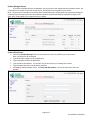
If you have entered product in the database, you will see the screen below with those products listed. The
screen below is a sample screen with several entries, and should serve as a guide to your entries.
Note: The presence of a Category entry allows firms to break down their catalog items into appropriate categories
according to product type (a firm that sells stationery products might break down the categories as paper, card
stock, pens, filing supplies, etc) to match the firm’s catalog.
Product Entry Screen
•
•
•
•
•
•
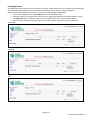
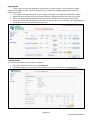
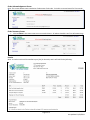
Click on the Product Manager link in the menu pane to access the product entry screen below.
Note: All fields must be completed.
Type the product category in the Category box.
Type the product name in the Name box.
Type the SKU in the SKU box. This number may be the same as your catalog item number.
Type the wholesale cost in the Wholesale price box.
Click Save (if making multiple entries, click Save and add another). You will be returned to the main
window.
Page 2 of 5
Last updated: 8/23/2011