1
When you complete the waveform programming of each channel:
• Press the ‘‘MENU’’ button until the display shows the indication of
the DMX signal condition.
You should also know that you can select a channel, for example
channel 5 and change the waveform that is already programmed for
this channel, without the necessity of programming first the previous 4
channels. In this case:
• Press the ‘‘ENTER’’ button as many times as necessary until the
display shows channel 5.
Preheat Levels.
This command is used to keep the filaments of some spotlights warm. By
this way, the filament is not stressed upon power ignition, since it is warm
and the ignition current is small.
Each dimmer channel, after programming this command, keeps a
constant voltage level at the channel output, called Preheat Level. The
voltage level is set by you and is used to keep the lamp filaments warm.
Attention: You cannot use the “Preheat Level” command if the
waveform Switch has been selected for the specific
channel.
DDE Actor dimmers are provided to you with 0% Preheat Level in all
channels.
To set the Preheat Level of a channel:
• From the indication of DMX-512 signal condition, press three times
the ‘‘MENU’’ button.
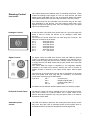
Indication of programming the
Preheat Level.
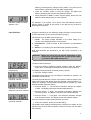
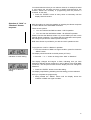
The display should be similar to the left picture (PH.SEt).
• Press the ‘‘ENTER’’ button.
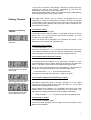
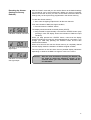
The display indicates that you can program another Preheat Level for
channel 1, (ch.1) as shown in the left picture.
Indication of 0% Preheat
Level in channel 1.
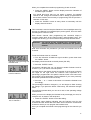
The third digit on the display shows the number of the channel, while the
two digits on the right show the Preheat Level expressed as a
percentage, programmed in the specific channel, which in this case is 0%
(the Preheat Level percentage could be different if you have previously
set another preheat level for this channel).
• Press the ‘‘-’’ or ‘‘+’’ button to decrease or increase the Preheat Level
accordingly.
The percentage indication changes by 1% and begins to flash showing
the change. If you press the button continuously, the indication changes
faster.
Τhe maximum preheat level you can set is 20% of the operating voltage
of the dimmer.
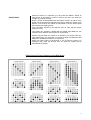
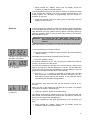
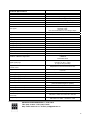
When you see on the display the Preheat Level percentage you want, for
example 12% as shown in the left picture:
Indication of preheat level
12% in channel 1.
• Press the ‘‘ENTER’’ button to save the setting.
The display stops flashing indicating that the Preheat Level for that
channel has been stored and at the same time it shows the next dimmer
channel for which you can program the Preheat Level.
Once you complete the Preheat Level programming for the channels you
want,
12