1
DHL IntraShip - Receiver
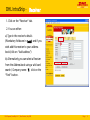
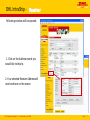
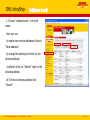
1. Click on the “Receiver” tab.
2. You can either:
a) Type in the receiver’s details
(Mandatory fields are in bold ) and if you
wish add this receiver to your address
book (click on “Add address”)
b) Alternatively you can select a Receiver
from the Address book using a wild card
search ( Company name: T), click on the
“Find” button.
DHL Express | IntraShip 4.4.1 | Time Definite | July 2008
Page
6