1
Page 47
IP CAMERA USER MUANUAL
8 Q&A
1.
Q: Forget password
A:Joint the default line and GND line to reset.
Note: Default IP: 192.168.226.201
User name: admin
Password: 123456
2.
Q:Why can’t the devices connect through IE browser?
A: Network doesn‟t connect well. Please check the connection and make sure it
connected well.
B: IP is not available. Reset the valid IP.
C: Web port number has been revised: contact administrator to get the correct port
number.
D: Exclude the above reasons. Recover default setting by jointing the default line and
GND line.
Note: default IP: 192.168.226.201,mask number: 255.255.255.0
3.
Q:IP tool cannot search devices.
A:It may be caused by the anti-virus software in your computer. Please exit it and try to
search device again.
4.
Q:IE cannot download ActiveX control.
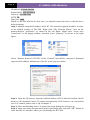
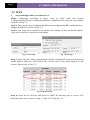
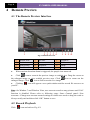
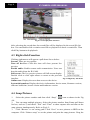
a. IE browser blocks ActiveX. Please do setup following below.
① Open IE browser. Click Tools-----Internet Options….
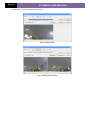
② select Security------Custom Level….Refer to Fig 4-1
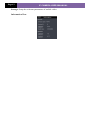
③ Enable all the sub options under “ActiveX controls and plug-ins”. Refer to Fig 4-2