1
MyIsagenix Manual
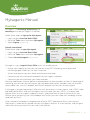
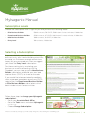
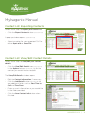
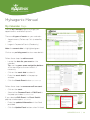
Create Prospecting Email Page
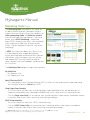
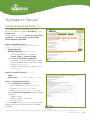
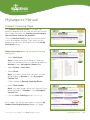
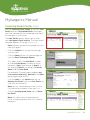
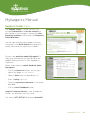
This page allows you to communicate via
email with contacts listed as Prospects in your
Contact List.
Follow Steps A, B & C to create your own Email
messages, or use one of the customizable
Email templates provided:
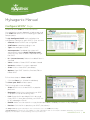
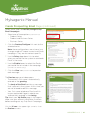
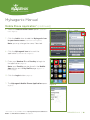
Step A: Select Recipients (choose one)
Note: for Coaching Email, recipients must be designated as
“Prospect” in your Contact List.
1. Single Recipient
2. Multiple Recipients (default is All Contacts)
• Use the drop-down list to select a
Contact Type or Contact Group.
Select one of the following options:
• Everyone in the selected Type or Group
• Contacts added within a certain number
of days (determined by you)
• Contacts captured from a specific SPOT
(determined by you)
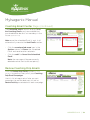
Step B: Schedule Delivery (choose one)
• Today
• Select Date (use drop-down calendar to select date)
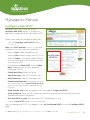
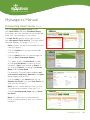
Step C: Create Email Content (choose one)
1. Use Custom Email Template
• Email Template (select from drop-down list)
• Subject* (type your own, or use template)
• Body* (customize your message, or use template)
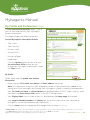
2. Select Drip Email Campaign (see next page
for details)
• Product Series
• Product and Business Series
• Business Series
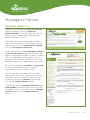
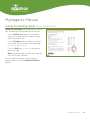
Click the Next button (circled in red) when you are
ready to preview the selections you made on
this page.
* Please, no non-compliant words or phrases in your messages. Subject and Body will be checked for use of restricted words.
UPDATED 3.22.11 | 20