1
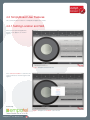
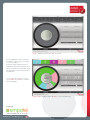
Figure 7: SimplyBoard view after “skill” is selected.
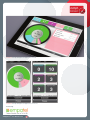
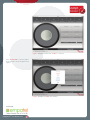
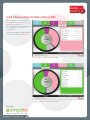
Now, the application starts monitoring of
the skill in accordance with your settings
as shown in Figure.8 .
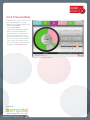
All the time values represented on the
SimplyBoard main monitoring page are in
“Seconds” whereas the time values within
the agent details screen are represented
with “MM:SS”.
You can follow above steps to change
your “location” and “skill” in accordance
with your privileges
Figure 8: “VIP” Skill Monitoring at “Boston” Location (Sample View)
Powered By
SimplyBoardTM User Manual-Issue1
9