1
OMRON
CHAPTER 8 – CX-Net Network Configuration Tool
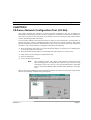
The status bar provides instant help, the status of the current connection and the operating mode of the
PLC.
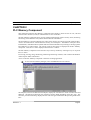
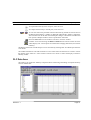
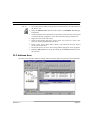
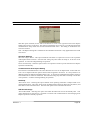
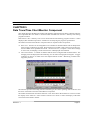
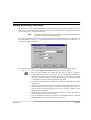
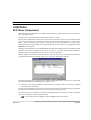
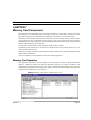
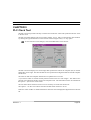
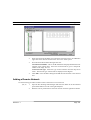
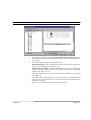
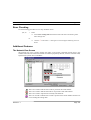
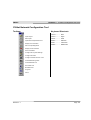
When the CX-Net is initially loaded, the Project Devices field is empty. Opening or creating a CXServer project populates the Project Devices list with all the devices in that CX-Server project. Selecting
each device in turn causes the right-hand side of the dialogue to display a graphical representation of that
connection (either direct or through a gateway connection), together with node and network information.
Note
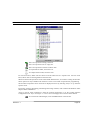
Offline connections are shown as a red line whilst for online connections this
changes to green. Other aspects also change when online, refer to Chapter
8 - Opening a PLC for further information.
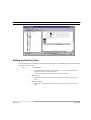
Any operations (e.g. network unit setup, Data Link and routing table editing) which are carried out affect
the physical connection PLC which is currently connected, not the CX-Server project PLC.
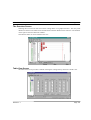
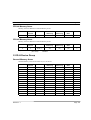
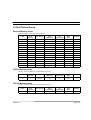
Routing Tables contain the information necessary to allow communications between different networks
including local and remote network address details; they are held in a specific area of PLC memory.
Refer to Chapter 10 - for information regarding Routing Tables.
CS1-series PLCs linked to either a Controller Link or Ethernet network also use FINS routing tables.
CV-series PLCs also have routing tables which, unlike the C-series, are not dependent upon the networks
(SYSMAC LINK, SYSMAC NET or Ethernet or Controller Link) to which they are connected. These
tables are known as FINS routing tables. A direct connection is known as a Local Routing Table. A
network connection is known as a Network Routing Table.
C-series PLCs linked to a SYSMAC LINK network are unable to communicate with a different network
and therefore do not have a routing table; however, C-series PLCs linked to a SYSMAC NET or
Controller Link network do have this capability and so have an associated routing table. These tables
are known as SYSMAC NET and FINS routing tables respectively.
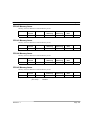
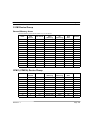
Data Link Tables provide a means of allowing a network of devices to share information. The manner
in which this information is distributed in a system depends upon the network to which the table relates.
The SYSMAC NET network contains one node acting as the ‘parent’ node or Data Link server
(containing the Data Link table), unlike the SYSMAC LINK network where a copy of the Data Link
table is sent to all nodes on that network. The Controller Link network operates in a similar manner to
SYSMAC LINK except that the network is split into two areas with each node being associated with one
or other of these areas. Data is then copied to each node in the related area. Refer to Chapter 11 - Data
Link for further information regarding Data Link Tables.
For moving, resizing, maximising, minimising and closing windows, refer to Microsoft Windows online
help for further information.
Access to the CX-Net Network Configuration tool is either from the invoking application or from the
Start pushbutton on the Microsoft Windows taskbar.
To close the CX-Net Network Configuration tool, select the Close button in the title
bar.
Revision 1.7
Page 72