1
The AOS homepage
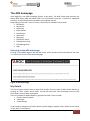
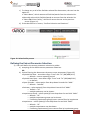
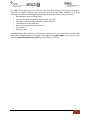
After logging in the AOS homepage (Figure 4) will open. The AOS home page provides the
latest news about AOS and AROC and a list of available functions. If access to additional
functions is required please email AROC at [email protected].
Depending on the user’s level of access, the functions available may include:
• My Details
• My Facility
• Data Entry
• Data Upload
• Data Extract
• Data Audit
• Reporting
• FIM Online Store
• FIM My Exam Keys
• FIM Manage Keys
• Help
Returning to the AOS home page
Clicking on the AROC logo on the top left corner of the screen will exit the function the user
is in and return them to the AOS homepage.
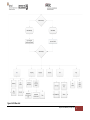
Figure 4: AOS homepage
My Details
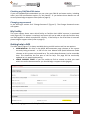
This menu option allows users to view their profile. Users are able to edit certain details by
clicking on “Edit” under “Quick Links” on the left hand side. We encourage users to keep
their details as up to date as possible.
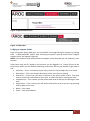
Users are unable to update details in greyed out fields. These include:
• Contact Person Details
• AOS Login
• Credentialing
If you need to change any of these details, please lodge a support ticket, which can be found
in the “Help” menu option.
AOS User Manual (V5.0 September 2014)
7