1
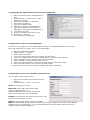
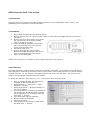
4. Configuring the KIRK IP Interface Card to the CallManager
1.
Start an internet browser and address the
card
2. Select Gateway -> Config (user = admin,
password = ip1500)
3. Select DECT Interface -> GW-DECT
4. Set protocol to “Skinny”
5. Type the IP address of the
6. Gatekeeper. (Primary Call Manager IP)
7. Type the IP address of the alternate
Gatekeeper. (Secondary Call Manager IP)
8. Type DECT1 in HW ID
9. Check the “enable user directory” box
10. Press Save -> Activate
11. No other fields are supported.
5. Registration of Users on the CallManager
Users have to be registered on the CallManager as well as on the KIRK IP Interface Card. Please
follow the steps below to register users on the CallManager:
1.
2.
3.
4.
5.
6.
7.
8.
9.
10.
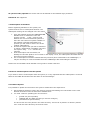
Start the CallManager software
Select "Device” -> ”phone”
Select ”add a new phone”
In the field “phone type” select “Cisco 7940” and press next
Type i.e. the handset serial number (without space) in the field ”MAC address”
Type a description of the handset in the field ”description”
Select ”Default” in device pool and press ”insert”
Type the extension number in the field ”directory number” and press ”insert”
Ensure that call waiting is turned off for all DECT Phones
Please note that the wireless system supports automatic registration
6. Subscription of Users on the KIRK IP Interface Card
How to register users on the IP card:
1.
2.
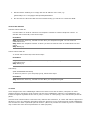
Open the IP Interface Card with an internet
browser
Select Gateway -> users -> new user
Name: some name you choose
Nickname: Prefix “SEP” and then the IPEI
number (without spaces), i.e.
SEP000770669569. This number must be the
same as the one given in the Call Manager
Number: The extension you choose for the phone. The
number must be unique, e.g. 320
Display: The stand-by display text of the handset
IPEI: The IPEI number of the handset is located in the battery casing of the handset. If the battery
compartment is not accessible i.e. on newer KIRK handsets, the IPEI number can be seen in the
display by typing *99984* ENTER (v).