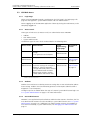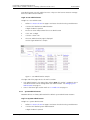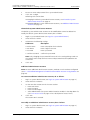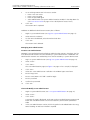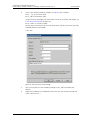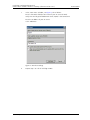
1
TD 92579EN Installation and Operation Manual IP-DECT Base Station and IP-DECT Gateway (software version 7.0.x) 10 January 2014 / Ver. K Installation and Operation Manual IP-DECT Base Station & IP-DECT Gateway (software version 7.0.x) TD 92579EN Contents 1 Introduction............................................................................................................. 1 1.1 Abbreviations and Glossary ................................................................................ 2 2 IP Security ................................................................................................................ 3 2.1 IP Security Terminology ...................................................................................... 3 2.1.1 SSL/TLS ...................................................................................................... 3 2.1.2 Public Key Infrastructure ............................................................................ 3 2.1.3 Cryptography ............................................................................................. 3 2.2 Introduction to IP Security in IP-DECT ................................................................. 5 2.2.1 Secure Web Access (https) ......................................................................... 5 2.2.2 TLS Certificates .......................................................................................... 5 2.3 IP-DECT Administrative Functions ....................................................................... 7 2.3.1 Configuration - HTTP ................................................................................. 7 2.3.2 Configuration - Certificates ........................................................................ 7 2.3.3 Configuration - SIPS ................................................................................... 7 2.3.4 Configuration - Secure RTP ........................................................................ 7 3 Configuration .......................................................................................................... 8 3.1 Requirements ..................................................................................................... 8 3.1.1 Web Browser Requirements ....................................................................... 8 3.2 Access the GUI ................................................................................................... 8 3.2.1 Determine the IP Address ........................................................................... 9 3.2.2 Change the Default Password .................................................................. 11 3.3 GUI Web Access .............................................................................................. 12 3.3.1 Login Page ............................................................................................... 12 3.3.2 Access Levels ........................................................................................... 12 3.3.3 Auditors .................................................................................................. 12 3.3.4 User Administrators ................................................................................. 12 3.3.5 System Administrators ............................................................................. 13 3.4 Configure the Mobility Master ......................................................................... 16 3.5 Configure the Standby Mobility Master ............................................................ 16 3.6 Configure the Pari Master ................................................................................ 17 3.7 Configure the Standby Pari Master ................................................................... 18 3.8 Configure the Master ....................................................................................... 18 3.9 Configure the Standby Master ......................................................................... 19 3.10 Plug and Play Configuration ........................................................................... 20 3.11 Configure the Radio ....................................................................................... 20 3.12 Configure Deployment ................................................................................... 21 3.13 Add Users ...................................................................................................... 21 3.13.1 Anonymous Registration ........................................................................ 22 10 January 2014 / Ver. K Installation and Operation Manual IP-DECT Base Station & IP-DECT Gateway (software version 7.0.x) TD 92579EN 3.13.2 Individual Registration ............................................................................ 23 3.13.3 Easy Registration .................................................................................... 25 4 Operation............................................................................................................... 27 4.1 General ............................................................................................................ 27 4.1.1 Name the IPBS/IPBL .................................................................................. 27 4.1.2 Change User Name and Password ............................................................ 27 4.1.3 Centralized Management of Administrator/Auditor Accounts Using Kerberos 28 4.1.4 Configure the NTP Settings ...................................................................... 37 4.1.5 Certificates .............................................................................................. 38 4.1.6 License .................................................................................................... 43 4.2 LAN ................................................................................................................. 43 4.2.1 Set DHCP Mode ....................................................................................... 43 4.2.2 Set a Static IP Address .............................................................................. 44 4.2.3 Dynamic IP address via DHCP ................................................................... 44 4.2.4 Link ......................................................................................................... 45 4.2.5 Configure VLAN ....................................................................................... 45 4.2.6 View LAN Statistics .................................................................................. 45 4.2.7 Enable RSTP (only for IPBL) ....................................................................... 45 4.2.8 Deactivate LAN Port (only for IPBL) ........................................................... 46 4.3 IP ..................................................................................................................... 46 4.3.1 Configure IP Settings ............................................................................... 46 4.3.2 Routing ................................................................................................... 47 4.4 LDAP ............................................................................................................... 47 4.4.1 Configure LDAP Server ............................................................................. 47 4.4.2 Check LDAP Server Status ........................................................................ 47 4.4.3 Configure LDAP Replicator ....................................................................... 48 4.4.4 Check LDAP Replicator Status .................................................................. 53 4.4.5 Expert tool ............................................................................................... 53 4.5 DECT ............................................................................................................... 53 4.5.1 Change System Name and Password ........................................................ 54 4.5.2 Set Subscription Method .......................................................................... 54 4.5.3 Configure Authentication Code ............................................................... 55 4.5.4 Select Tones ............................................................................................. 55 4.5.5 Set Default Language ............................................................................... 55 4.5.6 Set Frequency Band ................................................................................. 55 4.5.7 Enable Carriers ......................................................................................... 56 4.5.8 Local R-Key Handling ............................................................................... 56 4.5.9 No Transfer on Hangup ............................................................................ 56 4.5.10 No On-Hold Display ............................................................................... 56 4.5.11 Display Original Called ........................................................................... 57 10 January 2014 / Ver. K Installation and Operation Manual IP-DECT Base Station & IP-DECT Gateway (software version 7.0.x) TD 92579EN 4.5.12 Early Encryption ..................................................................................... 57 4.5.13 Configure Coder .................................................................................... 58 4.5.14 Secure RTP ............................................................................................. 58 4.5.15 Configure Supplementary Services ......................................................... 59 4.5.16 Select Mode ........................................................................................... 61 4.5.17 Set Master Id ......................................................................................... 62 4.5.18 Enable PARI Function ............................................................................. 62 4.5.19 Set Region Code .................................................................................... 62 4.5.20 Configure Gatekeeper ........................................................................... 62 4.5.21 Registration for Anonymous Devices ...................................................... 65 4.5.22 Conferencing Unit ................................................................................. 65 4.5.23 Select Crypto Master Mode .................................................................... 66 4.5.24 Select Mobility Master Mode .................................................................. 66 4.5.25 Connect Mobility Master to other Mobility Master(s) .............................. 66 4.5.26 Disconnect Mobility Master from other Mobility Master(s) ...................... 66 4.5.27 Connect Mobility Master to a Crypto Master .......................................... 67 4.5.28 Connect Master to a Mobility Master ..................................................... 67 4.5.29 Enable the Radio .................................................................................... 67 4.5.30 Enter IP Address to the PARI Master and the Standby PARI Master .......... 68 4.5.31 Multiple Radio Configuration ................................................................. 68 4.5.32 PARI ....................................................................................................... 68 4.5.33 SARI ...................................................................................................... 69 4.5.34 Configure Air Synchronization ............................................................... 69 4.6 VoIP ................................................................................................................. 71 4.6.1 Add instance id to the user registration with the IP-PBX ........................... 71 4.6.2 IP-PBX supports redirection of registration when registered to alternative proxy ........................................................................................................ 71 4.6.3 Use local contact port as source port for TCP/TLS connections .................. 72 4.6.4 Session Timer (initial value) ...................................................................... 72 4.7 UNITE .............................................................................................................. 72 4.7.1 Configure Messaging ............................................................................... 72 4.7.2 Device Management ................................................................................ 73 4.7.3 Service Discovery ...................................................................................... 74 4.7.4 Send Status Log ....................................................................................... 74 4.7.5 Module Fault List ..................................................................................... 75 4.8 Services ............................................................................................................ 75 4.8.1 Configure Automatic Firmware Update .................................................... 75 4.8.2 Configure Logging ................................................................................... 75 4.8.3 Configure the HTTP settings ..................................................................... 77 4.8.4 Configure the HTTP Client settings ........................................................... 78 4.8.5 SNMP ...................................................................................................... 78 10 January 2014 / Ver. K Installation and Operation Manual IP-DECT Base Station & IP-DECT Gateway (software version 7.0.x) TD 92579EN 4.8.6 Phonebook .............................................................................................. 79 4.8.7 Configure IP-DECT to Connect to a Presence System Using ICP ................ 80 4.9 Users ............................................................................................................... 81 4.9.1 Show all Registered Users in the IP-DECT System ...................................... 82 4.9.2 Search for User Information ..................................................................... 82 4.9.3 Add a User .............................................................................................. 82 4.9.4 Add a User Administrator ......................................................................... 82 4.9.5 Export the Users to a csv file .................................................................... 82 4.9.6 Show Anonymous ................................................................................... 83 4.10 Device Overview ............................................................................................ 83 4.10.1 Radios ................................................................................................... 83 4.10.2 RFPs ....................................................................................................... 84 4.10.3 Sync Ring ............................................................................................... 87 4.10.4 Sync Ports .............................................................................................. 88 4.10.5 Air Sync ................................................................................................. 88 4.10.6 Sync Lost Counter in IPBS ....................................................................... 88 4.11 DECT Sync ..................................................................................................... 89 4.11.1 Air Sync Overview .................................................................................. 89 4.11.2 Disturbances .......................................................................................... 91 4.11.3 Status .................................................................................................... 91 4.12 Traffic ............................................................................................................ 91 4.12.1 Display All Ongoing Calls in the System .................................................. 91 4.12.2 Display Calls ........................................................................................... 92 4.12.3 Handover ............................................................................................... 92 4.13 Gateway ........................................................................................................ 92 4.13.1 General ................................................................................................. 93 4.13.2 Interfaces ............................................................................................... 93 4.13.3 SIP Interfaces ......................................................................................... 93 4.13.4 Gatekeeper Interfaces ............................................................................ 97 4.13.5 Routes – Configuration ........................................................................ 100 4.13.6 Show Active Calls ................................................................................ 103 4.14 Backup ........................................................................................................ 104 4.15 Software Upgrade ........................................................................................ 105 4.15.1 Before Upgrading ................................................................................ 105 4.15.2 Upgrading Sequence ............................................................................ 105 4.15.3 Software Upgrade from 2.x.x ............................................................... 106 4.15.4 Software Upgrade ................................................................................ 106 4.15.5 Configuration After Updating the Firmware From Software Version 2.x.x to Later ....................................................................................................... 106 4.15.6 Configuration After Updating the Firmware From Software Version 3.x.x to Later ....................................................................................................... 107 10 January 2014 / Ver. K Installation and Operation Manual IP-DECT Base Station & IP-DECT Gateway (software version 7.0.x) TD 92579EN 4.16 System Upgrade from Software Version 4.x.x to 7.0.x .................................. 108 4.17 System Downgrade from Software Version 7.0.x .......................................... 108 4.18 System Downgrade to Software Version 2.x.x ............................................... 108 4.19 System Downgrade to Software Version 4.x.x and 3.x.x ................................ 108 4.20 Update ........................................................................................................ 109 4.20.1 Update Configuration .......................................................................... 109 4.20.2 Update Firmware ................................................................................. 109 4.20.3 Update the Boot File ............................................................................ 109 4.20.4 Update the RFPs ................................................................................... 110 4.21 System Upgrade in System with Mobility Masters ......................................... 111 4.22 Replacing Master Hardware in Multiple Master System ................................. 112 4.23 Replacing Master Hardware in a System with a Crypto Master Active ........... 112 4.24 Replacing Mobility Master Hardware in a System with a Crypto Master Active .... 112 4.25 Diagnostics .................................................................................................. 113 4.25.1 Logging ............................................................................................... 113 4.25.2 Tracing ................................................................................................. 113 4.25.3 Alarms ................................................................................................. 114 4.25.4 Events .................................................................................................. 114 4.25.5 Performance ........................................................................................ 115 4.25.6 Config Show ....................................................................................... 116 4.25.7 Ping ..................................................................................................... 116 4.25.8 Traceroute ........................................................................................... 117 4.25.9 Environment ........................................................................................ 117 4.25.10 RFP Scan ............................................................................................ 117 4.25.11 Service Report .................................................................................... 117 4.26 Reset ........................................................................................................... 117 4.26.1 Idle Reset ............................................................................................. 118 4.26.2 Immediate Reset .................................................................................. 118 4.26.3 TFTP Mode .......................................................................................... 118 4.26.4 Boot .................................................................................................... 118 4.27 Reset Using the Reset Button ....................................................................... 118 5 Commissioning .................................................................................................... 120 5.1 Radio coverage verification tests .................................................................... 120 5.1.1 Base Station Operation Test .................................................................... 120 5.1.2 Coverage Area Test ................................................................................ 120 5.1.3 Evaluation .............................................................................................. 120 5.2 Cordless Extension Number Test ..................................................................... 120 6 Troubleshooting .................................................................................................. 122 6.1 Load Firmware Using the Gwload Tool ........................................................... 122 10 January 2014 / Ver. K Installation and Operation Manual IP-DECT Base Station & IP-DECT Gateway (software version 7.0.x) TD 92579EN 6.2 Fault Code Descriptions ................................................................................. 122 7 Related Documents ............................................................................................. 129 Appendix A: How to Configure and Use the Update Server .............................. 134 Appendix B: Local R-Key Handling ....................................................................... 142 Appendix C: Database Maintenance .................................................................... 143 Appendix D: Load Balancing ................................................................................. 145 Appendix E: Update Script for Configuration of Kerberos Clients..................... 152 Appendix F: Install Certificate in the Web Browser ............................................ 153 Appendix G: Used IP Ports..................................................................................... 158 10 January 2014 / Ver. K Installation and Operation Manual IP-DECT Base Station & IP-DECT Gateway (software version 7.0.x) 1 TD 92579EN Introduction This document describes commissioning and administration of the following equipment: • IPBS 1 • IPBL 2 The document is intended as a guide for the System administrators: For information on the IP-DECT system, see the System Description documentation for IPDECT. For information about supported PBXs contact your supplier. 1.In previous documentation, IPBS Base Station (or IPBS) was sometimes referred to as IP-DECT Base Station. 2.IIn previous documentation, IPBL was sometimes referred to as IP-DECT Gateway. 10 January 2014 / Ver. K 1 Installation and Operation Manual IP-DECT Base Station & IP-DECT Gateway (software version 7.0.x) 1.1 TD 92579EN Abbreviations and Glossary Base Station Common name for IPBS, DECT Base Station (BS3x0) and TDM-DECT Base Station. DECT Digital Enhanced Cordless Telecommunications: global standard for cordless telecommunication. DECT Base Station Another name for BS3x0 TDM-DECT Another name for DB1. Base Station DHCP Dynamic Host Configuration Protocol DTMF Dual Tone Multiple-Frequency FER Frame Error Rate GUI Graphical User Interface ICP Interception Computer Protocol IP Internet Protocol: global standard that defines how to send data from one computer to another through the Internet IPBL Previously called IP-DECT Gateway or, more commonly, as "the Blade" IPBS Also referred to as IPBS Base Station. Previously called IP-DECT Base Station LAN Local Area Network: a group of computers and associated devices that share a common communication line. LDAP Lightweight Directory Access Protocol PBX Private Branch Exchange: telephone system within an enterprise that switches calls between local lines and allows all users to share a certain number of external lines. PSCN Primary receiver Scan Carrier Number: defines the RF carrier on which one receiver will be listening on the next frame. RFP Radio Fixed Part. DECT base Station part of the DECT Infrastructure. RFPI Radio Fixed Part Identity RSSI Radio Signal Strength Information RSTP Rapid Spanning Tree Protocol RTP Real-Time Transport Protocol SST Site Survey Tool ToS Type of Service VLAN Virtual Local Area Network 10 January 2014 / Ver. K 2 Installation and Operation Manual IP-DECT Base Station & IP-DECT Gateway (software version 7.0.x) 2 TD 92579EN IP Security 2.1 IP Security Terminology 2.1.1 SSL/TLS Note: Secure Socket Layer (SSL) has been renamed Transport Layer Security (TLS). TLS 1.0 is based on SSL 3.0/3.1. This document hereafter uses the term TLS. TLS is a security mechanism based on cryptography (see 2.1.3 Cryptography) and is used for encrypting communications between users and TLS-based Websites. The encryption prevents eavesdropping and tampering with any transmitted data. TLS operates on the OSI Model Level 5 and uses PKI (see 2.1.2 Public Key Infrastructure). 2.1.2 Public Key Infrastructure Public Key Infrastructure (PKI) is a component of Public Key Cryptography (PKC) that uses: • Public Key Certificates, see Public Key Certificates (Digital Certificates) • Certificate Authorities, see Certificate Authorities Public Key Certificates (Digital Certificates) Public Key Certificates are used for key exchange and authentication. They are simply electronic documents (files) that incorporate a digital signature to bind together a public key with an identity (information such as the name or a person or organization, their address, and so forth). The signature may be signed by a trusted entity called a Certificate Authority (CA), see Certificate Authorities. The most common use of public key certificates is for TLS certificates (https websites). Certificate Authorities A Certificate Authority or Certification Authority (CA) is a trusted entity which issues public key certificates. The certificates contain a public key and the identity of the owner. The CA asserts that the public key belongs to the owner, so that users and relying parties can trust the information in the certificate. Certificate Signing Request (CSR) or Certification Request is a message that is generated and sent to a CA in order to apply for a TLS certificate. Before the CSR is created a key pair is generated, the private key kept secret. The CSR will contain the corresponding public key and information identifying the applicant (such as distinguished name). The private key is not part of the CSR but is used to digitally sign the entire request. Other credentials may accompany the CSR. If the request is successful, the CA will send back an identity certificate that has been digitally signed with the CA’s private key. A CSR is valid for the server where the certificate will be installed. 2.1.3 Cryptography Cryptography is the encoding of messages to render them unreadable by anyone other than their intended recipient(s). Modern cryptography uses complex algorithms implemented on modern computer systems. 10 January 2014 / Ver. K 3 Installation and Operation Manual IP-DECT Base Station & IP-DECT Gateway (software version 7.0.x) TD 92579EN Cryptography tasks can be divided into the two general categories Encryption and Authentication. Encryption Encryption is the scrambling of information so that the original message cannot be determined by unauthorized recipients by applying an encryption algoritm to the message plaintext producing ciphertext (appearently random bits). A decryption algoritm, if given the correct key, converts the ciphertext back into plaintext. Public key algoritms use paired keys, one for encryption and another for decryption. Authentication Authentication is the verification of a message’s sender. This requires the message to be protected so it cannot be altered, usually by generating a digital signature formed by a hash of the message. Only the correct key can generate a valid signature. 10 January 2014 / Ver. K 4 Installation and Operation Manual IP-DECT Base Station & IP-DECT Gateway (software version 7.0.x) 2.2 TD 92579EN Introduction to IP Security in IP-DECT A secure system requires more planning than an unsecured system. 2.2.1 Secure Web Access (https) For IP-DECT devices • https access should be enabled • http access should preferably be disabled For more information see 4.8.3 Configure the HTTP settings on page 77 . 2.2.2 TLS Certificates Security in Web-based applications rely on cryptography. Cryptographical systems are only as secure as their keys. This makes Key Management a critical and often neglected concern. TLS Certificates have emerged as a clever way of managing large scale key distribution. Two certificate management tasks are needed for TLS: 1 Trust relationships when the device must know which third parties (e.g. IP-PBX) it shall trust in, see 1. Trust Relationships. 2 Device certificates to authenticate the device against third parties, see 2. Certificate Handling Options with Device Certificates. 1. Trust Relationships Trust relationships are defined by a trust list in the device. The list contains the certificates to be accepted by the device for TLS secured connections (e.g. HTTPS, SIPS). For more information see Trust List on page 38. 2. Certificate Handling Options with Device Certificates There are three certificate handling options: • Default Device certificate The default certificate is supplied with the device. It is a self-signed certificate. Selfsigned certificates provide only encryption, not authentication. For more information see Default Device Certificate on page 40. • Self-signed certificates This option is for customers not planning on having their certificates signed by public or private CAs. Self-signed certificates provide encryption but do in most cases not provide authentication. For more information see Self-signed Certificates on page 40. • Certificates signed by a Certificate Authority (CA). Two options are possible: - A) Certificates signed by the customer’s own CA. Customers possessing the knowledge and infrastructure to house their own CA could build an internal 10 January 2014 / Ver. K 5 Installation and Operation Manual IP-DECT Base Station & IP-DECT Gateway (software version 7.0.x) TD 92579EN enterprise CA, enabling them to sign (approve) their own certificate requests. This would make the customer a private CA. - B) Certificates signed by a trusted public third party entity/organization. There are only about a dozen issuers who have the authority to sign certificates for servers worldwide. An example is VeriSign. To use a public CA for certificate approvals the IP-DECT system would in most cases need to be connected to the Internet and hold a fully qualified domain name. For more information see Certificate Signing Request (CSR) on page 41. 10 January 2014 / Ver. K 6 Installation and Operation Manual IP-DECT Base Station & IP-DECT Gateway (software version 7.0.x) 2.3 TD 92579EN IP-DECT Administrative Functions 2.3.1 Configuration - HTTP The HTTP tab is used to configure the type of web access that should be allowed for the device, includes a field for configuring https access. For more information see 4.8.3 Configure the HTTP settings on page 77. 2.3.2 Configuration - Certificates The Certificates tab lists the certificate used by web browsers to authenticate the identity of the device (Web server). For more information see 4.1.5 Certificates on page 38. 2.3.3 Configuration - SIPS SIP Secure (SIPS) is used to encrypt the signalling communication between the IPBS and the IP-PBX. SIPS uses the TLS protocol for encryption. The signalling between the IPBSs is also encrypted by default and there is no possibility to disable it. For more information see 4.5.20 Configure Gatekeeper on page 62. 2.3.4 Configuration - Secure RTP Secure RTP (SRTP) is used to encrypt the voice communication between the end user equipments. For more information see 4.5.14 Secure RTP on page 58. 10 January 2014 / Ver. K 7 Installation and Operation Manual IP-DECT Base Station & IP-DECT Gateway (software version 7.0.x) 3 TD 92579EN Configuration This section describes how to configure the IPBS and IPBL using the web interface. The recommended order to configure the equipment in the IP-DECT system is as follows: 1 Configure the Mobility Master, see 3.4 Configure the Mobility Master on page 16. 2 Configure the Standby Mobility Master, see 3.5 Configure the Standby Mobility Master on page 16. 3 Configure the Pari Master, see 3.6 Configure the Pari Master on page 17. 4 Configure the Standby Pari Master, see 3.7 Configure the Standby Pari Master on page 18. 5 Configure the Master, see 3.8 Configure the Master on page 18. 6 Configure the Standby Master, see 3.9 Configure the Standby Master on page 19. 7 Configure the Radios, see 3.11 Configure the Radio on page 20. Note: When the IPBS/IPBL is reconfigured to another role (for example from being a Standby Master to becoming a Master), a factory reset should be done. See 4.27 Reset Using the Reset Button on page 118. 3.1 Requirements The following is required in order to configure the IP-DECT system: • PC • 10/100base-T Ethernet connection 3.1.1 Web Browser Requirements To use the interface properly, the web browser has to meet the following requirements: • HTTP 1.1 protocol • HTML 4.0 protocol • XML/XSL Version 1.0 The GUI has been tested with Internet Explorer 7.x and Firefox 3.x, but can also be operated with other browsers in compliance with the requirements above. 3.2 Access the GUI Note: To access the GUI for an IPBS/IPBL using secure web access (https), the certificate for the IPBS/IPBL can be installed in the web browser to avoid getting certificate error messages. See Appendix F: Install Certificate in the Web Browser on page 153. The GUI interface is accessed through a standard web browser. It is possible to use the name, ipbs-xx-xx-xx (IPBS1), ipbs2-xx-xx-xx (IPBS2) and ipbl-xx-xx-xx (IPBL), where xx-xx-xx is the end of the MAC address. Note: The IPBL name is always ipbl-xx-xx-xx regardless if LAN1 (MAC xx-xx-xx-xx-xx) or LAN2 (MAC yy-yy-yy-yy-yy) is used. It is also accessed by entering http://xxx.xxx.xxx.xxx. In this address, xxx.xxx.xxx.xxx should be replaced with the IP address determined in 3.2.1 Determine the IP Address on page 9. 10 January 2014 / Ver. K 8 Installation and Operation Manual IP-DECT Base Station & IP-DECT Gateway (software version 7.0.x) TD 92579EN Access the GUI and change the default password as described in 3.2.2 Change the Default Password on page 11. Note: If the GUI cannot be accessed with Internet Explorer 8 or newer, check that the TLS 1.0 option is activated in the web browser under menu Tools > Internet Option > Advanced > Use TLS 1.0. 3.2.1 Determine the IP Address The factory setting of the DHCP mode for the LAN1 port is "automatic", at first power up it will act as a DHCP client. If the network has a DHCP server, it will assign an IP address to the IPBS/IPBL. If there is no DHCP server in the network, the IPBS/IPBL can be assigned a predefined IP address. The factory setting of the DHCP mode is to the fixed IP address 192.168.0.1, see 8.2.1 Set 4.2.1 Set DHCP Mode on page 43. Note: After the first startup the DHCP mode should be changed from "automatic" to either "client" or "off", see 4.2.1 Set DHCP Mode on page 43. This section describes how to determine the dynamically allocated IP address. The address is used to access the IPBS/IPBL using a web browser. Two methods are described: • • In a Network without a DHCP Server on page 9. In a Network with a DHCP Server on page 9. In a Network without a DHCP Server If the network does not have a DHCP server, and the DHCP mode is set to "automatic" (factory default), follow the steps below. Note: If the IPBS/IPBL has been used before, it must be restored to factory default settings by performing a long hardware reset, see 4.27 Reset Using the Reset Button on page 118. 1 Connect an Ethernet cable between the IPBS/IPBL and the computer. NOTE: For IPBS, a power adapter must be used. NOTE: For IPBL, make sure to use the LAN1 port. 2 Ensure that the computer has an IP address within the same IP address range as the IPBS/IPBL (192.168.0.1). 3 Perform a hardware reset by shortly pressing the reset button. The IPBS/IPBL will be assigned the IP address 192.168.0.1 and the netmask 255.255.255.0. 4 Enter http://192.168.0.1 in the browser to access the IPBS/IPBL GUI. 5 After the first startup, do the following: On the IPBS: Select LAN1 > DHCP On the IPBL: Select LAN1 > DHCP 6 In Mode drop-down list, change the DHCP mode from "automatic" to "disabled". In a Network with a DHCP Server If the network has a DHCP server the IP address is determined following the steps below. The IPBS’s MAC address can be found on the label on the box and on the label on the backside. The IPBL’s MAC address can be found on the label on the box. The hexadecimal numbers (xx-xx-xx-xx-xx-xx) represent the MAC address. 10 January 2014 / Ver. K 9 Installation and Operation Manual IP-DECT Base Station & IP-DECT Gateway (software version 7.0.x) TD 92579EN Note: Make sure to use the LAN1 port for the IPBL. Note: In order to determine the IP address it is necessary that the computer is connected to the same LAN (broadcast domain) as the IPBS/IPBL. Determine the IP address following the steps below: Note: If the IPBS/IPBL has been used before, it must be restored to factory default settings by performing a long hardware reset, see 4.27 Reset Using the Reset Button on page 118. Then remove the power supply cable and connect it again. 1 Open a command window in windows by selecting Start > Run and enter "cmd" in the Open: text field. 2 Enter the following commands: C:\>nbtstat -R For IPBS1: C:\>nbtstat -a ipbs-xx-xx-xx For IPBS2: C:\>nbtstat -a ipbs2-xx-xx-xx For IPBL: C:\>nbtstat -a ipbl-xx-xx-xx Where xx-xx-xx should be replaced with the last 6 hexadecimal digits of the MACaddress. The IP address is displayed in the command window, see the white frame in figure below. 018 3 Figure 1. 4 Enter http://xxx.xxx.xxx.xxx (where xxx.xxx.xxx.xxx is the determined IP address) in the browser to access the GUI. 5 After the first startup of the IPBS/IPBL do the following: On the IPBS: Select LAN1 > DHCP On the IPBL: Select LAN1 > DHCP 6 In Mode drop-down list, change the DHCP mode from "automatic" to "client" or "disabled". 10 January 2014 / Ver. K 10 Installation and Operation Manual IP-DECT Base Station & IP-DECT Gateway (software version 7.0.x) 3.2.2 TD 92579EN Change the Default Password 1 Enter the IP address determined in 3.2.1 Determine the IP Address in the web browser address field. 2 Select General > Admin. 3 Enter user name and password in the dialog box. Default user name is: admin. Default password is: changeme. 4 Enter a user name in the User Name text field. 5 Enter a password in the Password text field. Repeat the password in the second text field. 6 Click "OK". 10 January 2014 / Ver. K 11 Installation and Operation Manual IP-DECT Base Station & IP-DECT Gateway (software version 7.0.x) 3.3 TD 92579EN GUI Web Access 3.3.1 Login Page When accessing IPBS/IPBL through a web browser the initial page is the login page. This page has two hyperlinks: System Administration and User Administration. NOTE: Logging out of the IPBS/IPBL application is done by closing the web browser, to be completely logged out. 3.3.2 Access Levels Three types of web users (or Access Levels) are authorized to access IPBS/IPBL: • Auditors • User Administrators • System Administrators The different types of access levels are described in the following table. Access Level Authorization Login hyperlink on login page a Described in section Auditors • Read access to device parameter settings • Can generate Service Reports System Administration 3.3.3 Auditors User Administration 3.3.4 User Administrators on page 12 System System • Write access to all device Administrators parameter settings (for example IP Administration addresses, software upgrades) • Assign and modify access to other System Administrator and User Administrator account settings • Add, update and remove users 3.3.5 System Administrators on page 13 User • Add, update and remove users Administrators a.Different users should use the hyperlink related to their access level. The system does not allow login by a link not related to the user’s access level. 3.3.3 Auditors Auditors have read access to device parameter settings but are not authorized to update those settings. Auditors are also allowed to generate Service Reports (Administration > Diagnostics > Service Reports). The login steps for an auditor follow the steps of a normal system administrator login. See 3.3.5 System Administrators on page 13 for more information. 3.3.4 User Administrators IPBS/IPBL is not supplied with preinstalled user administration accounts. Therefore, the first user administration account must be created by a system administrator (see 3.3.5 System Administrators on page 13). If additional user administration accounts are needed they must also be created by a system administrator, see Managing User Administrators on page 15. 10 January 2014 / Ver. K 12 Installation and Operation Manual IP-DECT Base Station & IP-DECT Gateway (software version 7.0.x) TD 92579EN User administrators can only administer users. They can view but not create or manage other user administrator accounts. Login as User Administrator To login as a user administrator: 1 Follow 3.2 Access the GUI on page 8 and access the device using a web browser. 2 Click the link labelled User Administration. A login window is opened. 3 Enter user name and password for a user administrator. 4 Click "OK" to login. 5 Click the "Show" link. 6 The User Administration page is displayed. See the figure below for a sample. Figure 1. User Administration Sample. The right side of the page consists of two list sections: • User Administrators in the upper right section. Note: this section is read-only since a user administrator cannot manage other user administrators. See Managing User Administrators on page 15. • Users in the lower right section. Refer to 3.13 Add Users on page 21. 3.3.5 System Administrators IPBS/IPBL devices are factory delivered with a default system administrator account. Log in as System Administrator To login as a system administrator: 1 Follow 3.2 Access the GUI on page 8 and access the device using a web browser. 2 Click the link labelled System Administration. A login window is opened. 10 January 2014 / Ver. K 13 Installation and Operation Manual IP-DECT Base Station & IP-DECT Gateway (software version 7.0.x) 3 Enter user name and password for a system administrator. 4 Click "OK" to login. TD 92579EN Following tasks can be done: •Managing the default system administrator account, see The Default System Administrator Account on page 14. •Managing additional system administrator accounts, see Additional Administrator Accounts on page 14. The Default System Administrator Account The default system administrator account can be modified but cannot be deleted. To modify the default system administrator account, do as follows: 1 Login as system administrator (see Log in as System Administrator). 2 Select General > Admin. 3 Select/Enter the following settings: Field name Description • Device Name Enter a description for the device. • User Name Enter a login user name. • Password Enter a password. • Confirm Password Confirm the password. Note: Only changing the password will not result in the settings being saved. For the settings to be saved, both user name and password must be updated at the same time! 4 Click "OK". Additional Administrator Accounts Note: To create additional administrator accounts, Kerberos must have been configured (see 4.1.3 Centralized Management of Administrator/Auditor Accounts Using Kerberos on page 28). To create an additional administrator account, do as follows: 1 Log in as system administrator (see Log in as System Administrator on page 13). 2 Select General > Kerberos 3 On the next free account row in the Users section: • • • • 4 Enter User Name Enter Password Enter Password again Select Administrator (for System Administrator) or Auditor in the drop-down list (See 3.3.2 Access Levels on page 12 for a description of access levels.) Click "OK". The account row is created. To modify an additional administrator account, do as follows: 1 Log in as system administrator (see Log in as System Administrator on page 13). 2 Select General > Kerberos 10 January 2014 / Ver. K 14 Installation and Operation Manual IP-DECT Base Station & IP-DECT Gateway (software version 7.0.x) 3 TD 92579EN On an existing account row in the Users section: • • • • 4 Enter a new user name Enter a new password Enter the password again Select Administrator (for System Administrator) or Auditor in the drop-down list (See 3.3.2 Access Levels on page 12 for a description of access levels.) Click "OK". The account row is updated. To delete an additional administrator account, do as follows: 1 Login as system administrator (see Log in as System Administrator on page 13). 2 Select General > Kerberos 3 On the row to be deleted, select the Delete check box. 4 Click "OK". The account row is deleted. Managing User Administrators Create a User Administrator IPBS/IPBL is not supplied with preinstalled user administration accounts. Therefore, the first user administration account must be created by a system administrator. If additional user administration accounts are needed they must also be created by a system administrator. 1 Log in as System Administrator (see Log in as System Administrator on page 13). 2 Select "Users". 3 Click "show" . The User Administration page (see figure 1 on page 13 for a sample) is displayed. 4 Click "new". 5 Select the "User Administrator" radio box. The window layout transforms. 6 Enter a long name. 7 Enter a name (NOTE: This field is used for login). 8 Enter a password. 9 Confirm the password. 10 Click "OK". View and Modify a User Administrator 1 Login as System Administrator (see 3.3.5 System Administrators on page 13). 2 Select "Users". 3 Click "show". A two-part list page is displayed. At the top are the user administrator accounts and below the user administrators are the user accounts, both listed in alphabetical order. 4 In the User Administrators section, click the hyperlink to be edited below the Long Name heading. An Edit User window is opened. 10 January 2014 / Ver. K 15 Installation and Operation Manual IP-DECT Base Station & IP-DECT Gateway (software version 7.0.x) 5 Select/Edit any of the following settings: • • • • 6 TD 92579EN Long Name Name (NOTE: This field is used for login) Password Confirm Password Click "OK". Delete a User Administrator 1 Login as System Administrator (see 3.3.5 System Administrators on page 13). 2 Select "Users". 3 Click "show". 4 In the User Administrators section, click the hyperlink to be deleted below the Long Name heading. An Edit User window is opened. 5 Click "Delete". The User Administrator is deleted and the windows is closed. 3.4 Configure the Mobility Master In a system with two or more Masters (Multiple Master system), a Mobility Master must be configured. For more information on Multiple Master Systems, see the applicable System Planning documentation for IP-DECT. This section describes how to configure the Mobility Master. Each configuration step is briefly described in the step list below. For more detailed information see the corresponding subsection in 4 Operation on page 27. 3.5 1 Determine the address and access the GUI, see 3.2 Access the GUI on page 8. 2 Change the default password, see 3.2.2 Change the Default Password on page 11. 3 Set a static IP address and set DHCP to off, see 4.2.2 Set a Static IP Address on page 44. 4 Set the mode to Mobility Master, see 4.5.24 Select Mobility Master Mode on page 66. 5 Write a login name and enter a password, see 4.5.24 Select Mobility Master Mode on page 66. 6 Connect to other Mobility Master(s), see 4.5.25 Connect Mobility Master to other Mobility Master(s) on page 66. 7 Enter the Time Server address, see 4.1.4 Configure the NTP Settings on page 37. Configure the Standby Mobility Master It is recommended to have a Standby Mobilty Master in a Multiple Master IP-DECT system. This section describes how to configure the Standby Mobility Master. Each configuration step is briefly described in the step list below. For more detailed information see the corresponding subsection in 4 Operation on page 27. 1 Determine the address and access the GUI, see 3.2 Access the GUI on page 8. 2 Change the default password, see 3.2.2 Change the Default Password on page 11. 10 January 2014 / Ver. K 16 Installation and Operation Manual IP-DECT Base Station & IP-DECT Gateway (software version 7.0.x) 3.6 TD 92579EN 3 Set a static IP address and set DHCP to off, see 4.2.2 Set a Static IP Address on page 44. 4 Set the mode to Standby Mobility Master, see 4.5.24 Select Mobility Master Mode on page 66. 5 Enter the primary Mobility Master IP address, see 4.5.24 Select Mobility Master Mode on page 66. 6 Enter a login name and enter a password, this must be the same as in the primary Mobility Master. See 4.5.24 Select Mobility Master Mode on page 66. 7 Connect to other Mobility Master(s). This should be the same Mobility Master(s) as in the primary Mobility Master, see 4.5.25 Connect Mobility Master to other Mobility Master(s) on page 66. 8 Enter the Time Server address, see 4.1.4 Configure the NTP Settings on page 37. Configure the Pari Master This section describes how to configure the Pari Master. Each configuration step is briefly described in the step list below. For more detailed information see the corresponding subsection in 4 Operation on page 27. 1 Determine the address and access the GUI, see 3.2 Access the GUI on page 8. 2 Change the default password, see 3.2.2 Change the Default Password on page 11. 3 Note: This step is not needed if the Pari Master is configured as Mirror. In that case, jump to the next step. Configure LDAP user name and password, select the Write Access check box, see 4.4.1 Configure LDAP Server on page 47. 4 Set a static IP address and set DHCP to off, see 4.2.2 Set a Static IP Address on page 44. 5 Set the mode to Active or Mirror, see 4.5.16 Select Mode on page 61. 6 Perform a reset to restart the IPBS/IPBL in Active or Mirror mode, see 4.26 Reset on page 117. 7 Select system name and password, see 4.5.1 Change System Name and Password on page 54. 8 Change subscription method, see 4.5.2 Set Subscription Method on page 54. 9 Configure authentication code, see 4.5.3 Configure Authentication Code on page 55. 10 Select tones, see 4.5.4 Select Tones on page 55. 11 Set default language, see 4.5.5 Set Default Language on page 55. 12 Set frequency band, see 4.5.6 Set Frequency Band on page 55. 13 Enable carriers, see 4.5.7 Enable Carriers on page 56. 14 Enable local R-key handling, see 4.5.8 Local R-Key Handling on page 56. 15 Enable No transfer on hangup, see 4.5.9 No Transfer on Hangup on page 56. 16 Configure coder, see 4.5.13 Configure Coder on page 58. 17 Select supplementary services, see 4.5.15 Configure Supplementary Services on page 59. 18 Set Master Id, see 4.5.17 Set Master Id on page 62. 19 Enable Pari function, see 4.5.18 Enable PARI Function on page 62. 20 Enter gatekeeper IP address or ID, see 4.5.20 Configure Gatekeeper on page 62. 10 January 2014 / Ver. K 17 Installation and Operation Manual IP-DECT Base Station & IP-DECT Gateway (software version 7.0.x) 3.7 TD 92579EN 21 Connect to a Mobility Master, see 4.5.28 Connect Master to a Mobility Master on page 67. 22 Assign PARI, see 4.5.32 PARI on page 68. 23 Enter SARI, see 4.5.33 SARI on page 69. 24 Enter IMS3/Unite CM IP address, see 4.7.1 Configure Messaging on page 72. 25 Enter the Time Server address, see 4.1.4 Configure the NTP Settings on page 37. 26 Reset in order to make the configuration changes take effect, see 4.26 Reset on page 117. Configure the Standby Pari Master It is recommended to have a Standby Pari Master in the IP-DECT system. This section describes how to configure a Standby Pari Master. Each configuration step is briefly described in the step list below, for more detailed information see the corresponding subsection in 4 Operation on page 27. 3.8 1 Determine the address and access the GUI, see 3.2 Access the GUI on page 8 2 Change the default password, see 3.2.2 Change the Default Password on page 11. 3 Note: This step is not needed if the Standby Pari Master is configured as Mirror. In that case, jump to the next step. Configure LDAP replicator, enter the IP address, user name and password to the LDAP server (Pari Master). Alternative LDAP server must not be entered. Select the Enable check box, see 4.4.3 Configure LDAP Replicator on page 48. 4 Set a static IP address and set DHCP to off, see 4.2.2 Set a Static IP Address on page 44. 5 Set the mode to Standby or Mirror, see 4.5.16 Select Mode on page 61. 6 Perform a reset to restart the IPBS/IPBL in Standby or Mirror mode, see 4.26 Reset on page 117. 7 Enter system name and password, this should be the same system name and password as in the Pari Master, see 4.5.1 Change System Name and Password on page 54. 8 Select supplementary services, see 4.5.15 Configure Supplementary Services on page 59. 9 Set Master Id, see 4.5.17 Set Master Id on page 62. 10 Enable Pari function, see 4.5.18 Enable PARI Function on page 62. 11 Enter gatekeeper address, see 4.5.20 Configure Gatekeeper on page 62. 12 Connect to a Mobility Master, see 4.5.28 Connect Master to a Mobility Master on page 67. 13 Enter IMS3/Unite CM IP address, see 4.7.1 Configure Messaging on page 72. 14 Enter the Time Server address, see 4.1.4 Configure the NTP Settings on page 37. 15 Reset in order to make the configuration changes take effect, 4.26 Reset on page 117. Configure the Master This section describes how to configure the Master. Each configuration step is briefly described in the step list below. For more detailed information see the corresponding subsection in 4 Operation on page 27. 10 January 2014 / Ver. K 18 Installation and Operation Manual IP-DECT Base Station & IP-DECT Gateway (software version 7.0.x) 3.9 TD 92579EN 1 Determine the address and access the GUI, see 3.2 Access the GUI on page 8. 2 Change the default password, see 3.2.2 Change the Default Password on page 11. 3 Note: This step is not needed if the Master is configured as Mirror. In that case, jump to the next step. Configure LDAP user name and password, select the Write Access check box, see 4.4.1 Configure LDAP Server on page 47. 4 Set a static IP address and set DHCP to off, see 4.2.2 Set a Static IP Address on page 44. 5 Set the mode to Active or Mirror, see 4.5.16 Select Mode on page 61. 6 Perform a reset to restart the IPBS/IPBL in Active or Mirror mode, see 4.26 Reset on page 117. 7 Select system name and password, see 4.5.1 Change System Name and Password on page 54. 8 Set default language, see 4.5.5 Set Default Language on page 55. 9 Select supplementary services, see 4.5.15 Configure Supplementary Services on page 59. 10 Set Master id, see 4.5.17 Set Master Id on page 62. 11 Enter gatekeeper IP address or ID, see 4.5.20 Configure Gatekeeper on page 62. 12 Connect to a Mobility Master, see 4.5.28 Connect Master to a Mobility Master on page 67. 13 Enter IMS3/Unite CM IP address, see 4.7.1 Configure Messaging on page 72. 14 Enter the Time Server address, see 4.1.4 Configure the NTP Settings on page 37. 15 Reset in order to make the configuration changes take effect, see 4.26 Reset on page 117. Configure the Standby Master It is recommended to have a Standby Master in the IP-DECT system. This section describes how to configure a Standby Master. Each configuration step is briefly described in the step list below, for more detailed information see the corresponding subsection in 4 Operation on page 27. 1 Determine the address and access the GUI, see 3.2 Access the GUI on page 8. 2 Change the default password, see 3.2.2 Change the Default Password on page 11. 3 Note: This step is not needed if the Standby Master is configured as Mirror. In that case, jump to the next step. Configure LDAP replicator, enter the IP address, user name and password to the LDAP server. Alternative LDAP server must not be entered. Select the Enable check box, see 4.4.3 Configure LDAP Replicator on page 48. 4 Set a static IP address and set DHCP to off, see 4.2.2 Set a Static IP Address on page 44. 5 Set the mode to Standby or Mirror, see 4.5.16 Select Mode on page 61. 6 Perform a reset to restart the IPBS/IPBL in Standby or Mirror mode, see 4.26 Reset on page 117. 7 Enter system name and password, this should be the same system name and password as in the Master. See 4.5.1 Change System Name and Password on page 54. 10 January 2014 / Ver. K 19 Installation and Operation Manual IP-DECT Base Station & IP-DECT Gateway (software version 7.0.x) TD 92579EN 8 Select supplementary services, see 4.5.15 Configure Supplementary Services on page 59. 9 Set Master Id, see 4.5.17 Set Master Id on page 62. 10 Enter gatekeeper address, see 4.5.20 Configure Gatekeeper on page 62. 11 Connect to a Mobility Master, see 4.5.28 Connect Master to a Mobility Master on page 67. 12 Enter IMS3/Unite CM IP address, see 4.7.1 Configure Messaging on page 72. 13 Enter the Time Server address, see 4.1.4 Configure the NTP Settings on page 37. 14 Reset in order to make the configuration changes take effect, see 4.26 Reset on page 117. 3.10 Plug and Play Configuration Radios can be configured from the relevant Pari Master. When a new Radio is connected to the system, it automatically registers itself as an uninitialized registration to all Pari Masters in the system. It is possible to assign the Radio to one Pari Master. See Add Radios on page 84. 3.11 Configure the Radio This section describes how to configure the Radio. Each configuration step is briefly described in the step list below, for more detailed information see the corresponding subsection in 4 Operation on page 27. Note: When one Radio is configured, the configuration can be saved and uploaded to the other Radios in the system. 1 Determine the address and access the GUI, see 3.2 Access the GUI on page 8. 2 Change the default password, see 3.2.2 Change the Default Password on page 11. 3 Set DHCP mode to "Client", see 4.2.3 Dynamic IP address via DHCP on page 44. 4 Enable the Radio in the IPBS/IPBL, see 4.5.29 Enable the Radio on page 67. 5 Enter Pari Master and Alternative Pari Master IP addresses, see 4.5.30 Enter IP Address to the PARI Master and the Standby PARI Master on page 68. 6 Configure air synchronization, see 4.5.34 Configure Air Synchronization on page 69. 7 Enter the Time Server address, see 4.1.4 Configure the NTP Settings on page 37. 8 Reset in order to make the configuration changes take effect, see 4.26 Reset on page 117. 9 Save the configuration of the Radio, see 4.14 Backup on page 104. Configure the rest of the IPBSs/IPBLs following the steps below: Note: Uploading the same configuration to all Radios can only be done if the DHCP is set to client. 1 Determine the address. 2 Select Update > Config and browse to the previously saved configuration. Click "OK". 3 Reset in order to make the configuration changes take effect, see 4.26 Reset on page 117. 10 January 2014 / Ver. K 20 Installation and Operation Manual IP-DECT Base Station & IP-DECT Gateway (software version 7.0.x) 4 TD 92579EN Repeat step 1 to 3 for all Radios. 3.12 Configure Deployment This section describes how to configure an IPBS for deployment used for coverage test of air sync and speech. NOTE: For coverage test of air sync, two IPBSs must be configured, one as Sync Master and one as Sync Slave. Each configuration step is briefly described in the step list below. For more detailed information see the corresponding subsection in 4 Operation on page 27. 1 Determine the IP address and access the GUI, see 3.2 Access the GUI on page 8. 2 Change the default password, see 3.2.2 Change the Default Password on page 11. 3 Set a static IP address and set DHCP to off, see 4.2.2 Set a Static IP Address on page 44. 4 Set the mode to Master, see 4.5.16 Select Mode on page 61. 5 Perform a reset to restart the IPBS/IPBL in Master mode, see 4.26 Reset on page 117. 6 Select system name and password, see 4.5.1 Change System Name and Password on page 54. 7 Set subscription method, see 4.5.2 Set Subscription Method on page 54. 8 Configure authentication code, see 4.5.3 Configure Authentication Code on page 55. 9 Select tones, see 4.5.4 Select Tones on page 55. 10 Set default language, see 4.5.5 Set Default Language on page 55. 11 Set frequency band, see 4.5.6 Set Frequency Band on page 55. 12 Enable carriers, see 4.5.7 Enable Carriers on page 56. 13 Set Master Id, see 4.5.17 Set Master Id on page 62. 14 Enable Pari function, see 4.5.18 Enable PARI Function on page 62. 15 Assign PARI, see 4.5.32 PARI on page 68. Note: If two IPBSs are configured for coverage test of air sync, both IPBS must have the same system ID. 16 Enter SARI, see 4.5.33 SARI on page 69. 17 Reset in order to make the configuration changes take effect, see 4.26 Reset on page 117. 18 For coverage test of speech sync, register one handset in the IPBS configured as Sync Master, see 3.13 Add Users on page 21. 19 Set the mode to Deployment, see 4.5.16 Select Mode on page 61. 3.13 Add Users This section describes how to add users to the IP-DECT system. The IPEI, which is the unique identification number of the handset, can be registered in three ways: • Anonymous Registration can be used in en existing IP-DECT system. Instead of the administrator collects all the handset, the user of the handset does the registration. The IPEI is automatically associated to the user, see 3.13.1 Anonymous Registration on page 22. 10 January 2014 / Ver. K 21 Installation and Operation Manual IP-DECT Base Station & IP-DECT Gateway (software version 7.0.x) TD 92579EN • Individual Registration can be used if a few new handsets shall be added to the IPDECT System. The IPEI is entered manually, see 3.13.2 Individual Registration on page 23. • Easy Registration can be used if many users shall be added to the IP-DECT System. The IPEI is entered with for example a barcode reader to a csv file, see 3.13.3 Easy Registration on page 25. Note: Display Name is only used during Active Directory (AD) replication, see Attribute Mappings on page 50. 3.13.1 Anonymous Registration Anonymous Registration is done in two steps. First, the user is registered in the IP-DECT System. Second, the handset is assigned to the user from the handset. Add users in the IP-DECT System 1 Under Administration, select "Users". 2 Click "New". 3 Enter the following information in the corresponding text fields, leave the IPEI / IPDI text field empty, do not remove the automatically generated Auth. Code: Field name Description • Long Name Mandatory, the name of the user, need to be unique throughout the system. Max. characters 30 • Display Name Optional and only available when using the Ascom VoIP Gateway, the calling or called party name will be shown in the handset display (depending on whose handset). 30 • Name Optional, the user name. 30 • Number Mandatory, the phone number extension, need to be unique throughout the system. 30 • Auth Name (SIP) Auth name is the Authentication name used in SIP authentication. If it is not set the number will be used as authentication name. If SIP authentication is used or not is decided by the configuration in the IP-PBX. 60 • Password Optional, is used for registration towards the gatekeeper. 30 • Idle Display Optional, will be shown in the handset display when the handset is idle. 47 4 Click "OK". 5 Repeat step 2 to 4 for all users. Assign Handsets to Users 1 Select DECT > System. 2 In the Subscriptions drop-down list, select "With System AC" to enable anonymous registration. Click "OK". 10 January 2014 / Ver. K 22 Installation and Operation Manual IP-DECT Base Station & IP-DECT Gateway (software version 7.0.x) TD 92579EN 3 Perform an "over air subscription" using the system Authentication Code. For information on how this is done, see the reference guide of the handset. The handset IPDI number appears in the Anonymous list. To view the list: Select Users > Anonymous. 4 Assign the handset to any user, subscribed or unsubscribed, on any Master defined in the system by calling the desired Master id & extension & optional individual AC code and hang up. Example where 0 is the Master id, 200 is the extension and 1234 is the AC code: *0*200*1234#. If 200 is occupied by another handset, the new handset will be assigned this identity and the old handset will be moved to the anonymous list when logging in the new handset. NOTE: When using AC code, start with * and end with # character. Otherwise skip the *# characters. 5 Repeat step 3 - 4 for all handsets. Note: For safety reasons, when the Anonymous Registration is finished change the Subscription Method to "Disable" or "With User AC". See below for more information. 6 Select DECT > System. 7 Disable anonymous registration by selecting "Disable" or "With User AC" in the Subscription drop-down list. Click "OK". 3.13.2 Individual Registration 1 Select DECT > System. 2 In the Subscriptions drop-down list, select "With System AC" or "With User AC". Click "OK". Tip: See also 4.5.2 Set Subscription Method on page 54 for more information. 3 Select "Users". 4 Click "New". 5 Enter the following information in the corresponding text fields: Field name Description Max. characters • Long Name Mandatory, the name of the user, need to be unique throughout the system. 30 • Display Name Optional and only available when using the Ascom VoIP Gateway, the calling or called party name will be shown in the handset display (depending on whose handset). 30 • Name Optional, the user name. 30 • Number Mandatory, the phone number extension, need to be unique throughout the system. 30 • Auth Name Auth name is the Authentication name used in SIP (SIP) authentication. If it is not set the number will be used as authentication name. If SIP authentication is used or not is decided by the configuration in the IP-PBX. 60 • Password Optional, is used for registration towards the gatekeeper. 30 • IPEI / IPDI The unique identification number of the handset. 10 January 2014 / Ver. K 23 Installation and Operation Manual IP-DECT Base Station & IP-DECT Gateway (software version 7.0.x) TD 92579EN • Idle Display Optional, will be shown in the handset display when the handset is idle. 47 • Auth. Code Optional, the individual authentication code for this user. Automatically created by default. Can be modified manually. 6 Click "OK". 7 If "With User AC" have been selected as subscription method, see step 2 above: In the column "IPEI / IPDI", click on the blue text link for the user to allow subscription within 2 minutes. 8 Perform an "over air subscription" using the individual authentication code. For information on how this is done, see the reference guide of the handset. 10 January 2014 / Ver. K 24 Installation and Operation Manual IP-DECT Base Station & IP-DECT Gateway (software version 7.0.x) TD 92579EN 3.13.3 Easy Registration Easy Registration is done in two steps. First, the users are registered in the IP-DECT System through an import of a csv file. Second, the handset is assigned automatically to the user from the handset. Add users in the IP-DECT System If many users should be added it is possible to import a csv file with the IPEI / IPDI. Field name Description Max. characters • Long Name Mandatory, the name of the user, need to be unique throughout the system. 30 • Display Name Optional and only available when using the Ascom VoIP Gateway, the calling or called party name will be shown in the handset display (depending on whose handset). 30 • Name Optional, the user name. 30 • Number Mandatory, the phone number extension, need to be unique throughout the system. 30 • Auth Name Auth name is the Authentication name used in SIP (SIP) authentication. If it is not set the number will be used as authentication name. If SIP authentication is used or not is decided by the configuration in the IP-PBX. 60 • Password Optional, is used for registration towards the gatekeeper. 15 • IPEI / IPDI The unique identification number of the handset. • Idle Display Optional, will be showed in the handset display when the handset is idle. 47 The csv file may have the following format: Long Name;Name;Number;Display Name;Auth Name (SIP);Idle Display;IPEI/IPDI;Password; Different separators may be used in a delimiter-separated file. Import of files with the separators semicolon or TAB is supported. 1 Select Users. 2 Click “Import”. 3 Click “Browse” to locate the csv file. 4 Click Open > Next Make sure the correct number of entries are correct. 5 Click Next Limitations • Maximum 1000 rows in the csv file. • The maximum csv file size is 128 Kb. If the file is to large, divide the file into several files. • Only the new user data is imported. The old user data is not deleted. 10 January 2014 / Ver. K 25 Installation and Operation Manual IP-DECT Base Station & IP-DECT Gateway (software version 7.0.x) TD 92579EN • Existing user data cannot be updated. • If the separator is wrong an error message will be displayed. • The Authentication Code (AC) can not be entered in the csv file for safety reasons. The system generates a AC for every user in the list. If the user needs the AC the administrator will have to use Show, see 4.9.1 Show all Registered Users in the IP-DECT System on page 82. • The software in the Handset d41, d62 and d81 must have support for Easy Registration. • No other handsets in addition to the above works. Assign Handset to Users 1 Select DECT > System. 2 In the Subscriptions drop-down list, select "With User AC" or "With System AC" to enable easy registration. Click "OK". 3 If "With User AC" have been selected as subscription method: In the column "IPEI / IPDI", click on the blue text link for the user to allow subscription within 2 minutes. 4 Perform an "over air subscription" by inserting the battery in the handset. The handset automatically connects to the IP-DECT system and assigns to the correct user. 10 January 2014 / Ver. K 26 Installation and Operation Manual IP-DECT Base Station & IP-DECT Gateway (software version 7.0.x) 4 TD 92579EN Operation This section describes the settings in the Configuration and Administration menu, each subsection represents a sub menu to the Configuration and Administration menu. Some changes require a reset in order to take effect. It is possible to do several changes before resetting the IPBS/IPBL. The GUI for the IPBS and IPBL are similar. Screen shots from the IPBS are used as default. 4.1 General This section describes how to do the following configurations and settings. • • • • Name the equipment Change Administrator User Name and Password Kerberos Configure the NTP settings Figure 2. Assigning an administrator name, username, and password. 4.1.1 Name the IPBS/IPBL Each IPBS/IPBL can be assigned a name. It is recommended to assign a descriptive name for example IPBS/IPBL location. 1 Select General > Admin. 2 Enter a name in the Device Name text field. 3 Click "OK". 4.1.2 Change User Name and Password The user name and password are used to access the IPBS/IPBL through the web GUI. 1 Select General > Admin. 2 Write a user name in the User Name text field. 3 Enter a new password in the Password text field. Repeat the password in the second text field. 4 Click "OK". 10 January 2014 / Ver. K 27 Installation and Operation Manual IP-DECT Base Station & IP-DECT Gateway (software version 7.0.x) 4.1.3 TD 92579EN Centralized Management of Administrator/Auditor Accounts Using Kerberos In software version 3.x.x, each IPBS/IPBL had their own set of administrator/auditor accounts. Kerberos is a network authentication protocol that is used when you want to have the same set of user accounts for several IPBSs/IPBLs and then want to administrate these user accounts at one central location (Kerberos server). When an IPBS/IPBL is setup as a Kerberos server the IPBS/IPBL act as an authentication server for the rest of the IPBSs/ IPBLs that are setup as client devices in the installation. The Kerberos server and the group of client devices constitute a domain called a realm. During Kerberos communication no password is actually sent over the network. Kerberos uses encrypted data packets (tickets) which are time-stamped and expire after a certain period of time. Therefore it is crucial to get the correct time across the system for which a NTP server should be used. Set up the Kerberos server It is recommended to set up the Kerberos server on the Master. To configure an IPBS/IPBL to act as a Kerberos server, do the following: Figure 3. Configure Kerberos server 1 Make sure that the IP address of a NTP time server is specified. Select General > NTP. 2 Select General > Kerberos. 3 Enter a root password for the Kerberos server. This password is used to encrypt the information stored on the server. 4 Click "OK". 5 The Kerberos server is enabled. Enter the realm name of your choice in the Realm field. The Kerberos realms are typically written in upper-case letters. 6 Select/Enter the following information for the users of the realm. Field Name Description Name Enter a login user name. Password Enter a password. Retype Password Confirm password. 10 January 2014 / Ver. K 28 Installation and Operation Manual IP-DECT Base Station & IP-DECT Gateway (software version 7.0.x) Role 7 TD 92579EN • Administrator: Write access to all device parameter settings. • Auditor: Read access to device parameter settings. • Join Realm: Add devices to the realm. Is used only to add or remove devices in the realm. This role cannot be used to login to the GUI. Click "OK". Set up the client Depending on the type of system the IPBS/IPBL can be configured to act as a client in three different ways: • Configure IPBS/IPBL as a client in a small existing system (few clients), see Configure IPBS/IPBL as a client in a small existing system (few clients). • Configure IPBS/IPBL as a client in a large existing system (many clients), see Configure IPBS/IPBL as a client in a large existing system (many clients) on page 30. • Configure IPBS/IPBL as a client in a new system, see Configure IPBS/IPBL as a client in a new system on page 30. Configure IPBS/IPBL as a client in a small existing system (few clients) The location of the Kerberos server must be configured locally on each client. The server must be configured as a client as well so that it can also join the realm. To configure each IPBS/IPBL as a client, do the following: 1 Make sure that the IP address of a NTP time server is specified. Select General > NTP. 2 Select General > Admin. 3 Go to the Additional Kerberos encryption types section. 4 Select the Enable AES and RC4 check box. 5 Go to the Authentication Servers section. 6 In the Realm/Domain text field, enter the realm name specified in the Kerberos server. 7 In the Address text field, enter the IP address of the Kerberos server. In the Kerberos server enter 127.0.0.1 (localhost) as the IP address. The Port and the Admin Port text fields are filled out automatically with default ports. Note: If other than default ports are used, in the text fields replace the default ports with the other ports. 8 In the Secondary Address text field, enter the IP address of the secondary Kerberos server. In the secondary Kerberos server enter 127.0.0.1 (localhost) as the IP address. The Secondary Port and the Secondary Admin Port text fields are filled out automatically with default ports. Note: If other than default ports are used, in the text fields replace the default ports with the other ports. 9 Click "OK". Join the realm To enable delegated authentication using the Kerberos server, each client must join the Kerberos realm of the server. To join the realm, do the following: 1 Select General > Admin. 10 January 2014 / Ver. K 29 Installation and Operation Manual IP-DECT Base Station & IP-DECT Gateway (software version 7.0.x) TD 92579EN 2 Click on the blue text link "Join realm" in the Delegated Authentication section. 3 In the Join Kerberos realm window, enter the following in the text fields: Realm: Enter the realm name of the Kerberos server. Host name: The MAC address of the device. Default value is used. Admin user name and Admin password: Enter the user name and password for a user with administrator account or "join realm" account on the Kerberos server. 4 Click "Join". Configure IPBS/IPBL as a client in a large existing system (many clients) Requirements for IPBS/IPBL: Software version 6.1.x is required if Windows 2008 R2 server is used. 1 Setup the update server using the update script described in Appendix E. 2 Select DECT > Radio config. 3 Go to the Update section. 4 In the Command File URL text field, enter the path to the update server and the name of the update script. 5 In the Interval (min) text field, enter the update period. 6 Click "OK". After the script is executed and each Radio is restarted, the Kerberos client will join the Kerberos Server and it shall be possible to see all joined Kerberos clients in the bottom of the Kerberos Server tab. The way the update script is done in Appendix E: Update Script for Configuration of Kerberos Clients it will automatically disable the local login possibilities if the joining was successful. The password used in the script is now possible to change to a more secret password from the Kerberos server page. It shall now be possible login to the Radio using the Kerberos login credentials, see Log in using Kerberos on page 31. Configure IPBS/IPBL as a client in a new system Precondition: The IPBS/IPBL must have software version 4.1.x or higher. The idea is to use the Device Overview -> Add to configure the Radios and the Kerberos Client. By using this feature it is not needed to browse into each Radio for configuration. The Radios are in broadcast mode which means none of them are attached to the Master and configured. If any of the Radios are attached to the master and configured, the Radios must be detached from the Master if this procedure shall work. 1 Select Device Overview > Radios. 2 Click "Add" to add the Radio to the Master. 3 In the Add Radio window, enter a name for the device. You can also add a Standby Master IP Address. 4 Go to the Kerberos section and enter the following in the text fields: Realm: Enter the realm name of the Kerberos server. Host name: Optional. User: Enter the same user name defined in the Kerberos server. Password: Enter the same password defined in the Kerberos server. Disable local authentication: Select the Disable local authentication check box 10 January 2014 / Ver. K 30 Installation and Operation Manual IP-DECT Base Station & IP-DECT Gateway (software version 7.0.x) TD 92579EN (recommended). Enable AES and RC4: Select the Enable AES and RC4 check box. Overwrite existing: Select the Overwrite existing check box (optional). 5 Go to the Authentication Servers section. 6 In the Realm/Domain text field, enter the realm name specified in the Kerberos server. 7 In the Address text field, enter the IP address of the Kerberos server. In the Kerberos server enter 127.0.0.1 (localhost) as the IP address. The Port and the Admin Port text fields are filled out automatically with default ports. Note: If other than default ports are used, in the text fields replace the default ports with the other ports. 8 In the Secondary Address text field, enter the IP address of the secondary Kerberos server. In the secondary Kerberos server enter 127.0.0.1 (localhost) as the IP address. The Secondary Port and the Secondary Admin Port text fields are filled out automatically with default ports. Note: If other than default ports are used, in the text fields replace the default ports with the other ports. 9 Click "OK". Log in using Kerberos 1 Make sure that secure HTTPS protocol is used when logging in. 2 Login on the client using a server account. When prompted for user name, the name of the realm has to be entered in front of the user name, separated by a backslash in the following way: REALM\username or username@REALM. Disable local authentication It is recommended to disable local authentication after Kerberos authentication is configured. It provides additional security and it is much easier to change the password of a user account or delete a compromised user account on the Kerberos server than changing the local user accounts on each IPBS/IPBL. IMPORTANT: Make sure that the Kerberos authentication is working properly before disabling local authentication. If the Kerberos authentication is not working and local authentication is disabled it is not possible to access the IPBS/IPBL in any other way. 1 In the Delegated Authentication section select the Disable local authentication check box. 2 Click "OK". Configure cross-realm authentication Cross-realm authentication is used to authenticate users from another trusted realm. In this way it is possible for IP-DECT users to login to the IPBS/IPBL using their Windows user name and password in the Active Directory (AD). Security policies of the AD can then be used in IP-DECT. The trust relationship between the two realms is confirmed by configuring a shared password on both servers in the realms. This password is used to encrypt communication between the realms. To configure cross-realm authentication, do the following: Requirements for IPBS1, IPBS2 and IPBL: • Software version 6.1.x and later • NTP configured 10 January 2014 / Ver. K 31 Installation and Operation Manual IP-DECT Base Station & IP-DECT Gateway (software version 7.0.x) TD 92579EN • Make sure that the device has been configured as a client in the system, see Set up the client on page 29. • Make sure that the AES and RC4 encryption types are enabled. Select General > Admin and select the Enable AES and RC4 check box. AD server configuration for Windows 2008 R2 servers: The trust relationship must be configured in the AD server. 3 Connect to the Windows 2008 R2 server. 4 In the Windows Start menu select Administrative Tools > Active Directory Domains and Trusts 5 Right-click the realm name you wish to establish a cross realm trust with and select "Properties". 6 Select the General tab and make a note of the windows realm name. 7 Click the Trusts tab and click "New Trust...". 8 The New Trust Wizard appears. Click "Next". 9 Enter the name of the Kerberos realm. Must be capital letters. Click "Next". 10 Select "Realm trust". Click "Next". 11 Select "Nontransitive". Click "Next". 12 Select "One-way incoming". Click "Next". 13 Enter a password that will be a shared secret between the AD server and the Kerberos server. Make a note of the password and click "Next". 14 Click "Next". 10 January 2014 / Ver. K 32 Installation and Operation Manual IP-DECT Base Station & IP-DECT Gateway (software version 7.0.x) TD 92579EN 15 Click "Finish" 16 Click the Trusts tab. Select the realm that you have established a cross realm trust with and click "Properties...". 10 January 2014 / Ver. K 33 Installation and Operation Manual IP-DECT Base Station & IP-DECT Gateway (software version 7.0.x) TD 92579EN 17 Select the The other domain supports Kerberos AES Encryption check box. 18 Click "OK". On IPBS1, IPBS2 and IPBL (the Kerberos server): 19 Select General > Kerberos. 20 In the Trusted realms section and the Name text field, enter the name of the realm of the AD server (see step 9). Must be capital letters. 21 In the Password text field, enter the password entered in step 13. 22 In the Authorization drop-down list, select "Use domain group" (recommended). About "Use domain group", "Administrator" and "Auditor": • "Use domain group": Only users belonging to a specified AD group will have administrator and auditor access rights. • "Administrator": All Windows domain users have administrator access rights. • "Auditor": All Windows domain users have auditor access rights. 10 January 2014 / Ver. K 34 Installation and Operation Manual IP-DECT Base Station & IP-DECT Gateway (software version 7.0.x) 23 TD 92579EN Note: This step is only applicable if "Use domain group" is selected in the Authorization drop-down list, see above. In the Admin Group RID text field, specify the Relative Identifier (RID) of a Windows group with administrator rights. In the Auditor Group RID text field, specify the Relative Identifier (RID) of a Windows group with auditor rights. The RID is the last part of the Security Identifier (SID) of a group. To determine the SID of a group, do as follows: 1. Start Windows Command Prompt (cmd.exe). To find Windows Command Prompt, enter "cmd.exe" in Windows Start Menu search field. 2. In Windows Command Prompt, enter "whoami /groups". This command displays the group information of the user logged in to the Windows domain. 24 Click "OK". On IPBS1, IPBS2 and IPBL (the client): 25 Select General > Admin. 26 In the Authentication Servers section and the Realm/Domain text field, enter the realm name of the AD server (see step 9). Must be capital letters. Note: This has not to be done if a DNS server has been configured to be used in the IP-DECT system. In this case the clients will look up the needed information automatically. 27 In the Address text field, enter the IP address of the AD server. 28 Click "OK". Log in using Kerberos cross-realm authentication 1 Make sure that secure HTTPS protocol is used when logging in. 2 Login on the client using a Windows server account. When prompted for user name, the name of the Windows domain has to be entered in front of the user name, separated by a backslash in the following way: DOMAIN\username or username@DOMAIN. Configure secondary Kerberos server The Kerberos server is crucial when using Kerberos authentication, so it is recommended to have a secondary Kerberos server in the IP-DECT system. The secondary server is used if the primary server is not working properly. It is recommended to set up the secondary Kerberos server on the Standby Master. To configure an IPBS/IPBL as a secondary Kerberos server, do the following: 1 Make sure that the IP address of a NTP time server is specified. Select General > NTP. 2 Select General > Kerberos. 3 Enter the root password for the secondary Kerberos server which should be the same as the password used for the primary server. This password is used to encrypt the information stored on the server. 4 Click "OK". 5 The secondary Kerberos server is enabled. Enter the realm name in the Realm field. 6 LDAP is used to replicate the primary server database. Enter the IP address of the primary Kerberos server in the Master field in the LDAP Replication section. For more information about LDAP, see 4.4 LDAP on page 47. 10 January 2014 / Ver. K 35 Installation and Operation Manual IP-DECT Base Station & IP-DECT Gateway (software version 7.0.x) 7 Select the Enable check box. 8 Select the TLS check box. 9 Click "OK". 10 Click "OK" again to perform the LDAP replication. TD 92579EN Each client must also be configured with the secondary server information. 11 Select General > Admin. 12 Go to the Authentication Servers section. 13 In the Secondary Address text field, enter the IP address of the secondary Kerberos server. In the secondary Kerberos server enter 127.0.0.1 (localhost) as the IP address. The Secondary Port and the Secondary Admin Port text fields are filled out automatically with default ports. Note: If other than default ports are used, in the text fields replace the default ports with the other ports. 14 Click "OK". Delete a user or trusted realm To delete a user account from the Kerberos server do the following: 1 Select General > Kerberos. 2 In the Users section select the Delete check box for the user to be deleted. 3 Click "OK". To delete a trusted realm relationship from the Kerberos server do the following: 1 Select General > Kerberos. 2 In the Trusted Realms section select the Delete check box for the realm to be deleted. 3 Click "OK". Deactivate Kerberos realm membership IMPORTANT: Make sure that local authentication is enabled and working properly before leaving the Kerberos realm. If local authentication is still disabled and the IPBS/IPBL is no longer a member of the realm it is not possible to access the IPBS/IPBL in any other way. 1 Select General > Admin. 2 In the Delegated Authentication section clear the Disable local authentication check box. 3 Click "OK". To deactivate the Kerberos membership for a client, do the following: 1 Select General > Admin. 2 Go to the Kerberos section and click on the blue text link "Leave realm". 3 It is possible to deactivate Kerberos realm membership in two ways: • Deregister: The client is removed from the server database. In the Leave Kerberos realm window, enter the user name and password for a user with administrator or join the realm account in the Deregister with Kerberos server section. Click "Deregister". 10 January 2014 / Ver. K 36 Installation and Operation Manual IP-DECT Base Station & IP-DECT Gateway (software version 7.0.x) TD 92579EN • Delete: Leave the realm without removing data from the server. Click "Delete". 4.1.4 Configure the NTP Settings Since the IPBS/IPBL does not have a battery-backed real-time clock, the internal time will be set to 0:00 hrs, 1.1.1970 in the case of a restart. In order to get the correct time in the system, specify the IP address of a NTP time server. The IPBS/IPBL will synchronize its internal clock to the time server at startup and at the specified intervals. The clock is, for example, used by the handsets and log files. Figure 4. Configure NTP settings 1 Select General > NTP. 2 Enter the IP address to the primary NTP server in the Time Server text field. 3 Enter a time interval in the Interval (min) text field. 4 Select time zone in Time zone drop-down list. If the desired time zone is not in the list, select “Other” and edit the String text field following the instructions in the next step. 5 Enter the timezone string if automatically updates summer/winter is desired. <String = StdOffset [Dst[Offset], Date/Time, Date/Time]> • Std = Time zone (for example EST for Eastern Standard Time). • Offset = time difference between the timezone and the UTC (Universal Time Coordinator). • Dst = summertime zone (for example EDT for Eastern Daylight Time). • Second Offset = time difference between the summer time and the UTC. • Date/ Time, Date/ Time = beginning and end of summertime. - date format = Mm.n.d (d day of n week in the m month) - time format = hh:mm:ss in 24-hour format. Note that a week always starts on a Sunday and the number for Sunday is 0. Example: North Carolina is located in the Eastern Time Zone. Eastern Standard Time (EST) is 5 hours behind UTC (StdOffset = EST5), the Eastern Daylight Time (EDT) is 4 hours behind UTC (DstOffset = EDT4). Summertime for the year 2013 begins at two a clock, on a Sunday, the second week in March (M3.2.0/2). The summertime ends at two a clock, on a Sunday, the first week in November (M11.1.0/2). <String = EST5EDT4,M3.2.0/2,M11.1.0/2> 6 Click “OK”. 10 January 2014 / Ver. K 37 Installation and Operation Manual IP-DECT Base Station & IP-DECT Gateway (software version 7.0.x) 4.1.5 TD 92579EN Certificates The Certificates tab is part of IP Security in IP-DECT. For more information on IP Security, see chapter 2 IP Security on page 3. Select General > Certificates. Trust List A trust list is set up when the device must know which third parties (for example IP-PBX) it shall trust in. The list contains the certificates to be accepted by the device for TLS secured connections (for example HTTPS, SIPS). The following table describes the different functions. Field name Description • Subject Click the hyperlink (under the Subject header) to display certificate details in a window. • PEM Click the PEM hyperlink (under the Download header) to download the certificate in PEM format. • DER Click the DER hyperlink (under the Download header) to download the certificate in DER format. • Remove To remove a certificate: Select the check box for the certificate and click the Remove button. • Clear To remove all certificates from the trust list: Click the Clear button. • Download all Click the Download all hyperlink (under the Remove button) to download the complete trust list as a PEM encoded text file. 10 January 2014 / Ver. K 38 Installation and Operation Manual IP-DECT Base Station & IP-DECT Gateway (software version 7.0.x) • Upload TD 92579EN Use the Upload function to upload a certificate file to the device. 1 Click the Browse button 2 Select a certificate file 3 Click the Upload button to upload the file to the device. Rejected Certificates This list contains the certificate chains that were rejected before, while trying to establish a secure TLS connection. This happens for example if the certificate is expired or neither the certificate nor any of the issuing CAs is trusted. If one of that certificates should be trusted for future connections you can select and add it to the trust list, directly. The following table describes the different functions. Field name Description • Subject Click the name of a certificate to display its details in a window. • Clear Discard all rejected certificate chains. • Trust Click this button to add the selected certificates to the trust list and remove the corresponding chains from the rejected certificates.. Device Certificate As described in 2. Certificate Handling Options with Device Certificates on page 5, there are three possible certificate options: 1 Default device certificate, see Default Device Certificate on page 40. 2 Self-signed certificates, see Self-signed Certificates on page 40. 3 Certificates signed by a Certificate Authority (CA), see Certificate Signing Request (CSR) on page 41. The following table describes the different functions. Field name Description • Subject Click the hyperlink (under the Subject header) to display certificate details in a window. • PEM Click the PEM hyperlink (under the Download header) to download the certificate in PEM format. • DER Click the DER hyperlink (under the Download header) to download the certificate in DER format. • Trust Click this button to add the selected certificates to the trust list. • Clear This button is only displayed if a certificate was installed by the user, before. Click this button to discard the current device certificate and restore the standard certificate. • Create New The Create New hyperlink is used for two purposes: • Self-signed Certificates on page 40 • Certificate Signing Request (CSR) on page 41 10 January 2014 / Ver. K 39 Installation and Operation Manual IP-DECT Base Station & IP-DECT Gateway (software version 7.0.x) • Upload TD 92579EN Use the Upload function to upload a certificate file to the device. 1 Click the Browse button 2 Select a certificate file 3 Click the Upload button to upload the file to the device. NOTE: The Upload function requires a previously issued CSR to exist. Default Device Certificate This section corresponds to option 1 in 2. Certificate Handling Options with Device Certificates on page 5. If the default device certificate is missing for the device it will be generated, together with a key pair, when the IPBS is upgraded to version R3. The default certificate contains the MAC address of the device and will be valid for 10 years. If the self-signed certificate is deleted and the device is restarted, a new certificate and key pair will be generated. HTTPS is deactivated during the generation (creation) of the certificate. The default certificate is a self-signed certificate. This means that certificates cannot be verified and thus the user/administrator will be prompted by the web browser to accept the certificate before it can be used. From this point on within the browser session (as long as the certificate is not changed) communication between the browser and the device is possible without further accept operations from the user/administrator. If the device certificate is replaced or regenerated the user/administrator has to manually accept the new certificate. Self-signed Certificates This section corresponds to option 2 in 2.2.2 TLS Certificates on page 5. 1 Select Configuration > General > Certificates. 2 Click the "Create New" hyperlink in the Device Certificate section. A New Certificate window opens. 10 January 2014 / Ver. K 40 Installation and Operation Manual IP-DECT Base Station & IP-DECT Gateway (software version 7.0.x) 3 Select “Self-signed certificate” in the Type drop-down list. 4 Select/Enter the following settings: TD 92579EN Field name Description • Validity Enter the default validity in years. This is a mandatory field. • Key Select either the desired key strength (1024-bit, 2048bit, 4096-bit) or select to reuse the old key pair (this is not recommended). • Common Name Enter the domain name or IP address for the device. This is the same value as entered in the web browser when accessing the device. • DNS Name If the device has got a DNS name it should be entered here. It will be stored as a subjectAltName (SAN) in the certificate. The format of this field is a FQDN (e.g. host.domain.com). 5 Click “OK”. 6 A new key pair and a certificate will be created. This may take up to one hour depending on the key strength selected. During this time the device will be fully operational with the exception of https not working and the certificate tab pane not being visible. Certificate Signing Request (CSR) This section corresponds to option 3A & 3B in 2.2.2 TLS Certificates on page 5. This will be the most common options for IP-DECT systems. For more information on CSRs see Certificate Authorities on page 3. 1 Select Configuration > General > Certificates. 10 January 2014 / Ver. K 41 Installation and Operation Manual IP-DECT Base Station & IP-DECT Gateway (software version 7.0.x) TD 92579EN 2 Click the "Create New" hyperlink in the Device Certificate section. A New Certificate window will open. 3 Select “Signing Request” in the Type drop-down list. 4 Select/Enter the following settings: 5 Field name Description • Validity This is an read-only information field indicating a default mandatory validity of 1 year. The time length of the validity is defined by the CA. • Key Select the desired key strength (1024-bit, 2048-bit, 4096-bit) or select to reuse the old key pair (this is not recommended). • Common Name Enter the domain name or IP address for the device. This is the same value as entered in the web browser when accessing the device. • DNS Name If the device has got a DNS name it should be entered here. It will be stored as a subjectAltName (SAN) in the certificate. The format of this field is a FQDN (e.g. host.domain.com). Click “OK”. The windows closes. A key pair and a CSR file will be created. This may take up to one hour depending on the key strength selected. During this time the device will be fully operational with the exception of https not working and the certificate tab pane not being visible. When the CSR file has been generated it is visible in the Signing Request section of the Certificates page. 6 Download the CSR file by clicking the "PEM" or "DER" link in the Signing Request section. 7 Send the CSR file to your CA. 8 If successful your CA will send back a digitally signed certificate file. This file should now be uploaded. 9 Select the certificate file. 10 January 2014 / Ver. K 42 Installation and Operation Manual IP-DECT Base Station & IP-DECT Gateway (software version 7.0.x) 10 TD 92579EN Click "Upload". Note: If the CSR file generated in step 5 is deleted before receiving the reply from the CA (in step 8) it will not be possible to upload the signed certificate file in step 10. The system will automatically delete the CSR file when step 10 has completed. 4.1.6 License Select Configuration > General > License. Licenses are used to activate additional functions in the IP-DECT system. Which functions that are activated are depending on type of license. There are two ways to activate functions using licenses: • From the IP-DECT device. • From a Device Manager. To activate functions from the IP-DECT device, do as follows: 1 In the License Key field: Enter a license number. 2 Click "OK". To activate functions from a Device Manager, do as follows: 4.2 1 Make sure that the IP-DECT device is connected to the Pari Master, see 4.5.30 Enter IP Address to the PARI Master and the Standby PARI Master on page 68. 2 Connect the Pari Master to a Device Manager, see 4.7.2 Device Management on page 73. 3 Import a license in the IP-DECT device using the Device Manager, see Function Description, Product Licensing Overview, TD 92677GB. LAN This section describes how to do the following configurations and settings. • • • • • • • • Set DHCP mode Set IP static address Set dynamic IP address Set link type Configure VLAN Enable RSTP (only for IPBL) View LAN statistics Deactivate LAN port (only for IPBL) Note: The IPBL has two LAN ports. LAN1 port must be used in the IP-DECT system (LAN2 port is for administration only). This is not applicable when RSTP is used, see 4.2.7 Enable RSTP (only for IPBL) on page 45. 4.2.1 Set DHCP Mode The IPBS/IPBL can have different DHCP modes, see the table below. 10 January 2014 / Ver. K 43 Installation and Operation Manual IP-DECT Base Station & IP-DECT Gateway (software version 7.0.x) TD 92579EN Figure 2. Disabled Used if the IPBS/IPBL should have a static IP address. Client The IPBS/IPBL acts as a DHCP Client, if there is a DHCP server in the network it will be assigned an IP address Automatic In automatic DHCP mode the IPBS/IPBL will act as a DHCP client on power up. If the IPBS/IPBL is restarted by shortly pressing the reset button it will get the IP address 192.168.0.1 and the netmask 255.255.255.0 for the LAN1 port. Change DCHP mode following the steps below. 1 On the IPBS: Select LAN > DHCP. On the IPBL: Select LAN1 > DHCP. 2 Select DCHP mode in the Mode drop-down list. 3 Click “OK”. 4 If "Client" or "Automatic" is set, reset to make the changes take effect. See 4.26 Reset on page 117. 4.2.2 Set a Static IP Address It is necessary for the Master and the Standby Master to have static IP addresses. The Radios can have dynamic IP addresses retrieved from the network DHCP server. Ask the network administrator to reserve an IP address for the Master and Standby Master. 1 On the IPBS: Select LAN > DHCP. On the IPBL: Select LAN1 > DHCP. 2 Select “Disabled” in the Mode drop-down list. 3 Click “OK”. 4 Do NOT reset the device yet. Set a static IP address first. 5 On the IPBS: Select LAN > IP. On the IPBL: Select LAN1 > IP. 6 Enter "IP Address", "Network Mask", "Default Gateway" and "DNS Server" addresses provided by the network administrator in the text fields. You can also enter an alternative DNS Server in the Alt. DNS Server text field and select the Check ARP check box to detect and prevent ARP poisoning attacks. 7 Click “OK”. 8 Reset in order to make the changes take effect, see 4.26 Reset on page 117. 9 Start the web-based configuration, using the static IP address. 4.2.3 Dynamic IP address via DHCP The Radios can have dynamic IP address allocation if the network has an DHCP server. 1 On the IPBS: Select LAN > DHCP. On the IPBL: Select LAN1 > DHCP. 2 Select “Client” in the Mode drop-down list. 3 Click “OK”. 4 Reset in order to make the changes take effect, see 4.26 Reset on page 117. 10 January 2014 / Ver. K 44 Installation and Operation Manual IP-DECT Base Station & IP-DECT Gateway (software version 7.0.x) TD 92579EN Note: If the DHCP lease time is shorter than the time-to-live of the name/IP address association in the Windows Internet Name Service (WINS) server, it may cause a mismatch, and a wrong device may be reached if its WINS name is used. 4.2.4 1 Link On the IPBS: Select LAN > Link. On the IPBL: Select LAN1 > Link. The link setting should be set to "auto" under all normal circumstances. 4.2.5 Configure VLAN Identity and priority settings for VLAN are done in the "LAN > VLAN" sub menu. Note: It is necessary to have a VLAN with the same ID as configured in the IPBS/IPBL, otherwise it will not be possible to access the IPBS/IPBL. Note: If "VLAN = 0", the Quality of Service (QoS) is inactive according to 802.1q. It is also recommended to avoid "VLAN = 1" as it often is used as a default VLAN setting. 4.2.6 View LAN Statistics To view statistics of LAN events: 1 On the IPBS: Select LAN > Statistics. On the IPBL: Select LAN1 > Statistics. To reset the ethernet statistics counters, click "Clear". 4.2.7 Enable RSTP (only for IPBL) The RSTP (Rapid Spanning Tree Protocol) function is provided for IPBLs connected to a redundant bridged network when an IPBL must stay operational even if a network port or a bridge in the network fails. If RSTP is enabled LAN1 is assumed to be the primary port and LAN2 the backup port. RSTP packets are sent over both ports. From received RSTP packets it is learned which port shall be used for data traffic. The port to be used for data traffic may change whenever the network topology changes, i.e. when a link between bridges goes down or up or a bridge is added. On each such change the IP stack is moved to the selected port without disruption of data traffic. Before RSTP can be enabled the following preconditions must be met: • • • • • • • • • The bridges in the network should support RSTP. LAN1 and LAN2 should be connected to RSTP enabled bridge ports. LAN1 and LAN2 should be connected to different bridges. LAN1 must be configured for a static IP address. See 4.2.2 Set a Static IP Address on page 44. Select LAN1 > IP. Make sure that the Check ARP and the Disable check boxes are unchecked. Select LAN2 > IP. Select the Disable check box. Select LAN2 > DHCP. Select disabled in the Mode drop-down list. Select LAN1 > VLAN. Check that VLAN is not enabled. Select LAN2 > VLAN. Check that VLAN is not enabled. To enable RSTP: 10 January 2014 / Ver. K 45 Installation and Operation Manual IP-DECT Base Station & IP-DECT Gateway (software version 7.0.x) TD 92579EN 1 Select LAN1 > RSTP. 2 Select the Enable check box. 3 To trace events triggering RSTP state machine actions and the associated events: Select the Trace Actions check box. 4 Click “OK”. 4.2.8 Deactivate LAN Port (only for IPBL) To deactivate LAN port: 1 Select LAN2 > IP. 2 Select the Disable check box. 3 Click “OK”. The LAN2 port is for administration only and it is the port you in normal case are interested in deactivating. This is not applicable when RSTP is used, see 4.2.7 Enable RSTP (only for IPBL) on page 45. 4.3 IP 4.3.1 Configure IP Settings The following settings can be done in the IP settings sub menu: ToS priority, RTP Data and VoIP Signalling: Determines the priority from the ToS field in the IP header. This function can be used if the router can use ToS priority control. Hexadecimal, octal or decimal values can be used; 0x10, 020 and 16 are all equivalent. There are two fields for ToS priority, one for RTP Data and one for VoIP Signallinga. Other types of traffic (for example http and ldap) are not prioritized and use 0x00. NOTE: Remember that the same value should be set in the ToS field for all devices. RTP ports: If the ports fields are left blank, the ports 16384 to 32767 will be used. a. VoIP Signalling includes roaming, handover, registrations towards the IP-PBX etc. 1 Select IP > Settings. 2 Enter the ToS priority value (recommended value is "0xb8") in the ToS Priority - RTP Data text field. 3 Enter the ToS priority value (recommended value is "0x68") in the ToS Priority - VoIP Signalling text field. 4 Select which ports to use for RTP traffic by entering the first port in the First UDPRTP Port text field. 5 Enter the number of ports to use in the Number of Ports text field. 6 Click "OK". 10 January 2014 / Ver. K 46 Installation and Operation Manual IP-DECT Base Station & IP-DECT Gateway (software version 7.0.x) 4.3.2 TD 92579EN Routing View the IP routing by Select IP > Routing. 4.4 LDAP The Lightweight Directory Access Protocol (LDAP) protocol is required for systems in which the server and a replicating client access a joint user database. All IPBSs/IPBLs in the system have access to the database, one of the IPBSs/IPBLs can be configured to be the LDAP server. The joint user database contains information about the users registered in the system. It also contains the system configuration, that is the configurations made under the DECT menu. This section describes how to do the following configurations and settings. • • • • 4.4.1 Configure LDAP Server Check LDAP Server Status Configure LDAP Replicator Check LDAP Replicator Status Configure LDAP Server The IP-DECT system needs an LDAP server in some configurations. If the VoIP gateway is set up as an LDAP server, the Master should be set up as an LDAP replicator, see 4.4.3 Configure LDAP Replicator on page 48. Setup the IPBS/IPBL as an LDAP server Note: The selected user name and password must be the same in both the Master and the Standby Master. If a Multi Master system is used, the Masters must also have the same user name and password. 1 Select LDAP > Server. 2 Add a user, for example ldap-user, in the User text field. 3 Enter a password in the Password text field. 4 Select the Write Access check box. 5 Click "OK". 4.4.2 Check LDAP Server Status Select LDAP > Server Status The following information is displayed: • connections - Total number of active connections to the LDAP server 10 January 2014 / Ver. K 47 Installation and Operation Manual IP-DECT Base Station & IP-DECT Gateway (software version 7.0.x) • • • • • • • • • • 4.4.3 TD 92579EN write connections - Number of write-enabled connections rx search - Number of received search requests rx modify - Number of received change requests rx add - Number of added objects rx del - Number of deleted objects rx abandon - Number of lost connections tx notify - Number of sent change notifications tx error - Number of sent error notifications tx error 49 - Number of sent error notifications due to invalid credentials tx error 50 - Number of sent error notifications due to insufficient access rights Configure LDAP Replicator LDAP Replicators are usually configured in the following cases: • User data is replicated from the Master to the Standby Master. The replicator is configured on the Standby Master (Full Directory Replication) • User data is replicated from the Active Directory (AD) to the Master. The replicator is configured on the Master • User data is replicated from the PBX to the Master. The replicator is configured on the Master (Full Directory Replication) Configure Full Directory Replication 1 Select LDAP > Replicator. 2 Select "Full Replication" in the Type drop-down list. 3 Select the Enable check box. 4 Enter the IP address to the LDAP server in the Server text field. 5 Enter the IP address to the alternative LDAP server in the Alt. Server text field. 6 NOTE: If this IPBS/IPBL is configured as an alternative/standby LDAP server, leave the Alt. Server text field empty.Select a filter method from the Filter Type drop-down list • Dect Gateway Name - Enter the name of the DECT gateway to limit the replication to users of a certain group • LDAP Filter - Enter an LDAP filter to limit replication to certain LDAP objects 7 Enter the LDAP User name and Password in the User and Password text fields. 8 Click "OK". Note: In the case of Master to Standby Master Full Directory Replication, do not register new handsets when the LDAP Server is down even if there is a Standby LDAP Server in the system. Configure Active Directory Replication During Active Directory (AD) replication the configured LDAP replicator retrieves only relevant data. AD replication is a one-way replication where data is only transferred from the AD to the IP-DECT but not from the IP-DECT to the AD. Data originating from the AD cannot be modified in the IP-DECT system, but it is possible to change or add those user attributes locally that are not replicated. 10 January 2014 / Ver. K 48 Installation and Operation Manual IP-DECT Base Station & IP-DECT Gateway (software version 7.0.x) TD 92579EN Note: If AD replication is enabled, existing local users are replaced with corresponding users in the AD, and some local attributes may be deleted. Contact Ascom Technical Support if you would like to enable AD replication with existing local users. For AD Server configuration settings, see Configure AD Server on page 52. 1 Select LDAP > Replicator. 2 Select "Active Directory Replication" in the Type drop-down list. 3 Select the Enable check box. 4 Enter the IP address to the AD in the Server text field. 5 Enter a Distinguished Name (DN) to configure a search base for AD users. The user information is usually replicated so It is recommended to write "CN=Users, DC=DomainName" where "DomainName" is the name of the domain on the AD server. You can also click "Show Options..." to see some naming contexts on the configured server. 6 Enter an LDAP filter to retrieve only the relevant LDAP objects from the AD. A default (objectclass=user) filter is offered, but it is recommended to assign all IPDECT users to a group within the AD. For example, the following filter can be entered to retrieve only IP-DECT users. "(&(objectClass=user)(memberOf=CN=grp_ipdect,CN=Users,DC=DomainName))" where "grp_ipdect" is the group created for IP-DECT users, "Users" is the default folder for users and "DomainName" is the name of the domain on the AD server. 7 Enter the user name and the password of a user who has read access to the AD in the User and the Password text fields. It is recommended to choose a user with Enterprise Administrator rights. 8 Configure In Maps and Out Maps for Attribute mapping. Attribute mapping describes how the obtained information from the AD is handled within the IP-DECT system. For more information see Attribute Mappings on page 50. 9 Click "OK". 10 After proper configuration check the Replicator Status by selecting LDAP > Replicator Status. The state of the Active Directory Replication should be "Up" and the state of the remote directory should be "Completed". 10 January 2014 / Ver. K 49 Installation and Operation Manual IP-DECT Base Station & IP-DECT Gateway (software version 7.0.x) TD 92579EN Attribute Mappings The following attributes are generally used to configure attribute mappings: IP-DECT designator IP-DECT attribute name AD attribute name Description Long Name cn cn Mandatory, the name of the user, need to be unique throughout the system. Display Name Idle Display dn displayName, givenName, sn Display Name: First name or surname Idle Display: Optional, will be shown in the handset display when the handset is idle. Name h323 userPrincipalName User name Number e164 telephoneNumber, ipPhone, mobile Business or mobile phone number, mandatory and must be unique 10 January 2014 / Ver. K 50 Installation and Operation Manual IP-DECT Base Station & IP-DECT Gateway (software version 7.0.x) TD 92579EN Auth. Name (SIP) auth Auth name is the Authentication name used in SIP authentication. If it is not set the number will be used as authentication name. If SIP authentication is used or not is decided by the configuration in the IP-PBX. Password password Optional, is used for registration towards the gatekeeper. IPEI / IPDI ipei The unique identification number of the handset. Auth. Code authCode Optional, the individual authentication code for this user. Automatically created by default. Can be modified manually. Note: If IPEI is replicated shared phone does not work, i.e. login/logout is blocked. If password is replicated it is stored as clear text in config. In Maps In Maps define which attributes of the incoming objects are replicated and how the attributes are used in the IP-DECT system. In Maps can be configured with the following text fields: • Source Attribute - The name of the AD attribute to be replicated. Only those users are replicated who have the defined source attributes. See AD attribute name on page 50 for examples. • Assignment Pattern - A regular expression that assigns AD attributes to local temporary variables. A local temporary variable can have any name starting with a % sign, for example %tel. Regular expressions are written in a formal language that is widely used in Unix environments. For more information, see regular expression manuals on the internet. • Description - Short explanation of what is configured with regular expressions If there are several in maps for one attribute, all maps are handled in the order of appearance. To change the order of appearance click the "Move Up" or "Move Down" icons on the left side of the In Maps window. Out Maps Out Maps define how the local temporary variables configured for In Maps are assigned to the internal IP-DECT attributes. Out Maps can be configured with the following text fields: • Dest. Attribute - The name of the IP-DECT attribute. See IP-DECT attribute name on page 50 for examples. • Destination Value - The name of the local temporary variable Example 10 January 2014 / Ver. K 51 Installation and Operation Manual IP-DECT Base Station & IP-DECT Gateway (software version 7.0.x) TD 92579EN In the example above regular expressions are used to remove non-numerical characters from the phone number (second line of In Maps). The third line of In Maps defines a local temporary variable (dsp) which stores all numbers starting with 031 with "Gbg" added before them. This is shown in the Display attribute as assigned in the Out Maps. It is recommended to configure a default value for some attributes to avoid the retention of old information in the IP-DECT database. In the example below the display attribute is assigned an empty string if that attribute is not defined in the AD. The Source Attribute in the third line of In Maps is cn because it should be an attribute that is always present in the AD. Example Configure AD Server The IP-DECT system supports only simple binding authentication. However, the default registry setting for Microsoft Active Directory 2003 does not allow simple binds, so it may be necessary to change Windows Registry settings to use AD replication. 1 In Windows, select "Run..." in the Start menu. 2 Enter "regedit" and click "OK" to start the Windows Registry Editor. 10 January 2014 / Ver. K 52 Installation and Operation Manual IP-DECT Base Station & IP-DECT Gateway (software version 7.0.x) TD 92579EN 3 In the Editor navigate to the "HKEY_LOCAL_MACHINE\SYSTEM\CurrentControlSet\Services\NTDS\Parameters\ LDAPServerIntegrity" key. 4 Click on the key with the right mouse button and click "Modify". 5 Change the key value of 2 to the value of 1. 6 Click "OK". 4.4.4 Check LDAP Replicator Status 1 Select LDAP > Replicator-Status. The following information is displayed: • Server - The IP address and port of the LDAP server. • Active Directory Replication - Current state of replication. Four states are possible: Stopped, Starting, Up, Down • Remote - State of replication in the source directory. Three states are possible: Stopped, Active, Completed • Notify - Number of change notifications received from the server • Paged - Number of objects received from AD server in response to paged search requests • No match - Number of objects received that are not matching the configured LDAP filter condition • Discarded - Number of objects discarded because no suitable map is found • Local - State of replication in the destination directory. Three states are possible: Stopped, Active, Completed • Notify - Number of change notifications sent to the server • Add - Number of locally added objects • Del - Number of locally deleted objects • Modify - Number of locally modified objects • Pending - Number of local objects waiting to be sent to the server 4.4.5 Expert tool The Expert function should only be used after consultation with Ascom Technical Support. 4.5 DECT This section describes how to do the following configurations and settings. • • • • • • • • • • • • • Change System Name and password Change Subscription Method Configure Authentication Code Select Tone system Set Default Language Set Frequency Band Enable/Disable Carriers Enable/Disable Local R-Key Handling Enable/Disable No Transfer on Hangup Enable/Disable No On-Hold Display Enable/Disable Display Original Called Enable/Disable Early Encryption Configure Coder 10 January 2014 / Ver. K 53 Installation and Operation Manual IP-DECT Base Station & IP-DECT Gateway (software version 7.0.x) • • • • • • • • • • • • • • 4.5.1 TD 92579EN Configure Supplementary Services Select Master Mode Configure Gatekeeper Select Crypto Master mode Select Mobility Master mode Connect Mobility Master to other Mobility Master(s) Connect Mobility Master to a Crypto Master Connect Master to a Mobility Master Enable/Disable Radio Enter IP address to the PARI Master and the Standby PARI Master Multiple Radio Configuration Assign PARI Enter SARI Configure Air Synchronization Change System Name and Password Note: This is only applicable for a Master, never on a Slave. The system name and password must be the same for all IPBS/IPBLs throughout the system. Reset in order to make the changes take effect, see 4.26 Reset on page 117. Note: If Ascom VoIP Gateway is the LDAP server, the password in the IPBS/IPBL must be identical to the Ascom VoIP Gateway (PBX/Password). 1 Select DECT > System. Note: To access the System tab, the Master mode has to be activated, see 4.5.16 Select Mode on page 61. 2 Write a system name in the System Name text field. 3 Enter a new password in the Password text field. Repeat the password. 4 Click "OK". Note: It is recommended to create a backup of the IPBS configuration when the password has been changed, see 4.14 Backup on page 104. 4.5.2 Set Subscription Method The IP-DECT system can be set to use the following subscription methods: • With User AC - Individual Registration and Auto Registration is possible. • With System AC - Anonymous Registration and Individual Registration is possible. • Disable - Registration is not possible. Select subscription method: 1 Select DECT > System. Note: To access the System tab, the Master mode has to be activated, see 4.5.16 Select Mode on page 61. 2 Select subscription method in the Subscriptions drop-down list. 3 Click "OK". 10 January 2014 / Ver. K 54 Installation and Operation Manual IP-DECT Base Station & IP-DECT Gateway (software version 7.0.x) TD 92579EN Note: When"With System AC" is enabled anyone could register to the IP-DECT System. 4.5.3 Configure Authentication Code If "allow anonymous subscription" method is selected it is needed for the IP-DECT system to have an authentication code configured. The authentication code is generated automatically but can be modified manually by selecting a code consisting of 4 to 8 numbers (0-9). 1 Select DECT > System. Note: To access the System tab, the Master mode has to be activated, see 4.5.16 Select Mode on page 61. 2 Enter an authentication code in the Authentication Code text field. 3 Click "OK". 4.5.4 Select Tones 1 Select DECT > System. NOTE: To access the System tab, the Master mode has to be activated, see 4.5.16 Select Mode on page 61. 2 Choose tones in the Tones drop-down list. 3 Click "OK". 4.5.5 Set Default Language If the handset does not send language information to the system, this setting determine which language that is displayed for some text messages (for example hung-up and disconnected). 1 Select DECT > System. Note: To access the System tab, the Master mode has to be activated, see 4.5.16 Select Mode on page 61. 2 Choose language in the Default Language drop-down list. 3 Click "OK". 4.5.6 Set Frequency Band The IPBS/IPBL can operate in the following frequency bands: • 1880 - 1900 MHz, Europe, Africa, Middle East, Australia, New Zeeland and Asia • 1910 - 1930 MHz, South America • 1920 - 1930 MHz, North America Figure 3. 1 Select DECT > System. NOTE: To access the System tab, the Master mode has to be activated, see 4.5.16 Select Mode on page 61. 2 Select frequency area in the Frequency drop-down list. 3 Click "OK". Note: All calls will be disconnected and all handsets will temporarily lose contact with the system. 10 January 2014 / Ver. K 55 Installation and Operation Manual IP-DECT Base Station & IP-DECT Gateway (software version 7.0.x) 4.5.7 TD 92579EN Enable Carriers The IPBS/IPBL has 5 carriers for the North American frequency band and 10 carriers for the other frequency bands. Under all normal circumstances all carriers should be enabled. To enable or disable carriers: 1 Select DECT > System. NOTE: To access the System tab, the Master mode has to be activated, see 4.5.16 Select Mode on page 61. 2 Select/clear the Enabled Carriers check boxes. Note: For Brazil, the following carriers shall be selected only: 0, 1, 2 and 3. 3 4.5.8 Click "OK". Local R-Key Handling With this option enabled keypad information is handled locally. If this option is disabled keypad information is sent transparently to the IP-PBX. Local R-key handling is further described in Appendix B. 1 Select DECT > System. NOTE: To access the System tab, the Master mode has to be activated, see 4.5.16 Select Mode on page 61. 2 To enable, select the Local R-Key Handling check box. NOTE: To access the Local R-Key Handling check box, the SIP protocol has to be selected on the Master, see 4.5.20 Configure Gatekeeper on page 62. 3 4.5.9 Click "OK". No Transfer on Hangup If enabled it will not be possible to do a transfer by hanging up the handset. R4 must be pressed (see Appendix B). 1 Select DECT > System. NOTE: To access the System tab, the Master mode has to be activated, see 4.5.16 Select Mode on page 61. 2 To enable, select the No Transfer on Hangup check box. 3 Click "OK". 4.5.10 No On-Hold Display If enabled, no On-Hold indication will be displayed in the handsets. When one party in a call put the other party on-hold, the existing information in the other party’s handset display will be replaced with an on-hold message. To prevent this the "No On-Hold Display" option must be enabled. Do as follows: 1 Select DECT > System. NOTE: To access the System tab, the Master mode has to be activated, see 4.5.16 Select Mode on page 61. 2 To enable, select the No On-Hold Display check box. 3 Click "OK". 10 January 2014 / Ver. K 56 Installation and Operation Manual IP-DECT Base Station & IP-DECT Gateway (software version 7.0.x) TD 92579EN 4.5.11 Display Original Called If enabled, the original called party, instead of the diverted party, is shown to the called party if the call is diverted. Example: Handset B is diverted to handset C which in turn is diverted to handset D. When handset A is calling handset B the following extension number or name will be shown in handset D’s display depending on if the feature "Display Original Called" is enabled or not. • Display Original Called is enabled: The extension number or name of handset B will be shown in handset D. • Display Original Called is not enabled: The extension number or name of handset C will be shown in handset D. Note: In both cases the extension number or name of handset A will be shown as well. To enable Original Called Display, do as follows: 1 Select DECT > System. NOTE: To access the System tab, the Master mode has to be activated, see 4.5.16 Select Mode on page 61. 2 To enable, select the Display Original Called check box. 3 Click "OK". 4.5.12 Early Encryption With this option enabled the early encryption feature will be activated in the IP-DECT system. Note: Activating early encryption will cause a restart of all RFPs. Note: For the early encryption feature to function in the system, the DECT handset must also support early encryption. Note: Handsets already registered will continue to function without early encryption. Note: Only the handsets registered after enabling the early encryption feature will have support for this feature. For more information on early encryption, see about Enhanced DECT Security in the System Description documentation for IP-DECT. 1 Select DECT > System. NOTE: To access the System tab, the Master mode has to be activated, see 4.5.16 Select Mode on page 61. 2 To enable, select the Early Encryption check box. Note: To access the Early Encryption check box, the Pari Master mode has to be activated, see 4.5.18 Enable PARI Function on page 62. 3 Click "OK". When using IPBL and the early encryption feature is enabled: The RFPs will startup only if they support this feature. 10 January 2014 / Ver. K 57 Installation and Operation Manual IP-DECT Base Station & IP-DECT Gateway (software version 7.0.x) 4 TD 92579EN In a system with several PARI Masters, it is recommended to repeat step 1 to 3 for all PARI Master. Note: It is possible to have a system with different Pari domains where early encryption is enabled in some and disabled in other. However, all RFPs and IPBSs must have software support for early encryption even though it is not enabled. 5 To enable the early encryption feature in a system with Mobility Master(s), connect the Mobility Master(s) to a Crypto Master, see 4.5.27 Connect Mobility Master to a Crypto Master on page 67. 6 To view a list of DECT handsets where early encryption is in use: Select Users > Users and then click "Show". Those DECT handsets where early encryption is in use is indicated with a dot in the column EE (Early Encryption). 4.5.13 Configure Coder Select the preferred coder, and enter the desired frame length. If exclusive is selected for the coder the IPBS/IPBL is forced to use that coder. With Silence Compression enabled no information is sent during pauses in the conversation, this is used to save bandwidth. Note: When exclusive is enabled for a coder it might be impossible to make calls outside the IP-DECT system. 1 Select DECT > System. Note: To access the System tab, the Master mode has to be activated, see 4.5.16 Select Mode on page 61. 2 Choose the applicable coder in the Coder drop-down list. NOTE: The G726-32 coder is not supported by SIP. 3 Enter the sample time in milliseconds in the Frame text field. 4 Choose Exclusive enabled or disabled by selecting/clearing the Exclusive check box. 5 Choose Silence Compression enabled or disabled by selecting/clearing the SC check box. 6 Click "OK". 4.5.14 Secure RTP This option makes it possible to encrypt media streams. The encryption is activated if the SRTP is also enabled in the IP-PBX. For additional privacy it is recommended to use the encrypted signalling protocol (SIPS) as well to hide the exchange of the SRTP keys. Note: If SRTP is enabled one Radio can handle maximum 5 calls for IPBS1 and 40 calls for IPBL (including relayed calls) at the same time. For this reason and because of the high load on the CPU when SRTP is used, it is recommended to deactivate the Radio in the Master. 1 Select DECT > System. Note: To access the System tab, the Master mode has to be activated, see 4.5.16 Select Mode on page 61. 2 To enable SRTP: Select in the Secure RTP drop-down list a cryptographic suite. The numbers in the list refer to key-length/sha1 hash-length. To disable SRTP: Select in the Secure RTP drop-down list the empty row at top. 3 Click "OK". 10 January 2014 / Ver. K 58 Installation and Operation Manual IP-DECT Base Station & IP-DECT Gateway (software version 7.0.x) TD 92579EN If a call is successfully encrypted a lock icon appears next to the ongoing call description in the Traffic > Master Calls section. 4.5.15 Configure Supplementary Services The supplementary services determine how to handle a call if for example busy or not answered by the user. 1 Select DECT > Suppl. Serv. NOTE: To access the Suppl. Serv. tab, the Master mode has to be activated, see 4.5.16 Select Mode on page 61. 2 Select the Enable Supplementary Services check box to activate the supplementary services below. The default Activate and Deactivate feature codes are preset. Explanation of feature code syntax: $ - Placeholder for user provided digits, e.g. a phone number $# - Number of digits decided by end indicator # $(N) – Number of digits decided by N Example: Default feature code for Logout User is #11*$# Note: To disable a specific service, select the Disable check box to the right. Feature Description Call Forwarding Unconditional Forwards incoming calls to a given number in all cases Call Forwarding Busy Forwards incoming calls to a given number if the handset is busy Call Forwarding No Reply Forwards incoming calls to a given number if the call is not answered or there is no coverage Do Not Disturb Sets the handset in busy mode Call Waiting A second incoming call during a call is indicated with a call waiting tone Call Completion Notifies the caller when a busy number or no answering user becomes available and reinitiates the call. Call Park Allow users to place a call on hold so it can be retrieved from another phone. Interception Allow users to enter absent information in a presence system to inform the calling person why the called person is not available. For information on how to configure an IP-DECT presence system, see 4.8.7 Configure IP-DECT to Connect to a Presence System Using ICP on page 80 10 January 2014 / Ver. K 59 Installation and Operation Manual IP-DECT Base Station & IP-DECT Gateway (software version 7.0.x) TD 92579EN Feature Description Call Service URI Is used to initiate some of the features in the CCM. The local feature code is translated to a CCM default "Services URI". Default feature code is: *5$(1). For information about feature codes for Call Service URI, see Configuration Notes, Cisco CallManager in Ascom IP-DECT System, TD 92424GB. Call Service URI (Argument) Same as for Call Service URI but requires additional digits entered by the user. Default feature code is: *7$(1)$#. For information about feature codes for Call Service URI (Argument), see Configuration Notes, Cisco CallManager in Ascom IP-DECT System, TD 92424GB. Logout User Logs out the user and the handset becomes anonymously subscribed. Clear Local Settings Clears all locally stored feature settings and all features are deactivated MWI Mode MWI (Message Waiting Indication) enables the receiving of a notification from an IPPBX when, for example, a voice mail is available for listening. There are four modes that can be selected to enable MWI: Fixed interrogate and fixed notify number User dependent interrogate number User dependent notify number Both numbers users dependent "Fixed" means that a common call number is used for all users. "User dependent" means that the user’s own call number is used. MWI Interrogate Number The number used by the handset when it checks with the IP-PBX if there are any message waiting indications to be notified about. MWI Notify Number A call number shown in the handset display when receiving a MWI notification. To receive the stored message the user dial the number. Local Clear of MWI If necessary, enter the number of the message center in this field to clear the message waiting indication locally when dialling the number. 10 January 2014 / Ver. K 60 Installation and Operation Manual IP-DECT Base Station & IP-DECT Gateway (software version 7.0.x) TD 92579EN Feature Description External Idle Display Depending on type of IP-PBX, absence and call forwarding texts will be displayed on the handset when idle. Note: If call forwarding is handled by the IP-PBX, the following options must be disabled: Call Forwarding Unconditional Call Forwarding Busy Call Forwarding No Reply 3 4 Click "OK". Reset in order to make the changes take effect, see 4.26 Reset on page 117. Figure 4. Figure 5. Supplementary services 4.5.16 Select Mode 1 Select DECT > Master. 2 Note: The Master can be set to be inactive or active or for redundancy purposes, the Master can be set to act in two other ways: As Standby or Mirror. Select in the Mode drop-down list one of the following: • • • • "Off", if this IPBS/IPBL is not a Master. "Active", if this IPBS/IPBL is the Master. "Standby", if this IPBS/IPBL is the Standby Master. "Deployment" is used for coverage test only. The speech from the handset is looped back to the handset. • "Mirror", if this IPBS/IPBL is the Mirror. For information about Mirror devices, see the system description for IP-DECT. 3 If you have selected the "Standby" mode enter the primary Master IP address in its text field. 10 January 2014 / Ver. K 61 Installation and Operation Manual IP-DECT Base Station & IP-DECT Gateway (software version 7.0.x) TD 92579EN 4 If you have selected the "Mirror" mode enter the IP address to the other Mirror Master in the Mirror Master IP address text field. For the Master that initially shall be the active Mirror: Click on the text link "Activate mirror". Any user and handset data in the inactive Mirror will be replaced with the user and handset data stored in the active Mirror. To switch the active role between the Mirror Masters, click on the text link "Switch active mirror". Note: This should be done within a maintenance window as all active calls will be lost. 5 Click "OK". 6 Reset in order to make the changes take effect, see 4.26 Reset on page 117. 4.5.17 Set Master Id 1 Select DECT > Master. 2 Enter a Master id in the Master Id field. The id must be unique for each Master in a multiple Master system. The Standby Master must have the same id as the Master. 3 Reset in order to make the changes take effect, see 4.26 Reset on page 117. 4.5.18 Enable PARI Function The PARI Master is responsible for assigning PARIs, being part of the same external handover domain, to the Radios associated. A Radio will always be given the same PARI, based on the PARI-mac-address-association. 1 Select DECT > Master. 2 If this is the Pari Master or standby Pari Master, select the Enable Pari function check box. Note: Only one Master per handover and sync domain can have the Pari function enabled. 3 Reset in order to make the changes take effect, see 4.26 Reset on page 117. 4.5.19 Set Region Code When placing calls from IP-DECT in a multiple site installation, the IP-PBX has no way of knowing in which site the user is located because the call is always sent from that user's Master. Knowing the location becomes especially important for emergency calls. For more information on region codes, see about Call Localization in the System Description documentation for IP-DECT. 1 Select DECT > Master. 2 Enter a region code in the Region Code field. The region code can consist of numbers 0-9, * and #. 4.5.20 Configure Gatekeeper The Master need to know the address to the system gatekeeper. 1 Select DECT > Master. 2 Select "H.323", "SIP", "TSIP" or "SIPS" protocol in the Protocol drop-down list. If H323 protocol is selected, continue with step 3 and 4. Otherwise, jump to step 5. 3 Enter the address to the gatekeeper in the Gatekeeper IP address text field. 10 January 2014 / Ver. K 62 Installation and Operation Manual IP-DECT Base Station & IP-DECT Gateway (software version 7.0.x) 4 TD 92579EN Enter the address to the alternative gatekeeper in the Alt-Gatekeeper IP address text field. NOTE: As an alternative to the Gatekeeper IP Address, the Gatekeeper ID can be used. 5 NOTE: Step 5 to 7 applies to the SIP, TSIP or SIPS protocols. SIP uses the UDP protocol, TSIP uses the TCP protocol, and SIPS uses the TLS protocol. Enter the IP address or host name and optionally port of proxy (e.g. proxy1.example.com:5060) to the SIP proxy (registrar) in the Proxy text field. 6 Enter the IP address or host name and optionally port of proxy (e.g. proxy2.example.com:5060) to the alternative SIP proxy (registrar) in the Alt. Proxy text field. 7 If used, enter the domain address in the Domain text field. 8 Enter the maximum internal number length in the Max. internal number length text field. 9 To handle calls of international format: Depending on the type of IP-PBX and handsets that are used in the IP-DECT system, it can be necessary to enter an international CPN prefix in the IPBS/IPBL. Do as follows: Enter in the International CPN Prefix text field the international CPN prefix for the country in which the IPBS/IPBL is used. Following will happen: When the IP-DECT system is receiving a call of international format, the IPBS/IPBL will convert the plus sign (+) to the international CPN prefix that has been entered in the International CPN Prefix text field. The international CPN prefix will be shown in the handset display of the called party and when the called party calls back, the international CPN prefix will be used. 10 To enable "Enbloc Dialing", select the Enbloc Dialing check box. With this option enabled the keystrokes on the handsets are buffered in the IPBS/ IPBL for a short period of time before sent to the IP-PBX (use this when the IP-PBX does not support overlap sending). If disabled the keystrokes are immediately sent to the IP-PBX. 11 To enable "DTMF through RTP Channel", select the DTMF through RTP channel check box. If enabled DTMF is negotiated according to RFC2833/4733, resulting in DTMF digits being sent as RTP payload directly to the other endpoint. If the other party does not support RFC2833/4733, there will be fallback to DTMF over the signalling channel (SIP INFO or H.245) If disabled, the DTMF is always sent in the signalling channel. 12 To enable "Short disconnect tone", select the Short disconnect tone check box. With this option enabled, a short tone (i.e. busy tone) is received when the other party hangs up. If this option is not enabled, busy tones will be received for a longer period of time. 13 If you in step 2 selected "SIP" protocol, enable or disable the following options in the SIP Interoperability Settings section: Registration time-to-live This is the Expires-header in the REGISTER message. The default is 120 seconds. To enable this option, enter a value specified in seconds in the "Registration timeto-live" field. Note: Depending on the number of users, the entered value may have to be increased. For example, for 500 users it is recommended to enter 300 seconds and for 1000 users it is recommended to enter 600 seconds. The SIP proxy 10 January 2014 / Ver. K 63 Installation and Operation Manual IP-DECT Base Station & IP-DECT Gateway (software version 7.0.x) TD 92579EN might respond to the REGISTER with a different value. Then the responded value will be used for REGISTER refresh. When secondary SIP proxy is in use, for example when the primary SIP proxy is down, the configured time-to-live value is used to decide how often the Master will try to reconnect to the primary SIP proxy. Hold Signalling Some IP-PBXs require special way of hold signalling. In the "Hold Signalling" list field, select one of the following: inactive: No media stream is sent or received. sendonly: Media stream is sent only and not received. sendonly with 0.0.0.0: Special case of sendonly where also the media IP address is set to 0.0.0.0. Hold before Transfer If this option is enabled, the consultation call is put on hold before transfer. Some IP-PBXs require this option so that both called parties are put on hold before the transfer is carried out. To enable this option, select the "Hold before Transfer" check box. Accept Inbound Calls not Routed via Home Proxy If this option is enabled it could be possible for inbound calls to bypass call restrictions configured in the IP-PBX. If it is disabled a 305 Use Proxy response will be sent. To enable this option, select the "Accept inbound calls not routed via home proxy" check box. Register with number If this option is enabled, number will be used for registrations towards the IP-PBX instead of name. Name will be used for authentication. To enable this option, select the "Register with number" check box. KPML support If this option is enabled, the DTMF digits are sent with the SIP signalling using the Keypad Markup Language (KPML) method. With this method single DTMF digits can also be sent during call setup to add digits to the callend number (overlap sending). Enbloc dialing can then be unchecked. The IP-PBX must also support KPML. To enable this option, select the KPML support check box. Make sure that the Allow DTMF through RTP and the Send inband DTMF check boxes are cleared. 14 Click "OK". 15 Reset in order to make the changes take effect, see 4.26 Reset on page 117. If you in step 2 selected the "SIPS" protocol the IPBS downloads a certificate from the IPPBX to ensure a secure transaction. The IPBS does not initially trust the certificate so it must be added manually to the trust list of the IPBS. It is also possible that more than one certificate is downloaded creating a certificate chain. The root CA certificate is at the end of the chain which contains a self-signed signature and it is able to approve other certificate requests. It is recommended to add the root CA certificate to the IPBS trust list. Note: The connection to the IP-PBX will only be established after the certificate is acknowledged. If the certificate expires, the ongoing connection is maintained but it will not be possible to start a new connection until the certificate is renewed. To add a certificate to the trust list do the following: 1 Select General > Certificates. 10 January 2014 / Ver. K 64 Installation and Operation Manual IP-DECT Base Station & IP-DECT Gateway (software version 7.0.x) TD 92579EN 2 In the Rejected certificates section select the check box of the certificate you want to trust. 3 Click "Trust". To ensure two-way authentication the IP-PBX also downloads a certificate from the IPBS. The trust list must also be manually updated with this certificate in the IP-PBX similarly to the IPBS. For more information about certificate handling, see 4.1.5 Certificates on page 38. 4.5.21 Registration for Anonymous Devices Handsets registered anonymously can make emergency calls through an extension reserved for anonymous users. Note: Call restrictions must be configured in the PBX to allow for emergency calls only. This option also provides a solution for the case when the Master, running on an IPBS with local power or an IPBL, loses IP connectivity without the local host Radio losing its connection to the Master. The handsets locked to this Radio become isolated from the system without any notification. 1 Select DECT > Master. 2 Enter the registration name and number to the PBX in the Registration Name / Number text fields. 3 Select the "Deactivate Master if no connection" check box to make the Master deactivate itself if the anonymous registration to the PBX fails. As a result the local host Radio will fail to register to the Master, and handsets, depending on their type, can move to another Radio that is operable. Note: It is not recommended to use this option for a Master without a Standby Master. 4 Click "OK". Note: A simpler and reliable way to handle this case is to deactivate the local host Radio on the Master. 4.5.22 Conferencing Unit With an innovaphone PBX device with a conference interface it is possible to make 3-party conference calls. When the 3-party conference is started by the user, first the IP-DECT device starts a call to the configured conferencing unit number. If this call connects, the connected number is used to connect the other call parties to the conference call. Configuration 1 Select DECT > Master. 2 In the Conferencing Unit Number text field: Enter the Trunk Line number appended by *1# ($*1#). Note: The Trunk Line number is configured in the innovaphone PBX. 3 Click "OK". Usage 1 User A and user B are in a call. User A wishes to add user C to the call. 2 User A places user B on hold by pressing R and calls user C. 10 January 2014 / Ver. K 65 Installation and Operation Manual IP-DECT Base Station & IP-DECT Gateway (software version 7.0.x) TD 92579EN 3 User C answers. 4 User A adds user C to the call with user B by pressing R3. The call is now a conference call. 4.5.23 Select Crypto Master Mode In a system with Mobility Master(s), a Crypto Master must be configured to enable the early encryption feature. 1 Select DECT > Crypto Master. 2 Select "Active" in the Mode drop-down list. 3 Write a login name in the Name text field. 4 Enter a password in the Password text field. 5 Click "OK". 6 Connect Mobility Master(s) to the Crypto Master, see 4.5.27 Connect Mobility Master to a Crypto Master on page 67. 4.5.24 Select Mobility Master Mode In a system with two or more Masters (Multiple Master system), a Mobility Master must be configured. For more information on Multiple Master Systems, see the System Planning documentation for IP-DECT. 1 Select DECT > Mobility Master. 2 Select in the Mode drop-down list: • "Active", if this IPBS/IPBL is the Mobility Master. • "Standby", if this IPBS/IPBL is the Standby Mobility Master. 3 If you have selected the "Standby" mode: Enter the primary Mobility Master IP address in its text field. 4 Write a login name in the Name text field. 5 Enter a password in the Password text field. 6 Click "OK". 4.5.25 Connect Mobility Master to other Mobility Master(s) 1 Select DECT > Mobility Master. 2 Write a name in the Name text field. 3 Enter a password in the Password text field. 4 Enter the address to the other Mobility Master in the IP Address text field. 5 Enter the address to the Standby Mobility Master for the other Mobility Master in the Alt. IP Address text field. 6 Click "OK". 7 Repeat the above steps to connect to additional Mobility Masters. 4.5.26 Disconnect Mobility Master from other Mobility Master(s) 1 Select DECT > Mobility Master. 2 Delete the name in the Name text field. 3 Delete the password in the Password text field. 10 January 2014 / Ver. K 66 Installation and Operation Manual IP-DECT Base Station & IP-DECT Gateway (software version 7.0.x) TD 92579EN 4 Delete the address to the other Mobility Master in the IP Address text field. 5 Delete the address to the Standby Mobility Master for the other Mobility Master in the Alt. IP Address text field. 6 Click "OK". 7 Repeat the above steps to disconnect from additional Mobility Masters. Note: When disconnecting from other Mobility Master(s) the password field might have to be reentered. 4.5.27 Connect Mobility Master to a Crypto Master In a system with Mobility Master(s), all Mobility Master(s) must be connected to a Crypto Master to enable the early encryption feature. For information on how to configure a Crypto Master, see 4.5.23 Select Crypto Master Mode on page 66. 1 Select DECT > Mobility Master. 2 In the Crypto Master section: Enter the name for the Crypto Master in the Name text field. 3 Enter the password for the Crypto Master in the Password text field. 4 Enter the address to the Crypto Master in the IP Address text field. 5 Click "OK". 6 Repeat the above steps to connect additional Mobility Masters to the Crypto Master. 7 To view a list of Mobility Masters connected to the Crypto Master: Select Device Overview > Crypto Master. The Mobility Masters sync status is shown in the list with a green, yellow or red dot in the column Sync. Green dot means that the Mobility Master is connected to the Crypto Master. Yellow dot means that the Mobility Master is disconnected from the Crypto Master. Red dot means that the Mobility Master must connect to the Crypto Master before the Crypto Master is operable. 4.5.28 Connect Master to a Mobility Master In a system with several Masters, all Masters must be connected to the Mobility Master. 1 Select DECT > Master. 2 Enter the name for the Mobility Master in the Name text field. 3 Enter the password for the Mobility Master in the Password text field. 4 Enter the address to the Mobility Master in the IP Address text field. 5 Enter the address to the Standby Mobility Master in the Alt. IP Address text field. 6 Click "OK". 7 Reset in order to make the changes take effect, see 4.26 Reset on page 117. 4.5.29 Enable the Radio If the IPBS/IPBL shall not be used as a radio, for example only be used as a PARI Master, it can be disabled by marking the Disable check box. Tip: To assign a PARI Master, see 4.5.30 Enter IP Address to the PARI Master and the Standby PARI Master on page 68. 1 Select DECT > Radio. 10 January 2014 / Ver. K 67 Installation and Operation Manual IP-DECT Base Station & IP-DECT Gateway (software version 7.0.x) 2 TD 92579EN Clear the Disable check box. 4.5.30 Enter IP Address to the PARI Master and the Standby PARI Master All IPBS/IPBL need to know the IP address of the PARI Master and the Standby PARI Master. 1 Select DECT > Radio. 2 Enter the name for the PARI Master in the Name text field. 3 Enter the password for the PARI Master in the Password text field. 4 Enter the address to the PARI Master in the PARI Master IP Address text field. If this is the PARI Master, enter 127.0.0.1. Note: The PARI Master can be configured as Active or Mirror. 5 Enter the address to the Standby PARI Master in the Alt. PARI Master IP Address text field. If this is the Standby PARI Master, enter 127.0.0.1. Note: The Standby PARI Master can be configured as Standby or Mirror. 6 Click "OK". 7 Reset in order to make the changes take effect, see 4.26 Reset on page 117. 4.5.31 Multiple Radio Configuration The PARI Master can configure the same Radio settings for all Radios in the system. All settings configured in the Radio Config page replace the local Radio settings. This means that all settings in the Radio Config menu will have precedence over values configured locally or received via DHCP options. 1 Select DECT > Radio Config. NOTE: To access the Radio Config. tab, the PARI function has to be enabled, see 4.5.18 Enable PARI Function on page 62. 2 Configure alarm and event forwarding, see Forward Alarms and Events on page 76. 3 Configure automatic firmware update, see 4.8.1 Configure Automatic Firmware Update on page 75. 4 Configure NTP settings, see 4.1.4 Configure the NTP Settings on page 37. 5 Configure IP settings, see 4.3.1 Configure IP Settings on page 46. 6 Click "OK". 4.5.32 PARI The PARI is a part of the broadcast identity, which uniquely identifies an IPBS/IPBL. This PARI is automatically assigned to each IPBS/IPBL in the system. But if more than one Ascom IP-DECT system operates within the same coverage area, the systems need to have a unique system identity in the PARI assigned in order to differentiate the systems. To see the occupied system IDs of other Ascom IP-DECT systems within the coverage area, perform an RFP scan, see 4.25.10 RFP Scan on page 117. 1 Select DECT > PARI. NOTE: To access the PARI tab, the PARI function has to be enabled, see 4.5.18 Enable PARI Function on page 62. 10 January 2014 / Ver. K 68 Installation and Operation Manual IP-DECT Base Station & IP-DECT Gateway (software version 7.0.x) 2 TD 92579EN Select a number between 1 and 296, see below. If this is not done, the IPBS/IPBL will randomly select a number. NOTE: The number of system IDs will affect how many IPBSs/IPBLs that can be used per PARI Master in an installation, as shown below: NOTE: Broadcast and multicast messaging will not be supported when selecting system ID 293 to 296. For more information on broadcast and multicast messaging, see the System Description documentation for IP-DECT. In large systems with system ID 293 to 296, the Radio should be disabled in the Pari Master. Also, with the exception for the Pari Master role, no other roles (for example Crypto Master, Kerberos server, etc.) should be activated in the Pari Master. System ID = 1 to 36: Max. 1023 IPBS per Pari Master or max. 240 IPBL per Pari Master. System ID = 37 to 292: Max. 127 IPBS per Pari Master or max. 127 IPBL per Pari Master. System ID = 293 to 296: Max. 2047 IPBS per Pari Master or max. 240 IPBL per Pari Master. 3 Click "OK". 4 Reset in order to make the changes take effect, see 4.26 Reset on page 117. Note: The RFPI, which the PARI is a part of, can be used for localization of a handset making a personal alarm. To ensure that RFPIs are system unique, use different System ID’s for each PARI Master. 4.5.33 SARI The SARI is the broadcast identity, which uniquely identifies an IP-DECT system. The SARI is added in the PARI Master. It is possible to add more than one SARI (guest SARIs). This is necessary if you want to join two separate IP-DECT systems and allow handsets to roam into each other’s system. The advantage is that the handsets in the two different IP-DECT systems need not be re-registered to a common SARI. Note: Several guest SARIs have an impact on the system performance, so it is recommended to use the same SARI across all PARI Masters in the system. If this is not feasible, you can add up to 10 SARIs. 1 Select DECT > SARI. Note: To access the SARI tab, the PARI function has to be enabled, see 4.5.18 Enable PARI Function on page 62. 2 Enter the SARI number in the SARI text field. 3 Click “OK”. 4 You can add optional guest SARI numbers in the empty field. 5 Click “OK”. All RFPs are reinitialized to broadcast also the added guest SARI. 4.5.34 Configure Air Synchronization This section only applies to the IPBS. 10 January 2014 / Ver. K 69 Installation and Operation Manual IP-DECT Base Station & IP-DECT Gateway (software version 7.0.x) TD 92579EN IPBS System The IPBSs use the DECT air interface to synchronize to each other. For an individual IPBS it is not needed to configure which IPBS to synchronize to. It is needed to manually select one or several IPBS as synchronization master candidate. The PARI Master assigns one of these IPBS as an active sync master. The remaining candidates will act as sync slaves and can be new sync masters in case the active sync master will fail/break. When using one sync region it is recommended to configure at least two base stations in the middle of the building as synchronization masters. All IPBSs in sync slave mode sends its list over received sync candidates to the PARI Master. The PARI Master informs the IPBS sync slaves which sync candidate it shall synchronize to. Mixed System All IPBLs are synchronization masters in region 0. Any IPBS in this region will receive its synchronization over the air from the RFPs, which are connected to the IPBL. Sync Regions Sync regions are used when, for example, several buildings are located in the same coverage area and all radios are using same PARI Master but where the synchronization coverage between buildings is not good enough for a stable synchronization. A solution may be to use separate synchronization regions for the buildings and have reference synchronization between the regions. Each region has its own Sync Master but can take reference sync from another region and handover between the buildings is possible. If a region should lose the reference synchronization with another region, the internal synchronization in respective region will still work but there can be no handover between the regions. Note: For the synchronization to work, it is not allowed to configure reference sync in a ring. Configure Sync Slave IPBS All IPBSs in sync slave mode sends its list of sync candidates to the PARI Master. The PARI Masters informs the IPBS sync slave which sync candidate it shall synchronize to. In addition to the above automatic synchronization procedure it is also possible to use static synchronization, that is, manually lock on to a specific RFPI. When specifying a specific RFPI, it must be within the same synchronization region. Configure Sync Slave as follows: 1 Select DECT > Air Sync. 2 Select "Slave" in the Sync Mode drop-down list. 3 To lock the sync slave to a specific RFPI, enter the sync RFPI in the Sync RFPI text field. Enter an alternative sync RFPI in the Alternative Sync RFPI text field (optional). 4 Enter a region ID between 0 and 63 in the Sync Region text field. 5 Click "OK". Configure Sync Master IPBS Radios configured as sync master will report to the PARI Master that it wants to be a sync master. The PARI Master will select one of them to be the active sync master. 10 January 2014 / Ver. K 70 Installation and Operation Manual IP-DECT Base Station & IP-DECT Gateway (software version 7.0.x) TD 92579EN When a sync master has been assigned to be active it searches for other IPBSs within the same region during 30 seconds. If any IPBS is found the values for slot, frame, multi frame and PSCN are received and applied to the Sync Master. After receiving all these values or after the time-out of 30 seconds the Sync Master enters the master state. With this method it will be possible to restart only the Master in the region. The remaining slaves will be able to maintain synchronization for a few minutes during restart of the Master. The Master will adjust itself to the other IPBSs at startup. The slaves will notice that the Master is back and the synchronization will be received from the Master. In master state the values are updated locally during all further operation of the Master IPBS and no synchronization to other IPBSs in the same region is done. It is possible to configure the Sync Master to synchronize to a reference base station (another or same DECT system). In this case the Sync Master will try to synchronize to the reference system if the reference system is found but it will not require the reference system to be available. The Sync Master will operate even though the reference system is not available. During startup the Master will prefer to synchronize to a slave base in the same system before synchronizing to the reference base station. Configure Sync Master as follows: 4.6 1 Select DECT > Air Sync. 2 Select "Master" in the Sync Mode drop-down list. 3 To synchronize the sync master to a reference base station, enter the reference base station in the Reference RFPI text field. Enter an alternative reference base station in the Alternative reference RFPI text field (optional). 4 Enter a region ID between 0 and 63 in the Sync Region text field. 5 Select type of resynchronization action to perform at reference sync failure, a manual or an automatic (scheduled) one. 6 Click "OK". VoIP This section only applies if the SIP protocol is used in the system. 4.6.1 Add instance id to the user registration with the IP-PBX This might simplify administration with some IP-PBXs. 1 Select VoIP > SIP. 2 To enable, select the "Add instance id to the user registration with the IP-PBX" check box corresponding to the SIP protocol that is used. 3 Click "OK". 4.6.2 IP-PBX supports redirection of registration when registered to alternative proxy When the primary proxy is down and an alternative proxy is in use, the IP-PBX will redirect the registration to the primary proxy when available again. IP-DECT will not make any attempts to contact the primary proxy as long as the alternative proxy is available. 1 Select VoIP > SIP. 2 To enable, select the "IP-PBX supports redirection of registration when registered to alternative proxy" check box corresponding to the SIP protocol that is used. 10 January 2014 / Ver. K 71 Installation and Operation Manual IP-DECT Base Station & IP-DECT Gateway (software version 7.0.x) 3 4.6.3 TD 92579EN Click "OK". Use local contact port as source port for TCP/TLS connections Instead of having a dynamic/ephemeral source port for the persistent TCP/TLS connection, the local contact port of the corresponding phone can be used instead (required by some IP-PBXs.). 1 Select VoIP > SIP. 2 Select the SIPS check box. 3 Click "OK". 4.6.4 Session Timer (initial value) If set, a keep-alive mechanism will be used to detect if a call is still valid as defined by rfc 4028. This is normally handled by the IP-PBX and then not necessary to be defined here. 4.7 1 Select VoIP > SIP. 2 To enable, enter a time (sec.) in the "(Session Timer initial value)" field. 3 Click "OK". UNITE 4.7.1 Configure Messaging Note: The Unite CM support for the below functions is depending on the Unite CM software version. If an IMS3/Unite CM is to be used in the IP-DECT system, enter the IP address following the steps below. 1 Select UNITE > SMS. NOTE: To access the SMS tab, the Master mode has to be activated, see 4.5.16 Select Mode on page 61. 2 Enter the address to the IMS3/Unite CM in the IP Address text field. 3 Click "OK". Broadcast is enabled by default. If Broadcast is not to be used, do as follows: 1 Select UNITE > SMS. NOTE: To access the SMS tab, the Master mode has to be activated, see 4.5.16 Select Mode on page 61. 2 Deselect the Broadcast check box. Note: If the system ID is between 293 and 296, the Broadcast check box is automatically deselected and grayed out. 3 Click "OK". 10 January 2014 / Ver. K 72 Installation and Operation Manual IP-DECT Base Station & IP-DECT Gateway (software version 7.0.x) TD 92579EN When Broadcast is enabled (default): NOTES: a) The Broadcast IDs are created in the Unite CM, refer to Configuration Manual, Unite Connectivity Manager, TD 92735EN. b) To support Broadcast only Worf (KRCNB 30x , BS3x0) and DB1 RFPs shall be used. If Multicast is to be used, do as follows: 1 Select UNITE > SMS. NOTE: To access the SMS tab, the Master mode has to be activated, see 4.5.16 Select Mode on page 61. 2 Select the Multicast check box. Note: If the system ID is between 293 and 296, the Multicast check box is automatically deselected and grayed out. NOTES: a) The Multicast groups are created in the Unite CM, refer to Configuration Manual, Unite Connectivity Manager, TD 92735EN. b) In a Multiple Master System all users to be reached by a Multicast message must exist in the PARI Master. c) To support Multicast only Worf (KRCNB 30x , BS3x0) and DB1 RFPs shall be used. 3 Click "OK". If the communication between the Master and the /Unite CM should be encrypted, do as follows: 1 Select UNITE > SMS. Note: To access the SMS tab, the Master mode has to be activated, see 4.5.16 Select Mode on page 61. 2 Select the Encryption check box. NOTES: a) When selecting or clearing the Encryption check box, it may take up to a couple of minutes until the /Unite CM is fully operational.. b) The /Unite CM support for encryption is depending on the / Unite CM software version. 3 4.7.2 Click "OK". Device Management NOTE: To access the Device Management tab, the Master mode has to be activated, see 4.5.16 Select Mode on page 61. If a specific Device Manager (for example ) is to be used in the IP-DECT system, enter the IP address to the Device Manager following the steps below. To set the Master to search for an existing Device Manager on the network, go to 4.7.3 Service Discovery on page 74. For Portable Devices, do as follows: 1 Select UNITE > Device Management. 10 January 2014 / Ver. K 73 Installation and Operation Manual IP-DECT Base Station & IP-DECT Gateway (software version 7.0.x) 2 TD 92579EN In the Portable Devices section: Enter the address to the Device Manager in the IP Address text field. The IP address for the Device Manager that the Master is currently connected to is shown under Active Settings. 3 Click "OK". For IP-DECT Devices, do as follows: 1 Select UNITE > Device Management. 2 In the IP-DECT Devices section: Enter the address to the Device Manager in the IP Address text field. NOTE: To access the IP-DECT Devices section, the PARI Master mode has to be activated, see 4.5.18 Enable PARI Function on page 62. The IP address for the Device Manager that the PARI Master is currently connected to is shown in the Unite Address text field. 3 Enter the Resource Identity/Service in the Resource Identity text field. The default is IPDECT. 4 Click "OK". 4.7.3 Service Discovery If no Device Manager (for example ) has been selected to be used in the IP-DECT system, see 4.7.2 Device Management on page 73, then the Master will automatically search for an existing Device Manager on the network. To set the Master to search in a specific domain on the network or to stop the search, follow the steps below. 1 Select UNITE > Service Discovery. NOTE: To access the Service Discovery tab, the Master mode has to be activated, see 4.5.16 Select Mode on page 61. 2 Do one of the following: • To stop the Master to search for a Device Manager, select the Disable check box. • To set the Master to search for a Device Manager in a specific domain on the network, enter the domain id in the Domain ID text field. The domain id must be the same as the one entered in the Device Manager. 3 Click "OK". When the Master is connected to a Device Manager, the IP address for the Device Manager is shown in the Unite Address text field under UNITE > Device Management. 4.7.4 Send Status Log It is possible to send alarm and event reports to the Unite system. For example directly to the ESS fault handler or to the UNA (Unite Node Assistant) which in turn forwards the alarm event according to distribution lists. 1 Select UNITE > Status Log. 2 Enter the address to the server where the Status Log should be sent in the Unite IP Address text field. 3 Enter the Resource Identity/Service in the Unite Resource Identity text field. If this field is left empty then the default will be UNA (Unite Node Assistant). 10 January 2014 / Ver. K 74 Installation and Operation Manual IP-DECT Base Station & IP-DECT Gateway (software version 7.0.x) 4.7.5 TD 92579EN Module Fault List It is possible to change the severity level on alarms and events generated in the IP-DECT system. 1 Select UNITE > Module Fault List. A list of alarms and events generated in the IPDECT system is shown with their fault codes (IP-DECT code and Unite code). Alarms are listed with a Yes and events are listed with a No in the column Persistant. 2 To change the severity level on an alarm/event: Select in the Seriousness drop-down list one of the following: • • • • • 3 Disabled (The alarm/event will not be sent to the Unite system.) Information Warning Error Critical Click "OK". Except for severity level Disabled, the alarm/event will be sent to the Unite system with changed severity level. 4.8 Services 4.8.1 Configure Automatic Firmware Update The IPBS/IPBL can be configured to automatically update its firmware. A script file must be uploaded to a suitable directory on an internal web server. For information on the script file syntax, see Appendix A: How to Configure and Use the Update Server on page 134. 1 Select Services > Update 2 Enter the URL of the script file in the URL text field. 3 Enter the poll interval, in minutes, in the Interval (min) text field 4 Click "OK". The Current Update Serials section shows the values of the variables set after the last execution of the associated command. 4.8.2 Configure Logging There are three ways to collect logs, see the table below. Figure 5. TCP The syslog entries are transmitted using a TCP connection. SYSLOG The entries are reported to a “syslogd” server in the network, which is responsible for further evaluation or storage of the entries. HTTP The syslog entries are transferred to a web server where they can be further processed. Each individual syslog entry is transmitted as form data to the web server in HTTP GET format. HTTPS The syslog entries are transferred to a web server where they can be further processed. Each individual syslog entry is transmitted as form data to the web server in HTTPS GET format. 10 January 2014 / Ver. K 75 Installation and Operation Manual IP-DECT Base Station & IP-DECT Gateway (software version 7.0.x) TD 92579EN Store the Syslog Entries using a TCP Connection 1 Select Services > Logging 2 Select "TCP" in the Type drop-down list. 3 Enter the "IP address" of the logging server in the Address text field. 4 Enter the "Port" of the logging server in the Port text field. 5 Click "OK". Store the Syslog Entries in a Syslogd 1 Select Services > Logging. 2 Select “SYSLOG” in the Type drop-down list. 3 Enter the “IP address” of the syslogd in the Address text field. 4 Enter the desired syslogd message class in the Class text field. 5 Click “OK”. Store the Syslog Entries on a Web Server 1 Select Services > Logging. 2 Select “HTTP” or "HTTPS" in the Type drop-down list. 3 Enter the IP address in the IP Address text field. 4 Enter the port in the Port text field. 5 Enter the relative URL of the form program on your web server in the Path text field. 6 Click “OK”. Note: The IPBS/IPBL will make an HTTP GET request or HTTPS GET request to the web server on the registered URL followed by the URL-encoded log entry. Example: Enter the value “/cdr/ cdrwrite.asp” in the “URL-Path” field if a page is on the web server with the name “/cdr/cdrwrite.asp” with a form that expects the log message in the “msg” parameter. In this example, the IPBS/IPBL will make a GET /cdr/ cdrwrite.asp?event=syslog&msg=logmsg request to the server. Forward Alarms and Events It is possible to forward alarms and events to a HTTP server destination. Typically this can be a Master base station. This programming can be done in the PARI Master (DECT > Radio config) or locally as described below. 1 Select Services > Logging. 2 If the HTTP server destination requires HTTPS then select "HTTPS" in the Type dropdown list. 3 Enter the IP Address of the IPBS/IPBL where you want to have an overview of all faults in the External HTTP Server Address text field. 4 Enter the HTTP server port in the External HTTP Server Port text field. The default value is 80. 10 January 2014 / Ver. K 76 Installation and Operation Manual IP-DECT Base Station & IP-DECT Gateway (software version 7.0.x) 4.8.3 TD 92579EN Configure the HTTP settings Traditionally IPBS/IPBL has been administered over the network via the http protocol (default port 80). In a secure system (see the IP Security chapter) IPBS/IPBL should be administered via the https protocol (default port 443). If for some reason port 443 is not to be used, you can use another port for the local https server and then access the IPBS/IPBL via this port. Http and https traffic, respectively, would be disabled if their port values were to be set to zero (0). Therefore: • To disable http traffic set "Port" to 0 (which is recommended in a secure system). Attempts to contact the device using the http protocol will result in an Unable to connect message. • To disable https traffic set "HTTPS Port" to 0 (not recommended). Any other port values would enable http and https traffic, respectively, for the port specified. Figure 6. Configure the HTTP Settings 1 Select Services > HTTP • Select the Force HTTPS check box to allow only HTTPS sessions and all HTTP requests are redirected as HTTPS requests. • Select the Disable HTTP basic authentication check box to require all administrative and programmatic clients to support HTTP digest authentication. • Select the Password protect all HTTP pages check box to password protect all HTTP pages. • Enter "Port number" in the Port text field. The IPBS/IPBL is by default administered over the network via the TCP port 80 (http). If port 80 is not to be used another port can be set up for access. Set this value to 0 to disable http traffic (recommended). Attempts to contact the device using the http protocol will result in an Unable to connect message. • Enter "HTTPS Port" in the HTTPS Port text field. To access IPBS/IPBL securely, use the TCP port 443 (https). Set this value to anything except zero (0) to enable https traffic. The default value is 443. The value zero (0) disables https traffic which is not recommended. • Enter "Network Base Address" / "Network Base Mask" in the Allowed stations text fields to only allow access only from matching network, for example:172.16.0.0 / 255.255.0.0 • In the Active HTTP sessions field all ongoing HTTP traffic is displayed. Figure 6. 2 Click "OK". 10 January 2014 / Ver. K 77 Installation and Operation Manual IP-DECT Base Station & IP-DECT Gateway (software version 7.0.x) 4.8.4 TD 92579EN Configure the HTTP Client settings A list of URL that require authentication can be specified. 1 Select Services > HTTP Client. 2 Enter the “URL” in the URL text field. 3 Enter "User" and "Password" in the User and Password text fields. 4 Click “OK”. A new row will be shown and more URLs can be added. 4.8.5 SNMP Faults can be reported in the IP-DECT system via the Simple Network Management Protocol (SNMP). The SNMP framework has three parts: • An SNMP manager: the system used to control and monitor the activities of network hosts using SNMP. • An SNMP agent: the software component within the managed device that maintains data for the device and reports data, as needed, to managing systems. • A MIB: The Management Information Base (MIB) is a virtual information storage area for network management information. The agent and MIB reside on a network device (for example, router, access server, or switch). To enable the SNMP agent on the IPBS/IPBL, the relationship between the manager and the agent must be defined. The MIB file can be downloaded from the Ascom’s Extranet where the MIB file is included in the software package zip file. Figure 7. Configure SNMP Settings 1 Select Services > SNMP 2 Enter a name in the Community field if you are not using the standard community name (public). The community text string acts like a password to regulate access to the agent on the Base Station. 3 Enter a device name in the Device Name field. This field is optional and serves only informational purposes. 10 January 2014 / Ver. K 78 Installation and Operation Manual IP-DECT Base Station & IP-DECT Gateway (software version 7.0.x) TD 92579EN 4 Enter the name and phone number of the contact person in the Contact field. This field is optional and serves only informational purposes. 5 Enter a location in the Location field. This field is optional and serves only informational purposes. 6 Select the Authentification Trap check box to enable the sending of authentification traps. Access via SNMP is only possible if the correct Community Name is entered. If enabled a trap will be generated in the event of access with an incorrect Community Name. 7 Enter the IP address of the desired trap destinations in the Trap Destinations field. SNMP traps will be sent to all destinations. 8 Enter the IP address and mask of the networks that are allowed to send SNMP requests. All networks are allowed if the field is empty. 9 Click "OK". 4.8.6 Phonebook This section describes how to import entries to the central phonebook (see Import Entries to the Central Phonebook on page 79) and how to export the central phonebook to csv file (see Export the Central Phonebook to a csv file on page 80). Central phonebook is a feature that when enabled in the Master allow DECT handset users to search for telephone numbers in a database stored locally on a Master. If the same central phonebook shall be used in a multiple Master system and/or Standby Master functionality is used, the central phonebook must be stored in all masters. This is done by using LDAP replication where the central phonebook in one Master (LDAP server) is replicated to the masters configured as LDAP replicators. See Import Entries to the Central Phonebook by Replication from other Master on page 80. Note: If the phonebook functionality in the IPBS/IPBL is enabled, then the SMS feature in the /Unite CM is disabled. If an /Unite CM is connected, the central phonebook should be located in the /Unite CM instead of the IPBS/IPBL. Import Entries to the Central Phonebook There are two ways to import entries to the central phonebook: • from a csv file • by replication from other Master Import Entries to the Central Phonebook from a csv file Note: A csv file can contain max 1000 users. The csv file to be imported to the phonebook shall have the following format: First name 1;Last name 1;Telephone number 1 First name 2;Last name 2;Telephone number 2 or First name 1,Last name 1,Telephone number 1 First name 2,Last name 2,Telephone number 2 Note: When importing a central phonebook file in csv format, existing entries are deleted. 10 January 2014 / Ver. K 79 Installation and Operation Manual IP-DECT Base Station & IP-DECT Gateway (software version 7.0.x) TD 92579EN 1 Select Services > Phonebook. 1 Select the Enable check box. 2 Select "File upload" in the Data Source drop-down list. 3 Select file type for the csv file in the File Type drop-down list. 4 If so needed, select separator for the csv file in the Delimeter drop-down list. 5 Click "OK". The options Import and Export are displayed. 6 Select Import > Choose File. 7 Locate the csv file in the system and select Open > Next. Make sure the correct number of entries are correct. 8 Click "Close" Import Entries to the Central Phonebook by Replication from other Master Note: An LDAP server and LDAP replicator(s) must first be configured. See 4.4 LDAP on page 47. 1 Select Services > Phonebook. 1 Select the Enable check box. 2 Select "Replication from other Master" in the Data Source drop-down list. 3 Enter the IP address to the LDAP server in the Master IP Address text field. 4 Enter the LDAP user name and password in the Name and Password text fields. 5 Click "OK". To check the replicator status, select LDAP > Replicator-Status. See also 4.4.4 Check LDAP Replicator Status on page 53. Export the Central Phonebook to a csv file The complete phonebook can be exported to a csv file for example for editing or backup reasons. 1 Select Services > Phonebook. 2 Click “Export”. 3 Click “Download file” in the window that appears. 4 Click “Save” in the dialog window that appears. 5 Enter a name of the file and select in which folder the file should be saved. 6 Click "Save". 4.8.7 Configure IP-DECT to Connect to a Presence System Using ICP With a presence system users will be able to enter absent information to inform the calling person why the called person is not available. The IP-DECT system can be configured to connect to a presence system via the ICP protocol as follows: 1 Select Services > ICP. Note: To access the ICP tab, the Master mode has to be activated, see 4.5.16 Select Mode on page 61. 2 Select the Enable check box. 10 January 2014 / Ver. K 80 Installation and Operation Manual IP-DECT Base Station & IP-DECT Gateway (software version 7.0.x) TD 92579EN 3 In the Presence System text field, enter the IP address to the presence system to connect to. Note: Leave this field empty if connection is established from other side. 4 In the Port text field, enter the port over which presence information are sent/ received. 5 In the Deactivation Type drop-down list, select which type of deactivation message to use. 6 In the Terminal ID Len drop-down list, select the maximal length of a terminal id (operator desk). 7 In the Directory Number Len drop-down list, select the maximal length of a directory number (user number). 8 In the Fill Character text field, enter a character that will be used to fill shorter directory/terminal numbers. Recommended is to use "@". 9 Select the Send Heartbeat check box if the IP-DECT system should send heartbeat signals towards the presence system. 10 In the Heartbeat Interval (s) text field, enter in seconds the interval between two heartbeats. 11 In the Server reconnection interval (s) text field, enter in seconds the time between reconnection attempts if acting as server. 12 In the Code text fields, enter new display texts if other than the default ones (max 12 characters). For each code, set if time (HHMM) or date (MMDD) input is required. 13 In the month text fields, enter new display texts if other than the default ones (max three characters). 14 Click "OK". To activate presence Presence can be activated from a DECT handset or from an operator desk. To activate from a DECT handset the user is entering key pad data for activation of presence, for example *23*3*1500#, where "3" is the reason code and "1500" is the back time. Depending on what has been configured for reason code 3 (see step 12 above), the back time is entered in format HHMM (hour and minutes) or MMDD (month and day). Note: To configure the key pad data for activation and deactivation of presence, select DECT > Suppl. Serv. Set the Interception parameter. For more information, see 4.5.15 Configure Supplementary Services on page 59. To deactivate presence To deactivate from a DECT handset the user is entering key pad data for deactivation of presence, for example #23#. 4.9 Users This section describes the Users sub menu and how to do the following: • • • • • • Show all registered users in the IP-DECT system. Search for user information. Add a user. Add a user administrator. Import a csv file with user information. Export a csv file with user information. 10 January 2014 / Ver. K 81 Installation and Operation Manual IP-DECT Base Station & IP-DECT Gateway (software version 7.0.x) 4.9.1 TD 92579EN Show all Registered Users in the IP-DECT System Shows both User Administrator and Users. 1 Select Users > Users. 2 Click "show". It is possible to change the order of the list by clicking on the headings. 4.9.2 Search for User Information It is possible to search for users registered in the system by name or extension number. Search for a user following the steps below: 1 Select Users > Users. 2 Enter the long name to search for in the text field, either by entering the whole long name or by entering the beginning of the long name. 3 Click "show". 4.9.3 Add a User For information on how to add users to the IP-DECT system, see 3.13 Add Users on page 21. Add a User to Another IP-DECT System To allow handsets to identify the system to which the subscription shall be directed (e.g. the same physical area may be covered by different systems), it may be necessary to enter an initial PARK into a handset. To view the PARK and the PARK 3rd pty code: 1 Select Users > Users. PARK: Must be used for Ascom handsets. Can also be used for other handsets if they support a PARK that matches the SARI. PARK 3rd pty: Must be used for handsets that do not support a PARK that matches the SARI. For information on how to subscribe the user’s handset to the other IP-DECT system, see the reference guide for the handset. 4.9.4 Add a User Administrator For information on how to add user administrator to the IP-DECT system, see Managing User Administrators on page 15. 4.9.5 Export the Users to a csv file The Users can be exported to a csv file, for example for editing or backup reasons. 1 Click “Export”. 2 Click “Save” in the dialog window that appears. 3 Enter a name of the file and select in which folder the file should be saved. 4 Click "Save". Note: For safety reasons, the Auth. Code and Password will not be included in the csv file. 10 January 2014 / Ver. K 82 Installation and Operation Manual IP-DECT Base Station & IP-DECT Gateway (software version 7.0.x) 4.9.6 TD 92579EN Show Anonymous The IPEI / IPDI number is displayed on anonymous registered handsets. 1 Select "Users". 2 Select "Anonymous". 4.10 Device Overview 4.10.1 Radios Information about the devices in the IP-DECT system. 1 Select Device Overview > Radios. Figure 7. Name The unique identification name. The name syntax is ipbs-xx-xx-xx (IPBS1), ipbs2-xx-xx-xx (IPBS2) or ipbl-xx-xx-xx (IPBL), where xx-xx-xx should be replaced with the last 6 hexadecimal digits of the MAC address. RFPI Radio Fixed Part Identity. IP Address The IP address, click on the IP address to access the configuration GUI of that IPBS/IPBL. Sync The current synchronization status. Should be "Master OK", "Slave OK" or "Standby OK" if synchronized. "Standby" is a Radio configured as a Sync Master but it is active. Region The sync region which the Radio belongs to. Device Name The name entered in the general menu. 10 January 2014 / Ver. K 83 Installation and Operation Manual IP-DECT Base Station & IP-DECT Gateway (software version 7.0.x) TD 92579EN LDAP The LDAP status, can be "" (blank), "-", "up", "server" or "down". Should be "-", "up" or "server". Version The current software version. Connected Time The elapsed time since connected to the Master. Figure 8. Add Radios In the Uninitalized Registrations section, uninitialized Radios not registered to a PARI Master are shown. 1 Select Device Overview > Radios 2 Click "Add" to add the Radio to the Master. 3 In the Add Radio window enter a name for the device. You can also add a Standby Master IP Address and a Sync Region. 4 Click "OK". 5 The Radio restarts and it establishes a connection to the PARI Master only. Delete Radios In the Static Registrations section, initialized Radios no longer registered to the PARI Master are shown. 1 Select Device Overview > Radios 2 In the Static Registrations section, click "Delete" to delete the Radio. The Radio’s RFPI is now released and can be reused. All other RFPIs in use are not affected. Move RFPIs In the Static Registrations section, initialized Radios no longer registered to the PARI Master are shown. If it is vital that the new device keeps the RFPI for the broken device e.g. alarm localization purposes, move the RFPI for the broken device to the new device registered to the PARI Master. 1 Connect the replacing device. 2 Add the Radio to the PARI Master, see Add Radios on page 84. 3 Select Device Overview > Radios 4 In the Static Registrations section, click "Move" for the Radio that is broken. 5 In the Move RFPI window, select in the Destination section the new Radio that you want to move the broken Radio’s RFPI to. 6 Click "Move". Existing RFPI on the new Radio is replaced by the broken Radio’s RFPI. The new Radio’s RFPI is now released and can be reused. All other RFPIs in use are not affected. The broken Radio will be deleted from the Static Registrations section. 4.10.2 RFPs This section only applies to the IPBL. Information about the DECT devices connected to the IPBL. For explanation on the information, see the table below. 10 January 2014 / Ver. K 84 Installation and Operation Manual IP-DECT Base Station & IP-DECT Gateway (software version 7.0.x) 1 Select Device Overview > RFPs. 2 Click the applicable port to open the RFP details pop-up window. TD 92579EN Figure 9. å Figure 10. Port The port used in the IPBL. Status Current status of the IPBS connected to the IPBL. Description A short description to help identify the IPBS. Trace file A blue text link for retrieval of a DB1 log. About retrieving a DB1 log, see RFP Logging. RFPI Identity number. SW Version The current software version. Hardware The hardware version. Boot RFP boot version. Connected Time The elapsed time since the RFP connected to the IPBL. Cable Delay The delay caused by the cable. Tx Error The number of transmitting errors. Rx Error The number of receiving errors. 3 The following actions are available: • • • • Click "OK" to save your settings and close the pop-up window. Click "Cancel" to close the pop-up window. Click "Refresh" to update the information. Click "Reset" to reset the RFP. RFP Logging An IPBL can retrieve logs from connected DB1s. A DB1 continuously produce logs by default, but during normal operation there will be few logs. Detailed logs will be produced if the DB1 experience a major event, such as an unexpected restart. Retrieving an RFP Log To retrieve a log, do as follows: 1 Select Device Overview > RFPs. 2 Click the applicable port (blue text link) to open the RFP details pop-up window. 3 Click on the blue retrieval text link "No file available (retrieve from RFP)" (see figure 8 on page 86). The log is being prepared for download which may take up to 3 to 4 minutes (Figure 9). The retrieval link will thereafter turn into the blue text link "Download" (Figure 10). 4 Click on the blue text link "Download" and open or save the log. 10 January 2014 / Ver. K 85 Installation and Operation Manual IP-DECT Base Station & IP-DECT Gateway (software version 7.0.x) TD 92579EN Note: The log can only be downloaded once. It is removed from the RFP after download. Logs are stored in the volatile memory and will be lost if the RFP loses power for whatever reason. Figure 8. Figure 9. 10 January 2014 / Ver. K 86 Installation and Operation Manual IP-DECT Base Station & IP-DECT Gateway (software version 7.0.x) TD 92579EN Figure 10. Halted Logs At certain major events, such as an unexpected restart, the logging will be halted so that the major event can be investigated. When the logging has been halted, the blue RFP link on the RFP overview (Device Overview > RFPs) will turn red (see Figure 11). The logging will be restarted after the log has been downloaded. Note: An unexpected RFP restart will be indicated by the fault code 0x000e000a under Diagnostics > Events. Figure 11. 4.10.3 Sync Ring This section only applies to the IPBL. A wire map of the synchronization ring is available in the GUI. The identities (IPBL-xx-xx-xx) of the IPBLs and the position in the ring is displayed. If the ring is broken it is possible to locate where. Click the IP address to access another IPBL. 10 January 2014 / Ver. K 87 Installation and Operation Manual IP-DECT Base Station & IP-DECT Gateway (software version 7.0.x) 1 TD 92579EN Select DECT Sync > Sync Ring. 4.10.4 Sync Ports This section only applies to the IPBL. Displays the current status of the synchronization ports. 1 Select DECT Sync > Sync Ports. Status The current status of the port. Sync Offset The synchronization offset for the IPBL. Cable Delay The delay caused by the cable. Sync Lost Counter The number of times synchronization lost. Communication The present status of communication. Connected to The IP address of the IPBL connected. Tx Error The number of transmitting errors. Rx Error The number of receiving errors 4.10.5 Air Sync This section only applies to the IPBS. Air Sync status is displayed in the Device Overview > Air Sync menu. For explanation on the information shown for the active and the alternative sync bearers, see the table below. Figure 11. RFPI Radio Fixed Part Identity is the Id number of the sync bearer. Carrier The carrier used for air synchronization Slot The slot used for air synchronization Hop The number of hops from the Sync Master to the sync bearer RSSI Received Signal Strength Indication FER Frame Error Rate, a value between 0 and 100%. For a good synchronization the FER should be 0. It is OK to occasionally have a high FER, but only for short periods (up to one minute). 4.10.6 Sync Lost Counter in IPBS This section will describe briefly the different situations when the “sync lost counter” is incremented and what impact it has for the users. Sync Lost Counter When an IPBS increments the sync lost counter it means that the IPBS stops to handle all radio traffic for a while and after that restarts the synchronization procedure. The radio part is not really restarted but out of service for a short time period. The IP-part of the IPBS is not affected by this but is in service all the time. There are five reasons for when the sync lost counter is incremented: • The IPBS has not been able to find a synchronization source within 9 minutes. 10 January 2014 / Ver. K 88 Installation and Operation Manual IP-DECT Base Station & IP-DECT Gateway (software version 7.0.x) TD 92579EN • The PSCN value is changed. • The value for frame number is changed. • The value for multi frame number is changed. • The number of enabled carriers is changed. If the PSCN, frame number, multi frame number and/or the number of enabled carriers is changed, then the radio stops to handle traffic immediately. Impact for the Users During speech If the radio stops to handle traffic as described in Sync Lost Counter on page 88, it does not necessarily mean a disconnected call. In a system with good overlapping coverage it might be possible to make a handover to another IPBS without disconnecting the call. If the handset does not quickly find any other IPBS the call will be disconnected and the handset will indicate “No System”. As soon as the IPBS is synchronized it is available again for handset communication. The handset will then connect to the system in the same way as for a normal power on. In idle mode In idle mode the user will most likely not discover any problem. Since the handsets have a short delay before showing “No System” the handset has time to roam to another IPBS. This requires a good overlap between radio cells to make it possible for the handset to roam to another IPBS. If no other IPBS is available the handset(s) will indicate “No System”. As soon as the IPBS is synchronized it is available again for handset communication. The handset will then connect to the system in the same way as for a normal power on. 4.11 DECT Sync 4.11.1 Air Sync Overview This section only applies to the PARI Master. To see a graphic presentation of the air synchronization in a system, select DECT Sync > Air Sync Overview. The internal synchronization for each region is shown separately by an expandable tree view, see Figure 12. The green, yellow and red dots in the sync tree show the following sync status for the Radios: • Green: Synchronized • Yellow: Synchronized but poor received signal strength (RSSI < -83 dBm) • Red: Unsynchronized The grey dot at top in the sync tree shows that it is a reference sync RFPI. 10 January 2014 / Ver. K 89 Installation and Operation Manual IP-DECT Base Station & IP-DECT Gateway (software version 7.0.x) TD 92579EN Figure 12. The sync trees for region 0, 1 and 2 where region 0 is fully expanded. Region Details 1 Select DECT Sync > Air Sync Overview. 2 Click on the region ID text at top above the sync tree. 3 If this has not already been done: In the Region Details window, enter a name for the region. 4 In section Statistics, there are three counters: - Calculations: Is incremented each time the sync tree is calculated. - Configurations: Is incremented when an IPBS has received a new sync instruction. - Sync Lost: Is incremented when an IPBS stops to handle radio traffic for a while and after that restarts the synchronization procedure. To clear the counters, click "Clear". Reference Synchronization To get the Sync Master to resynchronize to the reference sync, do as follows: 1 Select DECT Sync > Air Sync Overview. 2 Click on the region ID text at top above the sync tree. 3 In the Region Details window, click "Start". When resynchronizing, all ongoing calls in the region will be disconnected. 10 January 2014 / Ver. K 90 Installation and Operation Manual IP-DECT Base Station & IP-DECT Gateway (software version 7.0.x) TD 92579EN IPBS Details 1 Select DECT Sync > Air Sync Overview. 2 Click on the "Details" text link above the sync tree. The sync tree will now display name and sync lost counter for the IPBSs in the region. The sync lost counter is a counter that is incremented when the IPBS stops to handle radio traffic for a while and after that restarts the synchronization procedure. 4.11.2 Disturbances This section only applies to the PARI Master. 1 Select DECT Sync > Disturbances. 2 Click "Start". A list of potential disturbances is shown, that is, alien DECT systems that have a higher signal strength than the current sync signal. 4.11.3 Status This section only applies to the IPBS. Air Sync status is displayed in the DECT Sync > Status menu. For explanation on the information shown for the active and the alternative sync bearers, see the table below. Figure 12. Sync offset Adjustment of frequency in progress performed by the current IPBS so it can be in synchronization with the synch source. Drift The time difference between the current IPBS and its sync source. Sync lost counter A counter that is incremented when the IPBS stops to handle radio traffic for a while and after that restarts the synchronization procedure. RFPI Radio Fixed Part Identity is the Id number of the sync bearer. Carrier The carrier used for air synchronization Slot The slot used for air synchronization Hop The number of hops from the Sync Master to the sync bearer RSSI Received Signal Strength Indication FER Frame Error Rate, a value between 0 and 100%. For a good synchronization the FER should be 0. It is OK to occasionally have a high FER, but only for short periods (up to one minute). 4.12 Traffic Traffic information is displayed in the Traffic sub menu. For the Master the traffic information for the IP-DECT system is displayed as well as traffic information for the Radio itself (if this Radio is enabled). 4.12.1 Display All Ongoing Calls in the System All ongoing calls in the IP-DECT system can be displayed by selecting Traffic > Master Calls in the Master. See the table below for information about the different statistics fields. Master 10 January 2014 / Ver. K 91 Installation and Operation Manual IP-DECT Base Station & IP-DECT Gateway (software version 7.0.x) TD 92579EN Calls In The total number of incoming calls to the Master. Calls In Delivered The number of connected incoming calls in the Master. Calls Out The number of outgoing calls from the Master. Handover The number of handovers in the Master. Handover Canceled The number of cancelled handovers in the Master. Abnormal Call Release The number of abnormal call terminations. A call release can occur if for example the user leaves the system’s coverage area. To analyze the events, select Diagnostics > Events. To analyze how calls are connected and disconnected, select Diagnostics > Logging and select the DECT Master check box. Busy Hour Call Attempts The number of calls under the busiest hour counting from when pressing the Clear button. Busiest hour start time The start time of the busiest hour counter which was started when pressing the Clear button. 4.12.2 Display Calls All calls on an IPBS/IPBL can be displayed by selecting Traffic > Radio Calls. See the table below for information about the different statistics fields. Radio Calls In The number of incoming calls to the Radio. Calls Out The number of outgoing calls from the Radio. Handover The number of handovers in the Radio. Handover Canceled The number of failed handovers in the Radio. NOTE: There can be several reasons for uncompleted handovers occuring. This will in most cases not cause dropped or disconnected calls. 4.12.3 Handover During call, all ongoing handovers in the IP-DECT system can be displayed by selecting Traffic > Handover in the Master. 4.13 Gateway IPBS/IPBL has the option to act as a SIP registrar. In fact IP-DECT has several gateway interfaces that independently from each other can handle device registrations. Gateways can be used to register to another device such as a gatekeeper in a PBX. SIP interfaces can be used to obtain, for example, a trunk line from a SIP Provider. This solution still requires handset VoIP registrations to be managed in IP-DECT - this is not performed by the SIP provider. 10 January 2014 / Ver. K 92 Installation and Operation Manual IP-DECT Base Station & IP-DECT Gateway (software version 7.0.x) TD 92579EN 4.13.1 General 1 Select Gateway > General. 2 Select/Enter following settings. 3 Field name Description • Gatekeeper ID The Gatekeeper Identifier. This is used with VOIP interfaces (GWn) configured as "Gatekeeper/Registrar" as Gatekeeper Identifier (H.323) or Registrar Name (SIP), see 4.13.4 Gatekeeper Interfaces on page 97. If multiple gatekeepers are installed in a network this can be used to find the right gatekeeper using Gatekeeper Discovery. If a PBX is enabled on the same system a different Gatekeeper Identifier must be used for Gateway and PBX. Click “OK”. 4.13.2 Interfaces Select Gateway > Interfaces. This page shows the gateway’s interfaces organized into columns. The individual columns are explained in the table below. Column Values Description Interface The descriptive name of the interface. Click this name to open a page, on which all settings can be configured. For more information, see TEST Interface on page 93. CGPN In, CDPN In, CGPN Out, CDPN Out CGPN In, CDPN In, CGPN Out and CDPN Out mappings. Click the “+” sign next to the interface name to bring up mapping details. For more information see Call Number (CGPN/ CDPN) Mappings on page 96. State The current state of the interface at protocol level. Possible states are: Up, Down. Alias The H.323 call name and the E.164 call number. Registration If a terminal has successfully registered with an SIP or TEST interface, then this is indicated in this column through specification of the IP address <Name of the interface:Call number:IP address>. TEST Interface Normally there is one non-configurable, internal TEST interface called TEST, usable only as the destination for a call. If a call is received on this interface, the on hold music stored in the non-volatile memory is played. Incoming calls must be in G.729A or G.723 format; other formats are not supported. Suffix dialling digits are ignored. 4.13.3 SIP Interfaces 1 Select Gateway > SIP. 2 Click on one of the SIP interfaces (SIP1 - SIP4) under the Interface heading. A new window opens. 10 January 2014 / Ver. K 93 Installation and Operation Manual IP-DECT Base Station & IP-DECT Gateway (software version 7.0.x) 3 TD 92579EN Select/Enter following settings: Field name Description • Name Enter a name for the SIP interface • Disable Select the Disable check box to disable the Interface • ID Enter the registration ID followed by the SIP provider domain name preceded by an @ (for example [email protected]). • Proxy The IP address of the SIP provider to where the SIP messages (REGISTER,INVITE,etc.) are to be sent. • STUN Server Only necessary if the SIP server is outside the private network. Note: STUN Server has not been tested and is not officially supported by the Ascom IP-DECT System. Authorization • Username Username for authorization (only if different from the registration ID). • Password / Retype The password for authorization must be specified here (Password) and confirmed (Retype). Media Properties • General Coder Preference Select the applicable coder in the drop-down list. • Framesize Enter the sample time in milliseconds. 10 January 2014 / Ver. K 94 Installation and Operation Manual IP-DECT Base Station & IP-DECT Gateway (software version 7.0.x) TD 92579EN • Silence Compression Select this check box to enable silence compression. • Exclusive Select this check box to accept only preset coders. • Local Network Coder Select the preferred coder in the drop-down list for a local network address. • Enable T.38 Select this check box to enable T.38 Fax-over-IP protocol. • Enable SRTP Select this check box to enable encrypted media streams. • Media Relay Select this check box to allow RTP-DTMF interoperability between H.323 and SIP devices • No DTMF Detection Select this check box to send DTMF tones in-band through the media channel but not as separate signalling messages. • Record to (URL) HTTP url where the recording file is to be stored. HTTP server must allow write access (PUT) at this location. One PCAP file is written for every call via this interface containing both RTP streams. Audio streams can be played using Wireshark. SIP Interop Tweaks • Proposed Set in seconds, default is 120 seconds. Registration Interval A value too low increases the network load. [s] • Accept INVITE's from Check this box to accept invites from anywhere, Anywhere not only from the proxy configured. • Enforce Sending Complete Affects handling of "484 Address Incomplete" responses. If enabled and "484 Address Incomplete" is received, the call is cleared. If not enabled and "484 Address Incomplete" is received, the call is retained and re-initiated in case of new dialing digits. • From Header when Sending INVITE Interoperability option for outgoing calls. This controls the way CGPN is transmitted to the SIP provider. Possible values are: - Fixed AOR - The From header contains the fixed registration URI (AOR). The actual calling party number and name will be transmitted inside the P-PreferredIdentity header (RFC 3325). - AOR with CGPN as display - The From header contains the fixed registration URI (AOR) with the calling party number as display string in front of the AOR. - CGPN is user part of URI - The From header contains an URI with the calling party number as user part (left from @). 10 January 2014 / Ver. K 95 Installation and Operation Manual IP-DECT Base Station & IP-DECT Gateway (software version 7.0.x) TD 92579EN • Identity Header when Sending INVITE Interoperability option for outgoing calls. This controls the way CGPN is transmitted to the SIP provider. Possible values are: - CGPN is user part of URI - The Identity header contains an URI with the calling party number as user part (left from @). - Fixed AOR - The Identity header contains the fixed registration URI (AOR). The actual calling party number and name will be transmitted inside the P-PreferredIdentity header (RFC 3325). • Reliability of Provisional Responses This controls the way the option tag "100 rel" is offered. Possible values are: - Supported - The tag is an optional extension. - Required - The tag is a mandatory extension. - Disabled - The tag is not offered. Internal Registration • Protocol 4 Select "None" in the drop-down list, which is the default value. Click "OK". Call Number (CGPN/CDPN) Mappings For every interface, it is possible to store mappings for CGPN In, CDPN In, CGPN Out and CDPN Out (explained in the table below), enabling call numbers and call number formats to be adjusted for incoming and outgoing calls. Call Number Mappings Table Map name Description Used to CGPN In Calling Party Number In edit the calling number of incoming calls CDPN In Called Party Number In edit the called number of incoming calls CGPN Out Calling Party Number Out edit the calling number of outgoing calls CDPN Out Called Party Number Out edit the called number of outgoing calls 1 Select Gateway > SIP. 2 For the interface that you want to set up call number modifications on, click the “+” sign next to the interface name. A new window opens and call number mapping can be made for the interface. 3 Select one of the following mapping lines. Field name Description • CGPN in if you want to edit the calling number of incoming calls. Digits used for the headmatch on the received number. In addition to the normal dialling digits (0..9,*,#) the following characters have special meaning: R If 'R' is used as first digit of the number only numbers with 'presentation restricted' match. In this case the 'presentation restricted' property is cleared if 'R' is not used on 'Number Out'. ? Can be used at any place inside the number and means that any received digit matches. 10 January 2014 / Ver. K 96 Installation and Operation Manual IP-DECT Base Station & IP-DECT Gateway (software version 7.0.x) 4 TD 92579EN • CGPN out If you want to edit the calling number of outgoing calls. • CDPN in If you want to edit the called number of incoming calls. • CDPN out If you want to edit the called number of outgoing calls. On each mapping line, a Call Number Type can be selected from the Call Number Type drop-down list (found on the righthand side of the lines). NOTE: This step is optional. Possible values are: • Unknown: The mapping applies to unknown, external calls • ISDN: The mapping applies to external calls • Private: The mapping applies to internal calls 5 On each mapping line, a Call Number Format can be selected from the Call Number Format drop-down list (found on the lefthand side of the lines). NOTE: This step is optional. The table below describes of the possible values: Call Number Formats Table 6 Name Description Typical use Abbreviation Unknown Unspecified Called number in outgoing calls u Subscriber Call number in local network Number called in incoming calls. s National Call number with area code. Calling number from home country. n International Call number with country code and area code. Calling number from abroad. i Abbreviated: Unusual. a Networkspecific Unusual. x Click “OK”. 4.13.4 Gatekeeper Interfaces Gatekeeper (GK) interfaces are channels to the world of Voice over Internet Protocol (VoIP). If your IP-DECT system needs to communicate with other devices via VoIP, access to these devices can be configured as a Gatekeeper interface. Note: Normally the Master connects to a PBX via H.323/SIP endpoint registrations. In that case, no configuration in this section is needed. These can be different types of equipment: • • • • Remote PBX Ascom VoIP Gateways VoIP terminal equipment VoIP terminal adapters to connect analogue terminals or a IPBS 10 January 2014 / Ver. K 97 Installation and Operation Manual IP-DECT Base Station & IP-DECT Gateway (software version 7.0.x) TD 92579EN • Third-party VoIP Gateway, as a gateway to telephone switches or, for example, into the SS7 network • Further gatekeepers for call control • VoIP PC programs Each Gatekeeper interface defines access to a group of devices, which are all treated similarly. This allows, for example, all VoIP devices at one location to be configured via a single Gatekeeper interface. Since IP-DECT allows the definition of 12 different groups, it is able to communicate in all with several hundred VoIP devices. 1 Click Gateway > GK. 2 Click the desired interface name to be configured. A new window opens. 3 Select/Enter following settings. Field name Description • Name Enter a name for the route. • Disable Select the Disable check box to disable the route • Protocol Select one of the values below in the Protocol dropdown list. Possible values are: - H.323 - Selecting "H.323" (default ) results in the GUI displaying a H.323 registration section and a H.323 Interop Tweaks section, both described below. - SIP - Selecting "SIP" results in the GUI displaying a SIP registration section and a SIP Interop Tweaks section. See4.13.3 SIP Interfaces on page 93 for a description of these sections. 10 January 2014 / Ver. K 98 Installation and Operation Manual IP-DECT Base Station & IP-DECT Gateway (software version 7.0.x) TD 92579EN • Mode Select one of the values below in the Mode drop-down list. Possible values are: - Gateway without Registration - connects to the VoIP interface (gateway) to the configured gatekeeper without a registration. - Register as Endpoint - registers as VoIP terminal with the configured gatekeeper. - Register as Gateway - registers as VoIP gateway with the configured gatekeeper. - Gatekeeper / Registrar - accepts registrations from other VoIP devices. - ENUM - registers an ENUM connection with the relevant interface. • Gatekeeper address (primary) IP adress of the remote VoIP device • Gatekeeper address (secondary) It is important to enter an alternative gatekeeper IP address, especially when using redundant systems. • Mask Enter network mask • Gatekeeper Identifier In general, you can operate without Gatekeeper ID if only one gatekeeper is operated in your network or if Gatekeeper discovery is not used. Authorization Use these settings if log on to another gatekeeper is needed. • Password The Password corresponds to the H.235/SIP password required for logging on to the remote gatekeeper. • Retype Confirm password Alias list • Name Define the H.323/SIP name required to identify yourself with the gatekeeper. This is the “Long name” on the PBX Show area. • Number Usually the gateway only registers with a H.323/SIP name and not with an E.164 address (i.e. with a telephone number). Refer to the documentation for the gatekeeper you want to register. Media properties For information on these settings see Media Properties on page 94. H.323 Interop Tweaks • No Faststart Enable if the H245 Faststart procedure is to be disabled. • No H.245 Tunneling A TCP connection of its own is established for the voice data connection negotiation. Only recommended if compatibility problems occur with third party products. • Supress HLC Suppresses the transmission of “high layer compatibility” information elements on the interface. • Supress FTY Suppresses the transmission of “facility information elements” on the interface. 10 January 2014 / Ver. K 99 Installation and Operation Manual IP-DECT Base Station & IP-DECT Gateway (software version 7.0.x) • Supress Subaddress 4 TD 92579EN Suppresses the transmission of “Subaddresses” on the interface. Click “OK”. Call Number Mappings Call number (CGPN/CDPN) mappings are described in Call Number (CGPN/CDPN) Mappings on page 96. 4.13.5 Routes – Configuration Call routing determines which calls are able to be accepted by the gateway and where they are to be switched. 1 Select Gateway > Routes. All configured routes are shown in a routing table. Insert Route below 2 Insert Map above Insert Map below a. If no routes have been configured, click on the Edit Route Edit CGPN Map in front of From. in the route which you want to b. Add a new route by clicking on the leftmost insert the new route after. Note the order of the routes here. The new route is always inserted after the current entry. A new window opens. 10 January 2014 / Ver. K 100 Installation and Operation Manual IP-DECT Base Station & IP-DECT Gateway (software version 7.0.x) Number out Name out 117 Number in TD 92579EN 3 Select the check boxes of the VoIP interfaces in the left area, to mark them as valid sources for this route. Select interfaces which have been configured. 4 In the drop-down list in the right area, select the destination to which the calls are to be connected. Select interfaces which have been configured. 5 Select/Enter the following settings: Field name Description • Description Enter a name for the route. This will help you maintain an overview later on. • Number in Enter the dial prefix the route shall be valid for. Number in can be used in two ways: Pre and Post dial. We can use the following special characters here: - the period . - the question mark ? - and the exclamation mark ! 42.3 ignores the 3 and will use any number in starting with 42, of length 4 42?3 will allow the following numbers [4203,4213,4223,4233,4243,4253,4263,4273,4283,4 293] • Number out Enter the replacement for the dial prefix that you specified in the “Number in” field. Simply copy the dial prefix into this field if the call number is to be adopted unchanged. Add an “!” to the number if a route is to apply to a certain number and all of the digits subsequently dialled are to be ignored. • Name out • Add UUI 10 January 2014 / Ver. K If manufacturer-specific data is to be transmitted in the signalling channel, for example, the URL for an announcement, this URL (e.g. “http://www. ...“) can be entered here. 101 Installation and Operation Manual IP-DECT Base Station & IP-DECT Gateway (software version 7.0.x) TD 92579EN Leave all the remaining fields blank, in the normal case. • Final Route Enable if the routing shall stop here • Final Map Enable if the mapping shall stop here. • No Reroute on wrong No Enable if you don’t want to reroute when call fails due to wrong number. • Verify CGPN Map will match only if there is a matching CGPN map too. • Interworking (QSIG, SIP) Enable to support supplementary services (such as name display, call transfer, call diversion etc.)u between the H.323/SIP network and a QSIG network. • Rerouting as Deflection Enable if "call rerouting" supplementary service shall be implemented as "call deflection". • Routing on Diverting No Enable if routing shall be done based on diverting number (diverting leg2 info). • Force enblock Enable to send call en-block after 4 seconds interdigit timeout. • Add # A # can be transmitted to mark the end of the call number. This is required for devices, such as from Cisco, which are unable to identify the end of a number properly. • Disable Echo Canceler 6 • Call Counter A name for resource management can be entered. • Max Limits the number of permitted calls for a route. Click “OK” If, by way of exception, the route for a Map entry is to be configured with a different destination than that specified in the route's destination field, you can select this from the Destination field of the “Map”. Add CGPN map 1 Select Gateway > Routes. 10 January 2014 / Ver. K 102 Installation and Operation Manual IP-DECT Base Station & IP-DECT Gateway (software version 7.0.x) 2 TD 92579EN For the interface, that you want to add a CGPN map, click the “->” sign under the CGPN map heading. A new window opens. Figure 13. Figure 13. Number In – Number Out 3 Under “Number in” define the number type and –prefix that you wish to have replaced. The number type is denoted using the abbreviation from the Call Number Formats Table (see Call Number Formats Table on page 97). 4 Define the substitution under “Number out”. 5 Click “OK”. Note: All call numbers in IP-DECT are always processed in “unknown” format. That is why the result of a number replacement for incoming calls, always is of the type “unknown” and the call number type of outgoing calls to be replaced is likewise always “unknown”. Accordingly, you cannot specify a number type for replacements of incoming numbers in the “Number out” field and for replacements of outgoing numbers in the “Number in” field. 4.13.6 Show Active Calls Select Gateway > Calls. On this page you can see the currently active calls on all configured gateway interfaces. Calls from the IP-DECT Master does not normally display here. The individual columns are explained in the table below. Column 10 January 2014 / Ver. K Format Values Description 103 Installation and Operation Manual IP-DECT Base Station & IP-DECT Gateway (software version 7.0.x) Interfaces sif:cgpn:cgnm >dif:cdpn:cdnm/ ccn TD 92579EN Sif: Interface for incoming call. Cgpn: calling number, before routing. Cgnm: calling name before routing. Dif: Interface for the outgoing call. Cdpn: called number after routing. Cdnm: called name after routing. ccn: Name of the call counter used for this route (call counter name). Protocols AProtocol/BProtocol The protocol used on the calling and the called side. Coders ACoders/BCoders Encoder used from A to>B or B to> Coder,ms (round, jitter) Coder: voice compression used. ms: packeting used. round: Transmission duration in ms. jitter: Variance of transmission delay in ms. Numbers Uptime Caller->Called Caller The number of the caller as transmitted to the call destination. Called The number dialled. d:h:m:s State The uptime of the call in days, hours, minutes and seconds. Dialling Dialling is in progress. Alerting The dialled distant terminal is being called. Connected The call is connected. Clearing The call has been terminated by one of the two parties. 4.14 Backup The IPBS/IPBL configuration can be downloaded and saved on a disc or a server. This is useful when identical configuration should be applied to several IPBSs/IPBLs, for example when configuring the Radios in a system. For information on how to load a saved configuration on the IPBS/IPBL, see 4.20 Update on page 109. 1 Select Backup > Config. 2 Click "download". Click "download with standard password" to save the configuration with the default system password. 10 January 2014 / Ver. K 104 Installation and Operation Manual IP-DECT Base Station & IP-DECT Gateway (software version 7.0.x) TD 92579EN 3 Click "Save" in the dialogue window and browse to the place where the configuration should be saved. 4 Click "Save". 4.15 Software Upgrade The RFP version information is not displayed in the IPBS2 GUI. RFP software is more integrated now and this information becomes obsolete. In IPBS1 the RFP software has a separate flash memory, but this is not the case for IPBS2. On the IPBS1 the RFP version is still displayed. 4.15.1 Before Upgrading 1 For safety, take a backup of the configuration parameters for the Master and Standby Master. 2 Make a note of the Master and Standby Master IP address. On the device configured as Master, continue with step 3 to 6 below. 3 When upgrading from software version 2.x.x to later: Select DECT > SMS and make a note of the IP address. 4 When upgrading from software version 2.x.x to later: Select DECT > Master and make a note of the SIP proxy (registrar) IP address, found in the Gatekeeper IP Address text field. 5 When upgrading from software version 2.x.x to later: Select DECT > Master and make a note of the alternative SIP proxy (registrar) IP address, found in the Alt. Gatekeeper IP Address text field. 4.15.2 Upgrading Sequence 1 Upgrade firmware and boot file of Standby Mobility Master, see 4.15.3 Software Upgrade from 2.x.x and 4.15.4 Software Upgrade. 2 Upgrade firmware and boot file of Mobility Master, see 4.15.3 Software Upgrade from 2.x.x and 4.15.4 Software Upgrade. 3 Upgrade firmware and boot file of Radios, see 4.15.3 Software Upgrade from 2.x.x and 4.15.4 Software Upgrade. When upgrading from software version 2.x.x to later: Update configuration of Radios, see 4.15.5 Configuration After Updating the Firmware From Software Version 2.x.x to Later. 4 Upgrade firmware and boot file of Standby Master, see 4.15.3 Software Upgrade from 2.x.x and 4.15.4 Software Upgrade. When upgrading from software version 2.x.x to later: Update configuration of Standby Master, see 4.15.5 Configuration After Updating the Firmware From Software Version 2.x.x to Later. When upgrading from software version 3.x.x to later: Update configuration of Standby Master, see 4.15.6 Configuration After Updating the Firmware From Software Version 3.x.x to Later. 5 Upgrade firmware and boot file of Master, see 4.15.3 Software Upgrade from 2.x.x and 4.15.4 Software Upgrade. 10 January 2014 / Ver. K 105 Installation and Operation Manual IP-DECT Base Station & IP-DECT Gateway (software version 7.0.x) TD 92579EN When upgrading from software version 2.x.x to later: Update configuration of Master, see 4.15.5 Configuration After Updating the Firmware From Software Version 2.x.x to Later. When upgrading from software version 3.x.x to later: Update configuration of Master, see 4.15.6 Configuration After Updating the Firmware From Software Version 3.x.x to Later. 4.15.3 Software Upgrade from 2.x.x 1 When upgrading from software version 2.x.x to later: Disable LDAP replication for all Radios except in the case of Standby Master to Master Replication. Select LDAP > Replicator and make sure that the Enable check box is not selected. 2 Only for IPBL: When upgrading from software version 2.x.x to later: Update the boot file to 413. See 4.20.3 Update the Boot File for more information on how to update the boot file. 3 When upgrading from software version 2.x.x to later: Update the firmware to 2.4.0 or later 2.x.x. See 4.20.2 Update Firmware for more information on how to update the firmware. 4 Reset in order to make the changes take effect, see 4.26 Reset. 5 Update the firmware to 3.4.12. See 4.20.2 Update Firmware for more information on how to update the firmware. 6 Reset in order to make the changes take effect, see 4.26 Reset. 7 Update the boot file to 3.0.26. See 4.20.3 Update the Boot File for more information on how to update the boot file. 8 Reset in order to make the changes take effect, see 4.26 Reset. 9 To update the IPBS Web GUI, press CTRL+F5 on the keyboard or close the IPBS Web GUI and start it again in order to update the GUI. 10 Continue with 4.15.4 Software Upgrade. 4.15.4 Software Upgrade 1 Update the firmware to the latest. See 4.20.2 Update Firmware for more information on how to update the firmware. 2 Update the boot file to the latest. See 4.20.3 Update the Boot File for more information on how to update the boot file. 3 Reset in order to make the changes take effect, see 4.26 Reset. 4 To update the IPBS Web GUI, press CTRL+F5 on the keyboard or close the IPBS Web GUI and start it again in order to update the GUI. 4.15.5 Configuration After Updating the Firmware From Software Version 2.x.x to Later The following configuration settings should be changed in the Web GUI after updating the firmware from version 2.x.x to later. Radio Configuration 1 Select DECT > Radio and enter the name and password for the Pari Master. 2 Reset in order to make the changes take effect, see 4.26 Reset. 10 January 2014 / Ver. K 106 Installation and Operation Manual IP-DECT Base Station & IP-DECT Gateway (software version 7.0.x) TD 92579EN Master/Standby Master Configuration For both Master and Standby Master, do as follows: 1 If the Radio is activated, select DECT > Radio and enter the name and password for the Pari Master in the Name and Password text fields. 2 For Standby Master only: Enter the address to the Master in the Primary Master IP Address text field. 3 Select UNITE > SMS and enter the address to the in the IP Address text field. 4 Select DECT > Master. 5 Select the Enable Pari function check box. If SIP protocol is used, continue with step 5 to 10 below: 6 Enter the IP address to the SIP proxy (registrar) in the Proxy text field. 7 Enter the IP address to the alternative SIP proxy (registrar) in the Alt. Proxy text field. 8 Select the Enbloc Dialing check box. 9 Select the Allow DTMF through RTP check box. 10 Select the Register with number check box. 11 To update the Web GUI, press CTRL+F5 on the keyboard or close the Web GUI and start it again in order to make the new menu to appear. 12 If H.323 protocol is used: Enter the address to the gatekeeper in the Gatekeeper IP Address text field. 13 Reset in order to make the changes take effect, see 4.26 Reset. 4.15.6 Configuration After Updating the Firmware From Software Version 3.x.x to Later Master/Standby Master Configuration When upgrading from version 3.x.x to later the MWI will automatically be set to Off. If the MWI was enabled prior to the upgrade: Select DECT > Suppl. Serv. and select an MWI mode in the MWI Mode drop-down list. When upgrading a system from software version 3.x.x to later, existing system administration accounts remain configured locally in the IPBS(s)/IPBL(s). However, it is recommended that the system administration accounts are configured centrally instead by moving them to the Kerberos server. To have the system administration accounts configured locally is a potential security risk. For information on how to configure Kerberos, see 4.1.3 Centralized Management of Administrator/Auditor Accounts Using Kerberos on page 28. To move the system administration accounts to the Kerberos server, do as follows: Step 1: For each IPBS/IPBL where system administration accounts have been configured locally, do as follows: 1 Select General > Admin. 2 Go to the Additional Administrator and Auditor Accounts section. 10 January 2014 / Ver. K 107 Installation and Operation Manual IP-DECT Base Station & IP-DECT Gateway (software version 7.0.x) 3 TD 92579EN Write down each accounts configuration data such as the user name, password (when known) and role. Step 2: On the Kerberos server, do as follows: 1 Select General > Kerberos Server. 2 Go to the Users section and enter the configuration data for each account that was written down in step 1 above. 3 Click "OK". Step 3: For each IPBS/IPBL where system administration accounts have been configured locally, do as follows to delete the local system administration accounts: 1 Select General > Admin. 2 Go to the Additional Administrator and Auditor Accounts section. 3 For each account row, select the Delete check box. 4 Click "OK". All local system administration accounts are deleted and the Additional Administrator and the Auditor Accounts section is no longer visible. The system administration accounts are now instead configured centrally on the Kerberos server. 4.16 System Upgrade from Software Version 4.x.x to 7.0.x Radios with software version 4.x.x will not be able to connect to a Pari Master with software version 7.0.x. It is therefore recommended when doing a manual upgrade (i.e. when not using an update server) to upgrade Radios first and then the Pari Master. 4.17 System Downgrade from Software Version 7.0.x Downgrade has to be done in several steps: 1 Take a configuration backup of at least all the central modules, e.g. Master, Mobility Master, Crypto Master etc. For information about how to backup, see 4.14 Backup on page 104. 2 Downgrade complete system to version "ToPreV7". This firmware will convert the database. The conversion only takes a few seconds and it is ready when the message "VARS compression completed" is shown on the General > Info page. 3 Downgrade to desired version. 4.18 System Downgrade to Software Version 2.x.x After downgrading: The LDAP replication must be activated again. 1 Select LDAP > Replicator. 2 Select the Enable check box to activate LDAP replication. 3 Check the MWI settings. 4.19 System Downgrade to Software Version 4.x.x and 3.x.x After downgrading: Check the MWI settings. 10 January 2014 / Ver. K 108 Installation and Operation Manual IP-DECT Base Station & IP-DECT Gateway (software version 7.0.x) TD 92579EN 4.20 Update This section describes how to do the following configurations and settings. • • • • Update Configuration Update Firmware Update the Boot File Update the RFPs 4.20.1 Update Configuration A previously saved configuration can be loaded and activated on the IPBS/IPBL. See 4.14 Backup on page 104 for information on how to save a configuration. 1 Select Update > Config. 2 Click "Browse..." and browse to the saved configuration. 3 Click "Upload". 4 Reset in order to make the changes take effect, see 4.26 Reset on page 117. Note: If the IPBS2 is configured and the configuration is taken from IPBS1, some lines in the configuration will be skipped by IPBS2. This is because it is different hardware in IPBS1 and IPBS2 and some configuration lines are not applicable in IPBS2. 4.20.2 Update Firmware Updated software files are distributed by your supplier. There are three ways to update the firmware: • Using an update server, see Appendix A: How to Configure and Use the Update Server on page 134. • Using a Device Manager. To setup a connection to a Device Manager, see 4.7.2 Device Management on page 73. To update the firmware using a Device Manager, see the user manual for the Device Manager in or the user manual for the Device Manager in Unite Connectivity Manager. • Manual update, see below. To update manually: 1 Select Update > Firmware. 2 Click "Browse..." and browse to the firmware file. 3 Click "Upload" 4 Reset in order to make the changes take effect, see 4.26 Reset on page 117. 4.20.3 Update the Boot File Updated software files are distributed by your supplier. There are three ways to update the boot file: • Using an update server, see Appendix A: How to Configure and Use the Update Server on page 134. • Using a Device Manager. To setup a connection to a Device Manager, see 4.7.2 Device Management on page 73. 10 January 2014 / Ver. K 109 Installation and Operation Manual IP-DECT Base Station & IP-DECT Gateway (software version 7.0.x) TD 92579EN To update the boot file using a Device Manager, see the user manual for the Device Manager in or the user manual for the Device Manager in Unite Connectivity Manager. • Manual update, see below. To update manually: 1 Select Update > Boot. 2 Click "Browse..." and browse to the boot file. 3 Click "Upload". 4 Reset in order to make the changes take effect, see 4.26 Reset on page 117. 4.20.4 Update the RFPs This section only applies to the IPBL. Updated software files are distributed by your supplier. There are two ways to update the RFPs: • Using an update server, see Appendix A: How to Configure and Use the Update Server on page 134. • Manual update, see below. To update manually: In the RFP status list, information on connected RFPs are displayed. 1 Select Update > RFPs. 2 Click "Browse..." and browse to the RFP update file. 3 Click "Upload". 10 January 2014 / Ver. K 110 Installation and Operation Manual IP-DECT Base Station & IP-DECT Gateway (software version 7.0.x) TD 92579EN Figure 14. Upgrade the RFP 4 Select "Immediate" or "Scheduled" update. 5 Select "In sequence" check box to update the selected RFPs one by one. 6 Select "When idle" check box to start the update when the RFP is idle. 7 Mark the applicable RFPs to be updated. 8 Click "Start" to upgrade the selected RFPs. The RFP restarts after the upload is finished. 4.21 System Upgrade in System with Mobility Masters Upgrade in the following order: 1 Upgrade all Standby Mobility Masters. 2 Upgrade all Mobility Masters. 3 Upgrade all of the remaining devices for each site by following the upgrade sequence under 4.15.2 Upgrading Sequence on page 105. 10 January 2014 / Ver. K 111 Installation and Operation Manual IP-DECT Base Station & IP-DECT Gateway (software version 7.0.x) TD 92579EN mobility master mobility master master pari master master radio master pari master radio Site A master radio radio Site B Radio coverage area Figure 15. System with several Mobility Masters Note: Roaming between sites is only possible when the sites have the same software version. 4.22 Replacing Master Hardware in Multiple Master System If a faulty Master IPBS is replaced with a new one, then the faulty Master must have been disconnected from the system more than 2 minutes before the new Master is connected, otherwise all the subscription data will be lost. For information on how to load a configuration on the new Master, see 4.20.1 Update Configuration on page 109. 4.23 Replacing Master Hardware in a System with a Crypto Master Active If a faulty Master is replaced with a new one, then the faulty Master must be deleted in the Mobility Master. The reason for deleting the replaced Master is that the Crypto Master is operable only if all Masters, part of the Crypto Master hierarchy, are connected. 4.24 Replacing Mobility Master Hardware in a System with a Crypto Master Active If a faulty Mobility Master is replaced with a new one, then the faulty Mobility Master must be deleted in the Crypto Master. The reason for deleting the replaced Mobility Master is that the Crypto Master is operable only if all Mobility Masters, part of the Crypto Master hierarchy, are connected. 10 January 2014 / Ver. K 112 Installation and Operation Manual IP-DECT Base Station & IP-DECT Gateway (software version 7.0.x) TD 92579EN 4.25 Diagnostics 4.25.1 Logging The IPBS/IPBL can generate a number of logs which can be useful when supervising and troubleshooting the IP-DECT system. For information on how to collect the log files, see 4.8.2 Configure Logging on page 75. For a description of each log, see the table below. Setting Description TCP Logs generated upon TCP connection set-ups in the H.225 / H.245 protocol. Gateway Calls Logs generated by calls that go through the gateway interface. Gateway Routing Logs generated by calls that are routed through the gateway interface. H.323 Registrations Logs generated upon RAS registration. SIP/UDP Registrations Logs generated upon SIP registration. SIP/TCP Registrations Logs generated upon SIP registration. SIP/TLS Registrations Logs generated upon SIP registration. DECT Master Logs generated by the Master software component in the IPBS/IPBL. DECT Radio Logs generated by the Radio software component in the IPBS/IPBL. DECT Stack A low level DECT log, intended for support departments. Config Changes Logs generated upon configuration changes in the IPBS/IPBL or the IP-DECT system. Radio is busy for speech Enable if a fault event should be sent when all speech resources are busy. 1 Select Diagnostics > Logging. 2 Select which logs to generate by selecting the check box next to the log name. 3 Click "OK". 4 View the logs by clicking the "syslog" link. The logs are updated in real-time. 4.25.2 Tracing The information gathered from the trace functionality is mainly used for troubleshooting in case of failure in the system. The trace information is intended for the support departments. It is possible to trace traffic information on the LAN for troubleshooting purposes. 1 Select Diagnostics > Tracing. 2 Select the Enable check box in the Remote PCAP section to enable the use of a network protocol analyzer program, for example Wireshark. The Trace check box in the Remote PCAP section is mainly used by the R&D department to follow the desired network attributes. 3 Select the TCP/UDP Traffic check box in the IP section to capture traffic information. 4 Click "OK". 10 January 2014 / Ver. K 113 Installation and Operation Manual IP-DECT Base Station & IP-DECT Gateway (software version 7.0.x) TD 92579EN 4.25.3 Alarms Under Diagnostics > Alarms are all active alarms displayed. An alarm is a fault that affects the normal service of the IP-DECT system and may require action from personnel to correct it. An IP-DECT Master can collect alarms from Radios and it can display all active alarms in the system. If an object is removed from the system, object-related alarms are automatically cleared after a timeout period of 30 minutes. Active alarms are also cleared if the related object is restarted. For a description of the attributes, see the table below. Figure 14. Attribute Description Time The date and time when the alarm is issued. Code A unique number that identifies the alarm. Click the code to get more detailed information about the alarm. For a list of possible codes and their descriptions, see 6.2 Fault Code Descriptions on page 122. Severity It has three possible states: • Critical - Immediate action is required. It is displayed, for example, if a managed object goes out of service. • Major - Urgent action is required. It is displayed, for example, if the capability of the managed object is severely degraded. • Indeterminate - Level of severity cannot be determined Remote The IP Address of the object that reported the alarm. Click the IP address to access the object. Source The software module that reported the alarm. Together with the code it uniquely identifies an alarm. Description A textual description of the alarm. 4.25.4 Events Under Diagnostics > Events is history of alarms and errors displayed including active alarms. Click "Clear" in the top-right corner to clear the list of alarms and errors. For a description of the attributes, see the table below. Figure 15. Attribute Description Time The date and time when the alarm, error is issued or cleared. 10 January 2014 / Ver. K 114 Installation and Operation Manual IP-DECT Base Station & IP-DECT Gateway (software version 7.0.x) TD 92579EN Type The status of the fault. It has four possible states: • Alarm - Alarms displayed in red are active alarms • Alarm cleared - The alarm is already cleared • Alarm timeout - The alarm exceeded the timeout period • Error - Refers to faults that are not active for a specific time. Code A unique number that identifies the alarm. Click the code to get more detailed information about the alarm. For a list of possible codes and their descriptions, see 6.2 Fault Code Descriptions on page 122. Severity It has three possible states: • Critical - Immediate action is required. It is displayed, for example, if a managed object goes out of service. • Major - Urgent action is required. It is displayed, for example, if the capability of the managed object is severely degraded. • Indeterminate - Level of severity cannot be determined Remote The IP Address of the object that reported the alarm. Click the IP address to access the object. Source The software module that reported the alarm. Together with the code it uniquely identifies an alarm. Description A textual description of the alarm. 4.25.5 Performance It is possible to check different performance parameters. For a description of the parameters, see the table below. Figure 16. Parameter Description CPU Shows CPU utilization. To have a 100% utilization for a longer time is not good but occational peaks are acceptable. Reason for high utilization may be caused by running SRTP. Another reason may be that there are a lot of users registered on the Master. CPU-R Shows utilization of CPU resources allocated by different tasks. If the CPU resources are fully utilized it will prevent connection of more calls. One solution in that case can be to install an additional Base Station in the same coverage area. 10 January 2014 / Ver. K 115 Installation and Operation Manual IP-DECT Base Station & IP-DECT Gateway (software version 7.0.x) TD 92579EN MEM Shows utilization of the RAM memory. If the utilization is continuously and significantly increasing then it can be due to memory leakage. It can also be due to a large number of simultaneous ongoing events. Another reason can be that a Base Station has to much to handle and a solution can be to divide the roles of Pari Master, Radio etc. on several Base Stations. The displayed utilization curve will never decrease as it shows the amount of memory that has been dedicated to a specific memory pool. Within each memory pool it can still be reused. ETH0 Shows the traffic on the Base Station’s ethernet interface. Concurrent calls Shows the number of simultaneous ongoing calls on the Base Station’s air interface. Maximum number of calls that can be handled simultaneous in air is 8. If the number of concurrent calls is 8 for a longer time, a solution could be to add an additional Base Station to the system. Temperature (only for IPBL) Shows the temperature of the cabinet. Voltage (only for IPBL) Shows the power supply voltage level. An alarm warning about high voltage will be sent at 54 V. An alarm warning about low voltage will be sent at 42 V. The IPBL will shut down when the voltage drops below 36 V or goes above 60 V. Current (only for IPBL) Shows the power supply current consumption. 1 Select Diagnostics > Performance 2 Select the check box(es) for the desired performance statistics. 3 Click "OK". 4 One window shows statistics for the last 24 hours. The maximum possible value is displayed in the top-left corner. Click the left or right arrow buttons to see different time frames. 4.25.6 Config Show Under Diagnostics > Config Show, the configuration is displayed as a text output. 4.25.7 Ping The ping function is used to determine the response time from the IPBS/IPBL to a certain IP address. It can be used to analyse the connection between the IP-DECT system components. 1 Select Diagnostics > Ping. 2 Enter an IP address in the IP Address text field. 3 Press "Enter" on the keyboard. 10 January 2014 / Ver. K 116 Installation and Operation Manual IP-DECT Base Station & IP-DECT Gateway (software version 7.0.x) TD 92579EN 4.25.8 Traceroute The traceroute function displays how packets travel from the IPBS/IPBL to a certain IP address. The result is an ordered list of IP addresses with the measured round trip time. 1 Select Diagnostics > Traceroute. 2 Enter an IP address in the IP Address text field. 3 Press "Enter" on the keyboard. 4.25.9 Environment This section only applies to the IPBL. The environment tab gives information power supply and consumption. It also display temperature and fan status. 1 Select Diagnostics > Environment. 2 The following information is available in the Power section: 3 • Power supply - AC or DC power port. • Voltage - input voltage. • Current consumption - total consumption for the IPBL and the connected RFPs. – Max current consumption is 1,9/0,9 A when supplied with 110/230 VAC. – Max current consumption is 5,2 A when supplied with 48 VDC. The following information is available in the Environment section: • Temperature - °C • Fan status - OK, not OK 4.25.10 RFP Scan This section only applies to the IPBS. To scan for occupied system IDs of other IP-DECT systems within the coverage area, perform an RFP scan following the steps below. Note: Executing an RFP scan will terminate all calls on the IPBS. 1 Select Diagostics > RFP Scan 2 Click "Start Scanning" 4.25.11 Service Report To download a service report do the following: 1 Select Diagnostics > Service Report. 2 Click "download". 3 Click “Save” and browse where to save the service report. 4.26 Reset Some configuration changes requires a reset in order to take effect. A reset reboots the software. There are two ways to perform a reset: • Idle reset - waits until there are no active calls in the IPBS/IPBL. • Immediate reset - clears all calls and resets the IPBS/IPBL. 10 January 2014 / Ver. K 117 Installation and Operation Manual IP-DECT Base Station & IP-DECT Gateway (software version 7.0.x) TD 92579EN 4.26.1 Idle Reset 1 Select Reset > Idle Reset. 2 Click "OK". 3 The IPBS/IPBL will reset when there are no active calls. 4.26.2 Immediate Reset 1 Select Reset > Reset. 2 Click "OK". 3 The IPBS/IPBL will terminate all active calls and reset. 4.26.3 TFTP Mode Note: When the IPBS/IPBL is in TFTP mode it can only be reached using the gwload utility. This mode should not be used during normal operation. 4.26.4 Boot When the IPBS/IPBL is in Boot mode it uses a small version of the firmware (minifirmware) which contains only the IP stack and the web interface. 1 Select Reset > Boot. 2 Click "OK". 4.27 Reset Using the Reset Button It is possible to do a hardware reset of the IPBS and IPBL by pressing the reset button. The button is accessed through a hole in the back of the IPBS and on the front of the IPBL. See the applicable Installation Guide for the IPBS and the IPBL. Note: Use a pointed object in an non conducting material to perform a reset. Short press < 1 sec Restart Medium press ~3 sec. Restart in TFTP mode. In TFTP mode the IPBS and IPBL can be accessed only through the gwload application. This mode is intended for support and development departments. For IPBS2: When 3 sec. has gone, the LED on IPBS2 will start to flash in blue and the reset button can then be released. 10 January 2014 / Ver. K 118 Installation and Operation Manual IP-DECT Base Station & IP-DECT Gateway (software version 7.0.x) Long press ~ 10 sec. TD 92579EN Factory reset - all configuration parameters will be set to default values. For IPBS2: When 10 sec. has gone, the LED on IPBS2 will start to flash in blue, indicating the start of the factory reset process. Hence the reset button can then be released. When the LED (LED 1 for IPBS1) is steady amber/ yellow, the factory reset process is complete. The device can now be restarted by disconnecting the supply voltage. 10 January 2014 / Ver. K 119 Installation and Operation Manual IP-DECT Base Station & IP-DECT Gateway (software version 7.0.x) 5 TD 92579EN Commissioning This section describes the visual inspection and tests that must be executed after completing the installation and initialization of the IP-DECT system. The purpose of the visual inspection and tests is to verify that all installation activities have resulted in a correctly functioning system. If it appears that a part is malfunctioning while the system is installed correctly (that is, no cabling faults, no configuration faults), the technician must consult the maintenance section included in this manual for fault finding. 5.1 Radio coverage verification tests The radio coverage verification consists of two tests: • Base station operation test • Coverage area test Note: Be sure that all batteries in the handset are charged before executing the tests. 5.1.1 Base Station Operation Test The purpose of this test is to check if all base stations are operational. 1 Put a handset in the service display mode (DCA mode), see applicable User Manual for the handset. 2 Use the base station plan, see the applicable System Planning documentation for IPDECT. 3 Move close to each base station and check that the handset locks to it (the service display should display the correct number). After having checked that all base stations are operational proceed with the coverage area test. 5.1.2 Coverage Area Test The purpose of this test is to verify that there is satisfactory field strength to enable good speech quality everywhere within the covered area (rooms, lift shafts, staircases). This test is executed with two handsets and requires two persons. 1 Place the handset in the service display mode (DCA mode) and call the other handset. One user of the handset should now start moving around the covered area. Both users must check that a good speech quality is maintained everywhere. Special attention should be paid to areas such as edges of the building and areas behind metal structures where there is a possibility of reduced speech quality. 2 Mark areas where cracking sounds or mutes are heard. 5.1.3 Evaluation After having performed the coverage area test, the results should be evaluated. If the coverage is not sufficient you should review the planning and move or add equipment. 5.2 Cordless Extension Number Test This test checks for each handset the complete connection from the IP-DECT system to the PBX. Furthermore it checks that the handsets’ numbers have been correctly programmed. The test is performed by calling all handset from one specific handset. 10 January 2014 / Ver. K 120 Installation and Operation Manual IP-DECT Base Station & IP-DECT Gateway (software version 7.0.x) TD 92579EN 1 Put all handset together in order of extension number on a table. 2 Go off-hook with each handset and check that the dial tone is heard. 3 Call with a handset (handset A) all other handsets sequentially and check that the handset with the corresponding number on its display rings when called. 4 Call handset A and check if it rings. 10 January 2014 / Ver. K 121 Installation and Operation Manual IP-DECT Base Station & IP-DECT Gateway (software version 7.0.x) 6 TD 92579EN Troubleshooting 6.1 Load Firmware Using the Gwload Tool If the firmware is corrupt, for example if firmware download is interrupted the IPBS/IPBL could become unreachable by the web GUI. It will not be possible to load new firmware or to start correctly. If this occurs, the IPBS/IPBL runs on the bootcode and the Gwload tool (a tftp-style client used to repair a broken firmware) can be used to upload firmware. 1 Download the Gwload software from the IP-DECT system provider. 2 Set the IPBS/IPBL in TFTP-mode by performing a medium (~3 sec) hardware reset, see 4.27 Reset Using the Reset Button on page 118. 3 Start a command window. To update with wew firmware, execute the following command from the folder where the gwload.exe file is located: IPBS: gwload /setip /i <ipaddress> /gwtype 1201 /prot <..path/firmwarefilename> /go IPBL: gwload /setip /i <ipaddress> /gwtype 4001 /prot <..path/firmwarefilename> /go 4 6.2 If there is more than one IPBS/IPBL in TFTP mode, select the unit to update and press enter. Fault Code Descriptions This section lists the possible fault codes, their description and severity level. Explanation of the table columns C, M and I: C = Critical (IP-DECT) / Critical (Unite) M = Major (IP-DECT) / Error (Unite) I = Indeterminate (IP-DECT) / Warning (Unite) Description Code Device Interface down (Gateway) This is an alarm which is generated, if an physical interface which is configured to be up gets down. 0x00010001 IPBS/IPBL X Registration down (Gateway) This is an alarm which is generated if an configured outgoing registration is down. 0x00010002 IPBS/IPBL X 0x00010003 Protocol error (Gateway) The gateway process receive a call clearing with cause code 'Protocol Error'. This can be an indication for an interop problem with some other equipment. IPBS/IPBL X The LDAP replicator is not connected (Users) 0x00030001 IPBS/IPBL X CPU resources are not available (Radio) 0x00030101 IPBS/IPBL Standby master active (Master) 0x00030201 IPBS/IPBL X User registration failure (Master) 0x00030202 IPBS/IPBL X Emergency registration down (Master) 0x00030203 IPBS/IPBL X 10 January 2014 / Ver. K C M I X 122 Installation and Operation Manual IP-DECT Base Station & IP-DECT Gateway (software version 7.0.x) TD 92579EN Connection to Radio lost (Master) 0x00030204 IPBS/IPBL X Primary/redundant trunk is down (Master) 0x00030205 IPBS/IPBL X Master active (Master) This event is generated when the Mirror becomes active. 0x00030206 IPBS/IPBL X Master inactive (Master) This event is generated when the Mirror becomes inactive. 0x00030207 IPBS/IPBL X 0x00030208 Limit of static radios is reached (Master) This is an alarm which is generated when the number of radios in the radios list (Device Overview > Radios) is reaching 2100. The alarm is cleared once the number of radios goes below 2100. IPBS/IPBL X Connection to Mobility Master lost (Mobility Master) 0x00030301 IPBS/IPBL X Cannot establish connection to Mobility Master (Mobility Master) 0x00030302 IPBS/IPBL X Connection to Master lost (Mobility Master) 0x00030303 IPBS/IPBL X Standby Mobility Master is active (Mobility 0x00030304 Master) IPBS/IPBL X Connection to Mobility Master lost (Crypto 0x00030401 Master) IPBS/IPBL X 0x00050001 No Media data received (RTP) No RTP packets from remote side were received on a connected call. This points to either a NAT problem (private RTP address was given to remote side) or a general signaling problem (media negotiation). IPBS/IPBL X Excessive loss of data (RTP) 0x00050002 This event is generated if in a period of 10s more than 3 RTP packets were lost. IPBS/IPBL X 0x00050003 Wrong payload type received (RTP) Caused by signaling/negotiation problems (interoperability). An endpoint sends RTP packets with a payload type other than negotiated. Wrong Payload Type is a message if there is a Media Problem with a another PBX. IPBS/IPBL X Stun failed (RTP) 0x00050004 IPBS/IPBL X SRTP authentication failed (RTP) 0x00050005 IPBS/IPBL X SRTCP authentication failed (RTP) 0x00050006 IPBS/IPBL X 0x00060001 Unexpected message (H323) A message was received, which was not expected by the protocol in this state. This could be caused by network problems or by incompatible equipment. IPBS/IPBL X Status inquiry (H323) 0x00060002 IPBS/IPBL X 0x00060003 Signaling TCP failed (H323) The signaling transport connection could not be established. This usually means, the destination (IP) is not reachable. Check network connectivity. IPBS/IPBL X 10 January 2014 / Ver. K 123 Installation and Operation Manual IP-DECT Base Station & IP-DECT Gateway (software version 7.0.x) TD 92579EN Signaling timeout (H323) A signaling timer expired. The reason for this could be a network problem or an interop problem. 0x00060004 IPBS/IPBL X NAT discovery failed (SIP) 0x00070001 IPBS/IPBL X 0x00070003 Overload (SIP) The SIP protocol stack reached its build-in memory allocation limit. The total number message allocations is limited to be safe against denial-of-service attacks. Under normal working conditions the limit should not be reached. IPBS/IPBL X Coder selection failed (SIP) 0x00070004 IPBS/IPBL X Media configuration failed (SIP) 0x00070005 IPBS/IPBL X DNS failed (SIP) 0x00070006 IPBS/IPBL X Invalid URL (WebMedia) 0x00080001 IPBS/IPBL X Coder missing in URL (WebMedia) 0x00080002 IPBS/IPBL X Unexpected restart (watchdog/reset/power 0x000b0001 on) (Cmd) The system was restarted because of watchdog, trap or by pressing the reset button. This event is generated 60s after the restart. IPBS/IPBL X Unexpected message (TLS) 0x000c010a IPBS/IPBL X Unexpected message (TLS) 0x000c020a IPBS/IPBL X Bad MAC (TLS) 0x000c0114 IPBS/IPBL X Bad MAC (TLS) 0x000c0214 IPBS/IPBL X Decryption failed (TLS) 0x000c0115 IPBS/IPBL X Decryption failed (TLS) 0x000c0215 IPBS/IPBL X Record overflow (TLS) 0x000c0116 IPBS/IPBL X Record overflow (TLS) 0x000c0216 IPBS/IPBL X Decompression failure (TLS) 0x000c011e IPBS/IPBL X Decompression failure (TLS) 0x000c021e IPBS/IPBL X Handshake failure (TLS) 0x000c0128 IPBS/IPBL X Handshake failure (TLS) 0x000c0228 IPBS/IPBL X No certificate (TLS) 0x000c0129 IPBS/IPBL X No certificate (TLS) 0x000c0229 IPBS/IPBL X Bad certificate (TLS) 0x000c012a IPBS/IPBL X Bad certificate (TLS) 0x000c022a IPBS/IPBL X Unsupported certificate (TLS) 0x000c012b IPBS/IPBL X Unsupported certificate (TLS) 0x000c022b IPBS/IPBL X Revoced certificate (TLS) 0x000c012c IPBS/IPBL X Revoced certificate (TLS) 0x000c022c IPBS/IPBL X Expired certificate (TLS) 0x000c012d IPBS/IPBL X Expired certificate (TLS) 0x000c022d IPBS/IPBL X Unknown certificate (TLS) 0x000c012e IPBS/IPBL X Unknown certificate (TLS) 0x000c022e IPBS/IPBL X Illegal parameter (TLS) 0x000c012f IPBS/IPBL X 10 January 2014 / Ver. K 124 Installation and Operation Manual IP-DECT Base Station & IP-DECT Gateway (software version 7.0.x) TD 92579EN Illegal parameter (TLS) 0x000c022f IPBS/IPBL X Unknown CA (TLS) A TLS connection could not be established because the CA of the remote certificate is not trusted. Check the rejected certificates for details. 0x000c0130 IPBS/IPBL X 0x000c0230 Unknown CA (TLS) A TLS connection could not be established because the remote party does not trust the CA of the certificate of this device. IPBS/IPBL X Access denied (TLS) 0x000c0131 IPBS/IPBL X Access denied (TLS) 0x000c0231 IPBS/IPBL X Decode error (TLS) 0x000c0132 IPBS/IPBL X Decode error (TLS) 0x000c0232 IPBS/IPBL X Decryption error (TLS) 0x000c0133 IPBS/IPBL X Decryption error (TLS) 0x000c0233 IPBS/IPBL X Export restriction (TLS) 0x000c013c IPBS/IPBL X Export restriction (TLS) 0x000c023c IPBS/IPBL X Protocol version (TLS) 0x000c0146 IPBS/IPBL X Protocol version (TLS) 0x000c0246 IPBS/IPBL X Insufficient security (TLS) 0x000c0147 IPBS/IPBL X Insufficient security (TLS) 0x000c0247 IPBS/IPBL X Internal error (TLS) 0x000c0150 IPBS/IPBL X Internal error (TLS) 0x000c0250 IPBS/IPBL X User cancelled (TLS) 0x000c015a IPBS/IPBL X User cancelled (TLS) 0x000c025a IPBS/IPBL X No renegotiation (TLS) 0x000c0164 IPBS/IPBL X No renegotiation (TLS) 0x000c0264 IPBS/IPBL X 0x000c0403 Service not found (Kerb client) The host account of the device has been deleted on the Kerberos server. Join the Kerberos realm again. IPBS/IPBL X 0x000c0406 Kerberos server unreachable (Kerb client) The device did not get a response from the Kerberos server. Make sure that the Kerberos server is up and its address is well configured on the devices. IPBS/IPBL X 0x000c0407 IPBS/IPBL X Kerberos cross realm failure (Kerb client) Kerberos: Cross-realm trust not configured: The user tried to log-in with a user account from a Kerberos realm that does not trust or is not trusted by the realm of the device. Kerberos: Cross-realm password mismatch: The password for the cross-realm trust is not the same on both of the Kerberos servers. 10 January 2014 / Ver. K 125 Installation and Operation Manual IP-DECT Base Station & IP-DECT Gateway (software version 7.0.x) TD 92579EN 0x000c1000 Certificate validation is disabled until system time is set (X509) System time is not set but the current date is needed to validate if cryptographic certificates are valid. Therefore encrypted TLS connections will fail. Configure a NTP server or set the system time manually. IPBS/IPBL X Certificate expired/Will expire soon (X509) 0x000c1001 The device certificate or one of the trusted certificates has already expired or will expire during the next 30 days. After the certificate has expired TLS connections using this certificate will fail. Replace the certificate with a new one. IPBS/IPBL X RFP disconnected (TAM) 0x000e0001 IPBL X RFP malfunctioning (TAM) 0x000e0002 IPBL X RFP disabled (TAM) 0x000e0003 IPBL X RFP software download (Dwl) 0x000e0004 IPBL X 0x000e0005 RFP unsynchronized (RFPInit) Four common reasons: 1. The IPBS has lost contact for nine minutes with the RFPI used as synchronization source. 2. The IPBS is not PSCN synchronized (Primary Receiver Scan Carrier Number). 3. The IPBS is not MFN synchronized (Multiframe Number). 4. The IPBS is not slot number synchronized. IPBS X 0x000e0006 Synchronization to reference system lost (RFPInit) Get the Sync Master to resynchronize to the reference sync either manually or automatically (scheduled). To select type of resynchronization action, see Configure Sync Master IPBS on page 70. To resynchronize manually, see Reference Synchronization on page 90. IPBS X Other DECT system with same sysid detected (RFPInit) 0x000e0008 IPBS X Sync master failed to resynchronize to reference (RFPInit) 0x000e0009 IPBS X RFP restarted Burst mode controller of the IPBS restarted. 0x000e000a IPBS X High temperature (TAM) 0x000f0001 IPBL X High power consumption (TAM) 0x000f0002 IPBL X Supply voltage low (TAM) 0x000f0004 IPBL X Supply Voltage High (TAM) 0x000f0008 IPBL X Fan failure (TAM) 0x000f0010 IPBL X Synchronization ring broken (Sync) 0x00100001 IPBL X Reference synchronization signal lost (Sync) 0x00100002 IPBL X Synchronization lost (Sync) 0x00100004 IPBL X Unsynchronized to reference (Sync) 0x00100008 IPBL X Interface down (ipproc) 0x00110000 IPBS/IPBL X 10 January 2014 / Ver. K 126 Installation and Operation Manual IP-DECT Base Station & IP-DECT Gateway (software version 7.0.x) TD 92579EN Interface not configured (ipproc) 0x00110001 IPBS/IPBL DHCP server not responding (ipproc) 0x00110002 IPBS/IPBL X Invalid UDP-RTP port base/range (ipproc) 0x00110019 IPBS/IPBL X Invalid UDP-NAT port base/range (ipproc) 0x0011001a IPBS/IPBL X Invalid NAT port base/range (ipproc) 0x0011001b IPBS/IPBL X ARP poisoning detected (ipproc) 0x00110041 IPBS/IPBL X Out of TCP/NAT ports (ipproc) 0x00110046 IPBS/IPBL X Out of TCP ports (ipproc) 0x00110047 IPBS/IPBL X 0x00110049 TCP bind error (ipproc) Local error. TCP socket was trying to bind itself to a specific local port number. The port number was found to be in use by some other socket. IPBS/IPBL X Out of UDP/RTP ports (ipproc) 0x00110050 IPBS/IPBL X Out of UDP ports (ipproc) 0x00110051 IPBS/IPBL X 0x00110053 UDP bind error (ipproc) Local error. UDP socket was trying to bind itself to a specific local port number. The port number was found to be in use by some other socket. IPBS/IPBL X No route to destination (ipproc) 0x0011005a IPBS/IPBL X 0x0011005b No route to destination, if down (ipproc) The IP routing process failed to deliver a packet explicitely directed to a specific network interface. The network interface was either down or disabled. Packets directed to a specific network interface are used for example by DHCP (UDP) and by PPTP Tunnels (TCP/GRE). If this error is reported for UDP broadcast packets rather often it usually indicates that DHCP client mode is configured for the interface but the interface is not connected to a network or disabled. In this case the DHCP mode should be changed to disabled. IPBS/IPBL X No route to destination, if unknown (ipproc) 0x0011005c IPBS/IPBL X No route to destination, if unconfigured (ipproc) 0x0011005d IPBS/IPBL X No route to destination, no gateway (ipproc) 0x0011005e IPBS/IPBL X No route to destination, loop (ipproc) 0x0011005f IPBS/IPBL X Memory Low (box) 0x00120001 This alarm indicates that there is less then 200000 bytes of memory available for allocation IPBS/IPBL Radio busy for speech (Dect) IPBS 10 January 2014 / Ver. K 0x00140001 X X X 127 Installation and Operation Manual IP-DECT Base Station & IP-DECT Gateway (software version 7.0.x) TD 92579EN 0x00140065 Default encryption key timeout Too long delay in the LAN/WAN network for early encryption to work. The problem can be solved by configuring a local Mobility Master. Even though a local Mobility Master is configured, the fault message will not disappear, i.e. it will be shown at first location registration attempt when the home Master must be reached. At the next location registration attempt, the key will be in the local Mobility Master and early encryption will work. IPBS/IPBL Cipher timeout (Dect) This indicates that a call has been forcefully disconnected since the cipher option has been disabled in the radio. 0x00140066 IPBS/IPBL Busy for speech (CLU) 0x00150001 IPBL X Failed to transfer Unite communication block (Unite) Check that the Unite address is correct. 0x001a0001 IPBS/IPBL X ICP Connection down 0x00200000 IPBS/IPBL X Read update script Failed to read script from update server. 0x00210001 IPBS/IPBL X Upload bootcode Failed to get the bootcode from update server. 0x00210002 IPBS/IPBL X Upload firmware Failed to get the firmware from update server. 0x00210003 IPBS/IPBL X Upload config Failed to get the config from update server. 0x00210004 IPBS/IPBL X Download config Failed to send the config to update server. 0x00210006 IPBS/IPBL X 10 January 2014 / Ver. K X X 128 Installation and Operation Manual IP-DECT Base Station & IP-DECT Gateway (software version 7.0.x) 7 TD 92579EN Related Documents System Description, Ascom IP-DECT System TD 92375EN System Planning, Ascom IP-DECT System TD 92422EN Installation Guide, IP-DECT Base Station and IP-DECT Gateway TD 92989EN Data Sheet, TDM-DECT Base Station (DB1) TD 92913EN Data Sheet, IP-DECT Base Station TD 92370GB Data Sheet, IP-DECT Base Station (IPBS2) TD 92836EN Data Sheet, IP-DECT Gateway TD 92430GB Configuration Notes for Cisco Call Manager in Ascom IP-DECT System TD 92424GB Technical Product Manual, DCT1800-GAP TD 92093GB 10 January 2014 / Ver. K 129 Installation and Operation Manual IP-DECT Base Station & IP-DECT Gateway (software version 7.0.x) TD 92579EN Document History For details in the latest version, see change bars in the document. Version Date Description A 5 February 2009-02-02 First released version. B 15 April 2009 2009-04-15 Updated 4.7 UNITE on page 72 and added information about device management and service discovery. C 5 May 2010 2010-03-05 Updated 4.5.15 Configure Supplementary Services on page 59. Updated 4.5.34 Configure Air Synchronization on page 69. Updated 4.10.1 Radios on page 83. New 4.10.6 Sync Lost Counter in IPBS on page 88. New 4.11 DECT Sync on page 89. Updated 4.15 Software Upgrade on page 105. D 3 September 2010 New 3.13.3 Easy Registration on page 25 Updated 4.1.3 Centralized Management of Administrator/Auditor Accounts Using Kerberos on page 28 Updated 4.5.2 Set Subscription Method on page 54 New 4.7.1 Configure Messaging on page 72 New 4.8 Import and Export a Central Phonebook on page 94 New 4.9.5 Export the Users to a csv file on page 82 E 26 January 2011 Several changes, see change bars. F 2October 2011 Several changes, see change bars. G 15 December 2011 Several changes, see change bars. H 15 February 2012 Several changes, see change bars. I 1 May 2012 Several changes, see change bars. 10 January 2014 / Ver. K 130 Installation and Operation Manual IP-DECT Base Station & IP-DECT Gateway (software version 7.0.x) TD 92579EN Version Date Description J 31 May 2013 Updated Assign Handsets to Users on page 22 3.13.2 Individual Registration on page 23 Assign Handset to Users on page 26 Set up the Kerberos server on page 28 Configure IPBS/IPBL as a client in a small existing system (few clients) on page 29 Configure IPBS/IPBL as a client in a large existing system (many clients) on page 30 Configure IPBS/IPBL as a client in a new system on page 30 Log in using Kerberos on page 31 Configure cross-realm authentication on page 31 Log in using Kerberos cross-realm authentication on page 35 4.1.4 Configure the NTP Settings on page 37 4.2 LAN on page 43 4.2.8 Deactivate LAN Port (only for IPBL) on page 46 4.5.6 Set Frequency Band on page 55 4.5.15 Configure Supplementary Services on page 59 4.8.6 Phonebook on page 79 4.9.2 Search for User Information on page 82 4.9.3 Add a User on page 82 4.12.1 Display All Ongoing Calls in the System on page 91 4.15 Software Upgrade on page 105 4.18 System Downgrade to Software Version 2.x.x on page 108 4.19 System Downgrade to Software Version 4.x.x and 3.x.x on page 108 4.21 System Upgrade in System with Mobility Masters on page 111 4.25.5 Performance on page 115 4.25.9 Environment on page 116 4.27 Reset Using the Reset Button on page 118 6.2 Fault Code Descriptions on page 122 A.1.8 Configure Microsoft IIS as an Update Server on page 138 Appendix E: Update Script for Configuration of Kerberos Clients on page 152 New 4.2.7 Enable RSTP (only for IPBL) on page 45 4.5.10 No On-Hold Display on page 56 4.5.11 Display Original Called on page 57 4.5.12 Early Encryption on page 57 4.5.22 Conferencing Unit on page 65 4.5.23 Select Crypto Master Mode on page 66 4.5.27 Connect Mobility Master to a Crypto Master on page 67 4.8 Services on page 75 4.8.7 Configure IP-DECT to Connect to a Presence System Using ICP on page 80 4.22 Replacing Master Hardware in Multiple Master System on page 112 4.23 Replacing Master Hardware in a System with a Crypto Master Active on page 112 10 January 2014 / Ver. K 131 Installation and Operation Manual IP-DECT Base Station & IP-DECT Gateway (software version 7.0.x) TD 92579EN Version Date Description K 10 January 2014 Updated the section 4.5.32 PARI on page 68 to reflect that 2047 IPBSs can now be used per Pari Master in an installation by setting the system ID to 293-296. Updated the fault code descriptions table in section 6.2 Fault Code Descriptions on page 122 with the fault code "Limit of static radios is reached (Master), 0x00030208" (Issue IPDECT-509) Updated the fault code descriptions table in section 6.2 Fault Code Descriptions on page 122 with the fault code "Cipher timeout (Dect), 0x00140066" (Issue IPDECT-896) Updated sections 3.13.1 Anonymous Registration on page 22, 3.13.2 Individual Registration on page 23 and 3.13.3 Easy Registration on page 25 to reflect that it is now possible to use up to 60 characters in the Auth. Name field for an IP-DECT user. (Issue IPDECT-836) Updated the attribute mappings table in section Attribute Mappings on page 50 with new attribute names. Have also added a note text below the table. (Issue IPDECT-492) Updated the below sections to reflect that a new DECT Master mode "Mirror" has been added to the currently available modes. Both the previously used modes "Active" and "Standby" can now instead be set to "Mirror". 3.6 Configure the Pari Master on page 17 3.7 Configure the Standby Pari Master on page 18 3.8 Configure the Master on page 18 3.9 Configure the Standby Master on page 19 4.5.16 Select Mode on page 61 Updated the fault code descriptions table in section 6.2 Fault Code Descriptions on page 122 with the fault codes "Master active (Master), 0x00030206" and "Master inactive (Master), inactive.0x00030207" (Issue IPDECT-355) Updated the section 4.5.30 Enter IP Address to the PARI Master and the Standby PARI Master on page 68 to reflect that a new PARI Master mode, Mirror, has been added. To better correlate with different PARI Master roles, the name of the field Standby PARI Master IP Address in DECT > Radio has been changed to Alt. PARI Master IP Address. (Issue IPDECT-887) Have added the section 4.17 System Downgrade from Software Version 7.0.x on page 108 to describe the necessary steps to downgrade from software version 7.0.x. (Issue IPDECT-848) 10 January 2014 / Ver. K 132 Installation and Operation Manual IP-DECT Base Station & IP-DECT Gateway (software version 7.0.x) Version Date TD 92579EN Description Have added the section 4.7.1 Configure Messaging on page 72 to reflect that a new check box (Broadcast) has been added in Unite > SMS. (Issue IPDECT-953) Have added section 4.5.19 Set Region Code on page 62 which describes how to set region codes which is used for the new feature Call Localization. This feature is especially important for emergency calls when it is necessary to know the location of the calling party. (Issue IPDECT-633) Have added Appendix G: Used IP Ports on page 158 which describes which IP ports that are used by the IP-DECT system. (Issue IPDECT-838) Have added the section 4.5.20 Configure Gatekeeper on page 62 to reflect that a new text field (International CPN Prefix) has been added in DECT > Master. (Issue IPDECT-945) Have added a note in section 3 Configuration on page 8 regarding that when the IPBS/IPBL is reconfigured to another role (for example from being a Standby Master to becoming a Master), a factory reset should be done. (Issue IPDECT-985) Have added a note in section 4.5.32 PARI on page 68 regarding that in large systems with system ID 293 to 296, the Radio should be disabled in the Pari Master. Also, with the exception for the Pari Master role, no other roles (for example Crypto Master, Kerberos server, etc.) should be activated in the Pari Master. (Issue IPDECT-850) Have updated the attribute mappings table in section Attribute Mappings on page 50 with new description texts. Have also changed the order of the attributes in accordance with how it looks in the GUI of the device. (Issue IPDECT-1033) Have updated sections 4.10.5 Air Sync on page 88 and 4.11.3 Status on page 91 regarding the information about FER (Frame Error Rate). (Issue IPDECT-800) Have updated section 4.10.2 RFPs on page 84 about how to retrieve an RFP log. (Issue RFP-74) 10 January 2014 / Ver. K 133 Installation and Operation Manual IP-DECT Base Station & IP-DECT Gateway (software version 7.0.x) TD 92579EN Appendix A: How to Configure and Use the Update Server A.1 Summary Automatic update is based on configuration and firmware information stored on a standard web server and retrieved by the devices on a regular basis. There are 2 modules in the device which work in tandem. The first is known as "UP0" and actually executes the upload and download of configuration information as well as the download of updated firmware. UP0 is controlled by commands as described below. The second module is known as "UP1". It serves to poll a given website for changed configuration information. If certain conditions are met, UP1 will issue commands to UP0 to perform the requested updates. UP0 can also receive commands from the "Update clients" page of the PBX Administration user interface. A.1.1 System Requirements One or more regular Web Server that can be accessed by all devices are required. This has been tested with Microsoft IIS and Apache, but any regular Web Server should do. For best results, the Web Server should be able to maintain a large number of HTTP sessions simultaneously, since potentially all devices may attempt a configuration update at the same time. For example, Microsoft's Personal Web Server is not adequate, since it only support 10 simultaneous sessions. Following URLs are supported: HTTP, HTTPS and TFTP. A.1.2 Configuration in IP-DECT See 4.8.1 Configure Automatic Firmware Update on page 75 on how to configure the IPBS/IPBLs for automatic update. The URL parameter must point to the site where the file containing the commands is stored. Note that in this URL, no host names are supported. The web servers IP address must be used. A.1.3 Setting the UP1 Parameters If the URL ends with a '/' then a default filename is used based upon the product in question. If for example the URL for an IPBS1 is "http://1.2.3.4/configs/", it is expanded to "http://1.2.3.4/configs/update-IPBS.htm". Command filename IPBS1 update-IPBS.htm IPBS2 update-IPBS2.htm IPBL update-IPBL.htm The product type name used is the one used in the Version line on the devices Info page. Note that the extension is irrelevant, .htm or .txt or no extension at all may be used. On some Web servers, URLs are case sensitive. The command file is retrieved initially after the configured poll interval (in minutes) is expired after boot. Short poll intervals can create substantial load on a big network. A value less than 15 minutes (which is the default) is therefore not recommended. 10 January 2014 / Ver. K 134 Installation and Operation Manual IP-DECT Base Station & IP-DECT Gateway (software version 7.0.x) TD 92579EN However, for new devices (that is, devices which have been reset to factory settings and never had a successful download of a command file), the command file is retrieved every minute (for up to 30 minutes). This is done so that a fresh device can quickly retrieve a site depending standard configuration when it is installed. When the command file is retrieved, the commands found in the file are executed in sequence. Theoretically, all commands which can be typed in to a telnet session to the device or which appear in a config file can be used in the command file. However, in most cases, you will use config change commands and commands to the UP0/UP1 modules. The command file is executed every time it is retrieved (depending on the poll interval). However, in most cases, you don't want it to be executed each time, but only once. For example, if you are about to deploy a certain configuration change to all IPBSs, then you want this change to be done once per IPBS only. This can be achieved by the check command: mod cmd UP1 check <final-command> <serial> The devices maintain an internal variable UPDATE/CHECK which is initially (or when the device is reset to factory settings) empty. The check command will compare the <serial> parameter with the UPDATE/CHECK variable. If it is equal, any further processing of the command file is cancelled. If it differs, the remainder of the file will be processed and, after the last command is executed, the UPDATE/CHECK variable will be set to <serial> and the <final-command> will be executed. The following commands are useful values for <final-command>: Figure 1. ireset resets the device as soon it is idle reset resets the device immediately iresetn resets the device as soon it is idle, only if a reset is required resetn resets the device immediately, only if a reset is required ser this is a no-op Often, configuration changes shall be made only during certain times (e.g. non-working hours). This can be achieved using the times command: mod cmd UP1 times [/allow <hours>] [/initial <minutes>] The times command will check the current time against <hours>. If it does not match this restriction, any further processing of the command file is cancelled. <hours> is a comma separated list of hours. Only those hours listed are considered valid times for execution of the command file. mod cmd UP1 times /allow 12,23,0,1,2,3,4 The command above allows command executions only between 12:00 and 12:59 and 23:00 and 4:59 local time (on a 24h clock). Note that if the device has no time set, all command executions will be cancelled. If the /initial parameter is set, the no commands will be executed within the first <minutes> minutes after the device has been booted. This is done to avoid firmware download and flashing when installing devices. mod cmd UP1 times /allow 12,23,1,2,3,4 /initial 6 The command above suppresses any command file processing within the first six minutes after each boot of the device. If /initial is set, new devices (or those that have been reset to factory settings), the command file will be retrieved even if it normally would be 10 January 2014 / Ver. K 135 Installation and Operation Manual IP-DECT Base Station & IP-DECT Gateway (software version 7.0.x) TD 92579EN suppressed by the /allow parameter. This allows new devices to retrieve a site specific standard configuration quickly. A.1.4 Setting the UP0 Parameters To perform a firmware update, use the following command: mod cmd UP0 prot <url> <final-command> <build-serial> The command above downloads the new firmware from <url> and flash it to the device, then <final-command> is executed. The IPBSs maintain an internal variable UPDATE/PROT which is initially (or when the device is reset to factory settings) empty. The prot command will compare the <build-serial> parameter with the UPDATE/PROT variable. If it is equal, no firmware will be loaded or flashed. If there is no UPDATE/PROT yet (like for a new device), <build-serial> is compared against the build number of the current firmware. After a successful download, UPDATE/ PROT is set to <build-serial>. Note that <build-serial> is not checked against the firmware version actually loaded. It is your responsibility to keep this consistent. If <url> ends with a slash ('/'), then a default firmware filename is added to the URL depending on the type of the device. Firmware filename IPBS1 ipbs.bin IPBS2 ipbs2.bin IPBL ipbl.bin mod cmd UP0 prot http://192.168.0.10/firm/ ireset 5.0.0 The command above determines if firmware 5.0.0 is already installed. If not, new firmware will be downloaded from the following location depending on type of device: IPBS1: http://192.168.0.10/firm/ipbs.bin IPBS2: http://192.168.0.10/firm/ipbs2.bin IPBL: http://192.168.0.10/firm/ipbl.bin The UPDATE/PROT variable will be set to 5.0.0 and the device will be reset as soon as it is idle. Similar to the prot command, the boot command will update the boot code. Boot filename IPBS1 boot_ipbs.bin IPBS2 boot_ipbs2.bin IPBL boot_ipbl.bin mod cmd UP0 boot http://192.168.0.10/firm ireset 5.0.0 The command above determines if boot code 5.0.0 is already installed. If not, new boot code will be downloaded from the following location depending on type of device: IPBS1: http://192.168.0.10/firm/boot_ipbs.bin IPBS2: http://192.168.0.10/firm/boot_ipbs2.bin IPBL: http://192.168.0.10/firm/boot_ipbl.bin The UPDATE/BOOT variable will be set to 5.0.0 and the device will be reset as soon as it is idle. Using UP0, device configurations can be saved to a web server. 10 January 2014 / Ver. K 136 Installation and Operation Manual IP-DECT Base Station & IP-DECT Gateway (software version 7.0.x) TD 92579EN mod cmd UP0 scfg <url> This will cause the device to upload its current config to url This will be done using an HTTP PUT command. url must be writable thus. With url, some meta character strings are replaces as follows: Figure 2. Sequence Replacement Example #d Current date and time 20040319-162544 #m Device mac address 00-90-33-03-0d-f0 #h Device hardware ID ipbs-03-0d-f0 #b Rolling backup index loops over 0 .. n-1 5 for each backup Example IPBS1/IPBS2/IPBL Boot and Firmware Update This example shows an "update file" for the IPBS1/IPBS2 and IPBL. mod cmd UP0 prot http://172.20.8.128/ascom/firmware/ ireset 5.0.0 mod cmd UP0 boot http://172.20.8.128/ascom/boot/ ireset 5.0.0 A.1.5 Configuration File Backup To make a backup of the configuration file, use the following command: mod cmd UP0 scfg <url> [<final-command> <save-serial> [ /force <hours>]] The scfg command uploads the current configuration file to the specified <url>. Example mod cmd UP0 scfg http://192.168.0.10/configs/saved/#h#b5.txt noop WEEKLY /force 168 The command above saves the device configuration file once a week with a backlog of 5 weeks. A.1.6 Download Configuration File To load a configuration file on the IP-DECT device use the following command: mod cmd UP0 cfg <url> <final-command> <serial> The command loads the configuration file, and all commands in it are executed. A.1.7 Setting the RFP_UPDATE0 Parameter Note: This section only applies to the IPBL. To perform a RFP firmware update, use the following commands. mod cmd RFP_UPDATE0 firmware http://192.168.0.10/ Worf4_GAP_R4H.s2 The command above specifies the url to the RFP firmware to use. mod cmd RFP_UPDATE0 select 0x2753 10 January 2014 / Ver. K 137 Installation and Operation Manual IP-DECT Base Station & IP-DECT Gateway (software version 7.0.x) TD 92579EN Specifies which RFPs to update using a hex-encoded bit-mask. Each bit represents an RFP port starting with port 1 at the LSB (0x0001) up to port 16 (0x8000). 0x2753 specifies RFP "1,2,5,7,9,10,11,14" to be updated. mod cmd RFP_UPDATE0 schedule DD.MM.YYYY-HH:MM Specifies when the update shall start. If no date is provided, the update will be immediate when the start command is issued. mod cmd RFP_UPDATE0 start /idle Starts the update or activates the schedule. Normally the /idle command is selected and an update starts only if the RFP is idle. If multiple RFPs are selected for update, they will be updated one at a time If /sequence command is used. Example Update RFP Firmware This example shows an "update file" for the IPBL. mod cmd UP1 check ser 20070316-1 mod cmd RFP_UPDATE0 firmware http://172.20.8.125/ascom/rfp/ Worf123.S2 mod cmd RFP_UPDATE0 select 0xffff mod cmd RFP_UPDATE0 start /idle A.1.8 Configure Microsoft IIS as an Update Server To be able to upload (save) device configuration information on the web server, it must allow HTTP PUT requests. All other functions require HTTP GET permissions only. You may want to restrict access to that site to certain network address ranges. To avoid entering authentication data in every IPBS/IPBL, it is recommended to allow anonymous read access. For write access (http PUT), authentication is needed with IIS ver. 6 and later. Authentication data needs to be configured in the devices that need to be backed up, e.g. the PARI Master, Master and Mobility Master. Requirements for IP-DECT • Version 5.1.x and later supports the authentication algorithm "md5-sess". Requirements for Microsoft IIS • Must be a Windows 2008 R2 server containing Microsoft IIS ver. 7.5. To configure Microsoft IIS as an Update Server The steps that are involved are shown in the figure below. The steps are described in more detail below the figure. 10 January 2014 / Ver. K 138 Installation and Operation Manual IP-DECT Base Station & IP-DECT Gateway (software version 7.0.x) TD 92579EN 1. Install server role and role services on the Web server 2. Add a virtual directory on the Web server 3. Enable WebDAV and set authoring rules for WebDAV 4. Enable Digest Authentication 5. Enable Directory Browsing 6. Add an AD user and give the user write access to the directory 7. Add a command file to the directory referred by the virtual directory 8. In the IP-DECT device, enter the URL to the command file 9. In the IP-DECT device, enter the URL to the directory where the command file is located 10. Test to upload configurations on the Web server Figure 1. To configure Microsoft IIS as an Update Server. 1. Install server role and role services on the Web server 1 Connect to the Windows 2008 R2 server. 2 In Server Manager": Right-click on "Roles" and select "Add Roles" (menu item). The "Add Roles" wizard starts. 3 Click "Next". 4 Select the server role Web Server (II) check box. 5 Click "Next". 6 Click "Next". 7 Make sure that the following role services check boxes are selected and leave the rest unchecked: - Directory Browsing - WebDAV Publishing - Digest Authentication 8 Click "Next". 9 Click "Install". 2. Add a virtual directory on the Web server 10 In "Internet Information Services (IIS) Manager": Right-click on "Default Web Site" and select "Add Virtual Directory..." (menu item). The "Add Virtual Directory" window is shown. 11 In the Alias text field, enter a name for the virtual directory. 12 In the Physical path: field, click on the "..." button to the right of the field and browse to the location where the virtual directory shall be stored. Create a new virtual directory and name it. 13 Close the "Add Virtual Directory" window, click "OK". 10 January 2014 / Ver. K 139 Installation and Operation Manual IP-DECT Base Station & IP-DECT Gateway (software version 7.0.x) TD 92579EN 3. Enable WebDAV and set authoring rules for WebDAV 14 In "Internet Information Services (IIS) Manager": Left-click on "Default Web Site". 15 Left-double click on "WebDAV Authoring Rules" 16 Left-click on "Enable WebDAV" (link). 17 Left-click on "Add Authoring Rule..." (menu item)". The "Add Authoring Rule" window is shown. 18 In section Allow access to this content to:, select the All users option. 19 In section Permissions, select the Read, Source and Write check boxes. 20 Click "OK". 4. Enable Digest Authentication Note: Digest Authentication requires that the Web server is joined to a domain. 21 Left-click on the virtual directory. 22 Left-double click on "Authenticaton" and left-click on "Enable" (link). 5. Enable Directory Browsing 23 Left-click on the virtual directory. 24 Left-double click on "Directory Browsing" and left-click on "Enable" (link). 6. Add an AD user and give the user write access to the directory Note: This section requires an existing Active Directory (AD) user. 25 Right-click on the virtual directory and left-click on "Edit Permissions..." (menu item). The Properties window for the virtual directory is shown. 26 Click on the Security tab. 27 Click on "Edit..." (button). The "Permissions for virtual directory name" window is shown. 28 Click on "Add" (button). The "Select Users, Computers, Service Accounts, or Groups" window is shown. 29 In the Enter the object names to select (examples): text field, enter the name of an AD user. Click on "Check Names" (button) to the right of the text field. 30 Click "OK". 31 In the "Permissions for virtual directory name" window: Allow modify permission for the AD user by selecting the Allow check box for the Modify permission. 32 Click "OK". 33 Click "OK". 7. Add a command file to the directory referred by the virtual directory 34 Add a command file to the directory referred by the virtual directory. For information on the command file syntax, see A.1.4 Setting the UP0 Parameters on page 136. 10 January 2014 / Ver. K 140 Installation and Operation Manual IP-DECT Base Station & IP-DECT Gateway (software version 7.0.x) TD 92579EN 8. In the IP-DECT device (IPBS/IPBL), enter the URL to the command file 35 See 4.8.1 Configure Automatic Firmware Update on page 75 on how to configure the IPBS/IPBLs for automatic update. 9. In the IP-DECT device (IPBS/IPBL), enter the URL to the directory where the command file is located 36 Select Services > HTTP Client. 37 In section Authenticated URLs, enter in the URL text field the URL to the directory. 38 In the User text field, enter the user name of the AD user that was given write access, see 6. Add an AD user and give the user write access to the directory on page 140. 39 In the Password text field, enter the password. 10. Test to upload configurations on the Web server 40 During the test period, set the poll interval to 1 minute. 41 When the command file has been run, check that the label data in the IPBS/IPBL (select Services > Update) is the same as in the command file. 42 Check that the configuration file is located in the directory. 10 January 2014 / Ver. K 141 Installation and Operation Manual IP-DECT Base Station & IP-DECT Gateway (software version 7.0.x) TD 92579EN Appendix B: Local R-Key Handling Local R-key handling assume that the check box for local R-key handling is selected, see 4.5.8 Local R-Key Handling on page 56. The following R-key functions are available during a call. Key Description R Put the ongoing call on hold and get a new line. (Dial the number to the second call.) R0 Send busy signal to the incoming call. R1 Terminate the ongoing call and switch to call on hold/incomming call. R2 Switch between ongoing call and call on hold/incomming call. R3 This function is normally used for three-party conference. R4 Transfer call on hold to ongoing call and disconnect. RR (unattended transfer) Put the ongoing call on hold and dial the number to the destination where the last held call shall be transferred to. 10 January 2014 / Ver. K 142 Installation and Operation Manual IP-DECT Base Station & IP-DECT Gateway (software version 7.0.x) TD 92579EN Appendix C: Database Maintenance This section describes how IP-DECT user configuration can be moved from one system to another. By moving users, one IP-DECT system can be split into many systems or several IPDECT systems can be merged to one single system. Before database merge you should consider if the IP-DECT R3 Multi Master concept can be used instead and whether it is possible to have several Masters on one site. C.1 Prerequisites For all systems involved in the database maintenance procedure: • It is highly recommended to have the same software version running on all systems. • If a user is moved to a system with a different SARI, the target system must be configured with multiple SARIs containing the SARI number of the originating system as well as its existing SARI. For more information, see 4.5.33 SARI on page 69. • The systems must have the same DECT system name and the same DECT system password (configured under DECT > System) as well as the same device password (General > Admin). • LDAP replication must not be activated. C.2 Database Maintenance Procedure 1 Make sure the handsets that correspond to the moved user data have no contact with the system. Turn off the handsets or switch off the Radio(s) in the area where the handsets are located. Handsets should show "No system". Handsets may be desubscribed if they have connection to the system during database maintenance. 2 Save a configuration file from each Master involved. See 4.14 Backup on page 104. 3 Identify user records in the saved configuration files and modify them according to the desired plan. User records are located at the end of the file beginning after the row: mod cmd FLASHDIR0 add-view 101 cn=PBX0 4 To remove a user, remove the corresponding line. To add a user (from another file), insert a line that has been removed from another file. Remove the following attributes: (guid;bin=###) (usn=###) where ### denotes an arbitrary value. 5 Save modifications to the configuration files. 6 Make sure that step 1 is met, and upload configuration files to the corresponding entities. See 4.20.1 Update Configuration on page 109. 7 Reset in order to make the changes take effect, see 4.26 Reset on page 117. Removing a User Example This example shows part of the configuration file. There may also be other attributes in the used system. 10 January 2014 / Ver. K 143 Installation and Operation Manual IP-DECT Base Station & IP-DECT Gateway (software version 7.0.x) TD 92579EN Before Removal mod cmd FLASHDIR0 add-view 101 cn=PBX0 mod cmd FLASHDIR0 add-item 101 (cn=1950)(guid;bin=80319FC0E909D311905C00013E00EFC8)(dn= 1950)(h323=1950)(e164=1950)(pbx=<user admin="no"/ >)(pbx=<gw name="DECT_CEg" ipei="002020173394" subs="977e9bfc568c8223197e4195bec9ec28"/>)(usn=14) mod cmd FLASHDIR0 add-item 101 (cn=1951)(guid;bin=7B7C9D01E909D311905C00013E00EFC8)(dn= 1951)(h323=1951)(e164=1951)(pbx=<user admin="no"/ >)(pbx=<gw name="DECT_CEg" ipei="002020173479" subs="90bd79116daec066105610822cabc1e7"/>)(usn=15) After Removal mod cmd FLASHDIR0 add-view 101 cn=PBX0 mod cmd FLASHDIR0 add-item 101 (cn=1950)(guid;bin=80319FC0E909D311905C00013E00EFC8)(dn= 1950)(h323=1950)(e164=1950)(pbx=<user admin="no"/ >)(pbx=<gw name="DECT_CEg" ipei="002020173394" subs="977e9bfc568c8223197e4195bec9ec28"/>)(usn=14) Adding a User Example This example shows part of the configuration file. There may also be other attributes in the used system. Before Addition mod cmd FLASHDIR0 add-view 101 cn=PBX0 mod cmd FLASHDIR0 add-item 101 (cn=1950)(guid;bin=80319FC0E909D311905C00013E00EFC8)(dn= 1950)(h323=1950)(e164=1950)(pbx=<user admin="no"/ >)(pbx=<gw name="DECT_CEg" ipei="002020173394" subs="977e9bfc568c8223197e4195bec9ec28"/>)(usn=14) After Addition mod cmd FLASHDIR0 add-view 101 cn=PBX0 mod cmd FLASHDIR0 add-item 101 (cn=1950)(guid;bin=80319FC0E909D311905C00013E00EFC8)(dn= 1950)(h323=1950)(e164=1950)(pbx=<user admin="no"/ >)(pbx=<gw name="DECT_CEg" ipei="002020173394" subs="977e9bfc568c8223197e4195bec9ec28"/>)(usn=14) mod cmd FLASHDIR0 add-item 101 (cn=1951) (dn=1951)(h323=1951)(e164=1951)(pbx=<user admin="no"/>)(pbx=<gw name="DECT_CEg" ipei="002020173479" subs="90bd79116daec066105610822cabc1e7"/>) The guid;bin and usn attributes are not insterted. The system will create these attributes when the file is uploaded to the device. 10 January 2014 / Ver. K 144 Installation and Operation Manual IP-DECT Base Station & IP-DECT Gateway (software version 7.0.x) TD 92579EN Appendix D: Load Balancing Load balancing can be used in an IP-DECT system when the number of handsets exceeds what an IP-PBX is able to register. When load balancing the traffic is distributed over several IP-PBXs which can be done in two ways using: • fixed connections for users on each Master towards multiple IP-PBXs. • dynamic connection for users on each Master towards IP-PBX network using DNS services. D.1 Load Balancing Using Fixed Connection Towards IP-PBXs When the number of users exceeds what an IP-PBX is able to register, you can load balance using several IP-PBXs where each Master in the IP-DECT system is connected to a fixed IP-PBX. Note: For redundancy, an alternative gatekeeper/proxy should always be used. IP-PBX Master 0 Pari Master Master 1 IP-PBX IP-PBX Master 2 Radio Figure 2. Load balancing using fixed connection towards IP-PBXs. D.2 1 Select DECT > Master. 2 In the drop-down list, select "SIP" protocol. 3 Enter the IP address or host name and optionally port of proxy (e.g. proxy1.ascomrd.com:5060) to the SIP proxy (registrar) in the Proxy text field. 4 To get redundancy: Enter the IP address or host name and optionally port of proxy (e.g. proxy2.ascom-rd.com:5060) to the alternative SIP proxy (registrar) in the Alt. Proxy text field. 5 Reset in order to make the changes take effect, see 4.26 Reset. Load Balancing Using Dynamic Connection Towards IP-PBX Network When the number of users exceeds what an IP-PBX is able to register, you can use load balancing towards an IP-PBX network. Using DNS services, users on each Master are 10 January 2014 / Ver. K 145 Installation and Operation Manual IP-DECT Base Station & IP-DECT Gateway (software version 7.0.x) TD 92579EN dynamically connected towards the IP-PBX network. In addition to the load balancing of the traffic, redundancy is also achivied. IP-PBX IP-PBX IP-PBX Master 0 Pari Master IP-PBX Master 1 Master 2 DNS Server Figure 3. Load balancing using dynamic connection towards IP-PBX network. D.2.1 How the Load Balancing Works When you register a handset, a SRV-type query is sent to the DNS server asking for existing SIP proxys (IP-PBXs) in the domain defined in the Master. The DNS server will reply with a list of SRV (Service) records, one for each IP-PBX. Each SRV record contains a priority and a weight value. Lower priority value means more preferred. When there are two or more records with the same priority, then the weight value determines which IP-PBX the user should be dynamically connected to. A DNS server assign each user a primary and a secondary proxy address using DNS-SRV service mechanism. D.2.2 Local Site Redundancy If redundancy is wanted in a remote site, that is you want to be able to make emergency phone call if the WAN connection to the central site goes down, a local site proxy server, e.g. SRST (Cisco), can be used in the remote site, see figure 4 on page 147. 10 January 2014 / Ver. K 146 Installation and Operation Manual IP-DECT Base Station & IP-DECT Gateway (software version 7.0.x) TD 92579EN IP-PBX IP-PBX Master 0 Pari Master IP-PBX IP-PBX Master 1 Master 2 WAN DNS Server Master 3 Pari Master Central site Local site proxy server Remote site Figure 4. Redundancy in the remote site using a local site proxy server. D.2.3 About SRV Records Record format An SRV record has the form:. _Service._Proto.Name TTL Class SRV Priority Weight Port Target • • • • • • • • • Service: the symbolic name of the desired service. Proto: the protocol of the desired service; this is usually either TCP or UDP. Name: the domain name for which this record is valid. TTL: standard DNS time to live field. Class: standard DNS class field (this is always IN). Priority: the priority of the target host, lower value means more preferred. Weight: A relative weight for records with the same priority. Port: the TCP or UDP port on which the service is to be found. Target: the hostname of the machine providing the service. 10 January 2014 / Ver. K 147 Installation and Operation Manual IP-DECT Base Station & IP-DECT Gateway (software version 7.0.x) TD 92579EN An example of an SRV record might look like this: _sip._udp.ascom-rd.com. 86400 IN SRV 0 5 5060 sipserver.ascom-rd.com. This points to a server named sipserver.ascom-rd.com listening on TCP port 5060 for SIP protocol connections. The priority given here is 0, and the weight is 5. SRV records must contain the fully qualified domain name (FQDN) of the host. How to set priority and weight SIP clients always use the SRV record with the lowest-numbered priority value first, and only fall back to other records if the connection with this record's host fails. Thus a service may have a designated "fallback" server, which will only be used if the primary server fails. Only another SRV record, with a priority field value higher than the primary server's record, is needed. If a service has multiple SRV records with the same priority value, clients use the weight field to determine which host to use. The weight value is relevant only in relation to other weight values for the service, and only among records with the same priority value. In the following example showing five records, both the priority and weight fields are used to provide a combination of load balancing and backup service. _sip._udp.ascom-rd.com. 86400 IN SRV 10 60 5060 bigbox.ascom-rd.com. _sip._udp.ascom-rd.com. 86400 IN SRV 10 20 5060 smallbox1.ascom-rd.com. _sip._udp.ascom-rd.com. 86400 IN SRV 10 20 5060 smallbox2.ascom-rd.com. _sip._udp.ascom-rd.com. 86400 IN SRV 20 50 5060 backupbox1.ascom-rd.com. _sip._udp.ascom-rd.com. 86400 IN SRV 20 50 5060 backupbox2.ascom-rd.com. The first three records with priority 10 are primary servers and the last two records with priority 20 are secondary servers. For each client, a primary server is selected at random with the help of the weight values 60, 20 and 20. This will distribute all clients on the primary servers according to the weight values. If a client’s primary server goes down, the client will use the secondary server instead, i.e. backupbox1.ascom-rd.com and backupbox2.ascom-rd.com. D.2.4 Load Balancing Using Dynamic Connection: Master Settings 1 Select DECT > Master. 2 In the drop-down list, select "SIP" protocol. 3 Enter the SIP server’s domain address in the Proxy text field. 4 A local site proxy server (IP-PBX), e.g. SRST (Cisco), can be used to make emergency phone call in case that the WAN connection goes down, see D.2.2 Local Site Redundancy on page 146. Enter the IP address or host name and optionally port of proxy (e.g. proxy2.ascomrd.com:5060) to the local site proxy server in the Alt. Proxy text field. 5 Reset in order to make the changes take effect, see 4.26 Reset. 6 Repeat step 1 to 5 for all exisiting Masters. 10 January 2014 / Ver. K 148 Installation and Operation Manual IP-DECT Base Station & IP-DECT Gateway (software version 7.0.x) D.2.5 TD 92579EN Load Balancing Using Dynamic Connection: DNS Server Settings The example below shows the settings in Microsoft Windows Server where the DNS server is installed. 1 From a Microsoft Windows Server with the DNS server installed, open the DNS management tool. 2 Right click the domain (or subdomain) you are assigning this service to and select "Other New Records...". Figure 5. Select "Other New Records...". 3 Scroll down to Service Location (SRV) in the list. 10 January 2014 / Ver. K 149 Installation and Operation Manual IP-DECT Base Station & IP-DECT Gateway (software version 7.0.x) 4 TD 92579EN In the "New Resource Record" window, see Figure 6, do as follows: Enter "_sip" in the Service field. Enter _udp in the Protocol field. Assign a priority and weight. For information on how to set priority and weight, see D.2.3 About SRV Records on page 147. Enter "5060" as the port number. Enter the host name of your SIP server (IP-PBX). Note: The host name must be a fully qualified domain name (FQDN). Click "OK". Figure 6. New resource record settings 5 You can view your new SRV record by clicking on the _udp item under your domain. 6 Right click the domain (or subdomain) where the new SRV record is located and select "New Host (A)...". 10 January 2014 / Ver. K 150 Installation and Operation Manual IP-DECT Base Station & IP-DECT Gateway (software version 7.0.x) 7 TD 92579EN In the "New Host" window, see Figure 7, do as follows: Enter in the Name field the host name of your SIP server (IP-PBX). Verify that the fully qualified domain name (FQDN) is the correct one. Enter the IP address of your SIP server. Click "Add Host". Figure 7. New host settings 8 Repeat step 1 to 7 for all exisiting IP-PBXs. 10 January 2014 / Ver. K 151 Installation and Operation Manual IP-DECT Base Station & IP-DECT Gateway (software version 7.0.x) TD 92579EN Appendix E: Update Script for Configuration of Kerberos Clients The update script is as follows: mod cmd UP1 check resetn serial002 config add NTP0 /addr 192.168.42.136 config write config activate vars create CMD0/KCMD p <join+realm="negrealm1"+user="neguser1"+ password="negpwd1"+force="true"+disable-local="true"+kerberos-rc4= "true"><server+realm="negrealm1"+address="192.168.42.34"><server+ realm="negrealm2"+addres="192.168.42.99"/></join> Description of the update script: Command line 1: mod cmd UP1 check resetn serial002 By inserting this into the update script file the update server will check the variable “check” and if the value (serial002) is different from the value in the update server this script will be executed and the box will be rebooted afterwards. Command line 2: config add NTP0 /addr 192.168.42.136 By inserting this into the update script the local Time server is configured with IP address to valid time server and active time can be retrieved. Correct time is very important in Kerberos for joining of realm and for login purpose. Command line 3: vars create CMD0/KCMD p .... The format of this line is very important. It is very important to only modify the data surrounded with double quote (“”). This script describes the mandatory data, the other data is set to default values. All parameters set by the Add-tab (see section 1) is possible to set with this script. The XML format is as follows: <join realm="..." host="..." user="..." password="..." disablelocal="..." force="..."><server realm="..." address="..." port="..." secondary-address="..." secondary-port="..."/></join realm> realm: The realm to join host: The host name for the box (optional, otherwise the hardware id will be used) user: Admin user name from the Kerberos server password: Admin password from the Kerberos server disable-local: the config flag will be set accordingly (true or false, optional, defaulting to false) force: tells if an existing realm membership shall be discarded (true or false, optional, defaulting to false) server: multiple servers may be given In the above example two servers are configured one for the Kerberos server and one if using an Active Directory or Standby Kerberos server. 10 January 2014 / Ver. K 152 Installation and Operation Manual IP-DECT Base Station & IP-DECT Gateway (software version 7.0.x) TD 92579EN Appendix F: Install Certificate in the Web Browser To access the GUI for an IPBS/IPBL using secure web access (https), the certificate for the IPBS/IPBL can be installed in the web browser to avoid getting certificate error messages. To install the certificate, perform the following two steps: Step 1. Create a certificate. See F.1 Create a Certificate. Step 2. Install the certificate in the web browser. See F.2 Install the Certificate. F.1 Create a Certificate Note: Make sure the name you use to access the IPBS/IPBL is in the "Common Name" of the certificate (e.g. IP-address) or if the name is an FQDN, in the "DNS Name". The Web Browser will require a match when validating the certificate information. Create a certificate by selecting one of the following two types of certificate handling options: • Self-signed certificate This option is for customers not planning on having their certificates signed by public or private CAs. Self-signed certificates provide encryption but do in most cases not provide authentication. For more information see Self-signed Certificates on page 40. • Certificates signed by a Certificate Authority (CA) Two options are possible: A Certificates signed by the customer’s own CA. Customers possessing the knowledge and infrastructure to house their own CA could build an internal enterprise CA, enabling them to sign (approve) their own certificate requests. This would make the customer a private CA. B Certificates signed by a trusted public third party entity/organization. There are only about a dozen issuers who have the authority to sign certificates for servers worldwide. An example is VeriSign. To use a public CA for certificate approvals the IP-DECT system would in most cases need to be connected to the Internet and hold a fully qualified domain name. For more information see Certificate Signing Request (CSR) on page 41. F.2 Install the Certificate The instructions below apply for Internet Explorer version 8 and may differ for later versions. Note: If your PC is running Windows Vista or later, select "run as administrator" for Internet Explorer. 10 January 2014 / Ver. K 153 Installation and Operation Manual IP-DECT Base Station & IP-DECT Gateway (software version 7.0.x) 1 TD 92579EN Access the GUI for an IPBS/IPBL. A security warning window will appear when using secure web access (https) to access the GUI. Figure 8. Security warning window. 2 In the security warning window, click on the text link "Continue to this website (not recommended)." The login window for the device will appear. 3 Click on the "Certificate Error" notification in the Security Status bar (next to the Internet Explorer Address bar), see Figure 9. The Security Report window will 10 January 2014 / Ver. K 154 Installation and Operation Manual IP-DECT Base Station & IP-DECT Gateway (software version 7.0.x) TD 92579EN appear, see Figure 10. Figure 9. Sceen shot of the login window, with the "Security Status bar highlighted. Figure 10. The Security Report window. 10 January 2014 / Ver. K 155 Installation and Operation Manual IP-DECT Base Station & IP-DECT Gateway (software version 7.0.x) 4 TD 92579EN In the Security Report window, click on the blue text link "View certificates". The Certificate window will appear. Figure 11. The Certificate window. 5 In the Certificate window, click on the button "Install Certificate...". The Certificate Import wizard is started. 6 Click on "Next". 7 Make sure that option "Automatically slelct the certificate store based on the type of certificate" is selected, see Figure 12. Click on "Next". Figure 12. The Certificate Import wizard. 10 January 2014 / Ver. K 156 Installation and Operation Manual IP-DECT Base Station & IP-DECT Gateway (software version 7.0.x) TD 92579EN 8 Click on "Finish" to complete the Certificate Import wizard. The Security Warning window will appear. 9 Click on "Yes" to install the certificate". 10 January 2014 / Ver. K 157 Installation and Operation Manual IP-DECT Base Station & IP-DECT Gateway (software version 7.0.x) TD 92579EN Appendix G: Used IP Ports Port TCP/UDP Protocol 68 UDP DHCP 80 TCP HTTP 88 UDP KERBEROS 123 UDP NTP 161 UDP SNMP 389 TCP LDAP 636 TCP LDAPS 443 TCP HTTPS 464 UDP KERBEROS 1716-1717 TCP H.323 Master 1718-1719 UDP H.225 Master, Mobility Master 1718-1719 TCP H.323 Radio 1722-? TCP H.323 Radio, see system description for details 1814-1817 TCP UNITE Messaging 3217 UDP UNITE IP-DECT Device Management, Fault Reporting, Service Discovery 12346 TCP UNITE Portable Device Management RTP Media (port range is configurable) 16384-32767 UDP 10 January 2014 / Ver. K Comment Configurable Configurable 158