1
Section 3 - Web-based Configuration
Web-based Configuration
To access the configuration utility for the DCH-M225 on your PC,
first connect to the DCH-M225 wirelessly using the Wi-Fi name
(SSID) and password located on your Wi-Fi Configuration Card.
Then open a web browser and enter http://dlinkap.local in the
address bar. You can also use the IP address http://192.168.0.50.
Note: If you have multiple DCH-M225 devices on the network,
you can access web-based configuration via http://dlinkapxxxx.
local. as shown in the included Wi-Fi Configuration Card, with
“xxxx” being the last four digits of the DCH-M225’s MAC address.
Enter your password. By default, Admin is selected as the username
and cannot be changed, and by default, the password is blank.
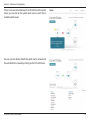
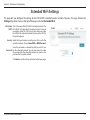
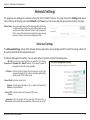
The configuration interface will open, and you can configure the
various settings for the DCH-M225. If you have not yet configured
an uplink network, the home screen will show that there is no
connection between the DCH-M225 and the uplink router.
For detailed information on manually setting up your DCH-M225
to extend an existing wireless network, refer to “Using the Manual
Method” on page 21.
D-Link DCH-M225 User Manual
17