1
Section 1 - Product Overview
What is Music Everywhere?
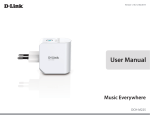
Music Everywhere (DCH-M225) allows you to play music from your smartphone, tablet or computer wirelessly to your speakers.
Simply plug in your speaker jack into Music Everywhere (DCH-M225) and connect it to your Wi-Fi network. It also has a Wi-Fi
extender built-in to help you eliminate any Wi-Fi black spots in your home. If you do not have access to a Wi-Fi network, you
can also use the direct connect mode to play music wirelessly, which connects your smart phone, tablet or computer directly
to Music Everywhere.
Expanding your audio capabilities has never been easier with the help of the DCH-M225. With support for both DLNA and
AirPlay, simply plug in your speakers and you’ll be able to stream audio to anywhere within your wireless network. The Wi-Fi
WMM quality of service protocol ensures that you’ll have no issues with bandwidth when streaming audio and performing
other tasks such as surfing the Internet, checking email, or online gaming.
What is a Wireless Extender?
The DCH-M225 acts as a repeater to extend the range of an existing wireless network to provide better signal for parts of
your home or office that may have poor or no reception. Your existing wireless signal will be re-broadcast by the DCH-M225,
allowing you to reach the farthest corners of your home or office . The extended network can simply use the same network
credentials as the existing network, or you can specify a different network name and password, giving you the flexibility to
control network access.
This purpose of this product is to create a constant network connection for your devices. As such, it does not have a standby
mode or use a power management mode. If you wish to power down this product, please simply unplug it from the power
outlet.
D-Link DCH-M225 User Manual
4