1
PzDB User Manual
Version 1.1
Q: I just double-clicked on an icon and PzDB flashed a message about “launching” something
but then nothing happed, why?
A: Any time you double-click on any icon, PzDB will attempt to launch that Item via Poser
Remote Mode (pRPC). You must have BOTH Poser running and the Poser Remote (pRPC) script
loaded for that to work.
If you don‟t, PzDB will attempt to launch that Item but nothing will happen. (It is worth noting
that nothing bad happens either, it is simply ineffective.) We are working on making PzDB
“aware” of Poser and the Poser Remote script (and even making PZDB be able to launch those
things on demand) in the future.
Q: Can I use wildcard characters in the Search Engine?
A: Yes. The three standard wildcard characters work in our Search Engine. The Number Sign (#)
can be used for any single digit. The Question Mark (?) represents any single character, (a letter,
a digit, a space, or even punctuation. And the Asterisk (*) means and set of characters of any
length.
For instance:
V?3
would find:
V-3, VA3, v 3, and V33, but not “V3.”
V#Clothes
would find:
V2Clothes, V3Clothes, V4Clothes but not “VaClothes,”or “VicClothes.”
V*3
would Find
Victoria3, Viki3 and V3, but also find “Vic2 Skirt3a,” even “Valley Forge PA 14523”
Q: How do I use a Boolean “AND” in the Search Engine?
A: In our Search Engine the wildcard character Asterisk (*) performs the same function as the
operative “And.” So instead of searching for “red and shirt” you could just enter “red*shirt.”
However, please note that the Asterisk wildcard is directional. So you might want to enter:
“red*shirt, shirt*red” to find all the Items with both “red” and “shirt” in their name. On the other
hand, we really don‟t recommend that either; see the next FAQ:
A note about using Boolean AND in the Search Engine (i.e. the asterisk character “*”):
In our tests we have found that almost all Searches using a wildcard asterisk, end up being
either too vague or too specific. In the above two examples, the Search for “V*3” would find
everything including “Valley Forge PA 14513,” and while a Search for “red*shirt, shirt*red” would
find you all the Items with “red” and “shirt” in their name, it certainly would not find all of the
shirts you have that are (or might become) red.
It is simply far more effective to create Custom Group, and then filter that Group with regular
Searches.
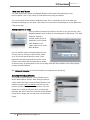
Q. Can I add a Keyword to an Item?
A. Yes, in PzDB1.1 you can add any keyword to any Item, or set of Items you wish. Click the Add
Keyword button in the Current Item Window.
28 © 2009 Rocketship Technologies LLC.