1
Inepro Card Reader Tools
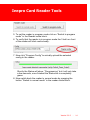
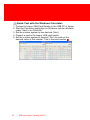
To read out this complete output perform the following steps:
1. Make sure the USB connector attached to the card reader is
connected to a free USB port on the PC
2. Open a blank Word document, notepad or the Inepro reader
3. Present a card (13,65MHz or 125 kHz can be used) to the
reader
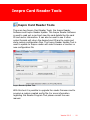
When using notepad or Word there will be a number, this is the
card ID. In the Inepro Reader much more information can be
extracted. The rest of this section will treat the process when
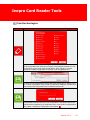
the Inepro Reader is used:
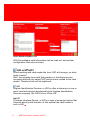
In the reader output field the complete output is shown:
>2,1780090782,9E071A6A
Version 3.0.3
-
20