1
Main Setup (2-4)
Advance Setup (2-4,5)
Boot Setup (2-5,6)
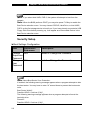
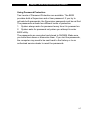
Security Setup (2-7,8)
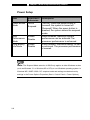
Power Setup (2-9)
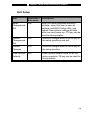
Exit Setup (2-9)
3.
BATTERY POWER & POWER MANAGEMENT
The Battery Pack (3-2)
Lithium-Ion Battery Technology (3-2)
Battery Low-Power Warning (3-3)
Installing and Removing the Battery Pack (3-4,5)
Charging the Battery and Charging Time (3-5)
Checking the Battery Level (3-6)
Prolonging the Battery’s Life and Usage Cycles (3-6)
Using Windows Power Options (3-7)
Windows’ Power Schemes (3-7,8)
Suspend Modes (3-9,10)
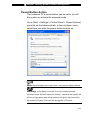
Power Button Action (3-11)
Low Battery Warning (3-12)
Power Manual Quick Access (3-13)
4.
UPGRADING YOUR COMPUTER
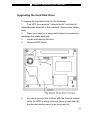
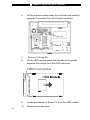
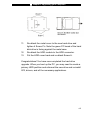
Upgrading the Hard Disk Drive (4-2,3,4,5)
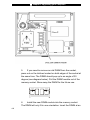
Upgrading the System Memory (4-6,7,8,9)
5.
TROUBLE-SHOOTING
First Step (5-2,3)
Audio Problems (5-4)
Hard Disk Problems (5-5,6)
Optical Drive Problems (5-7)
Display Problems (5-8)
Keyboard and Mouse Problems (5-9)
CMOS Battery Problems (5-10)
Memory Problems (5-11)
Modem Problems (5-12)
Network Adapter / Ethernet Problems (5-13)
i -3