1
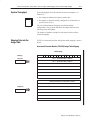
How Communication Takes Place and I/O Image Table Mapping with the DeviceNet Adapter
Defaults
5–9
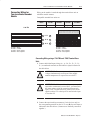
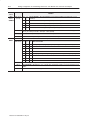
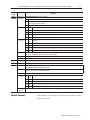
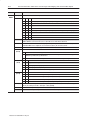
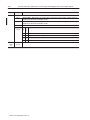
Each I/O module has default values associated with it. At default,
each module will generate inputs/status and expect
outputs/configuration.
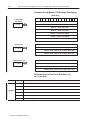
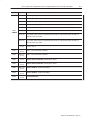
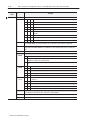
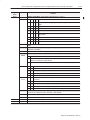
Module Defaults for:
Catalog
Number
Description
Factory Defaults
Real Time Size
Input
Default
Output
Default
Input
Default
Output
Default
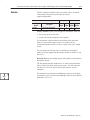
Factory defaults are the values assigned by the adapter when you:
• first power up the system, and
• no previous stored settings have been applied.
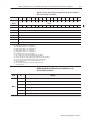
For incremental encoder modules, the defaults reflect the actual
number of input words/output words. For example, for the
incremental encoder module, you have 9 input words, and 7 output
words.
You can change the I/O data size for a module by reducing the
number of words mapped into the adapter module, as shown in “real
time sizes.”
Real time sizes are the settings that provide optimal real time data to
the adapter module.
The incremental encoder modules have 15 words assigned to them.
This is divided into input words/output words. You can reduce the
I/O data size to fewer words to increase data transfer over the
backplane.
For information on using DeviceNetManager software to configure
your adapter, refer to the DeviceNetManager Software User Manual,
publication 1787-6.5.3.