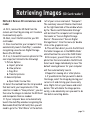
1
3.
4.
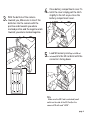
Close battery compartment cover. To
latch the cover simply pull the latch
slightly to the left as you close the
battery compartment cover.
5.
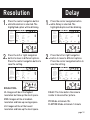
Load SD memory card (up to 64GB not
included) into the SD card slot with the
connectors facing down.
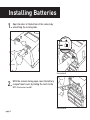
With the bottom of the camera
towards you, Make sure to insert the
batteries into the camera with the
positive ends towards you where
marked positive and the negative ends
towards you where marked negative.
TIPS:
Make sure the SD Card is unlocked (small
switch on the side of the SD Card) or the
camera LCD will read “LOCK”.
page 4