1
10.4.2. Settings
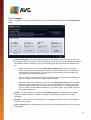
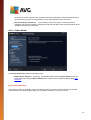
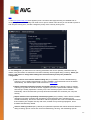
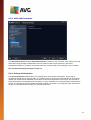
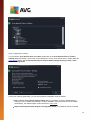
In the upper part of the Settings tab you can find the text field where you can specify the name of the scan
schedule that is currently being defined. Try to always use brief, descriptive, and apt names for scans to make
it easier to later differentiate the scan from others. For example, it is not appropriate to call the scan by the
name "New scan" or "My scan" since these names do not refer to what the scan actually checks. On the
other hand, an example of a good descriptive name would be "System area scan" etc.
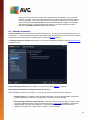
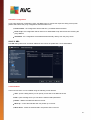
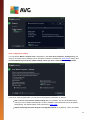
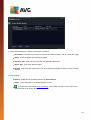
On the Settings tab you will find a list of scanning parameters that can be optionally switched on/off. Unless
you have a valid reason to change these settings we recommend that you keep the predefined
configuration:
Heal / remove virus infection without asking me (on by default): if a virus is identified during
scanning it can be healed automatically if a cure is available. If the infected file cannot be healed
automatically, the infected object will be moved to the Virus Vault.
Report potentially unwanted programs and spyware threats (on by default): check to activate
scanning for spyware as well as for viruses. Spyware represents a questionable malware category:
even though it usually represents a security risk, some of these programs can be installed
intentionally. We recommend that you keep this feature activated as it increases your computer
security.
Report enhanced set of potentially unwanted programs (off by default): mark to detect extended
packages of spyware: programs that are perfectly ok and harmless when acquired from the
manufacturer directly, but can be misused for malicious purposes later. This is an additional measure
that increases your computer security even more, however it may block legal programs, and is
therefore switched off by default.
Scan for tracking cookies (off by default): this parameter specifies that cookies should be detected
during scanning; (HTTP cook ies are used for authenticating, track ing, and maintaining specific
information about users, such as site preferences or the contents of their electronic shopping carts).
Scan inside archives (off by default): this parameter specifies that the scanning should check all
files even if they are stored inside an archive, e.g. ZIP, RAR, ...
106