1
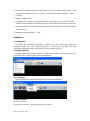
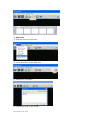
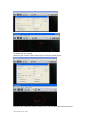
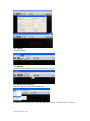
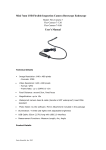
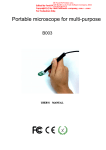
Dimension: Flexible cable with handle: 62cm (2.0ft); Flexible cable: 52cm (1.7ft); Flexible cable diameter: 6mm (0.24in); Camera head outer diameter: 7mm (0.28in) Weight: 166g (5.6oz) Compatibility: Windows 7/Vista/XP, MAC 10.5 or above, Linux (note: For Mac, please use Photo Booth or Facetime to open it. No software for Mac at this time). Package Includes: Mini USB Inspection Camera, CD Software (with User's Manual and software) Manufacturer’s Warranty: 1 year Software: 1. Installation To install the Supereyes software, simply copy and paste the ‘supereyes software’ folder into your desired directory. To open the software, find the ‘supereyes software’ folder and double click the ‘supereyes.exe’ 2. Starting Device Plug the endoscope into the USB port. Double click on the icon of ‘supereyes.exe’. Click ‘preview’ to view objects under examination. 3. Languages Three languages are available: English, Chinese and Japanese. 4. Basic Setting 1) Device source Click ‘Device Source’, choose the device you need. Oasis Scientific, Inc. 2012