1
Onset Computer Corp Changing the State of the U30 Relay Contact
The U30 relay contact is a latching relay that can be configured as either Normally Open or Normally Closed. The factory‐default setting is Normally Open. You can change the default relay settings in the Alarm dialog in HOBOware Pro. Steps
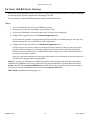
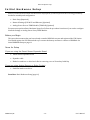
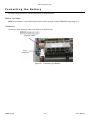
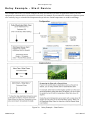
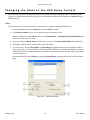
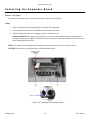
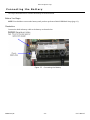
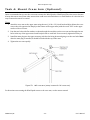
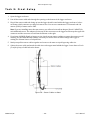
This procedure assumes the U30 Station is connected to a computer running HOBOware Pro 1. From the Device menu select Alarms to open the Alarms window, 2. In the Relay Contacts section, select Normally Open or Normally Closed. Alternate Method: From the Device menu select Control Relay > Set Default (Deactivated) State and then select either Open or Closed. 3. If you are setting an Alarm Action of Pulse Relay, you can set the Relay Pulse Width. The default is 1 s. 4. Click Set to send the alarm configuration to the U30 Station. 5. To test the relay, click the Close Relay or Open Relay button (button that appears depends on which state the relay is in). You should hear a click in the HOBO U30 Station. Click the button again to return to the default state. Use a digital multimeter to check for continuity to confirm that the relay is opened and closed as expected. Alternate Method: From the Device menu select Control Relay > Activate Relay, then select Deactivate Relay. Figure 26: Testing the Relay
HOBO U30/RC ‐ 49 ‐ User’s Manual