1
USER’S MANUAL. PROLINK-4/4C Premium
5
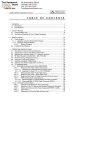
DESCRIPTION OF THE INPUTS AND OUTPUTS ............................................... 107
5.1 RF input........................................................................................................... 107
5.2 RS-232C serial port......................................................................................... 107
5.3 Parallel Input Connector (LVDS D-25) ............................................................ 107
5.4 Parallel Output Connector (LVDS D-25) ......................................................... 108
5.5 Scart (DIN EN 50049) ..................................................................................... 109
5.6 Connector for CAM modules and SMART-Cards............................................ 110
6
MAINTENANCE..................................................................................................... 113
6.1 Considerations about the Screen (model PROLINK-4C Premium)................. 113
6.2 Internal fuses which user cannot replace ........................................................ 113
6.3 Replacing the Battery ...................................................................................... 114
6.4 Cleaning Recommendations ........................................................................... 115
English
4.10.2 Selecting the Measurement Mode .............................................................. 94
4.10.2.1 Measuring Carrier Levels (Level) ...................................................... 95
4.10.2.2 Measuring the Carrier / Noise ratio (C/N Referenced) ...................... 95
4.10.2.3 Measuring the Power of Digital Channels (Channel Power) ............. 96
4.11 Selecting the Sound Mode (SOUND)................................................................ 97
4.11.1 FM function, access to RDS service ........................................................... 98
4.11.2 Tone function .............................................................................................. 99
4.11.3 Selecting NICAM sound.............................................................................. 99
4.12 Measurement Configuration Memories ........................................................... 100
4.12.1 Storing a Measurement Configuration (STORE) ...................................... 100
4.12.2 Retrieving a Configuration (RECALL) ....................................................... 102
4.13 Direct Access to Functions.............................................................................. 102
4.14 Printing the Spectrum, the Measurements and Memories .............................. 103
4.14.1 Handshake and Control Lines................................................................... 105
4.14.2 CI-23 set-up .............................................................................................. 106