1
DisplayLink Graphics Adapter User Manual
Software Version 5.4
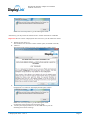
The Windows User Account Control window opens.
Click Yes.
DisplayLink automatically installs the device.
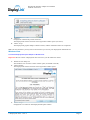
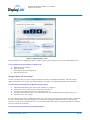
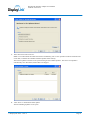
The DisplayLink software end user licence agreement window opens (see above).
6. Click I Accept.
The DisplayLink graphics adapter software installs, without notification that it has completed.
5.
Note: On some machines you may need to reboot before you can use your DisplayLink enabled device.
Windows Vista
To Install the DisplayLink Graphics Adapter on Windows Vista
Important! Do not connect a DisplayLink device/screen to your PC before the install.
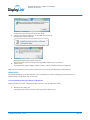
Double click on Setup.exe.
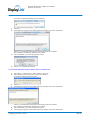
The Windows User Account Control window opens (if enabled in the OS).
2. Click Continue.
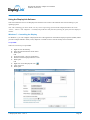
The DisplayLink software end user licence agreement window opens.
1.
3.
Click I Accept.
DisplayLink Core software and DisplayLink Graphics installs.
© DisplayLink 2010 – Issue 2
Page 9