1
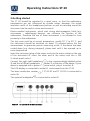
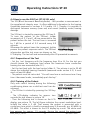
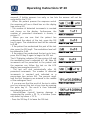
Operating Instructions ST 20 - Set the slider level control at 30 dB. - Test through the frequencies. (After switching on, the frequency is automatically set to 1 kHz.) Start at 1 kHz, set the higher frequencies first then the low frequencies. - Use the right key to select the higher frequencies and use the left key to select the lower frequencies. Use the interrupter key to interrupt the test tone. The green signal presentation LED should extinguish. - If the patient hears the test tone, the particular value is displayed by a light point in the audiogram field and should be marked on the audiogram paper. The correct markings are: O (red) = right and X (blue) = left If all tones are heard it can be assumed that the hearing loss, if any, is only minimal. For hygienic reasons it is important to clean the ear cushions of the headphone (see chapter 6). 4.1.2 Hearing Threshold Test In the hearing threshold test, the hearing threshold of the patient is measured in comparison with the normal hearing threshold for air conduction. The test is started on the ear with better hearing. - Set the slider level control to -10 dB - Using the key or , choose the ear that hears better. - Use the key , to set the test frequency at 1 kHz. - For further preparation, see 4.1.1 (screening test) - Instruction to the person being tested: Whenever the test tone is just audible, the patient should raise their hand or press the patient response Picture 8 Controls of ST 20 switch. - Increase the test level with the slider level control gradually, until the patient indicates that he/she can just hear the test tone. Geba_ST20_Fe_13b.doc 8 851 307/4 04/13