1
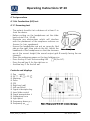
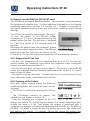
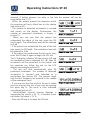
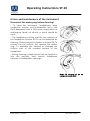
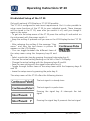
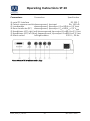
Operating Instructions ST 20 4 Test procedure 4.1 Air Conduction (AC) test 4.1.1 Screening test - The patient should sit at a distance of at least 1 m from the device. - Before putting on the headphones set the slider level control at -10 dB. - Eliminate any obstructions which will interfere with the placement of the earphone cushions on the ear (i.e. hair, eyeglasses). - Ensure the headphones are put on correctly. Red side on the right, blue side on the left. Adjust the Picture 6 Headphone headband of the headphones so that the receivers are at the correct height (the sound output grid exactly facing the ear channel). - Place the audiogram paper on the two holding pins. - Press the key until the according LED lights (for AC). - Press the red key for the right ear or - the blue key for the left ear. Controls and displays Power switch AC - BC - FF Masking Pulse SISI Right ear (red) Left ear (blue) Signal-interrupter key Level slide control Signal presentation ♪ Audiogram form Light point Frequency down Frequency up Geba_ST20_Fe_13b.doc Picture 7 Front panel of ST 20 with controls and displays 7 851 307/4 04/13