1
4. Menu
structure
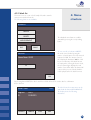
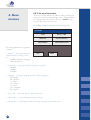
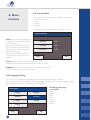
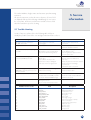
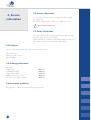
4.4 User Interface
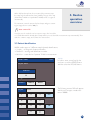
In this menu point the built in interfaces could be switched ON or
OFF. These interfaces are:
• Printer
• Sound
• ID Mode
The factory setting for all this interfaces for LAURA® is the next:
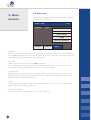
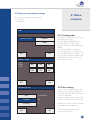
USER INTERFACE
Printer ON /OFF indicates whether the
results will be printed automatically after
measurement, or not.
It is possible to switch off this feature; in
this case the instrument will measure the
strip and store the results in the memory,
but it won’t be printed.
The result can be printed at any time
from the memory or when the result is
displayed.
PRINTER
ON
SOUND
ON
ID MODE
OFF
ESC
OK
Sound ON/OFF turns the button feedback beep on or off.
Warning beeps are always ON, this setting has no influence on them.
ID MODE In this case the equipment doesn’t start the measure without ID, so the user need to type in the ID of the sample.
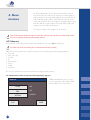
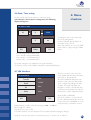
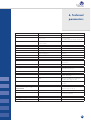
4.5 Language Setting
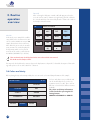
The user can select in this menu the language, which want to communicate with the instrument.
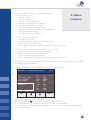
The selection can be performed using the corresponding button. The button of the currently set language is highlighted. OK button must be pressed to make the selection valid.
The following languages
are available:
English
German
Italian
Czech
Polish
Hungarian
Russian
LANGUAGE
English
Magyar
Deutsch
Pycckuu
Polski
Italiano
Česky
ESC
27
OK