1
“isoTEST” Calibration/
Adjustment Functions
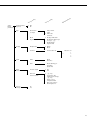
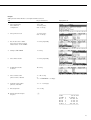
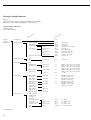
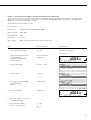
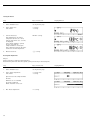
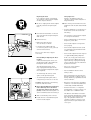
The following functions are available:
T key
– Weighing system settings
– Ext. cal./adj.: factory-defined weight
– Ext. cal./adj.: user-defined weight
– Internal cal./adjustment
– “reproTEST”
– Weighing (only)
– Hardware tests
– Test interfaces
– Heater test
– Heater adjustment
If the sample pan and the pan support
are removed from the sample chamber, you
can access the following functions:
T key
– Heater adjustment
– 2-point temperature adjustment
– 1-point temperature adjustment
Heater Adjustment
Using 1-point and 2-point temperature
adjustment and the YTM03MA temperature adjustment set (Accessories) you
can calibrate and adjust temperature
settings of the drying unit.
Weighing Only
Notes on the MA100.-0CE230..:
The verifiable weighing program is
designated by the Q symbol in the righthand side of the display.
Weighing System Settings
Calibration, Adjustment
Purpose
Calibration is the determination of the
difference between the weight readout
and the true weight (mass) of a sample.
Calibration does not entail making any
changes within the weighing system.
Adjustment is the correction of the
difference between the measured value
displayed and the true weight (mass)
of a sample, or the reduction of the
difference to an allowable level within
maximum permissible error limits.
Features
Calibration can be performed externally
or, with the MA100, internally.
External calibration can be performed:
– with a factory-defined weight
– with a user-defined weight
Selecting the Calibration/
Adjustment Mode
After pressing the T key and
selecting the menu item
Weighing System
Settings
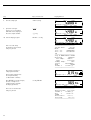
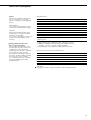
you can select one of the following
modes:
– External calibration/adjustment
with a factory-defined weight
Ext.cal./adj.;
factory-def.wt
– External calibration/adjustment
with a user-defined weight
Ext.cal./adj.;
user-def.wt
– Internal calibration/adjustment
(MA100 only)
Int.cal./adj.
– Repeatability test (MA100 only)
reproTEST
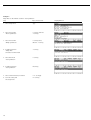
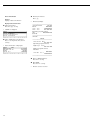
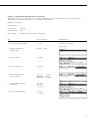
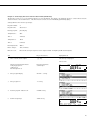
You can have calibration and adjustment results documented as a ISO/GLPcompliant printout; see the next page.
– Weighing only
Weighing
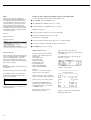
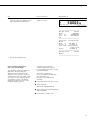
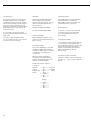
Start the desired mode:
● Press the O soft key
● Press the Start soft key
For Servicing:
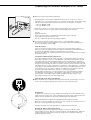
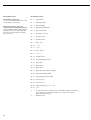
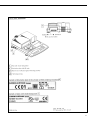
Unlocking the External Adjustment
on Verified Moisture Analyzers
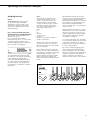
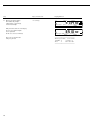
● Remove the cover to the left of the
data interface
> Switch set to the right:
External adjustment accessible
Switch set to the left:
External adjustment locked
51