1
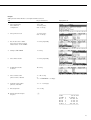
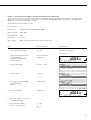
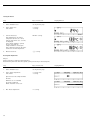
Display
Cause
Solution
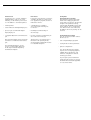
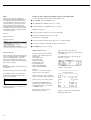
Too many characters
Input text too long
Allowable text lengths, incl.
decimal point:
– Password: 8 characters max.
– User ID: 20 characters max.
– Wt ID: 14 characters max.
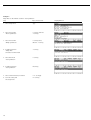
No num. value
xxxxx too low
xxxxx too high
Input wrong (with any
application program), e.g.,
alphabetic input not allowed
Follow the instructions for the
application programs
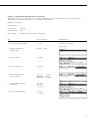
Not found !
Input wrong (e.g., no program
with entered name available)
Enter correct name or
program number
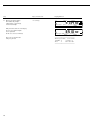
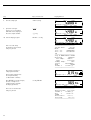
blocked
Function blocked
None
Built-in printer (option):
No printout
Activate printer in Setup menu;
install ink ribbon and paper correctly
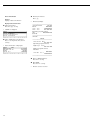
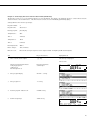
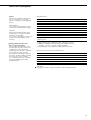
Problem ... :
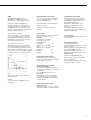
Too high of a temperature is selected
and the sample is oxidized;
– Reduce the temperature
– Put a glass fiber filter on top
of the sample
– Reduce the sample quantity
or apply the sample more
evenly
– Select a semi-autom. shutoff
parameter or select timer mode
– Phase drying with
decreasing temperature
Sample boils or scorches
and splashes continuously change
weight
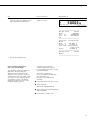
Analysis time is too long
– Increase the temperature
– Reduce the sample quantity
– Preheat the unit by running it
for 2 or 3 minutes with
an empty sample pan
Sample loses weight
before it is analyzed
– Remove the sample pan and
apply the sample outside the
sample chamber
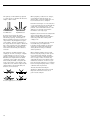
Sample is liquid or pasty
– Use a glass fiber filter
Sample contains too little moisture
– Increase the sample quantity
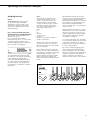
Insufficient heat output
– Clean the protective glass or
temperature sensor
Place of installation exposed to
interfering factors (vibration, etc.)
– Change the place
of installation
If any other errors occur, please contact your local Sartorius Service Center.
69