1
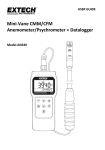
Description Meter and Sensor Description 1.
Sensor connection to the meter 2.
Main LCD display digits 3.
Lower line LCD display digits 4.
MODE button 5.
AVG‐MAX‐MIN and ENTER button 6.
POWER ON‐OFF and SET button 7.
HOLD and up arrow button 8.
MEM and RECALL button 9.
START and ESC button 10. LW‐D‐A and down arrow button 11. Mini‐Vane impeller 12. Temperature and humidity sensors 13. Telescoping sensor arm Note: Battery compartment (not shown) is located on rear of instrument Meter Top Description 1.
Sensor connection jack 2.
AC power adaptor jack 3.
USB PC interface jack Keypad Description POWER ON‐OFF and SET button Press momentarily to power meter ON or OFF. Press and hold for two (2) seconds to enter the SETUP mode. 800.561.8187
3
www.
.com
AN340-EU-EN V1.3 4/13
[email protected]