1
Tips for Editing Text
You can edit the text you enter in text fields and use menu
commands to cut, copy, and paste text, within or across most
applications. To cut/copy and paste the text:
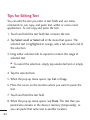
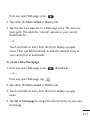
1. Touch and hold the text field that contains the text.
2. Tap Select word or Select all in the menu that opens. The
selected text is highlighted in orange, with a tab at each end of
the selection.
3. Drag either selection tab to expand or reduce the range of
selected text.
● To cancel the selection, simply tap unselected text or empty
area.
4. Tap the selected text.
5. When the pop-up menu opens, tap Cut or Copy.
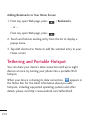
6. Place the cursor on the location where you want to paste the
text.
7. Touch and hold the text field.
62
8. When the pop-up menu opens, tap Paste. The text that you
pasted also remains in the device’s memory (temporarily), so
you can paste that same text in another location.