1
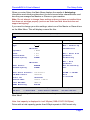
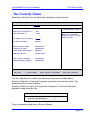
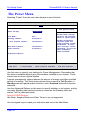
The Setup Guide
PhoenixBIOS 4.0 User's Manual
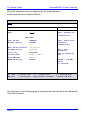
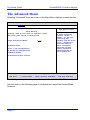
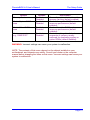
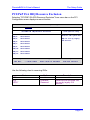
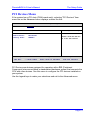
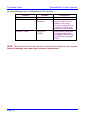
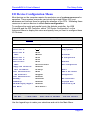
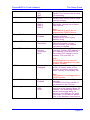
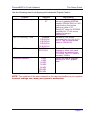
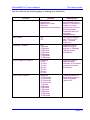
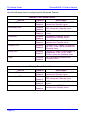
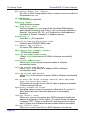
Use the following chart in configuring the Advanced Options:
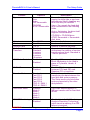
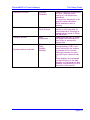
Standby Timer Reload Event
Device
Primary IDE
Secondary IDE
Video
Keyboard
Floppy
Parallel Port
Options
Disabled
Enabled
Disabled
Enabled
Disabled
Enabled
Disabled
Enabled
Disabled
Enabled
Disabled
Enabled
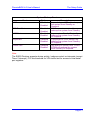
Serial Port
Disabled
Enabled
USB
Disabled
Enabled
Description
Access to drives on Primary IDE
reload the Standby timer.
Access to drives on Secondary
IDE reload the Standby timer.
VGA access reloads the Standby
timer.
Keyboard or Mouse activity
reloads the Standby timer.
Read/Write access to diskette
reloads the Standby timer.
Access to LPT (Base i/o address
at 378h, 278h, 3BCh) reloads the
Standby timer.
Access to COM1-COM4 (Base i/o
addresses 3F8h, 2F8h, 3E8h,
2E8h) reload the Standby timer
Any USB activity relaods the
Standby timer.
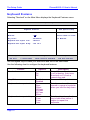
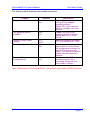
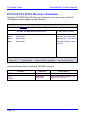
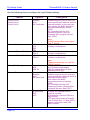
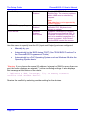
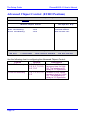
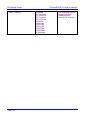
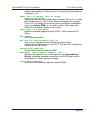
Display Timer Reload Event
Device
Primary IDE
Secondary IDE
Video
Keyboard
Page 40
Options
Disabled
Enabled
Disabled
Enabled
Disabled
Enabled
Disabled
Enabled
Description
Access to drives on Primary IDE
reload the Standby timer.
Access to drives on Secondary
IDE reload the Standby timer.
VGA access reloads the Standby
timer.
Keyboard or PS/2 Mouse activity
reloads the Standby timer.