1
26.7.2 MIDI Page
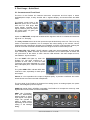
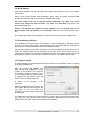
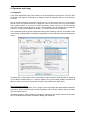
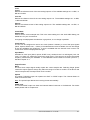
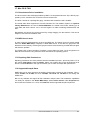
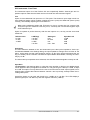
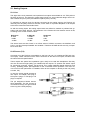
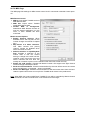
The MIDI page has settings for MIDI remote control via CC commands or Mackie Control protocol.
MIDI Remote Control
¾ MIDI In. Input where TotalMix receives
MIDI Remote data.
¾ MIDI Out. Output where TotalMix
sends MIDI Remote data.
¾ Disable
MIDI
in
background.
Deactivates MIDI Remote Control as
soon as another application is in the
focus, or when TotalMix has been
minimized.
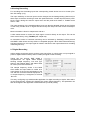
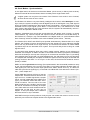
Mackie Control Options
¾ Enable Protocol Support. When
disabled TM FX will only react on the
Control Change commands of chapter
28.5.
¾ Map Stereo to 2 Mono Channels.
One fader controls one (mono)
channel. Should be disabled when
stereo channels are used.
¾ Submix Selection in Input/Playback
Row. Enables a selection of the
submix when in first row, without
having to change to the third row first.
However, when using both mono and
stereo channels first and third row
usually do not match anymore, so the selection often becomes unclear this way.
¾ Enable full LCD support. Activates full Mackie Control LCD support with eight channel
names and eight volume/pan values.
¾ Send User defined Names. Channel names defined by the user will be sent to the remote
device via MIDI and – if supported – shown in its display.
¾ Send Level Messages. Activates the transmission of the level meter data. Peak Hold activates the peak hold function as set up for the TotalMix level meters in the preferences.
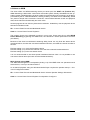
Note: When MIDI Out is set to NONE then TotalMix FX can still be controlled by Mackie Control
MIDI commands, but the 8-channel block is not marked as remote target.
64
User's Guide Fireface UC © RME