1
5. First Usage – Quick Start
5.1 Connectors and Front Panel
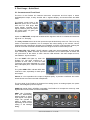
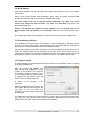
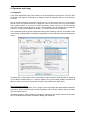
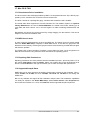
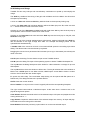
The front of the Fireface UC features instrument, microphone and line inputs, a stereo
line/headphone output, a rotary encoder with 7 segment display, and several status and MIDI
LEDs.
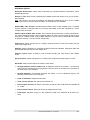
The Neutrik combo jacks of the
Mic/Line inputs can be used via
XLR and 1/4" TRS plugs. Both
inputs display overload (CLIP),
signal presence (SIG) and phantom power (48V) via green, red
and yellow LEDs.
Inputs 3/4, INST/LINE, accept both a balanced line signal as well as an unbalanced instrument
signal via 1/4" TRS plug.
The rotary encoder serves to set the input and output levels directly at the unit. This is not only
useful in stand-alone operation, but for example also when setting up the monitor volume.
Pushing the knob changes the encoder from CHANNEL to LEVEL mode and back. Pushing the
knob for more than a second activates either the single channel or stereo setup mode.
The State LEDs (WC, SPDIF, ADAT) indicate a valid input signal separately for each digital
input. Additionally, RME's exclusive SyncCheck indicates if one of these inputs is locked, but
not synchronous to the others, in which case the LED will flash. See also chapter 9.8/16.2,
Clock Modes - Synchronization.
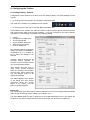
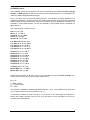
The red HOST LED lights up when the
Fireface UC has been switched on. It
operates as error LED, in case the USB
connection hasn't been initialised yet, or has
been interrupted (error, cable not connected
etc.).
The yellow MIDI LEDs indicate MIDI data
received or sent, separately for both inputs
and outputs.
Phones is a low impedance line output of highest quality. It provides a sufficient and undistorted volume even when used with headphones.
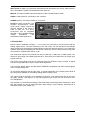
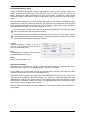
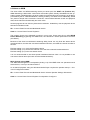
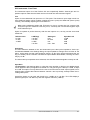
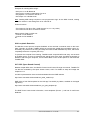
The rear panel of the Fireface UC features four analog inputs, six analog outputs, the power
socket, and all digital inputs and outputs.
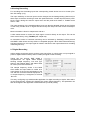
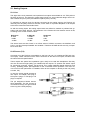
SPDIF I/O coaxial (RCA): AES/EBU compatible. The Fireface UC accepts the commonly used
digital audio formats, SPDIF as well as AES/EBU.
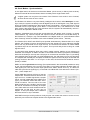
ADAT I/O (TOSLINK):
The unit automatically
detects SPDIF or ADAT
input signals. The optical
output can operate as
ADAT or SPDIF output,
depending on the current
setting in the Settings
dialog.
User's Guide Fireface UC © RME
7