1
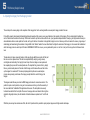
1 Introduction The purpose of the TerraBuilder FSX application is to aid in creation of high-resolution photo-realistic and mesh terrain (elevation) scenery for Microsoft’s Flight Simulator X. This is achieved by importing pre-saved scenery images (tiles) and assembling them together into one large scenery with high resolution coverage. From our extensive experience in creating photo-realistic and mesh terrain scenery, we found this approach to be easier and less complicated than importing one extremely large image and creating a scenery out of it. The reason for this is that it is extremely cumbersome to deal with a single, huge image in image editing software (such as Adobe PhotoShop), which requires large memory swapping capabilities, long loading/saving times and choppy and cumbersome navigation to image sections (zooming and panning). Moreover, an image that is broken down to smaller components as a mosaic can be more easily fitted over the spherical surface, reducing or eliminating the need for WGS correction. The only drawback to such an approach is the tiresome and labor-intensive process of aligning a mosaic of images so that they seamlessly fit each other. Hence, the TerraBuilder FSX application was created to aid in this, and other, tasks. TerraBuilder FSX is essentially a tool that aids a scenery designer in assembling pre-saved image tiles (in BMP and RAW file format) into a single coherent scenery, enabling user/designer to match and assemble the imagery mosaic to a high degree of accuracy. The collection of images are saved in the Microsoft Flight Simulator’s SDK INF format, and can be later re-loaded for editing and scenery compilation. The use of INF file format eliminates the need for a proprietary “middle-man” file format and enables user familiar with the INF file format to quickly scan and edit the script in any text file editor. TerraBuilder FSX also acts as a front-end to the resample.exe application which comes as a part of the FSX SDK and is an essential tool in creating scenery files for MS FSX. Registered vs. Unregistered TerraBuilder FSX comes as a free download, but with limited functionality. You can purchase and register the software from within the application or from the TerraBuilder’s web site, both of which will direct you to a safe and secure PayPal payment processing. Once the payment is confirmed, TerraBuilder will send you a personal key code to activate the software. This will NOT happen instantaneously: The processing of the registration may take up to 24 hours. With a registered (paid) version, you can create a scenery project with unlimited imagery elements, up to 2880 x 2880 pixels in size (the application is able to handle as many imagery elements as it is practically allowable with respect to the graphics hardware and memory), and attach water and blend masks to them. You can save it to INF file, edit, compile to BGL (FSX scenery) and re-load this project for further editing. Some projects may balloon to a size that may become unmanageable due to its sheer expanse. Such projects are easily broken down to smaller collections of projects using “Save as” functionality. With an un-registered (free) version, you can do all of the above, however, if a project is saved to INF or compiled to BGL, only the FIRST image, along with its masks, if any, will be saved/compiled. www.terrabuilder.com 4