1
8.
DELETE: If you want to delete the section, you should select the number and press “#”
with “*” in the same time then the LCD will display “_ _” signal. About 3 – 4 seconds
later, the signal on the LCD will be changed to “00” that mean is the section material
deleted. This is just cleaned the section to empty and will not change others section
sequence. To avoid the material deleted by miss pressing and key, you should select the
section number first then precede the delete process. Otherwise, you can not operate
any delete function.
9. Communicate with PC via USB port: You can copy any music files from PC to
PA-100 DigiRec Microphones conveniently.
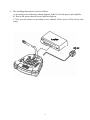
A. Hardware Installation: Please connect PA-100 DigiRec Microphones with PC via
USB cable then the PC will screen / read a new USB device, and register an additional
hardware as portable hard disc automatically. After this, you can add, delete, and
copy the broadcast files in PC.
B. Additional Files: You can copy the MP3 files from PC to PA-100 DigiRec
Microphones but you should refilename as follows:
M_INT_XX.MP3 ( XX is section number in PA-100 )
* Please note that the file should be MP3.
C. CHIME note sound update: You can update the build-in CHIME note sound via PC.
Please copy the new CHIEM note from PC to PA-100 and refilename as follows:
Start Note Sound: M_INT_90.MP3
End Note Sound: M_INT_91.MP3
* Please note that the original note sound files will be deleted if you reformat PA-100.
D. Driver Software: We will offer a driver disc with PA-100. You can reinstall the
driver and return the PA-100’s function if it is infected the PC virus and break down.
We will update the driver and post it on our company website. You can get on our
website and download it in free anytime.
E. Please plug out the USB cable after operation with PC, then PA-100 will be function
normally.
10. Format: The flash memory bank will be reorganized by format but the entire PA-100’s
data will be deleted including CHIME note sound. Format process is 1.) press “99”, 2.)
press “*” and “#” in the same time, 3.) LCD display flashing signal as “_ _”, 4.) about 5
seconds later then press “PLAY”, 5.) “_ _” stop flashing, 6.) After 9 seconds, the LCD
display “00” that the format is completeness.
3