1
AOMEI® Partition Assistant 5.1
Migrate OS to SSD or HDD
Migrate operating systems from old hard drive to new SSD or HDD, boot from SSD or HDD, do
not need reinstall OS and any other registered applications. It could also help you solve the
“system disk space insufficient”.
To migrate OS
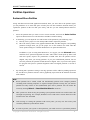
1. Click Wizard->Migrate OS to SSD or HDD. Then in the pop up window click “Next” to
continue;
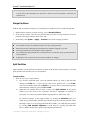
2. Choose an unallocated space as destination on the SSD or HDD to migrate your operating
system to the space. Click “Next”.
3. Adjust partition size by dragging the slider leftwards or rightwards or directly clicks “Next”
to continue;
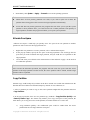
4. Read the note, it teaches you how to boot. Click “Finish” to continue;
5. Click Apply on the toolbar to commit the migration operation.
Note:
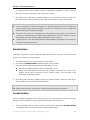
l This feature could also help you solve the “system disk space insufficient”, in this case means
migrate the small system disk to a larger disk.
l Only unallocated space could be set as destination.
Partition Recovery Wizard
Recover deleted or lost partitions from the selected disk. As some incidents may cause partition
loss, the data in the partition will also be lost. In this case partition recovery wizard could help you
recover the lost partition and retrieve the data.
To recover partition
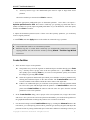
1. Select Wizard->Partition Recovery Wizard;
2. Select the disk to recover partitions, click “Next” to continue;
3. Choose search mode and click “Next” to continue;
•
•
4.
5.
Fast search: (recommended) this mode will quickly find out deleted or lost partitions, by
searching the first sector of each partition of the selected disk.
Full search will more in-depth search every sector on the selected disk. So it need more
time, you could choose this method when using Fast Search fails.
After all the deleted partition been found, it will be listed in the window. Double click the
partition to explore the content to see whether it is the one you want to recover. And then tick
the partitions you want to recover, click Proceed to start the recovery operation;
After the partition recovery completed, you can explore the recovered partitions in “My
Copyright © 2009-2012 AomeiTech. All rights reserved.
23