1
Sleep Mode
When AC power is lost or if the MicroControl is unplugged, the MicroControl will remain operational using the
internal backup battery. However, while operating on battery power, the MicroControl will enter sleep mode 30
minutes after the last button is pressed. To use the display on the MicroControl while it is in sleep mode, you
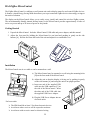
must first wake it up by using the Wakeup Button located on the top edge of the MicroControl.
To wake up the MicroControl, press and hold the Wakeup Button for three seconds.
Home Screen
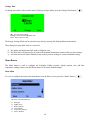
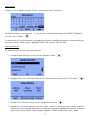
The Home screen shows the current time and allows you to access menus for controlling loads, controlling
temperature devices, configuring the display, and configuring the ZigBee network. After loads and temperature
devices have been configured, the Home screen can also display the status of up to three ZigBee loads and/or
temperature devices.
Wakeup Button
Energy Saving Mode
The MicroControl has an Energy Savings Mode that can be used
to put all connected ZigBee devices into an energy savings state
for a specified time period.
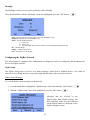
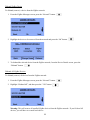
To activate the Energy Savings Mode, from the Home Screen,
press the Wakeup Button momentarily.
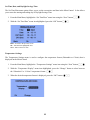
Task Buttons
Press to select the task that is
displayed above the respective button.
Press the Task Button on the left.
Press the Task Button in the middle.
Press the Task Button on the right.
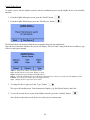
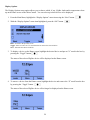
When the Energy Savings Mode is activated:
a)
b)
c)
d)
The display backlight turns green.
The remaining number of days and time for Energy Savings Mode is displayed (default 4 hours).
The Heat and Cool setpoints for all connected Omnistat2 thermostats are offset by 4 degrees.
All connected Load Control Modules are turned off.
3