1
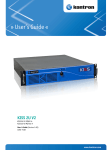
» User’s Guide « KISS 1U KISS 1U PCI762-A User's Guide (Version 1.00) 1056-7706 www.kontron.com This page is intentionally left blank. www.kontron.com 1. Table of Contents KISS 1U_SBC_762 – User's Guide (Version 1.00) 1. Table of Contents 1. Table of Contents ..................................................................................................................................... 1 1.1. Table of Figures...................................................................................................................................... 2 2. Introduction ........................................................................................................................................... 4 2.1. Symbols used in this Manual..................................................................................................................... 5 3. Important Instructions............................................................................................................................. 6 3.1. Warranty Note ....................................................................................................................................... 6 3.2. Exclusion of Accident Liability Obligation.................................................................................................... 6 3.3. Liability Limitation / Exemption from the Warranty Obligation ........................................................................ 6 4. General Safety Instruction for IT Equipment ................................................................................................ 7 4.1. Operation of Laser Source Devices ............................................................................................................. 8 4.2. Electrostatic Discharge (ESD) ................................................................................................................... 9 4.2.1. Grounding Methods.......................................................................................................................... 9 4.3. Instructions for the Lithium Battery........................................................................................................... 9 5. Electromagnetic Compatibility (Class A Device) ..........................................................................................10 5.1. Electromagnetic Compatibility (EU) ..........................................................................................................10 5.2. FCC Statement (USA)..............................................................................................................................10 5.3. EMC Compliance (Canada) .......................................................................................................................10 6. Scope of Delivery ....................................................................................................................................11 6.1. Type Label and Product Identification .......................................................................................................11 7. Product Description ................................................................................................................................12 7.1. Front Side ............................................................................................................................................14 7.1.1. Controls and Indicators....................................................................................................................15 7.1.2. Ports on the Front Side ....................................................................................................................16 7.1.3. Filter Mat and Filter Mat Holder .........................................................................................................16 7.1.4. External accessible Drive Bays ...........................................................................................................16 7.1.5. System Fans installed in Fan Slide-in Modules ......................................................................................16 7.2. Rear Side .............................................................................................................................................17 7.2.1. System Configurations with SBC Card..................................................................................................17 7.2.2. Power Supply and ON/OFF Switch of the PSU ........................................................................................18 7.2.3. Grounding Stud ..............................................................................................................................19 7.3. Side View .............................................................................................................................................19 7.4. Installed SBC Card .................................................................................................................................20 7.4.1. Backplane, Riser Cards and Drive Bays ................................................................................................21 7.5. Fan Slide-in Modules..............................................................................................................................22 7.6. Cover ..................................................................................................................................................23 8. Installation and Removal .........................................................................................................................24 8.1. Attaching the Rubber Feet ......................................................................................................................24 8.2. Accessing Internal Components ...............................................................................................................25 8.2.1. Installing /Removing Expansion Cards ................................................................................................25 8.3. Installation in a 19" Industrial Cabinet .....................................................................................................26 9. Starting Up ............................................................................................................................................27 9.1. AC Power Connection .............................................................................................................................27 www.kontron.com 1 1. Table of Contents KISS 1U_SBC_762 – User's Guide (Version 1.00) 9.2. Operating System and Hardware Components Drivers................................................................................... 28 10. Maintenance and Prevention.................................................................................................................. 29 10.1. Replacing the System Fans.................................................................................................................... 29 10.2. Cleaning the Filter Mat ......................................................................................................................... 30 10.3. Replacing the Lithium Battery ............................................................................................................... 32 11. Slide Rails (Option) .............................................................................................................................. 33 12. Technical Data...................................................................................................................................... 34 12.1. Electrical Specifications ....................................................................................................................... 35 12.2. Mechanical Specifications..................................................................................................................... 35 12.3. Environmental Specifications ................................................................................................................ 35 12.4. Directives and Standards ...................................................................................................................... 36 13. Standard Interfaces – Pin Assignments ................................................................................................... 37 13.1.1. Serial Interface (RS232) ................................................................................................................ 37 13.1.2. VGA Port ..................................................................................................................................... 37 13.1.3. USB Port (2.0) ............................................................................................................................. 38 13.1.4. USB3.0 Port................................................................................................................................. 38 14. Technical Support ................................................................................................................................. 39 14.1. Returning Defective Merchandise ........................................................................................................... 39 1.1. Table of Figures Fig. 1: Laser radiation warning label ................................................................................................................ 8 Fig. 2: Rackmount version with closed access panel ...........................................................................................12 Fig. 3: Desktop version with closed access panel ...............................................................................................12 Fig. 4: Rackmount version with opened access panel..........................................................................................12 Fig. 5: Desktop version with opened access panel ..............................................................................................12 Fig. 6: KISS 1U platform - front side................................................................................................................13 Fig. 7: Front (rackmount version) with the front access panel closed.....................................................................14 Fig. 8: Front side (desktop version) with opened front access panel ......................................................................14 Fig. 9: Detail - 19" bracket with mounting screws..............................................................................................15 Fig. 10: Power button on the front .................................................................................................................15 Fig. 11: USB interfaces on the front side (SBC card) ...........................................................................................16 Fig. 12: USB interfaces on the front side (backplane).........................................................................................16 Fig. 13: Configuration example with a DVD Slim drive (D1) and with no drive installed in the 3.5" drive bay (D2)...........16 Fig. 14: Configuration example with a DVD Slim drive (D1) and a Raid1 slim drive for 2x 2.5" SATA HDD/SSD (D2) ........16 Fig. 15: Rear side of the KISS 1U with an SBC card (shown with a PCI-762 and an AC wide rage PSU)............................17 Fig. 16: External ports of PCI-762 SBC card ......................................................................................................17 Fig. 17: Detail: AC Wide Rang PSU...................................................................................................................18 Fig. 18: Grounding stud...............................................................................................................................19 2 www.kontron.com 1. Table of Contents KISS 1U_SBC_762 – User's Guide (Version 1.00) Fig. 19: Side view ....................................................................................................................................... 19 Fig. 20: Example of KISS 1U Configuration with SBC PCI 762(Single Board Computer) .............................................. 20 Fig. 21: Grounding stud .............................................................................................................................. 21 Fig. 22: Grounding stud .............................................................................................................................. 21 Fig. 23: Exchangeable fan slide-in modules with captive knurled screws................................................................ 22 Fig. 24: Inside of the cover with fixing brackets ................................................................................................ 23 Fig. 25: Loosening the three knurled screws on the rear side of the KISS 1U system................................................. 25 Fig. 26: Sliding the cover back will pull out the cover fixing brackets from the retaining brackets of the chassis. ........... 25 Fig. 27: Removing the cover ......................................................................................................................... 25 Fig. 28: Front side detail: Position of the filter mats .......................................................................................... 30 Fig. 29: Front side detail without filter mats and filter holders............................................................................. 30 Fig. 30: Filter mat ....................................................................................................................................... 30 Fig. 31: Filter mat holder ............................................................................................................................. 30 Fig. 32: Attaching the inner section of the slide rails ......................................................................................... 33 Fig. 33: KISS 1U platform with slide rails in pulled-out position........................................................................... 33 Fig. 34: KISS 1U platform with slide rails in pushed-in position ........................................................................... 33 www.kontron.com 3 2. Introduction KISS 1U_SBC_762 – User's Guide (Version 1.00) 2. Introduction Kontron Europe GmbH would like to point out that the information contained in this manual may be subject to technical alteration, particularly as a result of the constant upgrading of Kontron Europe products. The attached documentation does not entail any guarantee on the part of Kontron Europe with respect to technical processes described in the manual or any product characteristics set out in the manual. Kontron Europe does not accept any liability for any printing errors or other inaccuracies in the manual unless it can be proven that Kontron Europe is aware of such errors or inaccuracies or that Kontron Europe is unaware of these as a result of gross negligence and Kontron Europe has failed to eliminate these errors or inaccuracies for this reason. Kontron Europe expressly informs the user that this manual only contains a general description of technical processes and instructions which may not be applicable in every individual case. In cases of doubt, please contact Kontron Europe. This manual is protected by copyright. All rights are reserved by Kontron Europe. Copies of all or part of this manual or translations into a different language may only be made with the prior written consent of Kontron Europe. Kontron Europe points out that the information contained in this manual is constantly being updated in line with the technical alterations and improvements made by Kontron Europe to the products and thus this manual only reflects the technical status of the products by Kontron Europe at the time of printing. © 2014 by Kontron Europe GmbH Printing and duplication, even of sections, is only permissible with the express approval of Kontron Europe GmbH Lise-Meitner-Str. 3-5 86156 Augsburg Germany 4 www.kontron.com 2. Introduction KISS 1U_SBC_762 – User's Guide (Version 1.00) 2.1. Symbols used in this Manual Symbol Meaning This symbol indicates the danger of injury to the user or the risk of damage to the product if the corresponding warning notices are not observed. This symbol indicates that the product or parts thereof may be damaged if the corresponding warning notices are not observed. This symbol indicates general information about the product and the user manual. This symbol precedes various product configuration details. This symbol precedes helpful hints and tips for daily use. www.kontron.com 5 3. Important Instructions KISS 1U_SBC_762 – User's Guide (Version 1.00) 3. Important Instructions This manual provides important information required for the proper operation of the KISS 1U platform! This chapter contains instructions which must be observed when working with the KISS 1U platform. 3.1. Warranty Note Due to their limited service life, parts which by their nature are subject to a particularly high degree of wear (wearing parts) are excluded from the warranty beyond that provided by law. This applies to batteries, for example. 3.2. Exclusion of Accident Liability Obligation Kontron Europe shall be exempted from the statutory accident liability obligation if the user fails to observe the included document: “General Safety Instructions for IT Equipment” the hints in this manual or eventually the warning signs label on the device. 3.3. Liability Limitation / Exemption from the Warranty Obligation In the event of damage to the device caused by failure to observe the included document “General Safety Instructions for IT Equipment”, the hints in this manual or eventually the warning signs label on the device, Kontron Europe shall not be required to honor the warranty even during the warranty period and shall be exempted from the statutory accident liability obligation. 6 www.kontron.com 4. General Safety Instruction for IT Equipment KISS 1U_SBC_762 – User's Guide (Version 1.00) 4. General Safety Instruction for IT Equipment Please read this chapter carefully and take careful note of the instructions, which have been compiled for your safety and to ensure to apply in accordance with intended regulations. If the following general safety instructions are not observed, it could lead to injuries to the operator and/or damage of the product; in cases of nonobservance of the instructions Kontron is exempt from accident liability, this also applies during the warranty period. The product has been built and tested according to the basic safety requirements for low voltage (LVD) applications and has left the manufacturer in safety-related, flawless condition. To maintain this condition and to also ensure safe operation, the operator must not only observe the correct operating conditions for the product but also the following general safety instructions: The product must be used as specified in the product documentation, in which the instructions for safety for the product and for the operator are described. These contain guidelines for setting up, installation and assembly, maintenance, transport or storage. The on-site electrical installation must meet the requirements of the country's specific local regulations. If a power cable comes with the product, only this cable should be used. Do not use an extension cable to connect the product. To guarantee that sufficient air circulation is available to cool the product, please ensure that the ventilation openings are not covered or blocked. If a filter mat is provided, this should be cleaned regularly. Do not place the system close to heat sources or damp places. Make sure the system is well ventilated. Only devices or parts which fulfill the requirements of SELV circuits (Safety Extra Low Voltage) as stipulated by IEC 60950-1 may be connected to the available interfaces. Before opening the device, make sure that the device is disconnected from the mains. Switching off the device by its power button does not disconnect it from the mains. Complete disconnection is only possible if the power cable is removed from the wall plug or from the device. Ensure that there is free and easy access to enable disconnection. The device may only be opened for the insertion or removal of add-on cards (depending on the configuration of the system). This may only be carried out by qualified operators. If extensions are being carried out, the following must be observed: • all effective legal regulations and all technical data are adhered to • the power consumption of any add-on card does not exceed the specified limitations • the current consumption of the system does not exceed the value stated on the product label. Only original accessories that have been approved by Kontron can be used. Please note: safe operation is no longer possible when any of the following applies: • the device has visible damages or • the device is no longer functioning In this case the device must be switched off and it must be ensured that the device can no longer be operated. www.kontron.com 7 4. General Safety Instruction for IT Equipment KISS 1U_SBC_762 – User's Guide (Version 1.00) Additional safety instructions for DC power supply circuits To guarantee safe operation of devices with DC power supply voltages larger than 60 volts DC or a power consumption larger than 240 VA, please observe that: • the device is set up, installed and operated in a room or enclosure marked with “RESTRICTED ACCESS”, if there are no safety messages on product as safety signs and labels on the device itself. • no cables or parts without insulation in electrical circuits with dangerous voltage or power should be touched directly or indirectly • a reliable protective earthing connection is provided • a suitable, easily accessible disconnecting device is used in the application (e.g. overcurrent protective device), if the device itself is not disconnectable • a disconnect device, if provided in or as part of the equipment, shall disconnect both poles simultaneously • interconnecting power circuits of different devices cause no electrical hazards A sufficient dimensioning of the power cable wires must be selected – according to the maximum electrical specifications on the product label – as stipulated by EN60950-1 or VDE0100 or EN60204 or UL508 regulations. The devices do not generally fulfill the requirements for "centralized DC power systems“ (UL 60950-1, Annex NAB; D2) and therefore may not be connected to such devices! Caution: Energy hazards > 240 VA are present inside the chassis! Activities such as system expansion with expansion cards, or maintanance have to be carried-out by qualified personnel familiar with the associated dangers! The installation instructions for the KISS 1U Platform is the responsibility of the distributor. When used as intended the KISS 1U platform is to operate only closed and locked. Only when the cover is properly installed, secured with the knurled screws on the rear and the cover fastening screw on the front, and the access panel is locked with the key, it is ensured that the user doesn’t have access to the internal parts of the KISS 1U platform, loaded with hazardous energy. 4.1. Operation of Laser Source Devices Fig. 1: Laser radiation warning label The optional CD ROM and DVD drives contain light-emitting diodes (classified in accordance with IEC 60825-1:2007: LASER CLASS 1) and therefore must not be opened. If the enclosure of such a drive is opened, invisible laser radiation is emitted. Do not allow yourself to be exposed to this radiation. The laser system meets the code of Federal Regulations 21 CFR, 1040 for the USA and the Canadian Radiation Emitting Devices Act, REDR C 1370. 8 www.kontron.com 4. General Safety Instruction for IT Equipment KISS 1U_SBC_762 – User's Guide (Version 1.00) 4.2. Electrostatic Discharge (ESD) A sudden discharge of electrostatic electricity can destroy static-sensitive devices or micro-circuitry. Proper packaging and grounding techniques are necessary precautions to prevent damage. Always take the following precautions: 1. Transport boards in static-safe containers such as boxes or bags. 2. Keep electrostatic sensitive parts in their containers until they arrive at the ESD-safe workplace. 3. Always be properly grounded when touching a sensitive board, component, or assembly. 4. Store electrostatic-sensitive boards in protective packaging or on antistatic mats. 4.2.1. Grounding Methods The following measures help to avoid electrostatic damages to the device: 1. Cover workstations with approved antistatic material. Always wear a wrist strap connected to workplace as well as properly grounded tools and equipment. 2. Use anti-static mats, heel straps, or air ionizes to give added protection. 3. Always handle electrostatic sensitive components by their edge or by their casing. 4. Avoid contact with pins, leads, or circuitry. 5. Turn off power and input signals before inserting and removing connectors or connecting test equipment. 6. Keep work area free of non-conductive materials such as ordinary plastic assembly aids and styrofoam. 7. Use field service tools such as cutters, screwdrivers, and vacuum cleaners which are conductive. 8. Always place drives and boards PCB-assembly-side down on the foam. 4.3. Instructions for the Lithium Battery The installed CPU board is equipped with a Lithium battery. When replacing the lithium battery, please follow the corresponding instructions in the section 10.3 “Replacing the Lithium Battery”. Caution Danger of explosion when replacing with wrong type of battery. Replace only with the same or equivalent type recommended by the manufacturer. The lithium battery type must be UL recognized. Do not dispose of lithium batteries in general trash collection. Dispose of the battery according to the local regulations dealing with the disposal of these special materials, (e.g. to the collecting points for dispose of batteries). www.kontron.com 9 5. Electromagnetic Compatibility (Class A Device) KISS 1U_SBC_762 – User's Guide (Version 1.00) 5. Electromagnetic Compatibility (Class A Device) 5.1. Electromagnetic Compatibility (EU) This product is intended only for use in industrial areas. The most recent version of the EMC guidelines (EMC Directive 2004/108/EC) and/or the German EMC laws apply. If the user modifies and/or adds to the equipment (e.g. installation of add-on cards) the prerequisites for the CE conformity declaration (safety requirements) may no longer apply. Warning! This is a class A product. In domestic environment this product may cause radio interference in which case the user may be required to take adequate measures. 5.2. FCC Statement (USA) This equipment has been tested and found to comply with the limits for a Class A digital device, pursuant to Part 15 of the FCC Rules. These limits are designed to provide reasonable protection against harmful interference when the equipment is operated in commercial environment. This equipment generates, uses, and can radiate radio frequency energy and, if not installed and used in accordance with the instruction manual, may cause harmful interference to radio communications. Operation of this equipment in residential area is likely to cause harmful interference in which case the user will be required to correct the interference at his own expense. 5.3. EMC Compliance (Canada) The method of compliance is self-declaration to Canadian standard ICES-003: (English): This Class A digital apparatus complies with the Canadian ICES-003. (French): Cet appareil numérique de la class A est conforme à la norme NMB-003 du Canada. 10 www.kontron.com 6. Scope of Delivery KISS 1U_SBC_762 – User's Guide (Version 1.00) 6. Scope of Delivery KISS 1U platform (system configuration ordered) 1x AC power cable Rubber feet (self-adhesive) General Safety Instruction for IT Equipment Optional Parts Slide Rails (PN: 1016-5807) Rack Slide Rails Kit for KISS 1U and KISS 2U/4U V2 (PN: 1051-7200) 6.1. Type Label and Product Identification The type label (product designation, serial number) and the inspection status label of your KISS 1U platform are located on the right side of the device. System Type Product Name Product Identifikation KISS 1U KISS 1U xxxxxxxx-y KISS 1U = System Type The “xxxxxxxxx” group is replaced by up to a max. 8-digit combination of numbers, letter or space, and represents the installed CPU board The “y” is replaced by a single letter (A through Z) representing the power supply installed into the system. Note: A: corresponds to the systems with a wide range AC power supply www.kontron.com 11 7. Product Description KISS 1U_SBC_762 – User's Guide (Version 1.00) 7. Product Description The KISS 1U platform expands the Kontron KISS computer line. KISS 1U is a scalable 2U (19") platform, equipped with a SBC (PCI-762) (Single Board Computer) board, supporting various system configurations (refer to “KISS 1U Systems Configuration Guides” on our website). The flexible customer-specific hardware system configuration and the robust construction with excellent mechanical stability of the KISS 1U platform offer the superior qualities of a computer designed for operation in harsh industrial environment. The KISS 1U platform is designed to be installed in 19" racks. It may be also installed as a desktop unit. Versions of the KISS 1U platform: Fig. 2: Rackmount version with closed access panel Fig. 3: Desktop version with closed access panel Fig. 4: Rackmount version with opened access panel Fig. 5: Desktop version with opened access panel The system can be equipped with up to three drive bays (depending on the system configuration): D1: one 5:25" Slim front accessible drive bay D2: one 3.5" front accessible drive bay or an front accessible slim drive D3: one 3.5" internal accessible drive bay The KISS 1U platform can be expanded either with PCI, or with PCIe (full-size or half-size) expansion cards (depending on the ordered system configuration). For customized versions and system configurations, please observe the corresponding “KISS 1U System Configuration Guides” for KISS 1U on our web site www.kontron.com. The device is equipped with an AC wide rang. The controls of the KISS 1U platform are located behind the front access panel and consist, as standard, of a power button, a power and HDD/SSD LED. Four system fans are installed at the front side of the unit. These are attached to the system by two fan slide-in modules. The fan slide-in modules simplify the installation and removal of these components. The washable filter mats, which protect your system against dust and dirt, are located on the front side of the system. These filter mats can be replaced during operation. The type label is located on the right hand side of the device. 12 www.kontron.com 7. Product Description KISS 1U_SBC_762 – User's Guide (Version 1.00) Fig. 6: KISS 1U platform - front side The KISS 1U platforms are designed to be operated in horizontal position only. When powering on the KISS 1U platform, make sure that the air intake and exhaust openings are not obstructed by objects. www.kontron.com 13 7. Product Description KISS 1U_SBC_762 – User's Guide (Version 1.00) 7.1. Front Side The KISS 1U platform is available as a rackmount version. The front access panel (Fig. 7, pos. 4) provides protection against unauthorized access to the front-accessible drives, the filter mat holders and the power button of your KISS 1U platform. The front access panel can be screwed on and off by the knurled screws. During standard operation, the front access panel should be closed and the knurled screws should be tightened. The power button, the power LED, the hard disk activity LED, 4x USB2.0 interfaces, 1x LAN interface, a 3.5" and a 5.25" slim drive bay are located behind the front access panel (Fig. 7, pos. 4). If USB devices are connected to the USB ports on the front of the device, the front access panel can not be closed and locked. 4 4 1 1 2 3 Fig. 7: Front (rackmount version) with the front access panel closed 1 19" bracket with handle 3 Light diffusors for HDD and power LEDs 2 Ventilation grille on the front access panel 4 Front access panel with captive knurled screws 1 2 10 3 4 5 9 7 8 6 1 9 Fig. 8: Front side (desktop version) with opened front access panel 1 Stop bracket with tapped hole for fixing the front access panel 2 D1: front-accessible 5.25" slim dive bay (shown with a slim DVD drive installed) 6 1x LAN interface 7 Power button 8 Indicators (power LED and hard disk LED) 3 D2: front-accessible 3.5" drive bay (with blanking cover) 9 2x Filter mat holder with knurled screw (behind each filter mat holder and filter mat, is located the fan slide-in module) 4 2x USB 2.0 (from the SBC) 10 Chassis front panel 5 2x USB 2.0 (from the backplane) 14 www.kontron.com 7. Product Description KISS 1U_SBC_762 – User's Guide (Version 1.00) You can easily convert your system to a desktop version. Unscrew the left and right hand 19" brackets from the device. 1 2 1 19" bracket with handle 2 KISS 1U platform chassis 3 Holes for rack mounting 4 Screws for attaching the 19" bracket 4 3 Fig. 9: Detail - 19" bracket with mounting screws There are rubber feet (refer to the chapter 6 “Scope of Delivery” supplied, if you want to convert your KISS 1U to a desktop unit. To attach the rubber feet (included), please follow the instructions in the section 8.1 “Attaching the Rubber Feet”. 7.1.1. Controls and Indicators 1 3 2 1 Power button 2 Power LED 3 Hard disk LED Fig. 10: Power button on the front The power button (Fig. 10, pos. 1) is located at the front side of the platform, behind the front access panel (Fig. 7, pos. 4) and allows to power ON/OFF the system. Please observe the settings option for “Restore on AC Power Loss” in the BIOS Setup. Setting options: Power On/Power Off/Last State. Power LED (green) HDD LED (yellow) This LED (Fig. 10, pos. 2) lights up green when the system is switched on using the power button. Please observe the Warning below! Prerequisite: The system must be connected to an appropriate power source (AC). This LED (Fig. 10, pos. 3) lights up yellow at HDD/SSD activity. Do not press the eject button, while the drive LED is lit or flashing. Warning! Turning the power off using the power button (refer to Fig. 10 pos. 1) does not disconnect the KISS 1U platform from the AC power source. AC wide range PSU: Please observe that the ON/OFF switch (Fig. 15, pos. 8) of the AC wide range PSU (Fig. 17) does not disconnect the KISS 1U from the AC power source. Even you turn off the system using the power button Fig. 8, pos. 7), and the ON/OFF switch of the PSU, there is still a standby-voltage of 5 VSb on the SBC (refer also to the hint in the subsection 7.2.2). www.kontron.com 15 7. Product Description KISS 1U_SBC_762 – User's Guide (Version 1.00) 7.1.2. Ports on the Front Side 7.1.2.1. USB Ports The KISS 1U system has four USB (2.0) interfaces (see Fig. 8, pos. 4 and pos. 5) on the front side. Various USB-compatible peripherals can be connected to these ports. Fig. 11: USB interfaces on the front side (SBC card) Fig. 12: USB interfaces on the front side (backplane) If USB devices are connected to the USB ports on the front of the device, the front access panel can not be closed and locked. 7.1.2.2. LAN Interface This interface is available as (Fig. 8, pos. 6) RJ45 connector and supports a data transfer rate up to 10/100/1000Mbps. 7.1.3. Filter Mat and Filter Mat Holder The filter mat (Fig. 30) and the filter mat holders (Fig. 31, Fig. 8, pos. 9) are located behind the air grilles of the front access panel (Fig. 7, pos. 2 and pos. 4) and over the vent openings of the chassis front panel (Fig. 29, pos. 5). The filter mat holders are fastened to the chassis front panel (Fig. 8, pos. 10 and Fig. 28, pos. 1) by knurled screws Fig. 28, pos. 3). The filter mats are inserted into the filter mat holders. These filter mats protect your system against dust and dirt (refer to the subsection 10.2 “Cleaning the Filter Mat”). 7.1.4. External accessible Drive Bays Two front-accessible drive bays, D1 (1x 5.25" Slim) and D2 (1x 3.5"), are located on the front side, which are equipped according to the ordered system configuration. Fig. 13: Configuration example with a DVD Slim drive (D1) and with no drive installed in the 3.5" drive bay (D2) Fig. 14: Configuration example with a DVD Slim drive (D1) and a Raid1 slim drive for 2x 2.5" SATA HDD/SSD (D2) 7.1.5. System Fans installed in Fan Slide-in Modules The four system fans are integrated in user-friendly, replaceable fan slide-in modules (refer to the subsection7.5 “Fan Slide-in Modules”). The fan slide-in module (Fig. 8, pos. 9) can be replaced as described in the subsection 10.1 “Replacing the System Fans”. 16 www.kontron.com 7. Product Description KISS 1U_SBC_762 – User's Guide (Version 1.00) 7.2. Rear Side On the rear side, depending on the ordered KISS 1U platform configuration, are available the external interfaces of the integrated SBC card, the additional interfaces, the power supply unit and the air exhaust openings. The order or the number of the KISS 1U platform interfaces can be different depending on the device configuration. 7.2.1. System Configurations with SBC Card 1 2 3 4 1 9 1 11 5 6 7 8 10 Fig. 15: Rear side of the KISS 1U with an SBC card (shown with a PCI-762 and an AC wide rage PSU) 1 Rear side of the cover with captive knurled screws 6 Air exhaust openings 2 Free card slots for : 1x PCIe x16 + 1x PCIe x4 or 1x PCI (32 Bit) + 1x PCIe x4) 7 AC inlet connector 8 On/Off power switch of the PSU 3 COM1 (RS232) 9 Bracket that secures the On/Off switch of the PSU in “On” position 4 COM2 (RS232) 10 “Ground” label 5 External interfaces of the SBC (PCI-762) card 11 Grounding stud 7.2.1.1. External Ports of the SBC Cards A detailed ports description can be found in the manual for the PCI-762 SBC board. You can download the corresponding manual from our web site www.kontron.com by selecting the product. 2 3 4 1 Fig. 16: External ports of PCI-762 SBC card www.kontron.com 1 PCI-762 slot bracket 3 2x USB (3.0) ports 2 VGA port 4 2x LAN ports with integrated LEDs 17 7. Product Description KISS 1U_SBC_762 – User's Guide (Version 1.00) 7.2.1.2. Additional Ports Depending on the ordered system configuration, your system cam be equipped with on-board interfaces (e.g. serial interface) routed to the rear panel (refer to Fig. 15, pos 3 and pos. 4). These ports allow you to connect different peripherals. Information and technical data can be found in the corresponding board manual of the installed SBC card. You can download the relevant board manual for your system configuration from our web site at www.kontron.com by selecting the product name. Refer also to the “KISS 1U Systems - Configuration Guides” on our web site. 7.2.2. Power Supply and ON/OFF Switch of the PSU The power supply is located on the rear side of the KISS 1U platform. The KISS 1U platform is equipped with an AC wide range power supply unit. The corresponding nominal voltage range can be found on the type label on the right side of the system. Bracket that secures the On/Off switch Fig. 17: Detail: AC Wide Rang PSU Please observe that the ON/OFF switch of the AC wide range PSU (Fig. 17) does not disconnect the KISS 1U platform from the main power source. Even you turn off the system using the power button (Fig. 8, pos. 7) or the ON/OFF switch of this PSU, there is still a standby-voltage of 5 VSb on the SBC. Hint for the ON/OFF switch of the AC Wide Range PSU (Fig. 17): This switch is factory-set to “ON” and secured in this position by a bracket (Fig. 15, pos. 9). Don’t switch OFF the PSU ON/OFF switch during operation. 18 www.kontron.com 7. Product Description KISS 1U_SBC_762 – User's Guide (Version 1.00) 7.2.3. Grounding Stud The grounding stud (Fig. 15, pos. 10 and Fig. 18) is located on the rear side of the KISS 1U platform The KISS 1U systems with grounding studs can be connected to a “common ground” connection point. Grounding stud Ground label Fig. 18: Grounding stud 7.3. Side View Five M4 metric tapped holes are available at the left and right side of the unit. These can be used in order to attach slide rails (not included in the scope of delivery) to the KISS 1U (for system installation into a 19" industrial cabinet). Refer to the chapter 11 “Slide Rails (Option)”. 1 2 3 4 5 Fig. 19: Side view 1 Right side view of the KISS 1U platform 2 5x tapped M4 metric holes (on both sides) 3 Mounting screws of the add-on card slots www.kontron.com 4 Cover with captive knurled screws (for fixing the device cover) 5 Screws for fixing the card holder position (adjustable) (Fig. 20, pos. 7) 19 7. Product Description KISS 1U_SBC_762 – User's Guide (Version 1.00) 7.4. Installed SBC Card Your KISS 1U system is equipped with an SBC card (Single Board Computer). For KISS 1U versions and system configurations, please refer to the corresponding “KISS 1U Systems - Configuration Guides” on our website www.kontron.com. More information and technical data can be found in the corresponding CPU board manual (SBC). You can download the manual from our web site at www.kontron.com by selecting the product. Please observe that the KISS 1U platform is designed to be operated in horizontal position only. 5 6 4 3 7 2 8 1 9 10 10 11 Fig. 20: Example of KISS 1U Configuration with SBC PCI 762(Single Board Computer) 1 L1 and L2 drive (front-accessible); L1 and L2 are located one upon the other in one drive cage 2 L3: internal 2.5" SATA HDD/SSD 3 PCI-762 SBC (PICMG 1.3) 4 Power supply 5 Fixing brackets for the cover on the rear side 20 6 Backplane with two slots (picture shows PCI slots) for expansion cards 7 Card holder (position adjustable, see Fig. 20, pos. 5) 8 Strut 9 Fan slide-in modules 10 Fan slide-in module with two fans 11 Fixing brackets for the cover on the front side www.kontron.com 7. Product Description KISS 1U_SBC_762 – User's Guide (Version 1.00) 7.4.1. Backplane, Riser Cards and Drive Bays Depending on the KISS 1U hardware configuration ordered, you can expand your system with full size and/or half size additional cards and drives corresponding to the available drive bays. System Installed Board KISS 1U Riser Card /Backplane Available Slots for Exoansion Cards Riser card 1 1x PCI, 32 Bit @33 MHz 1x PCIe x16 Riser card 2 1x PCIe x4 1x PCIe x16 SBC + backplane PCI slot PCIe x16 slot Fig. 21: Grounding stud PCIe x4 slot PCIe x16 slot Fig. 22: Grounding stud Depending on the ordered system configuration, following drive bays will be available: Drive Bays L1 to L3 L1 KISS 1U Applicable Drives 1x 5.25" Slim front-accessible 1x Slim-DVD/CD/etc. L2 1x 3.5" front-accessible 1x KISS Stor 1 Slim [(Raid 1), with 2x 2.5" SATA HDD] or CF Reader L3 1x 3.5" internal 2x 2.5" SATA HDD/SSD www.kontron.com 21 7. Product Description KISS 1U_SBC_762 – User's Guide (Version 1.00) 7.5. Fan Slide-in Modules The four front fans of the system are firmly mounted in user friendly, exchangeable fan slide-in modules (hot swap). Thus, a reliable air circulation for an optimal, active cooling of the system is provided. Each fan slide-in module is installed in a fan compartment on the front side of the system. 1 2 1 3 3 4 Fig. 23: Exchangeable fan slide-in modules with captive knurled screws 1 Captive knurled screws for fixing the fan slide-in modules in the corresponding fan compartment 2 Cables and connectors for the voltage supply of the fans 3 Two fans per fan slide-in module 4 Fan compartment on the front side of the KISS 1U platform KISS 1U must only be operated with functioning system fans (fan slide-in modules)! Refer to the subsection 10.1 “Replacing the System Fans”. Faulty components should only be replaced with original Kontron spare parts. Fan slide-in module assembled, Part No.: 1017-2548 22 www.kontron.com 7. Product Description KISS 1U_SBC_762 – User's Guide (Version 1.00) 7.6. Cover The cover will be fixed to the chassis using four fixing brackets and three captive knurled screws. The fixing brackets are located on the inside of the cover [three at the front edge (Fig. 24, pos. 4) and one at the rear edge (Fig. 24, pos. 3) of the cover]. When closing the cover, make sure that the fixing brackets (Fig. 24, pos. 2 and pos. 4) will be inserted properly into the corresponding retaining brackets of the cover (Fig. 20, pos. 5 and pos. 11). 3 2 1 4 Fig. 24: Inside of the cover with fixing brackets www.kontron.com 1 Inside of the cover 3 Captive knurled screws 2 1x rear fixing bracket 4 3x front fixing brackets 23 8. Installation and Removal KISS 1U_SBC_762 – User's Guide (Version 1.00) 8. Installation and Removal 8.1. Attaching the Rubber Feet If the system is to be used as a desktop version, the rubber feet supplied with the device can be attached to it. To attach the rubber feet (included, refer to chapter 6 “Scope of Delivery”), proceed as follows: Before attaching the rubber feet, ensure that your system is switched off and disconnected from the main power source. Ensure that all components are securely installed and that the device cover has been screwed on tightly. 1. Turn the device upside down on a table or desk. 2. Remove the protective film from the rubber feet. 3. Stick the four rubber feet to the underside of the device. 24 www.kontron.com 8. Installation and Removal KISS 1U_SBC_762 – User's Guide (Version 1.00) 8.2. Accessing Internal Components This section contains important information that you must read before accessing the internal components. You must follow these procedures properly when handling any boards (refer also to the subsection 7.4.1” Backplane, Riser Cards and Drive Bays”. 8.2.1. Installing /Removing Expansion Cards Please consider following instruction when you install (or remove) expansion cards. When you install (or remove) expansion cards please consider the corresponding safety instructions (refer to chapter 4 “General Safety Instruction for IT Equipment” or the included “General Safety Instruction for IT Equipment”). The installation and removal of expansion cards have to be carried-out only by qualified specialist personnel in accordance with the description in this manual. Before removing the device cover, ensure that your system is switched off and disconnected from the mains power supply. Please refer to the ESD safety procedures for handling assemblies with static sensitive devices. Failure to take heed of this warning instruction can result in damage to the device. Please read information provided by the manufacturer of any expansion cards before installing them or removing them from your system. To install or remove an expansion card proceed as follows: 1. Switch your system off and disconnect it from the mains power. Disconnect any peripheral devices. 2. Loosen the three knurled screws, which secure the cover on the rear side of the system. Fig. 25: Loosening the three knurled screws on the rear side of the KISS 1U system 3. Pull the cover back to remove the cover fixing brackets (Fig. 24, pos. 2 and pos. 4) from the retaining brackets (Fig. 20, pos. 5 and pos. 11) of the chassis. Fig. 26: Sliding the cover back will pull out the cover fixing brackets from the retaining brackets of the chassis. 4. Lift the cover (on the rear edge) and remove it. Fig. 27: Removing the cover 5. Remove or insert the expansion card into/from the PCI or PCIe slot on the backplane [depending on the system configuration ordered)] and secure the bracket of the expansion card or the slot bracket at the rear side of the chassis. 6. Close the device and secure the cover with the knurled head screws. When closing the cover, pay attention that the cover fixing brackets (Fig. 24, pos. 2 and pos. 4) slide into the corresponding retaining brackets (Fig. 20, pos. 5 and pos. 11) of the chassis. www.kontron.com 25 8. Installation and Removal KISS 1U_SBC_762 – User's Guide (Version 1.00) 8.3. Installation in a 19" Industrial Cabinet Expansion card installation should be performed before installing the KISS 1U-system into a 19" industrial cabinet. Please consider the instructions described in the section 8.2 “Accessing Internal Components”. Before closing the industrial cabinet, you must connect your peripherals to the corresponding system ports. For KISS 1U versions and system configurations, please refer to the corresponding “KISS 1U Systems - Configuration Guides” on our website www.kontron.com. More information and technical data can be found in the corresponding SBC card manual.. You can download the manual from our web site at www.kontron.com by selecting the product. Caution: Energy hazards > 240 VA are present inside the chassis! The system has to be mounted and installed only by a qualified service person for this area familiar with the associated dangers. In order to setting-up, installing / removing the KISS 1U system into/from a 19" industrial cabinet, please observe the instructions described in this user’s guide. Please consider the instructions described in the included chapter 4 “General Safety Instruction for IT Equipment”. Please consider the hints included in the subsection 7.2.2 “Power Supply and ON/OFF Switch of the PSU”. The KISS 1U should be installed in a 19" industrial cabinet using slide rails (PN: 1016-5807). Use for mounting the “Rack Slide Rails Kit for KISS 1U and 2U/4U” (PN: 1051-7200). Ensure that air flow around the device is adequate when installing the KISS 1U. The openings for air intake and exhaust on the device must not be obstructed by objects. Leave at least 5 cm (approx. 2") of free space to the 19" industrial cabinet in front and behind the KISS 1U, to prevent the device from possibly overheating. The 19" industrial cabinet must stand firmly in place. You can improve its stability by placing the components into it from the bottom up. Heavy components should be placed down below. If further stabilization is necessary, then bolt the 19" industrial cabinet to the floor or anchor it on the wall. The voltage feeds must not be overloaded. Adjust the cabling and the external overcharge protection to correspond with the electrical data indicated on the type label. The type label is located on right side of the unit. 26 www.kontron.com 9. Starting Up KISS 1U_SBC_762 – User's Guide (Version 1.00) 9. Starting Up Please consider the Hints included in the chapter 4 “General Safety Instruction for IT Equipment”. When used as intended the KISS 1U platform is to operate only closed and locked. Only when the cover is properly installed, secured with the knurled screws on the rear and the cover fastening screw on the front, and the access panel is locked with the key, it is ensured that the user doesn’t have access to the internal parts of the KISS 1U platform, loaded with hazardous energy. The rated voltage of the mains (AC) must agree with the voltage value on the type label. 9.1. AC Power Connection The AC mains input socket is located on the rear side of the KISS 1U. Hint for system configuration with AC Wide Range PSU! Please observe that the ON/OFF switch (Fig. 15, pos. 8) of the AC wide range PSU (Fig. 17) does not disconnect the KISS 1U platform from the main power source. Even you turn off the system using the power button (Fig. 8, pos. 7) or the ON/OFF switch (Fig. 15, pos. 8) of the PSU, there is still a standby-voltage of 5 VSb on the SBC. The unit is completely disconnected from the mains, only when the power cord is disconnected either from the mains or the unit. Therefore, the power cord and its connectors must always remain easily accessible. Please observe the settings option for “Restore on AC Power Loss” in the BIOS Setup. Setting options: Power On/Power Off/Last State. Hint fort he ON/OFF switch of the AC wide range PSU (Fig. 17): This switch is factory-set to “ON” and secured in this position by a bracket (Fig. 15, pos. 9). Don’t switch OFF the PSU ON/OFF switch (Fig. 17) during operation. To connect the power cable, proceed as follows: 1. The grounding stud (Fig. 15, pos. 10) of the KISS 1U system can be connected to an appropriate “common ground” connection point; (refer to the subsection 7.2.3 “Grounding Stud”, Fig. 18). 2. Connect the AC power cord to the AC input connector. 3. Connect the other end of the AC power cord to a corresponding mains outlet. Use a power cord suitable for the mains power supply in your country. Make sure that the mains power supply (power outlet) is properly grounded and that the power cord is in perfect condition without any visible damage. An ungrounded power supply is not permissible. www.kontron.com 27 9. Starting Up KISS 1U_SBC_762 – User's Guide (Version 1.00) 9.2. Operating System and Hardware Components Drivers The KISS 1U system can optionally be supplied with or without a pre- installed operating system. If you have ordered your system with a pre- installed operating system, all drivers are installed, corresponding to the ordered computer configuration (optional hardware components). Your computer is fully operational, when you switch it on for the first time. Please observe the information below. Important information for using the pre-installed “WINDOWS 7 ULTIMATE FOR EMBEDDED SYSTEMS” or “WINDOWS 7 PROFESSIONAL FOR EMBEDDED SYSTEMS“ operating systems: The terms and condition for using the pre-installed operating systems are defined in the document „MICROSOFT SOFTWARE LICENSE TERMS“. This document can be downloaded from our web site www.kontron.com by selecting the product name/tab Downloads/Windows. If you have ordered your system without a pre- installed operating system, you have to install the operating system and the corresponding drivers for the ordered computer configuration (optional hardware components). The needed drivers for the hardware configuration of your system can be downloaded from the web page www.kontron.com by selecting the product name. Consider the manufacturer’s specifications for the operating system and the integrated hardware components. 28 www.kontron.com 10. Maintenance and Prevention KISS 1U_SBC_762 – User's Guide (Version 1.00) 10. Maintenance and Prevention Kontron Europe systems only require minimal maintenance and care to keep them operating correctly. Occasionally wipe the system with a soft dry cloth. Remove persistent dirt by use of a soft, slightly damp cloth (only use a mild detergent). Clean the air filter mat regularly (refer to the section 10.2 “Cleaning the Filter Mat”). 10.1. Replacing the System Fans The operation of the KISS 1U platform is permitted only with a functional fan slide-in module. Defective components may be replaced only by Kontron original spare parts. part number of the fan slide-in module: 1017-2548 Please refer to the ESD safety procedures for handling assemblies with static sensitive devices. Failure to take heed of this warning instruction can result in damage to the device. Important instructions! The fan slide-in module can be replaced during operation. This should only be carried out by a qualified specialist, who is aware of the associated dangers. Keep your hands and fingers away from rotating parts of the fan. Before taking out the fan slide-in module, wait until the fan has totally stopped. To replace the fan slide-in module, proceed as follows: 1. Open the device, as described in the subsection 8.2.1 “Installing /Removing Expansion Cards” (steps 2-3). Pull the cover back as far as necessary to gain access to the fan slide-in module. 2. Unplug the corresponding power cable (Fig. 23, pos. 2) of the defective fan. 3. Loosen the captive knurled screws (Fig. 23, pos. 1) and pull the fan slide-in module upwards out of the fan compartment (Fig. 23, pos. 4). 4. Replace the fan slide-in module with a new functioning one and push the latter into the system fan compartment until it is attached to the connector. 5. Tighten the knurled screws up again. 6. Close the device and secure the cover with the knurled screws. When closing the cover, pay attention that the cover fixing brackets (Fig. 24, pos. 2 and pos. 4) slide into the corresponding retaining brackets (Fig. 20, pos. 5) of the chassis. www.kontron.com 29 10. Maintenance and Prevention KISS 1U_SBC_762 – User's Guide (Version 1.00) 10.2. Cleaning the Filter Mat The filter mats (Fig. 28, pos. 2) are placed in the filter mat holders (Fig. 28, pos. 2) on the front of the system. The level of dirt on the filter mats depends on the level of dirt in the operating environment. If the filter mats become too heavily soiled, it can result in the device becoming unusually hot. This is why we recommend cleaning the filter mats as frequently as necessary, depending on the level of dirt. The filter mats can be replaced during operation. 3 2 1 3 2 Fig. 28: Front side detail: Position of the filter mats 5 4 5 6 4 6 Fig. 29: Front side detail without filter mats and filter holders 7 Fig. 30: Filter mat Fig. 31: Filter mat holder Legend for Fig. 28, Fig. 29 and Fig. 31: 1 Chassis front side 4 Tapped hole for knurled screw 2 Filter mat 5 Vent openings of the chassis front panel 3 Filter pad holder with knurled screw 6 Positioning holes for filter mat holder 7 Positioning tongues To replace the filter mat, proceed as follows: 1. Open the front access panel (Fig. 7, pos. 4) by loosen the knurled screws. 2. Loosen the knurled screw that secures the filter mat holder to the chassis. 3. Pull the filter mat holder in the direction of the arrow and lift it off. 4. Remove the soiled filter mat. 5. Clean the filter mat as follows: Rinse in water (up to approximately 40°C, possibly with the addition of a standard gentle detergent). It is also possible to beat the filter mat, to vacuum it or blow it with compressed air. For dirt that contains grease/oil, the filter mat should be rinsed with warm water with the addition of a degreaser. Filter pads should not be cleaned with powerful water jets or wrung out. 30 www.kontron.com 10. Maintenance and Prevention KISS 1U_SBC_762 – User's Guide (Version 1.00) 6. After cleaning and drying the filter mat, place it in the filter mat holder. Re-attach the filter mat holder to the front of the chassis. 7. Screw on the filter mat holder to the chassis using the fixing screw. Faulty components must only be replaced with original spare parts from Kontron. Filter mat: part number: 1017-2544. www.kontron.com 31 10. Maintenance and Prevention KISS 1U_SBC_762 – User's Guide (Version 1.00) 10.3. Replacing the Lithium Battery The SBC card for your system is equipped with a lithium battery. To replace the lithium battery, proceed as follows: 1. Open the device, as described in the subsection 8.2.1 “Installing /Removing Expansion Cards” chapter (steps 1-4). 2. If you have added expansion cards to your system, first remove the expansion cards and all corresponding connecting cables, to gain access to the lithium battery. 3. Remove the lithium battery from the holder by pulling the ejector spring outwards. 4. Place a new lithium battery in the battery holder. 5. Pay attention to the polarity of the battery. 6. The lithium battery must only be replaced with the same type of battery or with a type of battery recommended by Kontron Europe. 7. Reinstall the removed expansion cards and re-attach the connecting cables. 8. Close the device, as described in the subsection 8.2.1 “Installing /Removing Expansion Cards” chapter (step 10). Do not dispose of lithium batteries in general trash collection. Dispose of the battery according to the local regulations dealing with the disposal of these special materials, (e.g. to the collecting points for dispose of batteries). 32 www.kontron.com 11. Slide Rails (Option) KISS 1U_SBC_762 – User's Guide (Version 1.00) 11. Slide Rails (Option) Kontron provides slide rails for installing the KISS 1U in a 19" industrial cabinet. These slide rails can be ordered separately. The KISS 1U systems should be installed into a 19" industrial cabinet with slide rails (PN: 1016-5807). Use therefore the rack slide rails mounting kit for KISS 1U and KISS 2U/4U V2 systems (PN: 1051-7200). Kontron stocks slide rails for installing the KISS 1U in an industrial cabinet. These rails can be ordered separately. 3 2 1 4 Fig. 32: Attaching the inner section of the slide rails 5 1 Fig. 33: KISS 1U platform with slide rails in pulled-out position 6 1 Fig. 34: KISS 1U platform with slide rails in pushed-in position Legend for: Fig. 32, Fig. 33 and Fig. 34: 1 Side view of the KISS 1U 4 Locking/unlocking lever 2 5x M4x6 Philips screw (on each side) 5 Slide rail in pulled-out position 6 Slide rail in pushed-in position 3 Slide rail inner section Please ensure that only the screws provided (M4x6) are used to attach the slide rails to the KISS 1U. www.kontron.com 33 12. Technical Data KISS 1U_SBC_762 – User's Guide (Version 1.00) 12. Technical Data KISS 1U-xxxxxxxx-y Installed CPU Card PCI-762 *Refer to „KISS 1U System - Configuration Guide“ Controls and Indicators (at the front side) Power button Power LED (green) HDD LED (orange) Operating Elements (at the rear side) 1x ON/OFF switch of the PSU: for system configuration with AC wide range PSU (it doesn’t disconnect the unit from the mains) Interfaces (at the front side) 4x USB (2.0) Interfaces (at the rear side) I/O of the installed CPU card (SBC, PCI-762)) Drive Bays Up to three drive bays * refer to the manual of the installed CPU card (SBC) * optionally equipped (depending on the system configuration ordered (refer to „KISS 1U System - Configuration Guides“) Free Expansion Slots * optionally equipped (depending on the system configuration ordered (refer to „KISS 1U System - Configuration Guides“) Lithium Batterie *refer to the manual of the installed CPU card (SBC) Equipped Power Supply Unit •AC Wide Range 100-240V Rated Voltage Range See type label KISS 1U = System type The “xxxxxxxxx” group is replaced by up to a max. 8-digit combination of numbers, letter or space, and represents the installed CPU board The “y” is replaced by a single letter (A through Z) representing the power supply installed into the system. The corresponding “KISS 1U System - Configuration Guides” and the manual of the installed CPU card can be downloaded from our web site at www.kontron.com by selecting the product name. 34 www.kontron.com 12. Technical Data KISS 1U_SBC_762 – User's Guide (Version 1.00) 12.1. Electrical Specifications The corresponding electrical specifications of your KISS 1U platform can be found on the type label. 12.2. Mechanical Specifications Dimensions KISS 1U (Standard Version) Height 1U (44 mm) (1,73") Width Front: 19”; Chassis: 430 mm (16.9") Depth Front 14 mm (0.55“); Chassis: 469 mm (18.465") Weight (without packaging) Approx. 7.50 kg (16.535 lbs.) Chassis Chassis, black (RAL 7021) Front access panel: blue (RAL 5017) 12.3. Environmental Specifications Thermal Management 4x system fan PSU fan CPU fan Operating Temperature / Relative Humidity 0 … +50 °C @5-95 % not condensing [at +55 °C (131 °F) at 10% POH per month] (32 .. 122 °F @5-95 % not condensing [+55 °C (131 °F) at 10% POH per month] Storage / Transport Temperature / Relative Humidity -20 … +70 °C @ 5-95 % not condensing (-4 … 158 °F @ 5-95 %) not condensing Max. Operation Altitude 2,000 m (6,560 ft) Max. Storage / Transport Altitude 10,000 m (32,810 ft) Operating Shock 5 G, 11 ms, half sine Storage / Transit Shock 30 G., 11 ms, half sine Operating Vibration 10 – 500 Hz, 1.0 G Storage / Transit Vibration 10 – 500 Hz, 2.0 G Acoustic Noise < 35 dB(A) (at 1 m in front of the system, full load) www.kontron.com 35 12. Technical Data KISS 1U_SBC_762 – User's Guide (Version 1.00) 12.4. Directives and Standards CE Directive Elektrical Safety General Product Safety Directive (GPSD) 2001/95/EC Low Voltage Directive (LVD) 2006/95/EC Electromagnetic Compatibility (EMC) EMC Directive 2004/108/EC RoHS II Directives 2011/65/EU Elektrical Safety Harmonized Standards EUROPE Information technology equipment - Safety - Part 1: General requirements EN 60950-1:2006 + A11:2009 + A1:2010 + A12:2011 U.S.A. / CANADA to meet UL60950-1:2007 / CSA C22.2- No. 60950-1-7:2007 CB Report IEC 60950-1:2005 (ed.2);Am1:2009 EMC Harmonized Standards EU Generic emission standard for industrial environments (Emission): EN 61000-6-4:2007 Generic standards - Immunity for industrial environments (Immunity): EN 61000-6-2:2005 U.S.A. FCC 47 CFR Part 15, Class A CANADA ICES-003, Class A 36 www.kontron.com 13. Standard Interfaces – Pin Assignments KISS 1U_SBC_762 – User's Guide (Version 1.00) 13. Standard Interfaces – Pin Assignments Low-active signals are indicated by a minus sign. 13.1.1. Serial Interface (RS232) Pin Signal Name 1 DCD (Data Carrier Detect) 2 RXD (Receive Data) 3 TXD (Transmit Data) 4 DTR (Data Terminal Ready) 5 GND (Signal Ground) 6 DSR (Data Set Ready) 7 RTS (Request to Send) 8 CTS (Clear to Send) 9 RI (Ring Indicator) 9-pin D-SUB Connector (male) 13.1.2. VGA Port Pin Signal Name 1 Analog red output 2 Analog green output 3 Analog blue output 4 N.C. 5-8 GND 9 +5 V (DDC) 10 GND 11 N.C. 12 SDA (DDC) 13 TTL HSync 14 TTL VSync 15 SCL (DDC) www.kontron.com 15-pin D-SUB Connector (female) 37 13. Standard Interfaces – Pin Assignments KISS 1U_SBC_762 – User's Guide (Version 1.00) 13.1.3. USB Port (2.0) Pin Signal Name 1 VCC 2 Data- 3 Data+ 4 GND 4-pin USB Connector Type A Version 2.0 13.1.4. USB3.0 Port Pin Signal Name USB 2.0 contact pins USB 3.0 contact pins 1 VCC, fused (900 mA max.) 5 StdA_SSRX- 2 Data- 6 StdA_SSRX+ 3 Data+ 7 GND_DRAIN 4 GND 8 StdA_SSTX- 9 StdA_SSTX+ 38 9-pin USB Connector Type A Version 3.0/2.0 www.kontron.com 14. Technical Support KISS 1U_SBC_762 – User's Guide (Version 1.00) 14. Technical Support For technical support, please contact our Technical Support department: e-mail: [email protected] http://www.kontron.com/support Web: Make sure you have the following information on hand when you call: • the unit part id number (PN), • the serial number (SN) of the unit; the serial number can be found on the type label, placed on the right side of the system. Be ready to explain the nature of your problem to the service technician. If you have questions about Kontron Europe or our products and services, you can reach us by the above-mentioned telephone number and on e-mail address or at: www.kontron.com . 14.1. Returning Defective Merchandise Please follow these steps before you return any merchandise to Kontron Europe: 1. Download the corresponding form for returning a device with an RMA No. [RMA (Return of Material Authorization)] from our website www.kontron.com / Support /.RMA Information; contact our Customer Service department to obtain an RMA No. [email protected] e-mail: 2. Ensure that you have received an RMA number from Kontron Customer Services before returning any device. Write this number clearly on the outside of the package. 3. Describe the fault that has occurred. 4. Please provide the name and telephone number of a person we can contact to obtain more information, where necessary. Where possible, please enclose all the necessary customs documents and invoices. 5. When returning a device: • Pack it securely in its original box. • Enclose a copy of the RMA form with the consignment. Corporate Offices Europe, Middle East & Africa North America Asia Pacific Oskar-von-Miller-Str. 1 85386 Eching/Munich Germany Tel.: +49 (0)8165/ 77 777 Fax: +49 (0)8165/ 77 219 [email protected] 14118 Stowe Drive Poway, CA 92064-7147 USA Tel.: +1 888 294 4558 Fax: +1 858 677 0898 [email protected] 17 Building,Block #1,ABP. 188 Southern West 4th Ring Beijing 100070, P.R.China Tel.: + 86 10 63751188 Fax: + 86 10 83682438 [email protected] www.kontron.com 39