1
Press “
” to switch to Defrost by Weight program. Then press “
“ or “
” to select the
correspondingprogram. There will be 5 programs from PR01 to PR05 for choosing;
Press “ ” again to set the weight,then press “ ” or “ ” to adjust the weight. The range of weight is from
100-2500.( Different programs have different weight)
Press “ ” to start cooking, and cooking time will count down. The symbol of defrost by weight “
” is flashing.
In the defrosting process, the appliance will stop when the time reached the half set time. And there will be
three beeps every 30 seconds for reminding. And the symbol “ ” will stop flashing while the word
“turn”appears on the screen and flash. You should open the door and turn the food over. Then close the door
and press “ ” to continue defrosting.
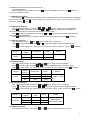
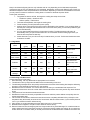
We can calculate the defrosting time according to different food and weight, and microwave power can adjust
automatically to reach the best defrosting effect. Furthermore, the table beneath offers reference value of defrosting
referring to the weight, which includes weight level, defrosting time and follow-up time.
DURATION TIME
PROGRAM
FOOD
WEIGHT(GRAM)
TIME(MIN)
PR 01
MEAT
100-2000
2:20-43:30
20-30
PR 02
BIRD SPECIES
100-2500
2:10-58:10
20-30
PR 03
FISH
100-2000
2:00-40:00
20-30
PR 04
FRUIT
100-500
2:36-13:00
10-20
PR 05
BREAD
100-800
2:25-19:20
10-20
(MIN)
8.2.6 Defrost By Time
After selecting this function, the indicator “
” and “
” light up. Screen shows 10:00.
Press“ ”to set the cooking time. Then press “ ”or “
”to adjust the cooking time. The MAX time is 90:00
Press“ ”to start cooking, and cooking time will count down. The symbol of defrost by weight “ ”is flashing.
In the defrosting process, the appliance will stop when the time reached the half set time. And there will be
three beeps every 30 seconds for reminding. And the symbol “ ” will stop flashing while the word
“turn”appears on the screen and flash. You should open the door and turn the food over. Then close the door
and press “ ” to continue defrosting.
8.3Delayed Start Time (Automatic cooking)
After cooking time and function is set, press“ ”again to set delay start time. “ ”lights up, screen displays
current time(hour is flashing). Press“ ”or“ ”to set delay start time(hour),press“ ”again, time(minutes) will
flash. Press“ ”or“ ”to set delay start time(minutes);Press“ ”to confirm the delay start time setting,If
press“ ”again, the appliance will work directly.
Screen shows the delayed start timeand current time in turn when the appliance is under standby mode.
Press“
”for 1 second if you want to cancel the selected function.
8.4 Pause In The Process Of Cooking
8.4.1、You can stop the cooking process at any time by pressing“
”or by opening the oven door. At the same time
when the appliance suddenly stops working, but Screen still displays the rest of the operating time still.
If you wish, at this time you can:
Turn or stir the food to ensure it will be evenly cooked;
Modify the process parameters;
Cancel the process by pressing“
”for 1 second;
To start the process, Cancel the door and press“ ”。
8.4.2、Modifying parameters
The operating parameters (time, weight, power, etc.) can only be modified when the cooking process has been
interrupted. Proceed as follows:
After pressing“ ”one second under standby mode the appliance will switch to function menu.
Press“ ”and“
”or“
”to set cooking time;
Press“ ”to switch to Power Setting Model;
Press“ ”to continue cooking process。
9